0:53:10
Combating the onslaught of features
Published March 6, 2026
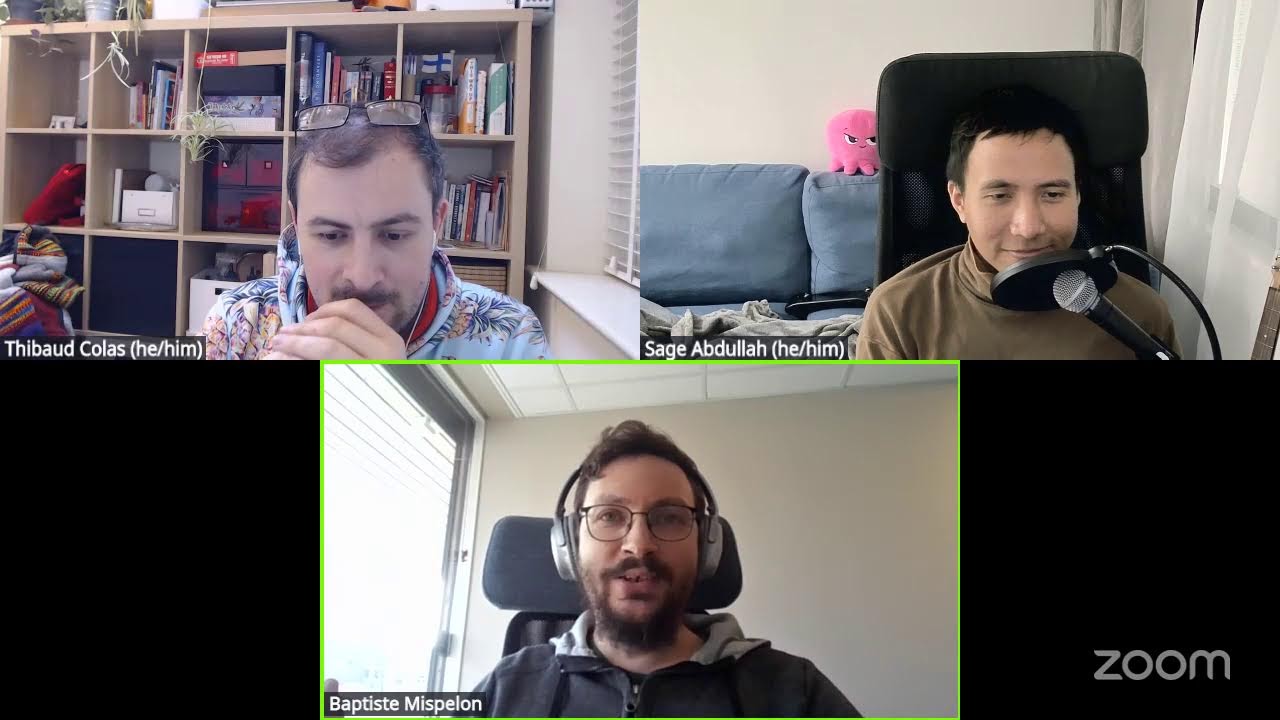
This video features Sage at Wagtail Space.

Our core contributor Sage explain how we implemented Wagtail’s autosave support in the page editor
Automatically transcribed, so expect mistakes in names and technical terms.
Speaker 1: are in the process of going live.
Speaker 2: Hello world. Hello.
Speaker 1: Redirecting to YouTube. Here we are. We are live.
Speaker 2: Wow.
Speaker 1: Welcome to this week's episode of the Wacktail Review. Sage 's epic jingle. It's good to have you here, Sage. Welcome Megan. I think Megan, this is your first appearance in
Speaker 2: it is my first appearance in the Wagtail Review. This is this is great. And if anybody's curious, I am not doing um Cyclops cosplay here. I'm wearing these because I have chronic migraine So that's that's that's why I'm rocking the glasses, y'all.
Speaker 1: Yeah, it's uh 10 points for the swag as well as you know self-care. Definitely good. Um yeah for this week we don't have a jingle apparently but we do have a good topic. We've just shipped Wagtail 7. 3. Megan wrote a lovely blog post. We have an amazing video overview of the release. And one of the key features is autosave. Which people have been clamoring for, which we're super happy to have, and which uh I guess we're ready to answer a few questions and maybe dive into the implementation a bit. What's our plan?
Speaker 2: Well, I was actually wondering if we could chase take a moment just to marvel at the feature that is autosave in general. Like I was thinking this week like you know, it feels like it's taken us a while to do this, but I I've started to appreciate kind of like the amount of hardware and software upgrades that were necessary to make these types of features exist. Like 'Cause you know, people who are like sage's age or younger have not existed in a world where saving is a thing. You know, they don't have to
Speaker 3: have to remember the the diskette symbol at least.
Speaker 2: Yeah, yeah, yeah. You at least remember that. Um but you know there are so many Like my nephews are not gonna know what a floppy disk is. You know, they're just they're not gonna know what what is this saving that you did back in the day, oh ancient ones
Speaker 3: What happens if you lose power?
Speaker 1: What happens if you lose power, yes, while your CD drive is busy writing on the disc for like 10 minutes Yeah.
Speaker 2: It it's just that I think most most content creators have some epic story out there about work that they've lost or something that has made them cry, honestly, due to a saving accident. Um like for me it was I finished a epic novel when I was in high school, and that's when I got the sad mac. It was bad, y'all. It was bad. Do you guys have any any bad memories of saving incidents?
Speaker 1: Honestly, like it happens more often than you'd think. I think uh like in my code editor sometimes I start a project without having set it up for versioning in Git just yet. and like you can easily spend two three hours not realize later on that you've uh RMRF'd like removed the whole folder And then hate yourself for it. Like you know, just three hours of like blissful focus disappearing. Um in Wattel not as much, but You know, still often enough I write articles while I'm on the train and then you try and save and poof. What about you, Sage?
Speaker 3: I think I have had cases of either losing my flash drive or it suddenly not working or it getting a virus back in the day when Windows didn't have as good of an anti antivirus. So these days I tend to be more I don't know, I'm I'm more of a data hoarder, so I I'd rather have as many copies as I could than lose my work. So yeah, I have like lots of git branches as like checkpoints for my work, even though I d never actually touched them after that. So yeah.
Speaker 1: I'm I'm super happy that this is coming to the CMS to be honest because Um in the context of Wagtail, like it does disrupt my writing flow a bit if I have to manually hit save, read it very often. It's just nice that you can stop worrying about it and you know just like check the indicator and see that it's worked. Do you have a demo for us, Sage?
Speaker 3: Oh yeah we can have a quick demo I guess.
Speaker 1: That'd be great
Speaker 3: Alright, one second, let me show you. Alright, I have this um little page in my bakery demo but it's a simple page so it's very bare bones at this point. But let's say I want to edit the title Hello world. Ooh, look at that. Did you see that? Changes have been autosaved. Ooh, so if what if I were to open this in a new tab, you'll see that. Oh. That has indeed that has been saved.
Speaker 3: So even if I close this, I know that uh even if I didn't click save, it's already saved.
Speaker 1: You can't quite believe it, can you? You're like, let's refresh anyway and check that it worked.
Speaker 2: Yeah, it's it's beautiful. And also it's like so so much effort went into a feature that people are gonna appreciate for like the first few times it appears and then they're gonna forget about it. Which is honestly, you know, when you think about it is like when you think about the best software you have in your life, like that is that is a big part of it. It's the experience of just not worrying about things, like having things work well in the background.
Speaker 3: Yeah, and this was not a feature that we just worked in this release. It it has been a journey. So we built previous features that would end up powering this autosave because we have to consider things like conflicting edits and like how to communicate such um conflicts to to the user and what they should do in those cases because again uh um Keep in mind that this is still what we call an MVP because there are a few limitations that um we haven't been able to solve because of the data model and also just Well, it's a lot of work to get it done. So we're doing it iteratively um over the releases that we've um
Speaker 3: made so yeah it's uh it's built on top of previous features that you might have seen that may not be like a big deal back then before autosave but we'll see how they play out. So yeah, I I do have a little presentation here, but before we get into that, do we want to talk more about autosave or should I just jump into this?
Speaker 1: I think it would be great if um we could go through I don't know what's how much the presentation covers this but some of those features we could explain them a bit more because I think when people uh think of autosave you know it's definitely easy to forget and move on but in Wagtail for us to implement this there was a lot of nuance that we had to spend time getting right enough to feel happy enough to ship this Maybe you could show like concurrent editing notifications. That was quite a big piece for us, I recall.
Speaker 3: Yep.
Speaker 2: Yeah, we started this all the way back when we started introducing stimulus to the project, right? That was Yeah
Speaker 3: Yeah. So yes, we added stimulus like two years ago now, maybe. And we used that to build features like concurrent editing notifications. But um let me see if I can show you. sure if it's um Well, yeah, this little thing when there are conflicts like this. Well, I'll get to more details in the presentation, but um yeah, if you wanted uh live demo, I guess we could do uh demo on the nightly site maybe.
Speaker 3: Do you have it open, Tebo?
Speaker 1: I can uh try and make that happen.
Speaker 3: Well, I'm not sure if I have a separate user account here. Oh, I do actually. But I forgot the password, so maybe
Speaker 2: I'm logged in, Sage.
Speaker 3: Okay, let's open this welcome to Whitel page and see what happens.
Speaker 2: Let me find it. Obviously, we want the English version, right?
Speaker 3: Yep.
Speaker 2: I I you know Jeppelle France my German is not up to par.
Speaker 3: Same here. I only know expression kein Deutsch
Speaker 1: Where are we? Which page are we on? Welcome to Wagtail. I'll join with um same account just to save a bit of time I feel like um yeah you mentioned stimulus, but I feel like even before that uh we introduced comments inside the CMS. Um when was that? At least three, five years ago now, I think we had the comments feature. It was kind of like the first step of us to I guess wanting to facilitate like live collaboration inside the editor. Because when we say like journey to autosave, really what we'd like to build eventually is something that multiple people can look at and edit at the same time.
Speaker 1: I don't know how far we are from that, but certainly closer than we've ever been before. Can I leave you a comment, Sage? I
Speaker 3: think so, but I'll have to reload. Have you added it?
Speaker 1: I think I've added it.
Speaker 3: Uh we can see it.
Speaker 1: Yeah, yeah, yeah. Yeah, so this eventually like we want it to look like um I guess uh the type of interface where you see who's looking at the page at the same time, we already have that, and also you see where they might be looking on the page, and also you see if they might be making edits. and comments like this. Right now it does rely on one of the two sides manually reloading to see the updates. Um but yeah I guess uh Sage to your point about uh this being complex, I do feel like um also it's definitely because of uh
Speaker 1: uh philosophy on uh product releases or always wanting to make those things happen iteratively and compatible for a wide range of projects You know, Wagtail being so opinionated, there's already lots of minefields to support things as it is, but we like to make it extra hard on ourselves. by also trying to build make those features available to arbitrary Django models. I think autosave already works for for snippets as well, right?
Speaker 3: Yep Oh
Speaker 1: look here I am
Speaker 3: There we go.
Speaker 1: Consultant experts auto saved Yeah, and so with something like this, like you get something that's pretty unique, I think, in the Django world where um obviously you have an admin interface just like Django's, but out of the box You have um support for multiple uh like a revision history of the content, like a live and draft version, and a preview as well of your arbitrary model?
Speaker 3: Uh-oh.
Speaker 1: Uh oh.
Speaker 3: We pretend we didn't see that.
Speaker 2: Well, I also uh tried to create myself an I was logged into admin too, and I'm like, oh, I should make myself another user, and I must have fat-fingered my password. So whoops
Speaker 1: Are there any limitations, Sage, on like what type of existing model you could set this up on? Is it like maybe a lack of support for UUID primary keys for snippets and that's about it?
Speaker 3: So even that is technically supported, but we haven't guaranteed that it you know there's nothing broken because We haven't got uh like comprehensive tests for such models, but um in principle we try to support it so and we address any issues as people report them. But other than that for the autosave in particular The only requirement is for the model to have the revision mix in enabled because we need to tell if there are any conflicting uh changes to prevent people from overwriting the uh uh changes from one another and to do that we have to track the revision that they're editing
Speaker 3: so that's that's a requirement if you want to have autosave We could technically enable it without revision mixing enabled, but um yeah that that could mean you might end up overwriting the work change uh the changes made by other people.
Speaker 1: Yeah.
Speaker 3: Yeah, we're not at the point where it's live editing where you immediately see changes made by other people because That's um yeah quite the work. I think the main blocker might be ideally such features would be implemented with something like WebSockets. um so that we're not doing a constant request response cycle um with b with you know basic http stuff But that means we impose the requirements of having things like Django channels onto the users of Wagtail, which for some people they might not need it. So it's one of those considerations that we have to keep in mind.
Speaker 1: Makes a lot of sense. I could I could definitely see ourselves moving towards that in the future. But There's a big butt which is that I don't see ourselves necessarily breaking possibility for anyone who doesn't want to change their project that drastically. So then that would mean um Having um different levels of supports depending on your site's configuration, I assume.
Speaker 3: Yeah, and that means we have to make sure that everything keeps working regardless of how your site is set up and yeah it's quite the work.
Speaker 1: Smooth upgrades. Megan, you've upgraded the whiteel. org site to the latest release recently. Where how is it like between smooth sailing and super stressful?
Speaker 2: Um, you know, honestly, uh this this one was pretty smooth sailing. And the the only friction I had uh for this upgrade was uh making sure that everything worked with I did the Python version change as well in this upgrade. So But autosave pretty much like granted I didn't like, you know, attempt to do anything fancy with it. So Wagtail. org mostly like most of our activity is in the blog area. Um we don't do a ton with um a lot of unique snippets. That might change when I start working on the Wagtail Space website later this year. But
Speaker 2: we'll see how that goes.
Speaker 1: These are right there.
Speaker 2: Yes. Yes.
Speaker 1: I see we have quite a few people in the chat. It's good to see you here, Srishti and Joel and Amit. Definitely if you have any questions, do feel free to go for it. Otherwise, I think we'll just keep chit-chatting. Sage, do you think we're gonna work on uh like a new version of this in the near future then or is it more like a year from now? What's the next step? Like in terms of UX and features.
Speaker 3: I think we'll definitely do some refinements in the next release. Small tweaks here and there that um we know um we should improve, but also at the same time we're still waiting for feedback from people who have tried out the new release. So yeah, keep that feedback coming and will iterate on this in the future releases.
Speaker 2: And it doesn't have to just be developers. Like we want to hear from editors too. Um you know, I mean I'm sure some people are curious about when we're go what we're gonna do with the save button in the future. So
Speaker 1: There is an issue on our backlog which is called save and continue, I think. And I would love more uh editor feedback because I'll be honest, like we have lots of developers here. We definitely have Lots of feedback from devs, not enough feedback from CMS users.
Speaker 2: Well, and I'm one of the ones who pushes for the save and continue thing because
Speaker 1: Do you wanna do you wanna pitch for it?
Speaker 2: Well, b basically it's like when you uh finish a blog, um I think most people when they put a blog live and publish it uh realize two seconds later there was a typo or something they needed to change. Uh and in Wagtail, uh, it takes you back when you publish, it takes you back to the parent page and the listing there. And it's just like, ah, but I need to fix my typo. And then it's a few more clicks to get back in. Um, I think a a lot of other content programs just stay on the page just because that's it it's pretty typical with any sort of internet publishing to have to make a quick change or like um Another good example is when I do the release blog post
Speaker 2: , I almost always have a placeholder link in place for some of the release notes uh just because we don't have the stable version published yet when I write it. Um and that's like, you know, just extra clicks to get back in and be like, hey uh I need to update this link. So that's my pitch for save and continue. I would love to see that.
Speaker 1: I have the same pitch. And I think it's also simply because When I publish a page, it's really rare that I'm like, okay, I'll make a new page elsewhere then like I don't like publish five or even two pages in a row. So it's like not like it's gonna help me in any way for me to go elsewhere, if that makes sense.
Speaker 2: Yeah, yeah. I mean there are probably a few circumstances in which that would be useful, like if you're setting up a new site or if you're migrating a bunch of content and having to create new pages for it. Um, but like honestly, I think most most people want to stay on the page when they publish it.
Speaker 1: Yeah. So this is one this is one if we looked at our um backlog for the project that is marked as need user research because there's definitely been plenty enough like discussions back and forth over the years that um now you know it's at the point where it'd be nice to have more um Like input from actual CMS users. Having said that, you know, definitely when we move to the autosave worlds, I assume that's uh at some point even if we were to not make a conscious decision. If you hit publish, you'd rather have that happen without a page refresh, at which point it's pretty natural to not change where users are looking.
Speaker 1: So yeah, I think that will be an interesting one if we can wrap this into the next round of uh user testing of the autosave feature specifically or if people have feedback about this in its relation with autosave.
Speaker 2: Well, should we dive into the inner workings of this feature that y'all have worked so hard on?
Speaker 3: I guess so.
Speaker 2: Cause I I like people just honestly don't think about this a whole lot. And when you do think about it, you realize how Awesome it is actually that it exists.
Speaker 3: That's true. Alright, should I start then?
Speaker 1: Go.
Speaker 3: Alright. So yeah, autosave. We're we're we're finally here, right? So yes, usually before autosave um you would have to click save this uh Um this little well not little it's a big green button at the bottom and when you click save um it you know it does the normal form submission uh standard browser stuff It will send a post request and you know if the form is valid, then the server will create a new revision with the changes. Otherwise it will add errors to the form and render the edit view template and return it as a as the response. Though in the case if you're publishing,
Speaker 3: we are redirecting to the listing page, which we might change in the future, as we just discussed Um so yeah that that's manual save. Right. But without the save, um as the user make edits. We wait until they make no further edits and after that we send an async host request using JavaScript. And if that form in in the post request is valid, we create a new revision with the changes and we return the ID as the response. But otherwise we reject the request and we return an error message instead. And we want to display this little indicator in the header saying that the changes have been autosaved.
Speaker 3: So yeah, it makes it clear to the user that they don't need to worry about the changes being lost. That was the first autosave. But for subsequent autosaves, Um we want the client or like the the browser when it sends the post request, we want them to include the revision ID from the previous autosave And if the form is valid, we want the server, instead of creating a new revision, we want to overwrite the uh the previous autosave revision with the new data. So this means we we're going to keep using the one new revision that we made uh for the whole autosave session. So this avoids um
Speaker 3: you know, making one new revision for every single autosave call, which isn't ideal uh because usually it's still the same editing session, right? So it makes sense to just keep reusing the same revision object. And yeah, the challenges in implementing this feature um the first thing that is very important is edits by different session because uh we don't want users to overwrite changes made by other users without them knowing about it or like explicitly confirming that. Because again, uh like we said, uh w we don't yet have that live editing collaborative kind of like Google Docs style
Speaker 3: because of the limitations but maybe we'll get to it at some point in the future. So for now we have to consider this um conflict resolution. And we want to communicate the state to the user so there are UI components to update after an autosave has happened. And we want to integrate with existing features that we built previously, like previews and concurrent editing notifications. And also we want to make it configurable. So for example, things like how often um is and out to say performed just in case um you know maybe people run wagtail on a either maybe it's a busy site or maybe they run run it on a on a VM with limited resources.
Speaker 3: So we don't want to spam the server with too many requests in a short time. So we want to make things like the interval configurable. And then also about updating the UI. Previously we have always relied on the fact that we do a full page reload, which means the whole view template is rendered by Django and we can rely on that for any UI updates. But this time we have to kind of patch the view that is already loaded at runtime in the browser. So yeah, let's look at the first challenge with conflicts. So this is the happy path, right? We
Speaker 1: oh god
Speaker 3: as a client we load the page with revision ID one two three let's say And then we make edits and the server will create a new revision. Um, and it returns the ID 124. That's the new revision, right? And that we set that as the overwrite revision ID. And then if we make further edits, well, the server is just going to overwrite that previous revision. And yeah, just repeat for more autosaves. This is the happy path. But now what happens if there's a different client, like a different user? And let's say they both loaded the same page at the same time. So at the when at the time when they loaded the page,
Speaker 3: the revision ID that w was loaded are the same. Um it's let's say X123 uh with X being like it was made by any user. We don't care about it but it was this revision X123. And then client A make edits. So okay, the server will create a new revision, A124, because it's made by client A, right? And yeah, this is the previous autosave flow normal, right? But what happens if after the After user A has made autosave, what happens if client B tries to make edits? What should the server do?
Speaker 3: Any guesses?
Speaker 2: Oh goodness. Hmm
Speaker 1: I love how you start with the happy path, which is usually, you know, the case that's meant to be simple for us to implement and even that isn't simple. And then you hit us with this. Is this a trick question, Sage?
Speaker 3: Well, not really, because I've we've already shown you that little warning um in the header. So yeah, the server should reject because
Speaker 2: Yeah.
Speaker 3: Well, client B, when they try to make s uh a change, the revision that they loaded, one, two, three, that's no longer the latest revision, right? So they haven't seen the changes made by client A. So yeah, in this case for client B autosave is turned off because uh but if they want to overwrite changes made by A, they can, uh but they'll there will be a a confirmation dialogue saying, Hey, do you want to overwrite is client A, like user, this other user has made edits. And it doesn't have to be this a different user. It could be you on a different tab. So that's something we have to consider as well.
Speaker 2: I have done that to myself before.
Speaker 3: Yeah, it's it's uh It's very common because you know sometimes you might have multiple tabs open. So we have to consider that as well. So yeah, in this case for client B, they can't do autosave, but for client A, since they're They're c currently like holding the autosave key, basically, right? So they can continue autosave.
Speaker 2: You you saying key makes me think of like, you know, it's a video game object being passed back back and forth between player A and player B.
Speaker 3: That's kind of the idea. I think that's a good way to think about it, because that's kind of how it works. Yeah, and and now we have a different example here. Um so in this case, let's say client A has made autosaves, right? Just like previous. But in this case, there's a new client, client C. They loaded the page after the autosave has happened from client A, right? And then they try to make edits. Well, in this case, client C is holding the latest version of the page, so the server should be like, okay, they know that they're editing the latest version. So there are no new changes that they haven't seen, right? So the sir the server will happily create a new revision, in this case
Speaker 3: C124125. So client C will use that as their autosave revision. But what happens to client A if they try to make further edits?
Speaker 2: Well using our original analogy, they don't have the key anymore. The key has been passed to player C. And so the server should say, you don't have the key. You shall not pass.
Speaker 3: Exactly. Yeah And yeah, that's pretty much an easy way to think about it. So in this case for for client A, Autosafe will be turned off. And they could forcefully override the changes, but they have to explicitly confirm that because we don't want the override to happen silently. And yeah, for client C, they can continue to edit an autosave because they are still holding the key. And this is a different but A bit similar example of a conflict. So let's say client A is currently holding the OTSE key and then client C loaded the page.
Speaker 3: But client A make further edits after client C has loaded the page. So while the server is like, well client A is still holding the key because client C hasn't made an audit the save here so the server will override um the revision from a right but now what happens if client c tries to make edits Well, in this case, even though the latest revision ID is still A124 The revision that was loaded by client C is no longer the latest in in the sense of like the content of that revision. So we don't uh only compare the ID, but we also have to compare
Speaker 3: in this case we look at the timestamp because well uh Yeah, the revision that was loaded by C has been updated since it was loaded. So in this case, client A still holds the key while client C they can't do autosave So yeah, that's uh those are the examples of the conflicts that we have to um consider when we implemented this feature.
Speaker 2: Yeah, how many of these like, I don't know, feels like war gaming almost. Like are are these just like a couple of the examples that you guys had to think about?
Speaker 3: I basically had a spreadsheet of like all the possible states and I had to consider, okay, is this basically the same uh situation as that previous scenario and if so I'll I I could kind of okay I'll just consider them like the same uh I I consolidate them both into a single scenario. But so these are the three main scenarios. But there are more like specifics um and and the differences but I think these are the three main uh scenarios that are likely to happen.
Speaker 1: Yeah, what tends to introduce complexity as well is um if there is some nuance between doing this for existing pages versus new pages and also pages versus snippets That adds uh extra fun.
Speaker 3: Yeah.
Speaker 1: I have a I have a hypothetical sage.
Speaker 3: Yeah.
Speaker 1: Um all all those conflicts I think would be resolved if we allowed different people to work on different drafts at the same time. Did we consider that? Like, oh, this person gets this revision, that person gets that revision, they can do whatever they want.
Speaker 3: Yeah, but who gets the latest one if you were to reload the page? Which revision is loaded?
Speaker 1: I don't have a good answer for this. It's just we do have people on a semi-regular basis telling us like, oh, I'd like to when I'm working on my own drafts. I'd like to be my draft to be private to just myself until I've decided to share it with my colleague. And um also like, oh, sometimes you're working on a long-term update to a page, but you also have like a quick edit to get in last minute on the existing live version. So we definitely have enough use cases where people would find it convenient to have separate drafts. But usually those people feel very able to uh you know request those enhancements without solving what happens as to what draft displays when you come to the page design.
Speaker 3: That sounds like you you're asking for a git branch for For White Till.
Speaker 1: Yeah.
Speaker 2: Well, and I'm I'm trying to think of like, you know, I've worked with a lot of content tools over the years and I don't know of one that honestly would work like that. because that's essentially a save as. And most people I know would do, you know, copy the whole thing and make a a new draft that way and just label it differently. I mean, I think that would be an interesting approach if there was a way to switch between versions without making multiple copies of a page. It would certainly help with library cleanup. uh a lot. Um but I don't know how that you know, if if you if y'all can think of a genius way to make it happen,
Speaker 2: that that could be interesting.
Speaker 3: I think it's technically possible. So you would tell the server to write a specific revision instead, right? But I think For such a feature to be exposed to the user, we have to think of a really good UI to communicate that like Which version exactly are you are you wrong?
Speaker 2: Yeah, exactly. Because like I I think with the especially with these autosave tools coming around, I remember one of the pr w probably one of the biggest implementations early on was Dropbox. uh was pretty uh well known amongst most lay users. Uh but I remember I I worked at I I had a contract with IBM for a while and all the time people were like, which version are you working with? Um and it was just like impossible to tell sometimes. Uh so it was i you know it's you you have to think about that because that can easily lead to a lot of confusion.
Speaker 1: Sristi in the chat says um if we had a toggle to disable autosave, at least you could keep your draft to yourself until you're ready to save it to the server. Um which does feel interesting. I I think also, you know, as as Megan said, you could copy the page and also you could work on the draft outside the CMS, I assume worst case. Did you consider turning making it possible to turn it turn it turn this off, Sage?
Speaker 3: Um yeah, but it it's not a user-facing thing. It it's configured from the server.
Speaker 1: Configuration. Who gets to decide what's when?
Speaker 2: This is why if there are editors out there, you should always be friends with your developers.
Speaker 1: Do you think we should uh this the kind of configuration that editors would uh like, Megan, if you could inside the CMS say like okay, I'm switching off auto-saving for now?
Speaker 2: I don't honestly know that there are a lot of people who do content writing who would use that Um, you know, I'm I'm open to a bunch of other people proving me wrong, but I think most people would would prefer to just have it constantly on. and use other means uh for for keeping their own private drafts. I mean it probably would be interesting if there was a way to make kind of a user, like a user-configurable private folder within the CMS or something like that.
Speaker 1: Yeah.
Speaker 2: Um, you know, that that would probably be uh an interesting way to solve those types of things. Um, but I I don't I don't I don't I don't think I I definitely would not switch auto save off. I I'm too bad about remembering to save anyway.
Speaker 1: Yeah, and that's good for us because those existing conflict scenarios, as we support more and more configuration options, the number of scenarios to consider bubbles up really fast.
Speaker 3: Although to be honest, I think it should be well I'm not sure about the future, but at this point, if we were to add it uh config like a a user configuration option for autosave it is fairly trivial to implement because Of stimulus which will get you.
Speaker 2: Yes, tell us more.
Speaker 3: All right Yeah, so I'm showing you a screenshot of the concurrent notifications introduction that we did in uh what's new in Whitel. This was probably a year or two ago now at this point. But yeah, back then we we had this little feature that just tells you if someone else has saved a new version. And back then it It was it's it's a nice feature, but you didn't feel as much of a of a benefit from it until you have autosave in place. Um But yeah, so we added that as we as we said we work on this feature like iteratively. So this was one of the building blocks that we had to implement before we get autosafe.
Speaker 3: So, concurrent editing notifications. Um yeah, the way this works is basically we ping the server periodic periodically to check for other sessions that are editing the same page and whether there's a new revision for um for that page. And by the way, when I say page, this could also apply with snippets that have revisions enabled. Yeah, if there are any other users editing the same page We want to show those users in the header kind of like Google Docs style. And if there's a new revision, we want to intercept any save actions. um when you click on the save button at the bottom to show a confirmation dialogue.
Speaker 3: So yeah this like you save a new version in another window if It was you who saved that new version or if it were someone else then we'll show that um person's name. And the ping interval is configurable and it can be completely turned off because again for some people maybe they don't need this uh to ping it uh tu ping the server like every few seconds and they would rather have it turned off. So we cannot expect that this like warning this notification to happen before an autosafe attempt because maybe the interval let's say if it's configured to be one minute between pings
Speaker 3: and the user tries to do a save before um the ping has happened then they will not get this notification So we can't uh rely on this as it is for other safe. We'll get to how it's it's uh how we integrate with that feature later. But so yeah, things to consider for communicating the the autosafe state to the user. um is this little unsafe edits message that we've always had since I don't know it for for many years now. But yeah, this might not be that relevant once we have um autosave, right? Because, well, the changes should be safe, though
Speaker 3: uh ideally. So this we should never see this in in an ideal world And also the ability to render error messages. This is something that we don't yet have because We for for the most part the UI in Wagtail is rendered using Django templates, which means we have to pass it on a request-response cycle to render the messages. And if we use autosave, that means we have to dynamically add those error messages from JavaScript. And ideally in a way that doesn't interrupt the user flow, like for example, let's say you just added uh
Speaker 3: a new block in and the page you don't want to immediately be shown a big error right uh on top of the field because well you just added it So yeah, um we don't have that at at this point, but we'll uh look into implementing uh dynamic error rendering in the future. And also things like things that are kind of related and already existing features like previews, which also already checks for changes in the form. And then uh this little uh confirmation dialogue that is it it's standard browser thing, uh
Speaker 3: but we do need some JavaScript to trigger that and it's implemented with this unsaved controller. And session controller is the thing that shows you this concurrent editing information. And soon we'll have autosaved controller. Well uh soon as now because 7. 3 has been released. And yeah, the name controller uh that is a standard that we use for statementless uh because it's Each of these are implemented as stimulus controllers. So I don't know if we want to be very technical today, but uh the first one
Speaker 3: is showing this unsafe thing uh at the bottom and also showing this browser confirmation dialogue. right this is implemented with unsaved controller and previously this uh for this feature we detect change and key up events as well as a mutation uh mutation observer because when you add a stream field block it doesn't um trigger a change or key up event so we have to instead check for any new elements. That's why we used mutation observer. But for 7. 3 we decided to simplify this mechanism to just use an interval to check for any changes to the form
Speaker 3: data in between um the previous check. And when there are changes, we uh this controller will dispatch this w unsafe add event. And if you happen to undo the changes, uh it will dispatch this clear event to hide the message. And these events are listened to by a different controller to dynamically add this message at the bottom. We render this in the server using template elements, so it's not immediately visible, but when we actually need it, we will clone the element
Speaker 3: to the right place. And yeah, this browser confirmation dialogue it will depend on whether you currently have unsafe changes or not. And then we have preview controller, which previously it has its own code to track the form changes using an interval And this was implemented before the unsafe controller dispatches events for um when there there are unsafe changes. So yeah, it it also so it's something to consider like If you look into Wachtel's code base, you might be like, hey, isn't this sort of thing already implemented in that other
Speaker 3: place But usually it's also because well they were implemented before um we had this like for example before we adopted stimulus so it was a bit difficult to share um uh the code and like how they interact with each other. But now that we have stimulus, I was able to um move the logic that we previously had for preview controller and use that for unsafe controller, uh the logic where it uses an interval to checks uh to check between uh So you know periodically it will check the form if there are any changes since the last check. So yeah, and then instead of doing the check itself, the preview controller now now just listens to the events.
Speaker 3: from the unsafe controller. So if there are any unsafe changes, uh by D. Add event from unsafe controller We mark the preview data as stale so that uh okay it's uh that means the preview needs updating Because there are also things to consider like what happens if the if you made changes while the preview panel is closed. You don't want to immediately update the preview because that's not needed, right? uh this is a sort of performance optimization. Um so yeah instead of immediately updating the preview, we just mark it as tail so that the next time you open the preview panel, we'll update it. Or if you have it already open, we do update it. So yeah, uh another thing to consider
Speaker 3: when implementing things like this. And then the next thing is the session controller, which is the one that's responsible for concurrent editing notifications. The way that this controller works is it dispatches a thing event at an interval, and then the event is uh handled by a different controller. It's called swap controller that actually sends the ping request. So so the session controller itself doesn't do the ping. We do we we use a separate controller because excuse me. Uh because we also need to update the UI and we already have this um
Speaker 3: controller that we use in other places, for example, um for universal listings We use swap controller to dynamically update the listings as you do a search or a filter. It basically works by you know fetching sending a request to the server and the result is inserted into the HTML, kind of like HTMX , but we have our own implementation basically. um uh and one of the reasons why uh we have our own implementation is because it allows us to specifically tune when exactly the HTML is loaded because for example for elements like this
Speaker 3: um It's it it's interactive, like uh you can use mouse to hover on it or uh if you use keyboard, you can tab on these. um avatars which will show you more information about who this user is and what is uh what they are doing like for example whether they have uh made a new version or whether they're just editing or whether they're just currently viewing. And if you're still yep.
Speaker 1: That's why we have our own implementation?
Speaker 3: Well, not really.
Speaker 1: It's a benefit.
Speaker 3: Yeah, we can fine-tune that thing.
Speaker 1: I see, yes, yes.
Speaker 3: Yeah. We can uh for example before swapping the HTML, we wait for the user to Tab out of this element to make sure that we don't interrupt um their current interactivity.
Speaker 1: Uh yeah, I have um spent a lot of time reviewing HTMX behavior when you replace something that the user is focused inside of and it's not pretty by default so definitely you know for most projects out there the HTMX version would be just fine I would assume but for us where the components are um meant to be interactive like it's really crucial thank you sage for preserving keyboard users experience
Speaker 3: Well, it's not just keyboard by the way, because you also have to consider hover uh hovering on the mouse and you don't want it to flicker um as the ping happens. So yeah, um, I mean by focusing on these like accessibility concerns, we also improve the experience for everyone, basically. So yeah, anyway. Um yeah, this this session controller also has to send the information about the currently uh loaded revision ID and whether there are any unsafe changes. um in the current form because if there are any unsafe changes, this will be used to
Speaker 3: indicate that your session has um It is currently editing, right? So for other users, your avatar will be displayed with an orange border. So that's why we also include the unsafe changes information. And yeah, we also have other stimulus controllers under the hood that help with how this is implemented. For example, we have the action controller and dialogue controller. to uh for example to show the warning dialogue and to do uh what we call a forceful reload because um we have our own dialogue to um notify the user if they want to
Speaker 3: reload the page anyway to see the new changes and in that case we want to bypass the browser confirmation dialogue. So yeah, we have other controllers to help with that. Also things like um beacons, for example, when you switch to a different tab so that your session doesn't show up anymore because um you've basically left the page right um since if if you haven't made any edits um we'll want to remove your avdir from there So uh yeah we use the action controller for uh other helper things. And finally, uh hang on. Yeah?
Speaker 1: Do we actually use the beacon API?
Speaker 3: Yeah, we do.
Speaker 1: Wow.
Speaker 3: Yeah, and uh right now I think it could use some improvements because um right now we immediately remove your avatar from uh from the indicator but maybe we could use it to let's say wait for a few seconds or minutes uh and show your avatar as like grayed out or like inactive kind of like Google Docs when you're uh inactive on the page until uh uh before we actually rem remove it
Speaker 2: So so quick question, what is the beacon API?
Speaker 3: It's a browser API for doing something when you switch to a different tab or when you close the tab. So bef just before um You close it, we can send a request, but in a sense that you don't care what happens to the request, like whether it fails or what it returns. Uh you just want to send that request, which is useful for things like this.
Speaker 2: Gotcha.
Speaker 1: And it makes me super happy because that's the type of thing where we spent a lot of time, I assume, trying to figure out what's the most like grain of the web way to implement something and we found the beacon API and it's perfect for the job and we use it like we're always looking ahead at web standards that are a bit recent like this and seeing oh could we use it for this feature like in a few years yes or no and it's very fun to me.
Speaker 3: Yeah and I love that we I think we strike the balance between you know not just supporting the very latest version of the browser, but still adopting new features as we drop support for all older browsers. So yeah. Yeah, and finally we have autosaved controller. So how does this thing work? So we want to listen to events from the unsaved controller And then we want to prevent the fact that by default it would show that you have unsafe changes message at the bottom, right?
Speaker 3: So instead of displaying that message, we want to prevent that and we send a post request to the server. But we also have to consider that all uh not all of the edit views in Wagtail have autosave because As we said before, for autosafe we we have to have revisions enabled for the model because otherwise we can't prevent conflicts. But since we have refactored the editing interface to be similar across all models, which means you might be editing a model that doesn't have revisions like you're editing the site settings maybe or a user setting
Speaker 3: but yeah we we do use the same code for the editor because we don't want to duplicate that right But that means we have to optionally enable autosave. And this is made easy by stimulus because the configuration can be written declaratively as data attributes. So when we are in Django templates, we just add this conditional if autosave enabled, which is a flag that is set from the view based on whether the model has revisions enabled Yeah, and if it's not enabled, we don't add those um event listeners. So yeah, this autosave uh controller.
Speaker 3: In addition to listening to events from UnSafe Controller, it dispatches its own events, like save when it tries to save, success when the save was successful. error when an error happens and in the case of conflicts it will be deactivated so it will dispatch an uh deactivated event. And not all of these events are actually used by ourselves, but when I implemented this, I thought custom code, like Um maybe you're interested in writing a package and you want to handle something specific to your package when these things happen. So I dispatch these events so that you can listen to it and um handle it accordingly
Speaker 3: And then yeah, if there are if there is an autosafe error event, this will be handled by the messages controller at the footer to instead of saying that You have unsafe changes. We try to be more specific about the message. In this case, autosave is pulsed and we display the reason underneath it. For example, in this case there are validation errors, and since at the moment we are not able to render the message immediately, we just tell you uh click save if you want to see the errors. But this will also be the place where let's say there are conflicts, this will also tell you. Um so yeah, it
Speaker 3: uh this replaces the message that uh you would normally see, which is this you have unsaved edits thing.
Speaker 1: Say you just drop the bombshell right there. You have to click save still. What do you mean? I thought it was also save.
Speaker 3: I know that's one of the reasons why we call this um autosafe MVP internally, because there are still some limitations that are technically challenging to address, but instead of, you know, instead of holding on uh from releasing the feature until we get everything perfect, we thought we're we've come to to a point where It's already useful and we'd like you to have it as soon as possible so that you can benefit from it and give us feedback on how to improve it
Speaker 1: On that note, I definitely expect we have to change our roadmap around this because right now our roadmap says we're working towards autosave. To be honest, what we've done here already feels like a really decent implementation of Autosave. So we really need to change our framing towards concurrent editing, I assume. And um Autosave, I feel like everyone can get by needing it. It's really beneficial for lots of scenarios, no matter how you use the CMS. Concreting I think we all like it, but fewer people actually need it. So it'll be really helpful to hear from people like specific reasons why they might want this or that. concrete feature in the CMS.
Speaker 1: But I assume in the meantime validation errors appearing on without you having to hit save is kind of a logical next step, no?
Speaker 3: I think so, yeah. If if another thing to consider is it's also similar to the thing with the concomitant editing where we have to be mindful where the user is currently uh interacting. on the page because we don't want to show the message when you know let's say they just added a a new
Speaker 1: yes.
Speaker 3: Yeah. So things like it there's interactivity
Speaker 1: It's so grating. I have just typed into a field and already the system is like value is wrong, please fix
Speaker 3: Yeah, minimum length is 20 and then you just type something. Please wait.
Speaker 1: Just leave me two seconds to breathe.
Speaker 2: Yeah, like don't the validation errors pounce on you. That would be no, no, not good.
Speaker 3: Yeah, so I think when we implement that we want to make sure the experience is great. So yeah, instead of releasing it with like Uh not so great experience. We we settled on this um compromise where okay you still have to click save. But you know, if you already know what the error is And you just continue fixing it, this is where um we make use of the unsaved clear event. So if the autosave success event happens, we dispatch the unsafe clear to remove this message. So yeah, uh in the case where You can fix it yourself. Um
Speaker 3: we you you don't have to click save. You can still do O to Save Yeah, and this is the B side of the Autosafe controller. So if you look uh this screenshot of the code we put the autosave controller on the form element to actually do the form submission. Right, but we also have this indicator at the top, and that is outside of the form. And I could technically implement this as a separate controller. But still uh since it's still kind of related to Otosafe, well it is, it's it's not kind of, it is related actually. So yeah, I decided to just use the same controller, but
Speaker 3: uh we only used the methods that are necessary to update the indicator and in this case so it might look a bit Funny because so we have this autosafe controller on this
Speaker 1: page.
Speaker 3: Yeah.
Speaker 1: I'm gonna have to disappear before we dive deeper into the B side.
Speaker 3: Okay.
Speaker 1: Um Please don't have too much fun without me.
Speaker 3: Yeah, of course. That's I'll well I'll try to, but you know
Speaker 2: We're gonna have all the fun, T boat. You're gonna totally regret leaving.
Speaker 1: It's just the way it is. But this will
Speaker 3: be recorded, right? Uh you'll be able to able to access it later.
Speaker 1: Yes, we are very much live right now It's good to see you both and thank you for such a thorough deep dive. I will watch the rest when I'm back.
Speaker 3: All right. Thanks, Divo. See you.
Speaker 1: See you.
Speaker 3: All right. Yeah, so as I was saying, um this looks a bit funny because we have our controller here, but we are also listening to the same controller, but on a different place in in the um in the document. So yeah, we we look for or or we listen to events uh dispatched from Autosafe in the form. Um sorry. um yeah when there is a save event that's success uh sorry when there's a save event and then when it's successful or if there's an error we listen to these events and we update the indicator This means um we can update like the icon and the tooltips as well.
Speaker 3: And another thing to consider is what other things might need to updating when there's a successful autosave. So for example, um you want to update the revision ID in the main editor form so that um You know, uh the the autosafe knows that you're now holding the latest revision because when you loaded it, it was a different revision, right? So after you have made a successful autosave, we need to update those IDs. And then also um Yeah, when there is an autosave deactivated event
Speaker 3: because there is a newer revision, we want to forcefully do uh ping on the session controller so that the concovan editing notifications uh so that uh Yeah, the the the notification at the top immediately shows up even if um the setting on the server has been disabled. So yeah, this is one of those things where it's nice to have stimulus because it's easy to configure. Um and even if the ping interval was disabled, we can still um Make use of of the controller to um do a ping based on events instead of intervals.
Speaker 3: Uh oh yeah, sorry, I I just talked about this. But yeah, stimulus again uh because things are declared in the HTML using data attributes, which means We can use Django templates logic to conditionally add certain controllers or um setting these like the data attributes for the interval that is connected to Django settings like WhiteTale Autosave Interval. And event listeners can be added or removed conditionally using data action attribute. So yeah, it's it's a nice thing to have stimulus. I think uh I have I really have to credit LB
Speaker 3: here for championing our use of stimulus.
Speaker 2: Yeah, we we absolut I that was L one of LB's um first RFPs for us, which is request for proposal, by the way, for folks who don't understand that part. Yeah. Yeah.
Speaker 3: Well, I'll be really detailed, uh like Why did we choose stimulus instead of these other options and like why it's a good fit for us? And I think it's been a very good investment for us. So yeah, I'm I'm happy.
Speaker 2: Yeah, yeah, LB is superheroes. Yeah, and I I one thing that I don't think a lot of people think of um who just use the the software every day from a content creation side is like how much work goes into not only thinking about making the user experience very well but also making the experience uh great for people who are building on top of it as well. Um like there's really a lot of thought that's gone into this and this is this is an incredible sage.
Speaker 3: Yeah, thank you. Yeah, uh and stimulus makes it easy because it's very oriented around events. So When I when we work with stimulus, uh so we dispatch events to communicate with other parts of our code base, but that also means you as developers who want to extend or like do something when Wiketel is doing something, it makes it very easy to hook into those events. So yeah, stimulus W.
Speaker 2: Yeah, major W. We're gonna make LB really smile with that
Speaker 3: Yeah, um there's uh some more parts I can talk about, uh but
Speaker 2: We we we are getting a little bit um
Speaker 3: overtime maybe
Speaker 2: over time here. So I was thinking maybe we can answer a couple questions that came up from a user we had in GitHub.
Speaker 3: Yep, sure. I think uh yeah, we uh I might go into these details at some point later, but yeah, um I'll or I'll I can also share the slides uh later. But yeah, I'm I'm happy to answer those questions, Megan.
Speaker 2: Yeah, yeah, let me go find it over here. We have a uh user who asked um Is there a auto cleanup with autosave? In other words, once the version is published, will the autosave versions get cleared out from the history? Now I think you you may have you showed us how the revisions work, but what is the cleanup process? Is there a cleanup process?
Speaker 3: So there really isn't a cleanup process, but we kind of prevent the fact that we are creating too many revisions by making sure that we are using the same revision for for the the whole session so it's essentially just the same as saving clicking save but in this case it might even result in fewer revisions because normally you know as you make progress if you're afraid of losing your work you end up clicking save which creates a new revision and then you make more edits click save again another revision But with autosave, you're just reusing that same revision for the whole session. So yeah, we don't really do a cleanup in that sense, but we prevent making too many revisions
Speaker 2: Yeah, and that might actually help out with um if anybody's ever tried to create a fixtures file for Wagtail or Django before, it is a chore. Um and revisions in Wagtail tends to make that even more complex. Um so honestly autosave might help in that department.
Speaker 3: Yeah, because once you have so many revisions, um well, yeah, if you don't Remember to purge your old revisions. They will stick around. Which for some cases you might actually do want to keep track of all those revisions, even the old ones, because you care about the history. So yeah.
Speaker 2: Alright, and then the other question he had here, will pages with mandatory missing fields Save the ones that are being edited even if the page normally wouldn't save when I hit save draft because some of the fields were missing. So this is the question around validation.
Speaker 3: That's a great question. So it actually is related to a previous feature that I think we shipped. either in the last release or the one before, but it's it's not too long ago, which is um deferred validation on required fields. So yeah, for if if you're saving a draft and not publishing, we now have the ability to defer any required fields validation. So you can leave those blanks. without having to yeah so if you want to save you don't have to fill them out although I have to say we do have one limitation that we're hoping to address in the next release which is um For required fields in stream field
Speaker 3: blocks, we have not handled that yet. So it will prevent you from doing an autosave, but as soon as you type something in, autosave can resume So yeah, that's something we'll hope we're hoping to address in the next release.
Speaker 2: Gotcha, gotcha. And Like deferred validation, like, I don't think that they're like the only kind of mandatory, mandatory thing that I think is like uh you need to have some sort of title or slug. Embedded.
Speaker 3: Yeah. And slug. And although usually slug is filled as you type in the title. So title is necessary for pages.
Speaker 2: Yeah, because I otherwise like I think deferred validation can be configured somewhat by the developer. Um
Speaker 3: Yeah, um there might be certain fields that you like absolutely require and developers can configure those, but by default, um text fields um there if it if they are required, we don't require them for drafts.
Speaker 2: So if someone does like put in that hard stop as a developer, uh, just because they want to really make sure Um will that pause the autosave then in this experience?
Speaker 3: It will pause autosave, but it doesn't deactivate it. So Uh if you fill that in, autosave will continue. But otherwise uh we'll tell you there's a validation error.
Speaker 2: Yeah, I just want to make sure we covered that scenario too, because I I suspect that might be what our user here is asking about. So awesome. I'm gonna just I I opened up the chat, which is why you probably heard some brief noise earlier. Um I don't see Any any questions lingering in here? So this might be uh might be it for our autosave deep dive, everybody.
Speaker 3: All right. Thank you very much for hanging out
Speaker 2: Yeah, this is awesome. Let's do this again.
Speaker 3: Yeah, we we usually do this every Friday, but usually in the morning. And whenever we do, we announce it in the uh water cooler slot channel I believe and also on our socials so yeah if you follow our socials on Fostodon And we're at all us.
Speaker 2: Faucodon, Blue Sky. Uh we're also on YouTube. Uh you can also, we're generally pretty good about updating Reddit as well. So
Speaker 3: that's great.
Note: We understand that names change, people change, and bodies change. We respect each individual's journey and privacy. If you have any concerns about a video or need us to remove content, please don't hesitate to contact us. We will handle your request with care and promptly address any issues.

