
0:11:18
Video Tour of Wagtail 8.0
Published August 26, 2026
Wagtail CMS 2026
This video is from Wagtail CMS 2024.
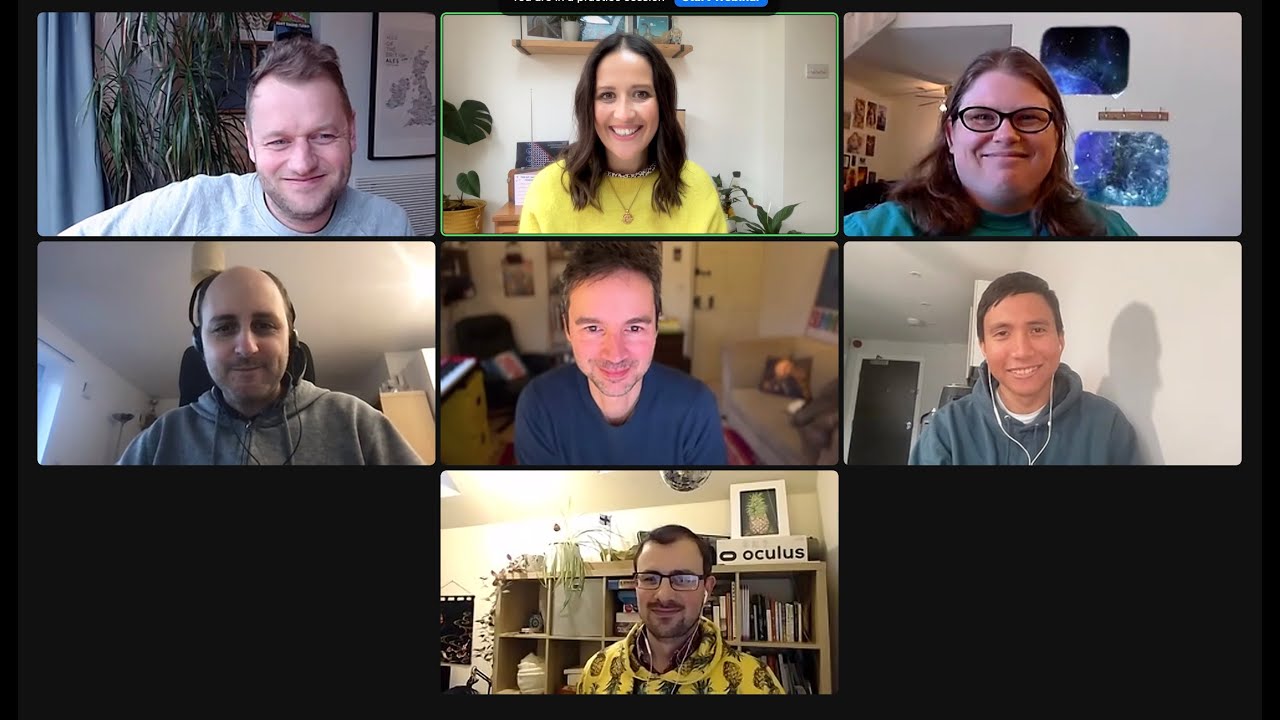
We have loads to share in this episode, including features in the latest 6.0 release, a preview of the new email newsletter package and future design possibilities.
Including:
And lots more!
💻 Wagtail is the easiest open-source Python CMS to use:
Install the demo and start building your first site in 10 minutes: https://github.com/wagtail/bakerydemo
📹 Related Videos To Watch Next:
▶ Set up dark mode in Wagtail https://www.youtube.com/watch?v=v0kRzIh_YkE
▶ A complete guide to Stimulus in Wagtail https://www.youtube.com/watch?v=5WS7B8R0x0U
▶ A beginners video tour of Wagtail https://www.youtube.com/watch?v=Js8dIRxwSRY&t=11s
Wagtail future proofs your CMS system, as it’s open source, continuously updated and built on Python, one of the most popular global programming languages, used widely in machine learning and big data. So you’re always ahead of the curve when it comes to CMS platforms
Wagtail is the #1 choice for accessibility, is scalable and most importantly, secure.
👉 Get started with a FREE Wagtail CMS TRIAL: https://github.com/wagtail/bakerydemo and see how easy it is to build a website that works for you.
📊 Read why Google, NASA, and the British NHS, are powering their digital estates with Wagtail: https://wagtail.org/about-wagtail/
🎥 More Wagtail Videos: https://www.youtube.com/watch?v=cne2kxemMAQ&list=PLfwZ-fob20cPvSQ_v1hkjto8BAPN21tLJ
📣 Follow us on social:
#WagtailCMS
Wagtail 6.0 makes admin listings more compact and searchable, with live search, filters, dedicated listings for individual page types, page-type reports, and universal listing features for snippets and custom Django models. ModelViewSet replaces the removed ModelAdmin, bringing features such as inspect, history, copying, and the new listing interface to non-page models, while future work includes document and image listings. The presenters also outlined possible future UI work—snug mode, content checkers, universal search, and keyboard shortcuts—and introduced an open-source newsletter package using MJML and Mailchimp integration to publish web and email versions from the same content. Wagtail AI was presented as an optional third-party app supporting multiple language-model backends and configurable prompts for tasks such as correction, generation, and rewriting; the discussion of its roadmap and vector indexing was cut short.
Summarised automatically from the transcript.
Automatically transcribed, so expect mistakes in names and technical terms.
Speaker 1: Hello everyone and welcome back to many of you to what's new in Wagtail. And for any of you that are joining us for the first time, welcome to our webinar series. I'm Lisa and I organise our events at Torchbox And today I am joined by Matthew, who will demo Universal Listings. Sage will show you model viewset and universal listings for non-page models. And we have Ben joining us today to show us new UI features included in the latest released. And we have a few that we're thinking about for the future and we're going to be getting you to vote on those. Later. We also have Tebow talking about the exciting new email newsletter package. Tom Dyson will give an update on what's new with Wagtail AI and Megan is going to give you an update on Wagtail Space.
Speaker 1: We are going to have some time for questions during the session and at the end. So if you can use the Q<unk>A, it helps us to keep track of the ones that we've answered and the ones that we haven't. But we'd still love to hear your comments and feedback in the chat as well. And we are recording the session so that I can share it with you in a follow-up email afterwards. And I'll also share any of the links and resources that we reference. And I think that's about it. I'm going to hand over to Tom Dyson to kick things off today, who is going to take a look back over the past decade of Wagtail CMS. Thanks
Speaker 2: Lisa. Hi everybody. Yeah, before we we look forward into what's new, I just want to look backwards just quickly and to mark this uh important anniversary. We're slightly past the anniversary, but just over 10 years ago , in February 2014, we launched Wotel. And some of you have been involved from early on and you might know this story, but I'll just recap quickly. So it was created at Torchbox, the UK-based agency where a few of us work. And we've been involved in open source for a while and worked on different content management systems. We made a lot of sites in Drupal, but we were making
Speaker 2: other kinds of apps in in Django. And we were really lucky that we had the support of one of our clients, the Royal College of Arts, who are very prestigious parts university in in the UK , to build a new open source content management system for their own site They had some particular focuses that they felt weren't being met by by other open source CMSs. So with that support, we went ahead. We launched their site and then soon afterwards we went through the process of open sourcing it. There was a usual debate about their name. I think the top top of the list for a while was verdant. and uh and and that sort of greenness certainly came through in the early user interface, but um never felt quite happy about Bird and to me it always sounded a bit like a
Speaker 2: combination of rodent and vermin. Anyway, just outside the offices where we're based are these sweet little birds that bob up and down and from spring to autumn, fall. And uh they're called Wagtails, and that's just seeing them out the window made us think of that. So uh that that's the name that's stuck. And we we launched Wagtail, uh we open sourced it, you know, in the hopes that other people would find it useful. And certainly with the intention of continuing to work on it, but we hadn't expected that it would it would become so popular. And um it was the the kind of impact was quite immediate. Actually we had a I was meant to say we had a little launch party at the Royal College of Art who who hosted us. We had some musicians playing music by Django Reinhardt uh and uh
Speaker 2: lots of people came along and had a look. There's some faces that some might recognize of us all looking 10 years younger than we are now, the uh the original bright green interface. Um and that set the tone for a few in-person meetings. Later. Here's the original version of the README where you can see some of that original user interface. I think maybe what's interesting is that it it's still pretty familiar and there have been a lot of many lot of very sort of small thoughtful changes over the years but um I think uh you you you would it's still very recognizable. And I think maybe it's been a bit influential. Um yeah we've had a lot of in-person meetings that that was kind of
Speaker 2: that that something that I think was quite important, especially in the early days of Wagtail. This was a sprint that was uh hosted by Breakout Foundation in Cape Town. That was in the in the first year of Wagtail's existence and shortly afterwards there was a sprint in Reykjavik and there have been many others around the world, especially in the US and the UK. And we're also particularly grateful to our friends in the Netherlands where WebToS been really popular, especially four digits who've been really big supporters of work of them and uh hosted many events including one coming up soon that we're going to hear about. I wrote a blog post last month with this slightly uh clickbaity strap line about was it worth it
Speaker 2: and uh you don't of course I'd love you to read it but uh of course the answer is that it was worth it not just for the the the technology uh and the tool but also all the things we've learned and the relationships we've made. And it's been a wonderful 10 years. We're looking forward to the next 10 years. I really want to thank you all for being part of it. particularly the uh the the many contributors, 734 I think we're on now. And at the top of that list, Matthew Westcott, who is uh here with us today, who has steered this ship so well over the last 10 years. And I'm going to hand you over to Matthew to talk about what's new now.
Speaker 3: Thanks very much, Tom. And uh yeah, it's been uh really a pleasure to uh to Be be part of this and yeah, follow that journey and uh all of the yeah, the progression over time to what Mike Tail is today. So, yep, if I can share my screen, if I find the right tab, always seems to jump round. Okay, so uh today uh I'll be talking about these updates to the uh uh the listing views in Wagtail Uh Wagtail has always leaned quite heavily on the uh page tree structure as the uh way to get around uh the uh the admin interface. interface and uh that works for many people but it's not always a good fit especially for large sites that uh perhaps organize their information
Speaker 3: in other ways like tagging and categorization. So starting in Wagtail 5. 2, we set out to think about how to improve the user experience for those sites and move the focus a bit more towards searching and filtering. Uh so the most immediately noticeable change is that the uh listing is now a lot more condensed. The uh lesser used actions like uh moving and copying pages are now found in this drop-down menu, which makes the uh the re remainder of the listings more easily scannable to find the pages that you're interested in. We also have a search interface that updates live as you type.
Speaker 3: So here I'm starting from the breadth section, so it's just showing results from there But I can switch that to search the whole site. So now you see there's a result from the blog section and there's a bit of extra signposting to show where that is in relation to the other results. Often we might not remember the page title specifically, so you might want to search for and find a page that you know someone was working on yesterday. So uh in Wagtails 6. 0 uh we there's uh various additional filter options. You can filter those by criteria such as if we're looking for one that was edited by uh Naural Huda
Speaker 3: and uh if that was updated sometime in the uh the last two weeks from the start of the month and then that gives you the ability to easily zero in on that particular page that we're interested in. And yeah, we can sort of update and uh and Select and remove these filters to look for exactly what we're interested in. Now since uh this uh listing is still showing all page types, um in this case it's just a bread section so it's all bread pages but more generally this can be all kinds of pages so this does mean that one limitation here is that we can't Filter on fields that are specific to one particular page type or display those as part of this listing
Speaker 3: However, a new edition that's just coming in uh uh Wagtail six point one, the uh next release in uh during a couple of months, is uh the ability to set up uh listing uh the view that's dedicated to one particular page type. So here I've set one up for red pages. And we have this red type column and I can filter on that just like I can filter the other criteria there. Um so if you've uh y used uh the uh model admin module in previous Yitel versions, um that had uh something similar, but This new version, it's uh it's fully up to date with the new user interface with these uh filtering uh uh options and this is available as a core part of Wagtail that fits in with the
Speaker 3: rest of these uh new designs. Also on the subject of organizing your pages, uh we have a new report which is the page types. Uh this was sponsored by Mozilla and this is surfacing a bit of information that was previously a little bit buried. This allows you to see which of your page types are actively being used, especially on larger sites again. Um it's uh quite common to for the the page type that you're defined to to sort of proliferate quite a lot and you can lose track of which ones are in active use. But with this report you can see that in a in a at a glance and uh
Speaker 3: you can dig down into uh just seeing exactly what these pages are that are using each page type. So yeah hopefully this should uh be be a great help for maintaining your code base and uh keeping track of uh what exists on your site. And now on that note I will uh hand over to Sage to cover more of these uh listings uh elsewhere in Wagtail
Speaker 4: Thank you. Let me share my screen. Okay. Hey everyone, I'm Sage. Continuing on the topic of universal listings, the new designs are not only available to pages, but also to snippets as well. So you can use the new interface for searching and for filtering as well. And any custom filters that have been previously added by your developers will automatically be incorporated. into the new filters pop-up menu. So you can do filters and clear it out. And some of you may recall our decision to remove model
Speaker 4: admin in favor of snippets. And since its deprecation in Wagtail 5. 1, we have now completely removed model admin from Wagtail in Wagtail 6. 0. And just a reminder, it's still available as an external Wagtail model admin package. And that being said, we understand that for some content types, it may not be fitting to call them snippets For example, if you have a Django model like shopping cart orders or maybe feedback submissions, etc. you may not want to register them as snippets. And for this reason, we are introducing Model FewSet as a more suitable replacement for model admin
Speaker 4: And model viewset has been around for a while in White Tail, but its features were quite limited And in Wipetel 5. 2, we brought the features like the inspect view, history view, and the other customization options. to model viewset to hopefully make the transition from model admin even easier. We know that model admin was such a beloved feature in Whitetail, so the decision to remove it might be a bit surprising However, moving away from model admin allowed us to bring new features like the universal listings to your custom models much faster. And another case in point is the addition of a copy
Speaker 4: feature in Wagto 6. 0. This allows you to copy an existing instance of your model directly from the admin And now that model viewset and snippets share the same code, this feature is immediately available for both model viewset and snippets. So here I am on a model listing created using model viewset. So this is not a snippet. And the universal listing features like search and filters are still here. And now I have the option to copy my instances here. For example, I copy the Atlantis item.
Speaker 4: And if I just make some changes here, I can see that I have created a new instance with the rest of the data copied from the original instance. So with the removal of model admin in favor of model viewset, it is now much easier for us to maintain the code and add new features. So we believe that moving away from model admin was the right decision. And if you haven't been following the news around model admin, snippets, or model few set, don't worry. Bottom line is you can keep using snippets for your smaller pieces of content and for models that don't fit the concept of snippets, you can use model
Speaker 4: viewset. And whichever you use, whether it's snippets or model viewset, you'll automatically get these new features and you can have most of the same customization options for both. And before I finish, just to give you a sneak peek, in the next release, we will be bringing the new universal listings to other listing views in the admin, such as the documents listing view. and images. So this will hopefully give you a much improved universal experience within Wagtail. That's it from me. Thank you.
Speaker 2: Thanks, Sage. Thanks, Matthew. I've got a couple of questions. I think she's got time to for me to put them forward. Are the report views designs going to stay different from the listings?
Speaker 4: We are planning to update those listings with the new designs as well, but that will come after we are done with the other main listings first.
Speaker 2: Okay. And are there other types of reports coming to Wagtail in the future?
Speaker 4: So I think we have a an incoming PR to add block types report in the future. But as always, these report views are completely customizable in the sense that you can add your own reports as well. So if you can come up with a new feature that you think would be useful for other people as well, you can also submit a PR to Wagtail so that everyone can benefit from that.
Speaker 2: Thanks age. I think maybe we've got time for one more question. Are there features from model admin that still need to be added in model viewset?
Speaker 4: So the main features I think are already in model viewset, but for more specific customizations like permissions, we are planning to bring a more unified configuration for permissions so that you can also customize the permissions of built-in models like documents and images and also pages. So station
Speaker 2: Great, thank you. All right. Uh with that, we're going to move on to Ben.
Speaker 5: Cool. Cheers, Tom. Okay, so hi everyone. I'm going to spend some time now just taking you through some of the design work we've got in progress. So these are some features that um have had some traction recently and we've been exploring some concepts and some ideas around Some features, hopefully they're exciting for you guys. And as Lisa mentioned earlier, at the end we'll have a bit of a vote to see what people are most excited about. So I'm going to dive in. I've got these four areas to show you. And the first one is called snug mode. So when we redesigned the editor, we did a lot of work to make the whole form area much more scannable and easier to use But there is still that need for people, and there's been a lot of kind of um talk in the community and with users that are more compact
Speaker 5: compact view would also be useful for certain use cases. For example, if you're working on slightly more structured pages where there's lots of fields as opposed to like the more long form type. content. So I've got this toggle here for snug mode. It wouldn't it wouldn't be a toggle. It would probably be more like an admin setting. But what we've started to do is explore Some quick wins really for how we can actually develop a slightly new compact version of the interface. And so far we've really just explored basic stuff like reducing some font sizes in some areas. reducing some margins and maybe even beg using a slightly lighter weight in things like the icons. And it's really the start starting point. Obviously you can see here it's feeling more compact. But I think what's interesting about this is the knock on
Speaker 5: effects of doing this means we could maybe start to think about creating more space horizontally as well Um which may lend well to um a view where perhaps you might even be able to have two panels alongside you. So for example, you might have your preview as well as your uh status panel open, particularly on wider screens. So we feel like that's um an interesting thing to explore further. And then this would filter down to pages like the listings as well. So this is a slightly more compact view of our of our new listing pages. And this kind of uh plays into another sort of feature that's on our radar at the moment around the idea that you might want to do some bulk editing from a listing view So you might be able to edit fields within this view itself. And obviously a more compact view would make that much more, you know, would
Speaker 5: help facilitate that. So this is where we are with this one so far. I'm going to move on because there's some other things to show you. Next up is our work around content checkers. So a while ago we started to explore the idea of an interface. that can accommodate a panel that helps to give you some guidance on your content as you're editing. So you can see we've got this kind of approach of sh of highlighting parts of the content that might you might be able to improve Um so initially we were thinking about this idea similar to things like Hemingway or Grammarly, where you get these kind of inline um guidance tips. So you know these things could have potential integration with things like Chat GTP, for example. So
Speaker 5: if you want to generate a different version of a sentence inline, you could maybe do that from a panel such as this And then we got thinking around how you might want to be able to see the quality of your content over time. So obviously this is all concepts, right? But the idea that there's some sort of a sparkline or some indicator to show you how iterations you make to your content might be improving that content over time. So we've introduced this. The other thing that's um so that's around kind of content quality, but there's aspects of content quality, and obviously that's a relatively controversial phrase because what defines quality, but we've also explored things like Could we bring in sustainability checks into this? So for example, if there's recommended number of images on a page, we could flag that to people in a panel.
Speaker 5: Or um as we already have in Wagtail, we have the built-in accessibility checks on the on the front end. And so that would also be kind of something we want to integrate here. So I guess really it's how it's the beginning of a UI that helps that people can plug content checkers into really. And we've done some thinking around how much you'd want this to be like interject people and how intrusive it would be. And that's a I think we'd have to be really careful around that. But, you know, even if someone tries to publish some content before they've opened this panel, maybe there are ways we could gently prompt people to kind of interact with it before they actually publish their content. So you know things like a modal that pops up when you before you publish. And since we're taking that a little bit further,
Speaker 5: you know, we have you know, comments from people on your on your content as well, right? So there's the built-in comment panel and that we also now do have the automated accessibility checks as well. And you know, maybe they should there's there's there's a question about how maybe we could combine those, right? Maybe human checks as well as automated checks could be combined. That's not we're not saying that yet, but it's something we're exploring. But what's also something that would be really cool and interesting would be on the front end where we also already have those accessibility checks built in. It would be great to be able to bring up front, you know, inline comments associated with fields so that people can interact on this view, uh, like you do in many applications that already exist, right? And add your comments to the front-end view and the preview.
Speaker 5: Or you might want to be able to leave a comment on a particular on a particular field. So that's something we've explored. And as part of that , thinking about the user bar. So obviously we have the user bar. Uh this is a mock-up for a slightly alternative version that you know built into it, we could have a comments panel that pops up here that you could move around. Obviously, we currently have the accessibility warnings panel that's already there. And so just exploring how we can make that more scalable for, you know, so it's easy to plug in, you know, multiple things that suit an organization. So that's pretty exciting. And I think, you know, again, there's a lot more we can explore with that. So great to hear anyone's feedback on ideas around how those things could develop.
Speaker 5: Right, next up we've got um what we are calling universal search. We've got universal listings and we're thinking about universal search. So this is really around making things easier to find within Wagtail. So we're exploring, you know, the idea that we could find a way to search everything in Wagtail from anywhere We do have the search already, but perhaps a more like spotlight style search could be quite cool and quite useful for people. It's a pattern that people are becoming you know obviously very used to. So you search for something like bread and you don't just get pages, you get anything that's got that string in it. And so you might be looking for a specific snippet or maybe an image that you've uploaded and you want to quickly go and find that and edit it. But obviously there are some issues within
Speaker 5: RagTale in terms of when you try and find a piece of content, there could be lots of different versions of that that have a very similar name. So meta information is really quite, you know, quite important to help people understand what this content is and what they've actually found and so they can find the thing they're looking for quickly and not go to the wrong place. So we've explored how we might use different types of meta information to help you on that. So say for example you're searching for something with sour something sourdough, maybe it's an image of a sourdough you've uploaded. You know, this piece of information here that it's used 30 times might just be enough to help you realize that's the one I want, not that one that is called Sourdough 2 that was only used once. you know, and they have the same kind of issue with different locales where the page names are very similar.
Speaker 5: But we want to try and find a way to give you those relevant results without having to You know, go to a search results and then choose a tab for snippets or tab for images. So it's quick, basically. Um, so yeah, hopefully that's um interesting for people as a as a concept And then finally, we've been exploring how to make it clear for everybody that there are keyboard shortcuts in Wagtail. uh as our kind of push to become more and more accessible for people, more accessible CMS. So obviously we could remind people there are shortcuts within a help panel And essentially let's bring in a panel of keyboard shortcuts that people can access from anyway, which is a common pattern.
Speaker 5: with lots of applications. We think this is something that we should do. And I think this could be the tip of the arse boy, Berg, in in in terms of helping people to learn it or you know, put forward new ideas for much more useful shortcuts and more wagtail specific shortcuts that, you know, do exist in in some areas of the uh of the admin, but I think it could be really powerful to really bring in like things like stream field manipulation type shortcuts here. So people start to become real power users and it becomes more accessible as well. So that is all the stuff I was gonna show. Um that's the four areas. Over to you, Lisa. Are we gonna go for a vote?
Speaker 1: Yes, we are. So everything that Ben just showed you are they're all potential future features. So I'm going to ask you to vote now on your favour as you can choose more than one. It doesn't mean that they're definitely going to end up in a release, but we just like to see which ones you like and it's a bit of fun as well. So I'm going to launch it now. So you should be able to vote now for snug mode So making the view more compact content checkers so that you can see alerts for improvements while you're editing. Universal search to make things much easier to find and keyboard shortcuts. the panel to make it much easier to use and make sure that people know that all of those shortcuts are available.
Speaker 1: So I'll give it a few more seconds while everybody's placing their votes. It's good. Everyone's getting involved. We're nearly at 80% participation, which is good. That's it. Oh, nope, we're still going. Okay, 85%. I'm going to end the poll and share it with you. Okay, so the winner is Universal Search, followed by content checkers, then snug mode, and then keyboard shortcuts. panel and lots of people saying that they would just like them all.
Speaker 1: Thank you very much. And Thibaut, have you got your details? Tebow's taking these results and putting them into a screen so that we can share it so that on the recording we have the results as well. Otherwise it looks a bit weird if you're watching this back as a recording.
Speaker 2: Just give me one more second.
Speaker 6: I'm trying to make it look great as well as showcasing the data, hence why I take a bit of time. But yeah, great, great results there.
Speaker 1: Brilliant. Thank you very much. Universal Search is the winner this time. Back to you, Tom. You
Speaker 2: can pick the hard ones. Thank you. Ben, there's a couple of questions. We've got a question. Can you share the Figma previews? I think I know the answer to that one.
Speaker 5: Definitely. Yeah, that was asked last time. We'll learn. We'll get those up somewhere for everyone to look at. Maybe either on GitHub issues so people can have some comments as well.
Speaker 2: That'd be good. And also one from Lucas, which was answered in the Q<unk>A, but I think it's good to just read it out as well. And the universal listing view. be used to filter content in models user models as well? Very sophisticated question from Lucas and Sage, I'm going to give that one to you.
Speaker 4: Yeah, so for the chooser models, we definitely want to have the new filters there as well. Ben and I just discussed it just this morning. So we're hoping to work on that in the next couple of releases maybe, but definitely in the future.
Speaker 2: Thank you, Sage. Thanks for all the feedback, everybody. Okay, we're gonna move on to T Bak.
Speaker 6: Thank you, Tom. Right as I take a sip. Okay. I think it's very interesting when we consider those features to realize that uh we don't We don't develop Bactel in isolation. It's an open source project and we definitely listen to what people are out there are requesting and also essentially which features feel compelling enough for uh as to make make a plan to to make them happen uh in the next few reasons as sage mentioned. And one of those features where uh we've we've heard loud and clear but where there was interest is managing newsletters on websites. So switching over quickly to Wagtail's own this week in Wagtail newsletter It is quite an impactful bit of content for us and a great way to reach our audience. And
Speaker 6: an ideal world for us, this type of content, we see it as something that you publish across multiple channels. you write the content once on your site and you have it automatically pushed to both the website version for web users and user version. And that's been part of our vision for Wagtail for quite a bit. So some of you might remember this 2023 vision which we shared quite a few years ago. where multi-channel experiences was a fundamental part of how we see how we saw Whiteel evolving. Whiteel is really quite uh quite a good fit for those types of experiences because of the Django foundations and and how flexible it is as a CMS. But we we saw a need for the newsletter use case specifically to create a new package that will
Speaker 6: help this solve in a more like end-to-end polished way. So I'll give you quite a quite a quick demo of what that micage might look like. We're looking to start this project over the next few months thanks to support from the Freedom of the Press Foundation, who are big Wagtail users So within the CMS, I'm going to go over to one of my blog posts and going to edit it to preview the content as I would for any page on my site. So side by side I have the content of the web page for my blog post and what it looks like once published And what this package would involve essentially is having a way to look at the newsletter version of this of the content just the same as I would with the web version all in one together.
Speaker 6: And then we'd add a new newsletter tab within the Wagtail form for editing where I'll be able to manage all of the aspects of who the newsletter is getting sent to how we track that specific campaign, when is it sent, things like that. So for people out there who might be doing this type of work, you might have been doing this with Mailchimp. And uh this kind of interface within MailChimp where you have to configure all of the aspects of the campaign will be very familiar to you. And that's exactly what we're hoping to streamline with this package, where rather than having to do this twice, publish on the sites, then design the content and publish via BailChimp. you'll be able to select uh which audience you want to send the content to
Speaker 6: and send out the campaign all directly from the CMS. So just to give you a sense of what that might look like, we 're very lucky to have our designer Ben here today to look at prototypes with us. And one of the prototypes he's worked on recently is the skin letter experience or in the CMS. Again, with the preview mode, with the email metadata in a way to test email specifically and with the new tab where I can manage all of the aspects of my campaign. So again, just want to be very clear that it's something that we're very happy to be doing as an open source uh additional package. Thanks to the support of the Freedom of the Press Foundation. It actually is quite unusual for us to be able to do those kinds of open source contributions.
Speaker 6: with a backing sponsor from the get-go. So I can't emphasize enough how incredibly more impactful it would be for us as far as the success of this package. and for our community that this is open source thanks to their supports from the very beginning. And yeah, if you want to follow developments of this package, if you're interested in getting this working on your site. with MailChimp or otherwise, the best place to check up what's happening would be our Wactel newsletter repository, where again it's very early days, there's no code here just yet, but that's where all of the action will be happening.
Speaker 2: Thank you very much, Thibaut, and thank you again to Freedom of Press, I think. There may be one or two people from Freedom Press on the call and just like to say thank you to you directly for supporting this. A couple of Comments coming in. Thibaut, one from Michael. Sorry, I may have missed this, but where are the audiences?
Speaker 6: A good question. So at the moment with this first version of the package for freedom of the press, it'll be a mailchip integration. So we don't necessarily want to reinvent that at the very beginning. So the idea is to do the email generation with a package called MJML within Wagtail and then integrate with MailChimp as far as defining which audience to send this to. And then I think in the longer run, the idea is to introduce more backends with things like campaign monitor to manage your coded marketing audience. And uh even a bit further ahead, I can definitely see this being something where uh people for perhaps for organizations that are quite conscious about uh data governance, uh all of the data might be directly within your white projects. White is quite well suited to that as well. Just feels like a case where we'll build two
Speaker 6: later on.
Speaker 2: Thanks, Diva. A couple more. Michael also answering, wondering what flexibility there is in the email template design.
Speaker 6: Okay, great question as well. So I skimmed over that quite quickly, but the idea with this project is we're going to reuse a very well-established email design tool called MJML. Lots of projects out there use MJML because it's quite a good way for people to design email templates in a way that works quite well across lots of email clients. So the idea is you'll be able to reuse from quite an extensive library of templates out there. So that's the plan right now. I could also definitely see it where for people who are uh comfortable with MailChimp who might also directly integrate with their template builder maybe fetch the templates that you've defined in MailChimp. and inject that Wagtail content within so you have the benefits of the automation, but with the familiarity of how you design templates there. So yeah, quite flexible
Speaker 6: MJML to start with, other options very much on the table
Speaker 2: Thanks, Thibaut. Megan's just put the link to MJML in the chat for people to see. And maybe one more question for you, Thibaut, from Daniel, who asks. uh will this be worked on this gsoc maybe you just outline what gsoc is for people who aren't familiar
Speaker 6: yes um gsoc one of my favorite things that i do as part of wagtails so it's a program we take part in uh with google it's an internship program with uh three months of open source internships over the summer and we participate every year And uh we've had excellent projects coming through that, uh, thanks to Google's support and also thanks to all of the people from our community who mentor those projects. So this specific package is not on the cards for GSOC this year. It's a different opportunity, but there'll definitely be work of that nature where you'll produce open source code like a package for Wagtail as part of those types of programs.
Speaker 2: Thank you. And just I said that was the last one, but there's one more intro Michael that we're going to run to now. Thibaut, do you think there'll be an endpoint for the final MGML output rather than sending directly to an integrated sender?
Speaker 6: That's a tough question. I honestly think that there's quite a bit of MJML support in the Django ecosystem for uh that type of uh scenario. So it could be that something like this is already solved by Sejango MJML. As far as having it available in Wagtail, you know, it's the kind of thing where it's a strength of Wagtail to be quite flexible So all those APIs we'll design for this package with MailChimp. The idea is definitely to make it flexible enough that if you have a use case, for example, the sending straight over SMTP, that would work just as well. So I I guess the short answer is uh not something we've considered so far, but definitely something that the flexibility we usually go for uh will allow.
Speaker 2: Thanks, Tebo. And I'll just say that there's obviously a lot of enthusiasm and interest and opinion in this, which is great. And like as Tebo said Because we are in this nice position of starting off on this now, I really encourage everyone to get involved by by following the roadmap, by by raising issues in the repository. We'll send a link. again um in the follow-up to this webinar so you should all get that. All right. I think from with that we're going to move on and just let me check the schedule. I think. Am I next, Lisa? Ms. Megan.
Speaker 1: Yes.
Speaker 2: Okay, great. Okay. I am going to talk quite briefly about WebTel AI. We had a webinar just on Wagtail AI a couple of months ago, six weeks ago, and it was really well attended. So some of you may have may have been there of that and uh In which case you'll you'll know what I'm talking about in the in the next summary, but then I'll show you a bit about what we're working on. So Wagtail AI is uh is a Third party app. It's one that's we're developing actively at Torchbox, but with the help of the community. It's not a new default punk functionality in WhiteL. It's something that that you would opt into using by by installing it as as a third-party app.
Speaker 2: And importantly, we uh we we're peggy backing on the LLM library which uh has been open sourced by Simon Willison which is a sort of abstraction layer over other large language models. So OpenAIs GPT API is of course one of the options and for many people will be the default option, but it also supports Claude including the new Claude 3 models and uh and open source models that that you might be hosting yourselves using Olama or or on your on other infrastructure And I'll just show you quickly how WagTel AI works at the moment. So
Speaker 2: at the moment the main way you interact with it is through a rich text field. So here is. some text with some mistakes. You might your spell your built-in browser spell checker might have noticed that one was wrong but probably not this because some is spelled correctly here and there's a grammar mistake. So I can select that choose the wand and uh go for AI correction. So that's just making the call to the LLM and with a with a prompt saying please fix this. There's also the option for generating content. So if I want to write a short post about Lombucha. But there's two default prompts and I'll choose the second one and uh it's written out some text for me, most of which I probably wouldn't use, but could be a helpful starter.
Speaker 2: So just those two points themselves are a useful start, but what I want to highlight is how easy it is for you to write your own prompts. So if I go now to settings and then prompts. And I'm going to add a new prompt. And I'm going to ask it to rewrite the following text using very simple language, which could be understood by a five-year-old child. The description is explained by five. And then I here I choose the method. So whether I want to replace content or append after, in this case I want to replace So I'll create my prompt and uh I'll go back to that homepage
Speaker 2: and if I take some text from this uh my blog post just in case you don't have time to read it or you have a five-year-old who you want to show it to then post it here and now use the new prompt um which will take that and rewrite it very simply and uh and here's the answer so The ELI5 might not be useful for you, but hopefully that shows how quickly you could pull together prompts which are relevant for your own use cases. For example, which might be about creating a consistent tone of voice for your content or rewriting content in British English
Speaker 2: or American English. uh or anything else that's that's more specific to you. So there's a lot of flexibility with what is already available in Waghell AI and really encourage you to try out what's there already. But there's also a lot coming up soon and the best way to keep on track of that is to follow the Motil AI project You can see the roadmap. Actually, these are both private at the moment, but I'm looking at there's no reason for them to be private. So we'll open these up. So you can see some of the things that we're working on now. There's this split between the two back-end projects, so Wagtail AI but also Wagtail Vector Index. I won't get too much into that now, but that's a Uh vector indexes are a sort of new type of database which are used very frequently alongside large language models and they're a way of representing
Speaker 2: text but also can be images and other other sorts of content in a way that can helps you identify similarity. So that actually opens up a lot of interesting use cases on their own. But these two things we're working on side by side One of these is uh I can't see the can't see the spike I wanted to talk about. Oh here we go, alt text generation. Um this is one that we've made some progress on recently I'm going to show you the quickest way of showing you this is with a loom from my colleague Alex. So he here is adding an image, dragging an image in. in the usual way. Chris presses the uh wand icon and the title of the image is replaced quickly with a beagle dog curled up lying on a blue blanket Here's an image which will be familiar to you if you use
Speaker 2: Michael Bakery Snowcap Mountain. So pretty simple, that went rather quickly. That's pretty simple. functionality but something that I think is really nicely integrated in a way that will feel hopefully familiar and natural to people who are working with images already in work top and is something that is easy to switch on if you've if you you've enabled the Wagtail AI package. So that's a pretty whistle stop tour of uh where we are with Wagtail and a brief glimpse of what's coming up. With Bacchileo, I mean, like I said, it's it's it's a pretty active area of uh progress and development at the moment. And uh as with the with the email sending package, somewhere where we are really interested in your feedback and opinions and contributions.
Speaker 2: So I hope you'll firstly try it out. It's really simple to install and start using now. And secondly, let us know how we can make it better. I have seen some questions pop up here. No, no, there's anything.
Speaker 1: There's a couple, Tom. So we have got um would it be possible to opt into some AI features and not all? That's one question. From Trish?
Speaker 2: Yes, so um first firstly you can if you didn't want to have any of those prompts that I showed you can just remove all the prompts and uh not have them available to your editors. Secondly, on, for example, on the image alt generation, that requires the use of what's referred to as a multimodal model, lots of m M's in there. And but you don't have to use a multimodal model, you could use um uh text generation model and a not supply multimodal model. At the moment there's I guess two main commercial ones. The uh GPT and Claude and the main open source one is called Lava , double L at the start. But yeah, absolutely. You could choose not to use that. And uh actually there's a bit of a question that's happening in in the
Speaker 2: in the group working on at the moment is how flexible we want to make that and it's a trade-off really between Flexibility on the one hand and simplicity on the other. But yeah, for sure right now you can choose which bits you want to use.
Speaker 1: I think that should answer Stephen's question as well. Can the prompts be tied to different modals? I think that's what you're talking about is
Speaker 2: Well, not quite. I mean the text prompts can't actually at the moment. So the the expectation is that you would uh the way it's set up at the moment is that you choose a single LN to handle the the text prompt. So That's a level of flexibility that we hadn't anticipated, but uh be interested to hear from you, Stephen, or anyone else, if there's a uh compelling reasons where we should consider that.
Speaker 1: And is there a way Wagtail AI could be used to decide page themes, create models based on prompts with specific fields?
Speaker 2: I'm not sure I can quite imagine that, but if I can, then I I think that's that that sounds that sounds sort of within the bounds of what we're working on. Yeah, actually I'm no. I'm not going to answer that completely because I'm I'm not convinced uh near Aj that I've completely understood your question, but I will I will message you in chat and uh see if I can work it out
Speaker 1: Okay, I think I think that's all of them. Okay, and so now I think Megan is going to give us an update on Wagtail space
Speaker 7: All right, folks. First of all, everybody on this call is invited to Wagtail Space. Uh, we're having two in person. uh events coming up in June 2024. The first one is going to be June 12th through the 14th in Arnhem, the Netherlands, our friends at Four Digits are hosting that event. And you can definitely, they're going to be doing two days of sprints and then one day of talks. Quick heads up though, uh the Eagles are apparently playing uh the night before the talk day, uh so the hotels situation has gotten a little bit more tricky, but fortunately Martin has posted some pro tips on how to find a good hotel despite that situation on the website.
Speaker 7: We also have June 20th through the 22nd, our Wagtail Space US in Philadelphia. We'd love to see all your faces there. We are going to be doing two days of talks for that one, followed by one day of sprints. And it's going to be a really fun time. I hope to see everybody there. But with that being said, we're also looking for talks for Wagtail Space US. Wagtail Space Netherlands still has one slot open. So if you have a real barn burner of a talk to share, you can definitely still email them. And so the type of talks that we're looking for for Wagtail Space US. We're looking for things on like doing good with Wagtail in the world. What are you doing with Wagtail? We want to find out what sort of things are
Speaker 7: happening with Wagtail. We're also interested in talking about accessibility, sustainability. We're curious to like if anybody has any insights on what editors want. And also, of course, we always welcome like code innovations and neat projects that you're playing around with. Honestly, anything unique that you have to talk about Wagtail, we want to hear about it. We also want to make clear that we're definitely encouraging first-timers and people from underrepresented backgrounds to come talk. Uh, if you're nervous about speaking for the first time or you uh want some feedback before you submit or just somebody to talk to. We are doing a speaker mentorship program for Wagtail Space US. You can email hello at Wagtail.
Speaker 7: org to request a mentor for that. The deadline for the proposals is April 22nd, 2024. And I will go ahead and throw the links to our websites in the chat after I'm done sharing here. But please submit your talks, come to our events. We'd love to meet you.
Speaker 2: Thank you, Megan. Uh, really hope we do see lots of you there either or both in Arnhem and Philadelphia. Otherwise, I think that is it for us all today. We are finishing just a couple of minutes early, but we really appreciate you all coming along and listening to us tell you about What's new in Wagdale? Hope to see you again in maybe about three months. That's it. Thanks everybody.
Speaker 1: Thank you. And thank you to all our speakers as well. Thanks everybody. And we will send you a follow-up email with all of the details.
Speaker 2: Bye bye
Speaker 6: for the feedback.
Wagtail’s redesigned listings are more condensed, provide live search, and let users search within a section or across the whole site. In Wagtail 6.0, users can also filter by criteria such as editor and update date.
Discussed at 7:24Starting in Wagtail 6.1, you can configure a dedicated listing view for a single page type, with fields and filters specific to that type. It provides the newer listing interface as a core Wagtail feature.
Discussed at 8:56The page types report shows which page types are actively being used on a site and lets you drill down to the pages using each type. It is intended to help maintain the codebase and identify unused or proliferating page types.
Discussed at 9:45Model admin was removed from Wagtail 6.0, although it remains available as an external package. Use snippets for smaller pieces of content, and use model viewsets for Django models that do not fit the snippet concept.
Discussed at 11:44Model viewsets and snippets use the same underlying code and provide universal listing features such as search and filters, along with options like inspect and history views. Wagtail 6.0 also adds the ability to copy existing model instances directly from the admin.
Discussed at 13:18Yes. The team plans to update report views with the new designs, but only after the other main listing views have been updated.
Discussed at 15:41A block types report is being considered, and users can also create and contribute their own custom reports. The report views are designed to be customizable.
Discussed at 15:58The main model admin features are already available in model viewset. A more unified permissions configuration is planned so permissions can also be customized consistently for built-in models such as documents, images, and pages.
Discussed at 16:34The team wants to add the new filters to chooser models as well. This was expected to be worked on in a future release, potentially over the next couple of releases.
Discussed at 29:08Wagtail AI is an optional third-party app that can correct or generate rich-text content using supported language-model backends, including OpenAI, Claude, and self-hosted models. Editors can also create custom prompts for tasks such as simplifying text or applying a particular tone or variety of English.
Discussed at 39:35Note: We understand that names change, people change, and bodies change. We respect each individual's journey and privacy. If you have any concerns about a video or need us to remove content, please don't hesitate to contact us. We will handle your request with care and promptly address any issues.
Published August 26, 2026

Published July 9, 2026

Published May 20, 2026

Published April 16, 2026

Published March 12, 2026

Published March 10, 2026