0:27:44
State of Wagtail
Published July 18, 2024
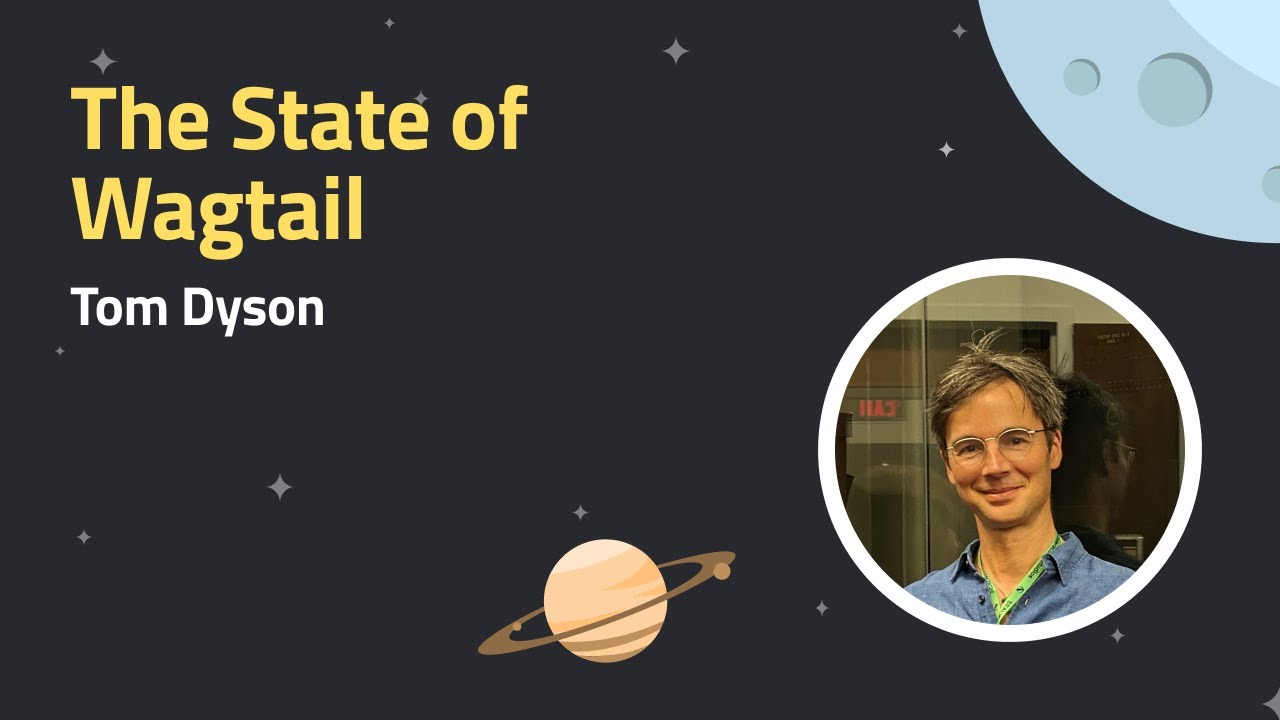
This video features Tom Dyson at Wagtail CMS 2023 .

What's included in Wagtail CMS 2.15, updates to the editor experience, accessibility improvements, a new WordPress to Wagtail kit and more.
💻 Wagtail is the easiest open-source Python CMS to use: Install the demo and start building your first site in 10 minutes: https://github.com/wagtail/bakerydemo
In this Wagtail CMS update video, we highlight the following changes:
⇢ Design updates - the next-generation editor experience
⇢ Updates to Admin History
⇢ A new StreamField block type
⇢ All the details of the latest 2.15 release
⇢ Accessibility front-end changes
⇢ WordPress to Wagtail Kit
⇢ Exciting news about Wagtail Space 2022
Timestamps:
00:00 Introductions & speakers
02:18 The state of Wagtail, update by Tom Dyson, including hitting 500 contributors, exciting sponsorship news
04:32 Next-generation editor experience updates - improving the experience for users and accessibility
17:26 Extended functionality for logging capabilities in admin history - sponsored by The Motley Fool
22:09 WordPress to Wagtail Kit, an open-source package that migrates content into Wagtail - sponsored by The Motley Fool
28:54 Accessibility front-end changes, ongoing improvements for the Wagtail interface
37:17 What's included in Wagtail 2.15, long-term support release, Django 4.0 support, Python 3.10 support, jQuery 3.6.0 update, Node 14 updates, IE11 support dropped, updates for editors
48:54 New StreamField - table block to define different types
📹 Related Videos To Watch Next:
▶ Set up dark mode in Wagtail: Come over to the dark side with Wagtail 5.0 https://www.youtube.com/watch?v=v0kRzIh_YkE
▶ A complete guide to Stimulus in Wagtail: Introduction to Stimulus in Wagtail | Contributors webinar https://www.youtube.com/watch?v=5WS7B8R0x0U
▶ A beginner's video tour of Wagtail: Quick Video Tour of Wagtail 4.0 inc Blocks, StreamField & Rich Text | Wagtail CMS https://www.youtube.com/watch?v=Js8dIRxwSRY&t=11s
Wagtail future proofs your CMS system, as it’s open source, continuously updated and built on Python, one of the most popular global programming languages, used widely in machine learning and big data.
So you’re always ahead of the curve when it comes to CMS platforms Wagtail is the #1 choice for accessibility, is scalable and most importantly, secure.
👉 Get started with a FREE Wagtail CMS TRIAL: https://github.com/wagtail/bakerydemo and see how easy it is to build a website that works for you.
📊 Read why Google, NASA, and the British NHS, are powering their digital estates with Wagtail: https://wagtail.org/about-wagtail/
🎥 More Wagtail Videos: • Wagtail CMS AI Prompts, Streamfield M... - Subscribe for more Wagtail hacks, tips and tutorials: / @wagtail4333
📣 Follow us on social:
Github: https://github.com/wagtail/wagtail
Twitter: https://twitter.com/wagtailcms
Contribute code for Wagtail: https://docs.wagtail.org/en/stable/co... Contact Us: https://wagtail.org/contact/
#wagtail #wagtailcms #opensource
Wagtail 2.15 is presented as a major, long-term-support release, with support for Python 3.10, preparation for Django 4.0, updated tooling, and the end of IE11 support in the editor. New editor features include bulk actions for images, documents, and pages, improved ModelAdmin list counts, an experimental slim sidebar, and a redesigned editing interface exploring autosave, cleaner structured editing, split rich-text blocks, navigation for nested StreamField content, side panels, comments, and live preview. The release also extends history logging to snippets and other models, introduces an extensible WordPress-to-Wagtail import kit, and improves accessibility through an accessibility statement, ATAG 2.0 commitments, keyboard and screen-reader support, and Windows high-contrast support. The changes reflect Wagtail’s broader argument that editor productivity, accessibility, and extensibility should be treated as core parts of the CMS rather than optional extras.
Summarised automatically from the transcript.
Automatically transcribed, so expect mistakes in names and technical terms.
Speaker 1: Hello everybody and welcome to the fifth edition of What's New in Wagate. Time sure flies when you're having fun because it feels like only yesterday that we were on episode four. So as always, we've got a great lineup of speakers and lots of Exciting demos to share with you today. For anyone who's new to these webinars, I'm Lisa and I head up our events at Torchbox. And today I am joined by Ben M. Wright, who is going to be making his Wagtail What's New Wagtail debut and he is sharing some exciting updates on Wagtail's next generation. editor experience and he's joined by Matthew Westcott who is sharing updates to admin history and a new stream filled block. We also have Mel who's her first time on What's Being Wagtail as well
Speaker 1: and she is sharing the WordPress Or progress on the WordPress to Wagtail migration kit. And as Tom mentioned earlier, we are joined today all the way from Australia by Alby, who is a member of the core Wagtail team, and he's going to Be giving you a bumper update on the latest 2. 15 release. We've also got a new addition to the lineup. Thibaut is joining us and he's going to be giving some updates on accessibility from end changes. And of course, but by no means least, we also have Tom Dyson who is going to be the host today helping to keep things running smoothly and answering questions and also giving an access update on Wagetail space. We've also got, you might see Dex is lurking in the background. He's not presenting today, but you'll see that he is
Speaker 1: online and that's so that he can help with answering any additional questions. questions that we have. So this is a webinar so you can see us but we can't see you but we do want it to be interactive. So if you've got questions, if you can use the Q<unk>A facility, you can use the chat as well. The Q<unk>A just helps us to be able to field them a bit easier. And also we're going to try and answer some throughout the session, but for any that we miss we will have some time time at the end for those. I am recording the webinar as well so that I can share it with you after. And that's about it from me. So I'm going to hand over now to Tom to get things going.
Speaker 2: Thanks, Lisa. I just wanted to spend two minutes talking about the state of Wagetail and really to say that Wagtail feels like it's in a very, very great place at the moment. There's three things that I want to draw your attention to. The first is that we've just had a release to. 15 and we're going to hear a little more about that later from LB. And it's a it's it's a really it's a packed release. And I feel like we always say this that um each release is is is the biggest. Yeah, but 215 is a really big one. One of the things that I'm really happy about is that in this release we're seeing the fruits of our amazing Google Summer of Code students. So we talked a bit about this in the last episode, but We had three fantastic students who helped push Wagtail forward. They were supported by a lot of mentors in the Wagtail community.
Speaker 2: And two of the big features in Wagtail 215 are the result of that program. So it has been wonderful to see. The second thing is that um is about a metric that we've been focused on for the last few months. And uh we've always been pretty proud of our wagtail of the stars, the GitHub stars, but it's a slightly funny metric that it's a kind of Spanity thing doesn't mean that much. The bit the metric that we decided was more meaningful for us is around numbers of contributors And uh we set ourselves in about August the target of hitting 500 contributors to Wagtail by the end of the year. And I'm really pleased to say that we accelerated and we hit 15, we hit 500 contributors About a month ago, so way ahead of target and that number's still accelerating. Part of that, I think, is about Google's number of code, but also just about
Speaker 2: some of the changes we're making to try to make Wagtail more welcoming to the new contributors. And I'm really pleased about about that progress. The last thing is uh is is news, but it's it's slightly um uh slightly uh I'm I'm not gonna give all the details of this because uh I don't think we're allowed to talk about it uh completely yet, but uh Whitel has received the promise of some pretty significant funding, some sponsorship from a name who you would all know. And this is going to go towards some of the quite radical improvements that we have planned for the editor experience, some of which we're going to see now from Ben, who I'm going to hand over to you.
Speaker 3: Oh, cheers Tom. Yeah, so um so as part of our vision for the future of Whitetail is about editors, you know, getting their best work done. Uh so obviously that's that centers around the editor experience. So over the years the um editor experience has you know it's evolved, the UI has evolved, we've got We've added new features. And over the years, this has started to put quite a lot of stress on the UI and inconsistencies have kind of occurred. A few years ago when we added workflows, we made some tweaks to the sort of header area. And we kind of realised at that point, you know, we it's probably time to take a more like holistic view of the UI and to kind of consider a bigger refactor. So we've actually taken the opportunity to work on some
Speaker 3: cool new concepts where we're trying to really create like a more unified UI that considers all the features as a whole. and also tackle some of those kind of known issues that have kind of cropped up over the years with the uh with the experience. And we also, as part of this work, want to show our commitment to accessibility. So what I'm going to do is I'm going to jump straight in to show you where we're trying to make some improvements to the editor and make the experience better. So here it is. It's gonna look quite different to what you're used to, so I'm quite excited to talk you through all of the new features we've been exploring. Um so as we go through um Yeah, so this is it. This is the new the new interface. And so basically starting off, what are we doing to try and make things better? Well we're trying to save space. So we've introduced this what we're calling the slim sidebar
Speaker 3: here. Which LB I think we'll talk a bit more about later, but essentially this gives us a bit more space to focus on the content editing You'll also notice that we've gone for a much slimmer style header here. So it's smaller but it's more functional. And we're trying to save vertical space by not having that large one that's starting to get a bit bloated with all the kind of features we were adding So it still houses the breadcrumb and also over here we've got the tabs and also got over here we've got some functions that kind of grouped in these icons here which I'll talk to you about a bit later. We're also embracing autosave , which should you know encourage more collaboration and save that kind of need for people to continually worry about saving their work. But I guess kind of the big focus is on the content entry area.
Speaker 3: So this kind of area here where you kind of get into editing your content. As you can see, it's moved on quite a bit from what exists at the moment. So our original ambition here was to, you know, try to harp back to our kind of you know, our original vision for Wagtail to be quite WYSIWYG and so you know you know, it feels like you're kind of a natural writing experience, which we love and you know, kind of more like the idea of things like Dropbox Paper or WordPress Gutenberg, which um It's great for kind of like long-form writing and blog post stuff, but we wanted to explore if we can do that but also kind of maintain that highly structured data kind of under the hood. And we explored that and it's tricky to make that work when the data is highly structured. So what we think we've sort of landed on here is a balance, a kind of a hybrid between
Speaker 3: a fresher, cleaner UI for editing. uh but it's you know kind of works for the kind of more structured kind of data so we're trying to focus on content rather than labeling and UI elements So we're taking away, you know, that in the old interface there's there's quite a lot of elements that kind of make it difficult to see where you are. So what we're trying to do is take away that focus, making labels smaller and kind of making fields clearer where so an editor can scan, because we can think this is the kind of thing they would actually scan. for more than kind of labels. And this is particularly relevant in say streamfield areas. And we're also trying to reduce vertical spacing where we can in these kind of in in these areas. For example, we're removing UI that doesn't need to be there until you're interacting with the element you're looking at, right?
Speaker 3: So at the moment there's Yeah, there's a lot of functions that kind of just sit there visible at all times and we're trying to kind of find ways that give you the things when you need them. So here's a stream field area. And you can see as I kind of focus in on any given stream field block. It gives me these these kind of dotted lines that anchor me to that particular stream field that I'm looking at and it brings in the functions that I might need. Also within things like rich tax areas, we're trying to improve that and keep that cleaner and show things to people when they need them. So You know, originally we have a a draft tail bar here which has your sort of your kind of functions for rich text that's always visible. Well we felt that perhaps that's not so relevant until you're perhaps highlighting text and you want to do some formatting. So kind of a similar sort of approach to things like
Speaker 3: Dropbox paper or other systems. Also, for example, if you wanted to add in something in between these two paragraphs, you hit return, then it gives you the option just to start typing or um separate separating out from that bar things that you might insert such as uh images or or embeds and things like that. And another feature that we we think is going to be really useful for people is the ability to split stream uh rich text areas. So say for example you're in Streamfield and you need to bring something in between these two paragraphs, you can split this block now and then insert your your stream field block that you might want to put in between those two.
Speaker 3: And then um a kind of final thing that we we've we've developed as an idea here is the um how we tackle this a kind of known issue in Wagter where you know when you've got quite a lot of nested stream fields you can start to get a little bit lost as a as to where you are. Um and we're exploring this idea where we're bringing in these kind of dotted lines which are faint here because I haven't hovered on them yet, but they kind of show you this sense of indentation as you go deeper into nested stream fields. And then I've got this kind of little uh little animation here just to kind of show you how this could potentially work as you scroll past these elements. we're kind of giving you this idea of this streamfield breadcrumb which kind of gives you this sense of how deep you are so you get a much clearer idea of when you're inserting something
Speaker 3: at what point within that sort of nesting you're doing that and then potentially these can then be anchored back up to the top of that section to help you kind of guess move around the page Okay, so that's kind of some of the stuff we're working on the in the kind of main focus of content entry, but there's some other elements we've explored as well, which we think are going to be really helpful for people, such as this element here on the right, which is this sort of page navigator to help you jump around the page. So it kind of indexes the kind of core key top-level fields or multi-field panels or stream field blocks. or even blocks within stream fields so that you can kind of move around the page more easily. And then
Speaker 3: Finally, going back up to the top, so obviously I mentioned the header stays with you, so it's always easy to get to functions that you might need to now. And we've got this group of elements over here on the right that will bring in things like your settings in a panel that comes in on the right-hand side. So we've moved settings into its own area now. And that slides in like this. And we're using this pattern for other things such as commenting as well, which would obviously as you scroll these would these would move with you. So you've got your container actual comments to um to different fields. We've also got this icon here that represents a future feature we'd like to work on, which is centers around things like SEO guidance or inline writing coach. That kind of thing. But probably the coolest
Speaker 3: element of this we think is this ability to have a live preview alongside your content entry. So as you scroll, here you can then anchor yourself to the to the actual front end of your of your of your page so you can actually see the kind of the edits you're making in in real time which should really kind of speed up content production and hopefully reduce people. making errors in their content writing. So yeah, we're really excited about this feature, should make things really cool. And obviously this would kind of build in the ability to you know perhaps preview on different device sizes and that kind of thing. So I guess that's kind of in a nutshell the the areas we've we've developed. And I think probably the final thing to mention is
Speaker 3: that we've kind of developed this kind of new palette, right? It's uh it's more paired back than we have at the moment. It's um it's bringing in some fresher colours to move beyond the kind of grey shades of grey that we had before And really it's to try to just mark a sort of what we hope to be like a new era really in the in the editor experience in Wagtail. So that's me. Hopefully that's kind of exciting for you guys to see and uh happy to take any any questions if people have any thoughts. There's obviously a lot to take in, but yeah, we're we're excited about it
Speaker 2: Thank you, Ben. You probably haven't seen it yet, but there's a lot of very uh excited feedback in the uh in the chat And uh yeah, lovely to see that you all seem really enthusiastic about it. I would say that um, you know, it's it's it's really nice for us to to see that, but also what we really want to hear from you, any thoughts you have which are uh less enthusiastic any any any points where you feel like we we might be taking uh wrong direction or we should consider other approaches but yeah I think um this this feels like a really big step forward and um We're really excited to roll this out with the help of the sponsorship that I mentioned before. We've got some questions coming in. One in the QA, a couple in the QA
Speaker 2: and also in the chat. If people use a QA, it's just slightly easier for us to keep track of it, but um uh I'm sure we can do it anyway. There was a question from Tom Reddings about uh whether or not the split is only within rich text. And the answer is yes, our expectation is that's where it's useful. I can't think of cases where it'd be useful to split And if it's not in rich text, maybe in kind of just plain text boxes as well. But I think rich text is where we're imagining this will be most useful. Because that's generally the place where you uh you decide kind of halfway down that actually you would rather have had an image or something and then you want to split it up to keep it structured. I should say, I did say this in the notes, but this that split feature was inspired by a demo that we saw from New York Public Radio who uh who showed us a proof of concept version of Split.
Speaker 2: So we're grateful for them for that inspiration. We've got a question on would live preview work with a headless version on Wagtail? Are they already using Wagtail headless preview, which is great? And yeah, so this is uh, you know, everything Ben showed by the way is This is Figma. This is not um these these are kind of well well developed mock-ups. This is not code yet, but yes, our expectation would be that we we should be able to make this work on headless as well. And in fact , the um some of the mechanisms that make this possible with headless will actually make this job a bit easier for us. So uh the answer is yes, it will work for in a headless setup. In fact, I've just seen there's two people asked that same question. So it's good to see that's a a common concern.
Speaker 2: We've got Helen asking about uh how accessible these changes will be and uh imagining it might be hard to build some of these features with accessibility in mind. Thibaut maybe you could answer that one.
Speaker 4: Yep, just very briefly, I think it's worth saying the current features that we have aren't that good already. There's quite a bit of room for improvement. So we'll definitely make the most of uh rebuilding this from the ground up to take that into account. I hope that makes sense.
Speaker 2: Thanks, Debo. Another question that was been been answered in the Q<unk>A was about uh the readiness of the split stream field feature. And uh we as as Phil answered. We are doing this hopefully in the short term for a big WagTa user. And so that should be something that's ready to go fairly soon. I think that is uh one other question on accessibility from Christophe. Um are the new features with mouse hovers, will they be keyboard friendly? Tibet ,
Speaker 4: very good question. So that's something we are working hard, keyboard friendliness of Wagtail, both for people who rely on this and also for power users. So very much so. The idea is that if you don't use a mouse and mouse over , the keyboard focus will condition whenever those things become visible.
Speaker 2: Thanks, Thibaut. Keep questions coming. We'll try and answer in QA. But for now, we need to keep moving. Thank you for that, Ben. Over to Matthew.
Speaker 5: Okay, so um yeah, I'm gonna show you some uh some updates to the uh blogging uh capabilities. Um within uh Wagtail. So since uh 2. 10 we've had uh detailed logging capabilities for pages as these were introduced as part of the moderation workflow feature in that release and so if you sort of so this is this report it's available through the the site history uh link in the reports menu and you can see this has got the sort of details of the edits, uh workflows, commenting And Motley Fool have now sponsored the work to extend this to other model types. They're making extensive use of snippets and model
Speaker 5: admin for sort of content that's reused in multiple places. And when you have a data model that's sort of making sort of extensive use of of those then it's all just as important to be able to see who edited those uh that that those items and when and uh And so this is uh so this has now been extended into two point fifteen, so we can these are now part of the uh this site history report. So if I turn off the page filter there you can see there's various uh So is it snippets and other items here? So I'm demonstrating this on the uh the bakery demo uh uh ex uh example site that you're sort of
Speaker 5: hopefully familiar with. And um so that so there's various snippets and also I've been editing some user records so it's as well as editing the content this is covering the more administrative side of uh of of running a Wagtail site And all of the filters that were available for pages, we can now uh sort of filter those too. So can just look at edits to bread ingredients so type edits changed by me within say the last week And then you can see a few edits that uh happened there. And if I click through to these, this is all fully linked to the snippets and model
Speaker 5: admin area, and you'll see we've also added the uh it's uh sort of a history view just like uh pages have where you can sort of see you can drill down into the uh the edits that have been made to those uh to those models. But uh beyond these uh core areas of Wagtail itself, we wanted this to be sort of a a full-fledged framework for logging that uh you user code and third party extensions could easily tap into. So we wanted to consider how how how we could make this available sort of not just to these areas within Wagtail. And we uh we did consider whether this could be something that happens automatically
Speaker 5: by monitoring changes at the database level. We decided against that at the end as that would be missing some of the context behind the changes. We can log the fact that a new snippet is being created, but that will be missing out, say the fact that it's being initiated by Wagtail localization as a translation of an existing one. So What we sort ended up with in the end is uh uh a setup where third-party packages can effectively uh just uh add logging to their their apps just with uh a single line of code next to where their views are performing actions, it's just adding a log line with whatever information that's uh that's
Speaker 5: the app route needs to log. So um yeah we'd like to thank uh Motley Fool for uh uh sponsoring this feature. It's uh it's great to be able to provide these these kinds of features that are expected and necessary on large-scale sites like theirs and show that Wagtail is uh really up to the tusk of uh uh of that sort of thing Okay.
Speaker 2: Thank you, Matthew. Short and sweet, but a lovely feature. Any questions on this? If you think of anything, then please keep them coming. We will try to answer. Thank you, Christophe, for uh saying that it looks splendid. I agree. And next up we have Mel, who's going to talk to us about WordPress.
Speaker 6: Hello. I'll share my screen. Okay. Hi everyone. I'm Mel. I'm the delivery manager here at Watchbox. And I've been managing delivery of a new kit that we've been building, allowing the transfer of content from WordPress sites over to Wagtail. So a bit of background as to why we've decided to do this. It's been kindly sponsored and what we fool. And they wanted to migrate six of their own WordPress. sites over into Wagtail. And we agree that what would be most beneficial is if we created something that was open source and reduced the time spent on migration of content as far as possible. So to give you just a little bit of context on the timeline where we've been delivering this,
Speaker 6: so we've been developing broadly from August through to October, and the moment we're in um testing with Motley Four and hopefully we'll have something to deliver potentially shippable around Christmas this year. So how will it work? Well I'd encourage you to sign up to This Week in Wagta, which is a newsletter. You can sign up on Wagta. io and that will let you know when you're ready to get your hands on this kit and you can transfer, transform your WordPress site into the thing of Wagtail Beauty. Then you'll need to spin up your own Wagtail instance and install the Wagtail WordPress import package from PyPy. And you can add that to your site settings in Wagtail. Then what you'll need to do is to configure your fields from your WordPress site and map them to what your Wagtail
Speaker 6: site field will be. And this will determine which parts will become things like the header field or a title field or even a stream field block. uh in waiter and then within wordpress you can download the whole XML um file of your WordPress site in in the admin section and this is what the kit will use to get all the data ready to be imported into WhiteTalk and do the content import. And then what you'll need to do is run the import. So how does that importer work? Well, this is where all the magic happens behind the scenes. The importer will run through your XML dump of your WebPress site and it'll decode it. Then it will clean up all of your non-standard HTML and it turns it into something that can be understood and output correctly within your White
Speaker 6: Tail site. This is where the kit can be extender. So if you have know that you have something non -standard, then you can modify the kit and run it. Okay, so now what will happen is the import will create pages and any related metadata that's associated with that, so there'll be things like page status from draft and live. publish dates or even your page type, so blog and report, for example. And at this point, your pages will exist in your Wagtail site, but they'll have one large long block of HTML with no structure So then the importer will split those blocks of HTML into separate blocks depending on what the content is. So the kit will identify where each chunk of content starts and ends
Speaker 6: and splits them accordingly. So at this point now your pages will have Whiteel pages and lots of little blocks, chunks of content, but they're still raw HTML. Then it will convert it into actual real-life blocks using the initial mapping that you used at the start. So quite often people use something called short codes on WordPress sites. So they're small pieces of code that can do things quite easily without you having to modify the theme or do any actual proper development. And they can be anything like a date added to a page or audio files or even an image gallery uh so the i what will happen is that the importer will identify uh those short codes and then they'll turn them into the white code box for you um whether that's rich text content or
Speaker 6: um whatever it is that you've designated So within your created pages. So now you'll be able to debug that. And so every single page that you have will have a debug tab as you can see in this screenshot. And that will allow you to see where the errors were. So you can also amend the kit extending the areas that you feel it hasn't picked up on for the specific requirements of your site. Okay, so here's a couple of facts. So you can make amends to your WordPress site and then run that kit again with your new XML dump That won't actually duplicate any content or anything. It will just look for where there are changes and modify your Wagtail site as it sees fit. So pages are imported to a single parent page, so it will be a flag structure.
Speaker 6: So if you had any sort of page trees or anything, you'll need to create manual scripts and run those to recreate your old structure. And your common WordPress content is handled out at the box, so things like paragraphs and headings, but all of your WordPress sites will have lots of unique quirks, so that's why we've made the kit quite extendable. So that's it from me, but hopefully people will find this really exciting and really useful and we're excited to share it with the world, hopefully soon.
Speaker 2: Thanks very much, Mel. We've had more questions coming in about different parts of the uh the presentation so far. There was a question from Fabian that's been answered by Phil, but worth repeating here, I think. The question is whether or not it is going to download images embedded in WordPress posts. And the answer is that yes, it will. posts that are kind of uh images that are standalone and also those which are embedded in in um rich text. So uh yeah that that's that's been handled and uh yeah I hope this will This will help a big selection of users who are on WordPress maybe have a lot of content and worried about the migration costs but are keen to move to Wagdell. And the existence of this tool should make their lives much easier.
Speaker 2: Any other questions? David's asked if there's a link to the presentation for sharing with colleagues. And yeah, we will share this whole video, but also I'm sure Mel can share her particular presentation. We'll send out some links on all of this at the end. Fabian asks if we are planning to support WordPress, the JSON API as well. I don't know the details of this, but to my understanding, it looks like Phil is going to answer this part. So I'll let him answer that in the Q<unk>A. Okay, and uh thank you for the questions. Keep them coming, but for now I'm going to hand over to Thibaut.
Speaker 4: Thank you, Tom. Hi everyone, I'm Thibault. I thought this would be a lovely occasion to give you an update on what our accessibility team has been up to. This is quite critical to the future of Wagtail as we see it. And it's been lovely to see how many questions we've had today about accessibility. I want to start with a quick announcement. A new page on the wakka. io website at wakka. io slash accessibility. This is our official accessibility statement. And there is no legal requirement for us to have such a statement, but it essentially shows that we are trying to follow the best practices from the compliance sector in the UK and in Europe. as well as best practices around the whole field of content management.
Speaker 4: This statement essentially follows the same content that we've had on our developer documentation for quite a bit now. But there are a few changes I want to call your attention towards. The first thing is that for standards, it mentions a standard you might not have heard of before called ATAG 2. 0 at the AA level. A tag is a XPT standard that's specific to authoring tools such as Wagtail. We've been keeping track of it for quite a bit of time, and I believe this is the very first time we make a commitment towards complying with ATAG publicly. And what's really cool about ATAG is that it mandates not just that the interface of the CMS is accessible But that it also caters towards the production of accessible content, which is quite critical for sites that actually have a compliance target for their front-end
Speaker 4: as well, such as the PS bar regulations in the UK. And I think beyond the standards, it's also very important for us to be open about the fact that even though we have those compliance targets, we definitely aren't there for the whole of Wacte at the moment. Rocktail is quite a big system. So we also have uh links to pointing at the known issues we are aware of. And the idea is that this page will be kept up to date over time. So people who do need this compliance are aware of where we are in the journey. And finally, I think it's also interesting that it points out which steps we actually take in the accessibility team and beyond. towards making Wagtail accessible. So I'll let you read this at your own rhythm later.
Speaker 4: And for now, I think it's interesting for me to give you actual demos of how we've improved Wagtail over time. to introduce support for different ways to use the CMS essentially. So my first demo is a change we've released in Wiktail 2. 14 with the user bar control you can see in the bottom left. Sorry, right? Since Wacklep 2. 14, this user back control has screen reader and keyboard support.
Speaker 7: VoiceOver on Safari. Wagtail Demo Bakery Home window.
Speaker 4: So here I've just opened my screen reader, which is voiceover in Safari, and I'll move over to this component.
Speaker 7: View Wagtail Quick Actions. Menu Pop-Up Collapsed button.
Speaker 4: And I can see it's announced. as a menu pop-up collapsed button. So this is quite important for people who released readers to use Wagtail, that those components are reachable. but they are announced in the right way and that they support the keyboard interactions that those users expect.
Speaker 7: View go to Wagtail Admin menu item view Wagtail Quick Actions Group. You are currently on a menu item. To choose this menu item, press control option.
Speaker 4: So in this case, since the component is coded as a menu, my screen reader will automatically tell me which shortcuts I can use to interact with it And I can move from showing
Speaker 7: us edit this page, menu item.
Speaker 4: Close it, of course. And um this isn't something we've had in the past. And this is exactly the type of thing we're trying to achieve from release to release, incremental improvements so that no matter how you use Wagtail, you can make leverage all of its features. And again, this is both screen reader support and also keyboard support in this case. And this is in Wagtail 2. 14. I have another demo in the same vein, which is something that's yet to be released, but we targeting water 2. 16. This is again screen reader and keyboard support for the main navigation menu in Wagtail. Again, this is something that's quite critical for people who do rely on keyboards to use Wagtail and also very good for power
Speaker 4: users. So in this case, I'll simply Tap through the different parts of the menu and I can see I can move through it in logical order. My focus isn't getting lost inside any one of those sub-menus. Something that is quite close to my heart is being able to use this these very bottom menu buttons, which weren't keyboard accessible at all in the past. So Again, for the purpose of cited users, there isn't much of a change here, but behind the scenes, how this is actually working is quite a big change for us. And we intend to roll out keyboard supports of this nature. for all of the new features in Wildhead obviously such as the page editor that Ben has demoed as well as the existing features that have been
Speaker 4: implemented in the past. And again, in a similar fashion, I want to demo yet another way of using Wikley that we've worked on towards supporting, which is Windows High Contrast Mode. So you might not have heard of Windows high contrast mode before. Right now I'm demoing it inside a tool called Assistive Labs. They've been very generous to support our project. So we can use their software to test Wagtail. And Windows high contrast mode is a setting that I have available inside Windows for the whole of my computer. I can turn it on. And it's going to apply a high contrast theme to the whole of the operating system, as well as everything I use my browser to access, such as the CMS. So
Speaker 4: if I head back over to Wagtail, I can see it has this high contrast mode applied. If you've never seen a high contrast mode before, this might look very foreign to you. But for people who rely on this to actually use the web, the colors that are used here are very important and they essentially denote the type of interaction people can expect with different parts of the UI. So this is something that we'd like to support and we have released this in Wactel 2. 15 thanks to contributions from a project called Hacktoberfest, which happens over the whole of October. And we've had a lot of pull requests from lots of different contributors coming coming towards improving our high contrast mode support. So obviously again, Wagtail is quite big.
Speaker 4: We are still working towards improving the support throughout all of it, but we believe it's already in a shape where we are definitely keen for people to rely on it and uh if there is any any uh hard corners for them to be um uh uh sorry raised to us as issues. But yeah, definitely more coming for keyboard supports, screen reader support, and high contrast mode supports in the upcoming releases as well. And that's me.
Speaker 2: Thank you, T Bay. So great to see all this. And uh As as Kuhn said in the in the comments here, the kind of really interesting thing about accessibility is that you it's I think it's easy for people to think about it as a sort of extra job But actually we shouldn't think of it as something extra. And also it makes makes Wagtail better for everyone. And um and I I feel that more and more as the accessibility changes come in. If there are any questions, please keep them coming in the QA. Thank you for all the feedback that you're sending. For now, I'm going to move on and hand over to LB.
Speaker 8: All right, brilliant. How are you doing? So we're just going to talk about some of the epic fun and great new things we've got in Wagtail 2. 15. So this came out last week and one of the great things to note about it is it's a long-term support release. which means that for the next 12 months we'll support any major breakages, any database issues, anything major that's encountered. So it's a great time to upgrade and it's a great time to get on the latest version of Wagtail. The other thing that's been a work in progress is the support for Django 4. 0. Obviously that's not out yet, but there's lots of work behind the scenes to make sure that that should be pretty seamless for users.
Speaker 8: And we've also integrated in this release Python 3. 10. And under the hood jQuery 3. 6, that's just a small update. And the tooling that's used to work on Wagtail, we've upgraded them. That to node 14. One thing that's dropped in this release is IE11 support. So that is in the editor. That's not obviously for your users. Um, if you're you know producing content with Wagtail, but the editor itself will no longer uh support IE11, it will still kind of work now, but over time it will break more and more. All right, so first we want to talk about some of the features that relate to one of our pillars, which is editors get your best work done. We really want to build an interface where our CMS users, not the developers, can have a great experience and
Speaker 8: just you know get their work done well. One of the small features that's come in is in model admin in the header. You can see on the left the old version and on the right the new version. We have a little call out to how many model that you've got listed in model admin. So you can see they're four out of 25, and it also show you the total uh in comparison with what you've searched. So it's just a small improvement but makes it a lot easier when you're navigating big lists of items in Model Admin. The other great feature we've got in 2015, and this is one of the Google Summer of Code features, is bulk actions. So you can see here on the images page, there's a little checkbox next to each image, and that will let you select more than one image at a time.
Speaker 8: and perform bold actions. So you can tag, add to collection, delete. You can even select the checkbox as a whole, which will select everything on that same page, which is really useful. And it will even work when searching. So if you're, let's say you're filtering out all the images of the coffee, you can search for coffee and then select them all and then add them all to a collection. So it's a really powerful feature. That same feature, bulk actions, is available on page listings and document listings. So this is a really incredible feature for users when you've got lots of pages and you want to I don't know let's say you've got an entire branch of pages, you need to move them to another area of the site. You can do that in bulk now. You can publish, unpublish, move, and of course you can register custom actions if you want to.
Speaker 8: We've alluded to this feature a bit. It is not an official feature yet. It's not officially released, but it's good to mention that if you want to play around with it, you can turn it on. So You can see at the bottom there we've got Wagtail Experimental features. So this is something on the left you can see the sidebars expanded and on the The right you can see it's contracted. So this gives your editors lots of uh lots of room for activities, uh lots of room for comments and whatever other content they want to work on. And then once you move your mouse over, it will expand again. So that's really great. And then some other highlights. We won't go into too much detail, but there's a lot in this release. When copying a page, it will no longer default to auto publish, which is something that will hopefully help a lot of people.
Speaker 8: Task chooser has been improved. It will no longer show disabled tasks and a bunch of improvements to layouts for things like comments for different languages and for checkboxes when you've got big lists of checkboxes or radio buttons. All right, so the next pillar we want to talk about is sophistication without compromising simplicity. We want Wagtail to work really great out of the box, but as you use more and more features or turn more and more things on within Wagtail, those features become visible or become usable, but they don't hinder the initial experience. So one of those features is the ability to manage permissions of collections at a subtree level.
Speaker 8: Not everyone will use this feature, not everyone will need it, but if you want it, it's there, and if you've got complex nested collections of images or documents, you can now manage the permissions of that at every level, which is really powerful Alright, on top of that, you can see on the left when you've uploaded a file, it's got the file extension in the name. And on the right, when it uploaded the file, there is no file extension. So this will be the default behavior for images and documents wherever you upload them. And it's just a small improvement just to help your users not have to remove that file name extension from the automated title. On top of that, you're actually able to customize that that's in the documentation if you want to change that behavior. Alright, the other thing we've got
Speaker 8: for object permissions on the left you can see that the other permissions for models, where you know more than just add change delete. They are listed in a bottom table in 2. 15. The other permissions are listed alongside the actual model they apply to. And again, this is one of those features. If you're using it in your Wagtail instance, it will appear. If you're not, you won't see that column. So that's really helpful. Lots of other improvements. We won't go through all of these. But lots of improvements to search backends. Make sure you read the documentation. But one of the great things is that text search is now supported in most databases. So you no longer have to go straight for Elasticsearch if you want to do some basic search features. A lot of that is supported out of the box with Postgres and our other databases that we support.
Speaker 8: We've also made some improvements to how Autocomplete search type works. We've talked about audit logging. There's some improvements to the breadcrumbs if you've got complex user permissions. They will only show you know the right kinds of breadcrumbs as enabled and lots of other fun things there. Right, moving on, multi-channel experiences. So really want to make sure that Wagtail supports output that's not just a website. You might be using the content in apps, in APIs, in other languages. and using the CMS data for even things that aren't really, you know, content presentation. So we've got lots of new pool more powerful ways to consume and manage content. So translations have been improved. So there's automatic pre-synchronization if you're running um simple Wagtail simple translation and you want to manage content across different pages.
Speaker 8: Uh Excel reports will now, it's small, but it really helps. The date format for date columns in Excel will now match the actual the user's locale. We've pulled out a whole bunch of mix-ins for image file handling. So this will really help for APIs like Grapple. that want to work with images in more complicated ways. And we've also put some enhanced debugging for image rendition generation. Obviously if you're doing lots of complicated things with outputting images to different interfaces, you want to really understand what's happening happening under the hood if you're running into issues. All right, Wagtail as a platform. So on top of all of this, we want to make sure that our Wagtail developers can really build what they want and build it easily.
Speaker 8: So one of my personal favorite features, it's one I wanted for a long time, and we actually had a first-time contributor, a group of three people that are learning the program actually put this improvement in. And it was really great. So what we can on the left you can see you've got an inline panel. So we've got a list of venues Previously you couldn't have events listed under those venues. You could do it with Stream Field or Stream Block, but you couldn't do it with Inline Panel. On the right, you can see we've actually got nested inline panels So this is a really powerful feature and it means that you don't necessarily have to reach straight for Streamfield if you want to have more control over your data model in actual database models, not just in JSON. All right, lots of other improvements to Wagel
Speaker 8: as a platform. One of the big sort of general themes is lots and lots of work done by the Incredible Matt to make Wagtail easier to build admin views. So a lot of the views now use centralized classes that are all actually built on the Django default classes or the Django you know class based views which is really powerful. This includes model admin, documents listing, image listing, and the other big improvement is clean and consistent approach to components. So a component might be on the dashboard where you want to have a little widget that shows you, you know, the recent edits or something specific about that user. There's now a much more improved approach to building those and rendering content across the admin as a whole.
Speaker 8: So lots of great things there. Improvements to work workflows. And also one of the big things is the commenting system can now work a lot easier with other systems of commenting. You can use a different field name so you won't get conflicts. Brilliant. And finally, we just want to make sure that the first 30 minutes of Wagtail is really, really easy for developers when they're first getting their head around Wagtail and getting started. So a lot of that comes down to documentation. We've done some work to pull out a lot of the more advanced features of Wagtail into a section called extending Wagtail. So this is a lot clearer. For users that are just getting started, they won't necessarily need to go to this, but once they do, it's all in one section.
Speaker 8: And more code examples across the board, including areas like model admin and routeable page mixin. So yeah, that's all of that. We'll go to questions.
Speaker 2: Amazing, Abby. Thank you very much. It's really nice to see again all the all the positive feedback. Even things which might look small like file extensions, removing extensions when we automatically create file names. That's obviously, you know, means something to some of you. And that's It's uh great that all these niggles are being gradually smoothed over. I really want to just to thank LB not just for uh staying up till 10 o'clock at night to uh to join us in this presentation, but for the work he's done. on Wagtail, particularly in the last the last couple of releases, where uh if you if you if you look on the the the commits and the pull requests and issues you'll see LB's name come up a lot. And uh in particular I think he's been super helpful with
Speaker 2: the uh the goal I mentioned at the start of this about hitting our our um targets of increasing our contributor numbers. LB has really helped with people who are working on Wagtail for the first time and encouraging them and getting through that first step. And We're really grateful for that, LB. Thank you. All right. I think we are going to, we're nearly the end. We're going to have Matthew one more time to talk tell us about table block.
Speaker 5: Okay, yeah. So um so Streamfield has had a table content type for a while now. uh as uh just a simple one that allows uh plain text content, no uh no formatting Anything like that. And that limitation was to some extent a deliberate design decision. The uh the library that we're using under the hood here, hands-on table does have HTML support, but White Tail of course already has a rich text implementation in the form of the Draft Tail Editor. that we spent a long time refining in terms of security, usability, data consistency so that we're storing internal links as uh IDs rather than
Speaker 5: Just as plain links. And so there's been a lot of work that's gone into that. And we didn't just want to introduce a new way of doing rich text that had none of that. So th this has been sort of a a bit of a missing feature uh for some time. And uh when you go vast for sort of better support for rich content uh inside tables. They were by no means the first people to ask for that, but uh they uh just happened to ask at the right time. You might remember that uh yeah, for um those of you who have been in previous What's New and Wagtail sessions, that um we've recently completed Telepath, which was a rewrite of the uh screen fields editing interface that gives us more flexibility in
Speaker 5: how we work with blocks in front end code and where they can appear and um and that that means that uh Inserting new blocks is just like one JavaScript call. It's no longer an elaborate dance between Python and JavaScript code like it used to be. And so that's given us a new perspective on what's possible with uh with Streamfield blocks and and with that in mind we thought, well, yeah, what's to stop us from now putting the draft tail editor inside a table or or for that matter doing that with any other stream field block type. So um that's um introduced uh brought us to a new uh kind of uh table block where can sort of define columns of various different types
Speaker 5: and as a developer you can define this list of available types just in the same way that you would define the um the the list of blocks available within a uh the screen field itself. So um let's do sort of a couple of uh book reviews or something so if we have So just this is just a plain text uh field. Now if we add a rich text column So now you see we've got the uh full uh draft tail editing uh controls there. So uh we can uh sort of
Speaker 5: got formatting and inserting links and uh Anything else you wanted from uh from rich text there. Um but uh again it's uh it's not just um It's it's not not just uh rich text and draft tail that we can use for this. Um so any valid screen field block type is possible. So here we've got a a date field And that's using the standard date picker that's uh that appears in any other streamfield block. Let's add a bit more data here
Speaker 5: And again because yeah, th this is yeah it's not just limited to uh to Wagtail to but white tails built-in blocks, this can be sort of any s of blocks of any complexity. And uh Of the only real limit is uh the uh the the the user interface really. Um but uh it's yeah, as as with uh with the rest of stream fields of nesting things uh at any depth is possible. So um now we can uh See that uh sort of being presented as a table on the front end. So this way we've got all the capabilities of uh the rich text and sort of being able to lay things out more in yeah in in sort of
Speaker 5: more interesting ways. But it's uh still sort of firmly sort of keeping track of the sort of underlying data. So this is all very very much data driven. And this is something that is uh is going to grow with the new design work that uh such as um as as Ben has shown uh where the uh the the rather than having this toolbar available all the time, um that it's more of context specific and will sort of get out of your way. And we've already sort of had yeah some great contributions from uh Scott on the core team to improve the user interface accessibility. So this is uh it's it's already uh we're we're sort of sit seeing this this
Speaker 5: getting refined over time. So again we'd like to thank uh you gov for uh sponsoring this feature and this was part of some Wagtail consultancy work we were doing with them this summer and it's always great when these things can be spun off to benefit the wider Wagtail community as well.
Speaker 2: Thanks, Matthew. Thanks, Yugov. We are nearly at the end of our session now, so I'm just going to race through the last part. If you do have questions, please keep them coming in QA and we'll try and answer them there. But I just want to talk quickly about Wagtail Space, which is our big in-person event and meeting people and our community in person has always Felt like uh something something we cherished as part of the Whitale community and we've had lots of amazing sessions right from the start from South Africa and then Iceland and the UK, the Netherlands and the US. We had a big uh online event last year, Work Mike Tour Space Online, which was really good. It was, you know, loads of people turned up, but it's uh we we miss seeing you all in person. So we're really happy that as long as you know the kind of the global situation
Speaker 2: makes it possible that we're going to meet, we're going to have a big event in the US next year in March. We've been very lucky that in previous years the our US events have been sponsored by Wharton, who have incredible facilities and uh and very well set up in Philadelphia. And uh I think they would have generously offered that again. But we this time we also had the offer of sponsorship from Code Red, who some of you may know through their uh open source distribution of Wagtail called uh Code Red CMS. which is a really interesting kind of WordPress-like product on top of Wagtail. And they've they're a really important part of the Wagtail ecosystem. And they're based in Cleveland, Ohio. And that's where they have offered to host us. in the a beautiful Cleveland Public Library.
Speaker 2: So we're we're hoping to do to have that in March 2022. The other thing that's clear to us is that Uh while it'd be great to see people in person. We we want to make it possible for everyone to attend this. So uh for those of you who have joined this meeting, that probably means you're uh you're Not on a kind of a East Coast US friendly time zone, but we will make this um uh a session that means that everyone can attend uh remotely and also uh participate remotely. So we we want we want speakers as well as attendees who who are not able to be there in person. But yeah, we're really looking forward to that. Grateful to Code Red for their sponsorship. And there'll be more details about this coming very soon. With that, I think we should probably wrap up. I don't know if there's any last
Speaker 2: minute questions. I think we're probably out of time, but if there is anything that hasn't been answered, we will try to follow up in uh Lisa 's notes, which she'll send out. after the second session, which is on Thursday, and uh along with the recording of this talk. Thank you all very much. Thank you for my uh co-presenters and thank you all for for joining
The proposed redesign introduces a slimmer sidebar and header, autosave, a cleaner content-focused editing area, contextual controls, a page navigator, side panels for settings and comments, and live front-end preview. It also explores clearer handling of nested StreamFields and splitting rich-text blocks.
Discussed at 5:18Yes. The proposed editor can split a rich-text area at the cursor and insert another StreamField block between the resulting sections. The feature is intended mainly for rich text and was planned for near-term implementation.
Discussed at 9:14Yes. The presenters expect the live preview to work with headless Wagtail, and some of the mechanisms needed for headless preview may make the implementation easier.
Discussed at 15:11The team is rebuilding and improving features with accessibility in mind. The redesigned interactions are intended to work without a mouse, with keyboard focus taking the place of hover-based controls, while Wagtail 2.14 already added keyboard and screen-reader support to the user-bar controls.
Discussed at 16:08In Wagtail 2.15, site history extends beyond pages to snippets, ModelAdmin items, and user records, showing who changed them and when. Existing filters and drill-down history views also apply to these items.
Discussed at 18:12Third-party packages can add logging with a single log line alongside the view code that performs the action. This preserves useful context about why a change happened, which automatic database-level monitoring would not reliably provide.
Discussed at 20:31Install the Wagtail WordPress import package, map WordPress fields to Wagtail fields or StreamField blocks, export the WordPress site as an XML file, and run the importer. The importer decodes the export, cleans non-standard HTML, creates pages and metadata, splits content into blocks, and converts it using the field mapping.
Discussed at 22:56Common content such as paragraphs and headings is handled out of the box, and the importer can be extended for site-specific quirks and shortcodes. Imported pages initially go under one parent page, so recreating a more complex page tree requires custom scripts.
Discussed at 26:32Yes. It imports both standalone images and images embedded in rich-text content.
Discussed at 27:24Wagtail’s new accessibility statement publicly commits to working toward ATAG 2.0 at level AA, a standard specifically for authoring tools. ATAG covers both making the CMS interface accessible and helping editors produce accessible content.
Discussed at 29:39Wagtail 2.15 adds support for Windows High Contrast Mode, with further improvements still planned across the system. The team is also continuing work on keyboard and screen-reader support.
Discussed at 34:15Wagtail 2.15 is a long-term-support release, adds Python 3.10 support, updates jQuery and development tooling, and advances Django 4.0 compatibility. It also drops support for Internet Explorer 11 in the editor.
Discussed at 37:17Editors can select multiple images, pages, or documents and perform actions such as tagging, adding items to a collection, deleting, publishing, unpublishing, and moving. Bulk selection also works with search results, and custom actions can be registered.
Discussed at 39:37Note: We understand that names change, people change, and bodies change. We respect each individual's journey and privacy. If you have any concerns about a video or need us to remove content, please don't hesitate to contact us. We will handle your request with care and promptly address any issues.

Published September 19, 2026

Published July 9, 2026

Published May 20, 2026

Published April 16, 2026

Published April 1, 2026

Published March 10, 2026

