
0:29:55
Internationalization in Wagtail – Brady Moe
Published August 11, 2020
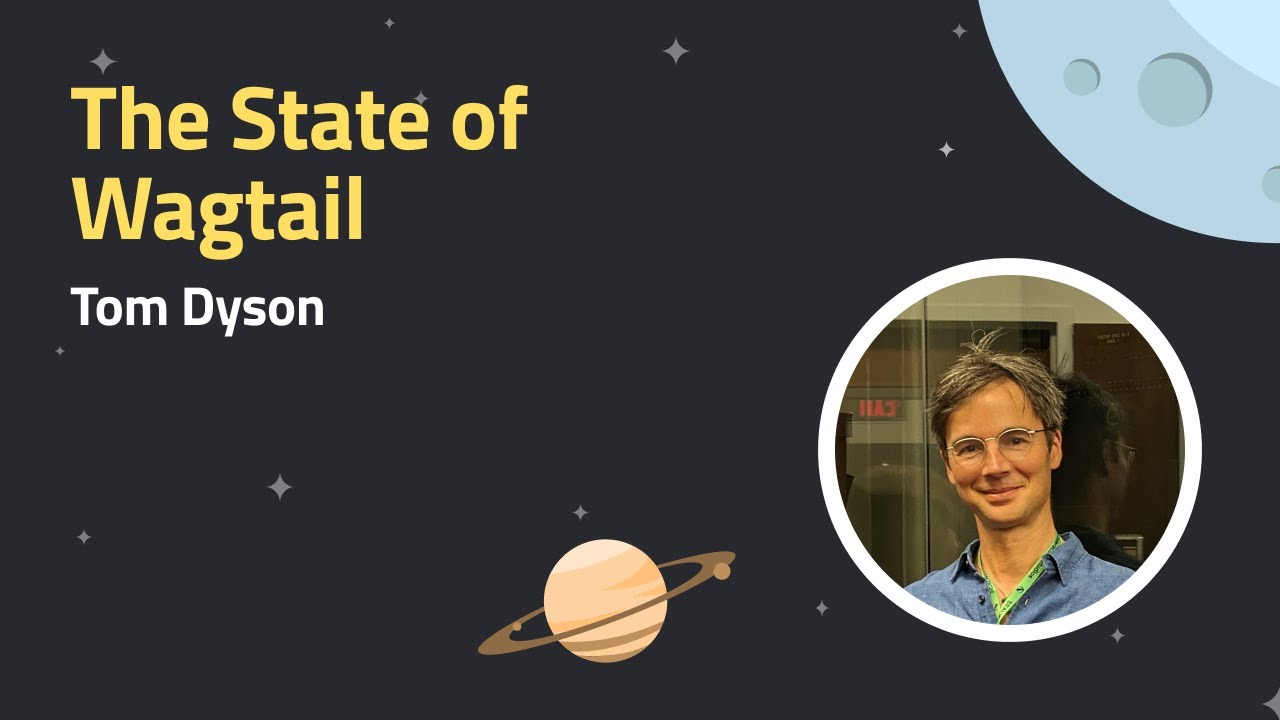
This video features Abigail Hampson, Aidan Forman, Brady Moe, Dave Harris, Lisa Ballam, Tom Dyson and Tom Usher at Wagtail CMS 2024 .

Discover practical tools for augmenting content management with artificial intelligence, including live demos from high-profile Wagtail users, including The Motley Fool and RNIB.
What will I learn from this video?
➔ How Wagtail AI's integration with LLMs from OpenAI, Anthropic and others can accelerate and improve your content creation process.
➔ How Wagtail AI can help with language improvements including spelling, grammar and tone of voice, as well as sparking ideas for new content directly within the Wagtail editor interface.
➔ A sneak peek at upcoming features of Wagtail AI, including intelligent content recommendations, natural language search, and advanced content quality assistance.
Timestamps
00:11 - Introductions to speakers
01:40 - The background and direction of Wagtail AI, with Tom Dyson
06:12 - A quick demo of Wagtail AI
08:06 - An overview of The Motley Fool’s, The Ascent, with Brady Moe
10:11 - How The Ascent is using AI
10:49 - A live demo of the Wagtail AI Grammar Checker
11:43 - What users are saying about the Wagtail AI Grammar Checker
12:32 - A demo of the Headline Generation tool
14:17 - An overview of Prompt Saver
15:40 - Challenges faced with getting LLMs to work at The Ascent
18:38 - Looking to the future with tools such as a Link Recommendation tool and Dynamic Pitch Allocation
20:31 - Mid-session Q&A
23:18 - An introduction to the RNIB, with Aidan Forman
25:05 - An overview of the previous RNIB tool, What’s What, and the difficulties for users
28:02 - A live demo of the new tool, ChatRNIB, and the benefits to users
29:43 - An insight into the back-end of ChatRNIB, with Dave Harris
37:47 - The next steps for ChatRNIB
39:00 - Mid-session Q&A
42:52 - Quick demos of Wagtail AI Advanced Use Cases, with Tom Usher
43:05 - A live demo of Custom Prompts
44:37 - A live demo of Content Recommendations
47:00 - A live demo of Private/Open LLMs
48:42 - The Wagtail AI roadmap, with Abigail Hampson
55:20 - Final thoughts including Wagtail’s 10th Birthday and Wagtail Developer Training, with Lisa Ballam
💻 Wagtail is the easiest open-source Python CMS to use:
Install the demo and start building your first site in 10 minutes: https://github.com/wagtail/bakerydemo
📹 Related Videos To Watch Next:
▶ Set up dark mode in Wagtail https://www.youtube.com/watch?v=v0kRzIh_YkE
▶ A complete guide to Stimulus in Wagtail https://www.youtube.com/watch?v=5WS7B8R0x0U
▶ A beginners video tour of Wagtail https://www.youtube.com/watch?v=Js8dIRxwSRY&t=11s
Wagtail future proofs your CMS system, as it’s open source, continuously updated and built on Python, one of the most popular global programming languages, used widely in machine learning and big data. So you’re always ahead of the curve when it comes to CMS platforms
Wagtail is the #1 choice for accessibility, is scalable and most importantly, secure.
👉 Get started with a FREE Wagtail CMS TRIAL: https://github.com/wagtail/bakerydemo and see how easy it is to build a website that works for you.
📊 Read why Google, NASA, and the British NHS, are powering their digital estates with Wagtail: https://wagtail.org/about-wagtail/
🎥 More Wagtail Videos: https://www.youtube.com/watch?v=cne2kxemMAQ&list=PLfwZ-fob20cPvSQ_v1hkjto8BAPN21tLJ
📣 Follow us on social:
#WagtailCMS
Wagtail AI is presented as an optional, developer-focused extension that helps editors rather than replacing them, supports multiple large language model backends, and can be installed and configured like other Django packages. The speakers demonstrate AI-assisted contextual grammar correction, headline generation, reusable prompts, and custom tools built with Wagtail hooks; they also describe practical limits involving compliance, copyright, style guides, usability, trust, and the need for editor review. At the RNIB, a Wagtail-backed retrieval interface answers questions from an internal knowledge base, cites its sources, and can be improved by changing prompts or adding new content, while keeping hallucinations in check by restricting answers to approved material. The discussion ends while addressing hallucinations and content ownership when using OpenAI.
Summarised automatically from the transcript.
Automatically transcribed, so expect mistakes in names and technical terms.
Speaker 1: Good morning or afternoon or evening, depending on where you are joining us from today. We are here to tell you all about Wagtail AI. So for those of you that are new to our webinars, I'm Lisa, Head of Marketing at Torchbox And today I'm joined by a load of fabulous speakers. So we have Tom Dyson and Abigail, Dave and Tom Asher and Dan from Torchbox. And we've also got our special guests, Aidan Forman from the Royal National Institute for Blind People and Brady Moe from the Motley Fall. And we are here to showcase how WAGTL AI can be used to transform your content creation management and optimization So we're going to be giving you some background on this new package and what's available now and a taste of what's to come, as well as live demos from Brady and Aidan.
Speaker 1: And we'll be taking questions during the webinar. So we pop them in the Q<unk>A and the chat. We've got quite a lot to get through, but we've got some designated spots to ask them live to our speakers. For any that we do miss, I can follow up with you with the answers afterwards. And also I will send links to any of the resources that we reference and a link to the recording as well. But today isn't just about Wagtail AI because it's also a significant milestone for our beloved S CMS. It's Wagtail's 10th birthday. So it's wonderful to have you all here to celebrate with us today. Wagtail 6. 0 has also been released today and Wagtail Space in the Netherlands and the US is available to books. There's loads to celebrate and there's so much to tell you about, but we are here today to talk about Wagtail AI.
Speaker 1: So I am going to hand over to Tom Dyson to kick things off.
Speaker 2: Thank you, Lisa. I'm going to share my screen and just give a little bit of background about WegTail AI and just give you an overview of how to install it and what it looks like before the others talk about some more specific use cases. So WhiteTelai started in the kind of the great excitement of uh of ChatGPT's arrival just over a year ago when the world suddenly understood some of the possibilities that were afforded by large language models and generative AI in particular. And uh like like many other people in our space, we were really uh this felt like um, you know, a a very dramatic technology shift that uh we were very keen to
Speaker 2: to understand and start finding ways of of mm generating value making it useful. There were some early experiments by Tom Usher, who's I'm very glad is on the call with us today, who was the first person to create this package, Rotel AI. And uh since then, Torchbox has been investing in in Magel AI. And uh so it's now uh as you'll see with some of the examples later. Really full feature fully featured and uh has a clear roadmap for future developments. But what's there already I think is exciting and powerful. Um there are a few confew concerns that people have had, very kind of legitimate concerns around.
Speaker 2: the some of the the ethics of of AI and and how it's used in um content management settings and as well as other settings And I want to be clear about some of the things that Wagtail AI isn't. So first off, it's not, it doesn't represent a new direction for Wagtail. So Wagtail. . . The open source, flexible, developer focused content management system, 10 years old today, is going to maintain we're going to maintain our focus on quality and developer experience and user experience And uh and uh it's so so Red AI is something quite distinct distinct and separate that um that you can choose to add to it. Uh it's also not just a wrapper for OpenAI.
Speaker 2: So because OpenAI, the company behind ChatGPT. came out with um with this kind of groundbreaking interface and uh with the sort of sector leading large language model a lot of people Started off by using their API and um and GPT-4 in particular still in most cases is the most powerful large language model, but also There's some discomfort in um uh in giving one slightly mysterious company uh so much power and control and I'm really glad that there's been such a diversification of um of large language models, particularly in the open source community, in the recent months.
Speaker 2: So we've been clear that we don't want to just depend on OpenAI, even though that's where we started And lastly, I think something that it isn't is about robots writing your content. So we don't feel like the web is going to be a better place in five years' time if all the articles you read have been. created by large language models, which you know themselves are increasingly feeding on previous content from large language models. So Our goal, I think, is not is not around Edworkelio is not about generation of content without editor involvement. So what it is in contrast to those things it's uh it's an optional plugin. So I just want to kind of reinforce that point that um this is something that you can choose to add to work. ai and and in many cases I think you should.
Speaker 2: that it's its focus is about helping editors do a better job. So just as with uh with many of the other improvements and features that we've added to Wiketail. We want to find ways that your content creators and editors can do their jobs more easily and acceleratedly. And finally, that it's not it's not just a kind of finished set of features. We are building WagTel AI in a way that uh should provide a platform or a set of tools that allow you to build your own features. And you're going to see some examples of that coming up. Let me just show you very quickly how it fits together. So it's um it is a uh a third-party package on GitHub underneath the Wagtail
Speaker 2: org. And of course it has its own documentation. The steps as a developer to install it are very simple and familiar to anyone who's who's worked on Django or Wagtail projects. Pit install Wagtail AI, add it to your installed apps, and then configure the backend. And here we're showing that we're using OpenAI's GPT. LLM, but you can specify any of the very many large language models that are available that are handled by the LLM library, so including third-party and open source ones. Once those that's in place, then uh you're running migrations. There's a couple of new database fields for storing prompts. And you uh immediately have some new features in your rich text area.
Speaker 2: That's the most obvious place where you see it. So here's a very simple example I've given a couple of times before. There are some mistakes in this sentence. The thing that's interesting about them is that they are not spelling mistakes. So the words principle, made, and sum are all correct. But then, so a typical spelling checker wouldn't pick them up. But if we run AI correction, then it understands not it understands the the errors kind of in the context of the general of the whole sentence. There are some other prompts I could show here, but uh we're going to see some of those later. But I'm hoping that that very quick overview just gives you a clear understanding before we get into more detail about what WebTel AI is. And with that, I think I'm going to hand straight over to Brady.
Speaker 3: Excellent. Thanks, Tom. Let me share my screen. So hi everybody. My name's Brady Mo. I'm a tech manager for The Ascent, which is part of the Motley Fool, and I also do development on The Ascent. So What is The Ascent? So The Ascent is a website that shares personal finance tips and tricks to help with the Motley Fool's overall goal of making everyone smarter, happier, and richer. We also do product reviews on personal finance like things, so like uh brokerages, mortgages, credit cards. etc. And we make money through some of those affiliate links for the products that we list on the website. Not all of them though. We do reviews on each product, regardless of whether or not we're making money on it.
Speaker 3: Something I'm very proud of because it's we really do want to make everybody smarter, happier, and richer. It's a big thing for the Mali fool. Due to talking about personal finance products, when we're pitching a product for someone to sign up for, we can't say anything that isn't truthful. So we have to have all of our content checked by our compliance team to ensure truthfulness. And so for some uh some of the products that we have, that also means getting the affiliate partner involved to make sure that uh they're not going to be dealing with something in the future that they don't want to be dealing with because of what we said. Um Another thing is that we're also considered a Costco authority. I know there's probably a handful of people here that don't know what that is, or if you do, or whatever. It's a giant store. It's huge. It's like Uh
Speaker 3: you could fit one in the Buckingham Palace if everybody knows what that is. So there you go. Um and it's we've done a lot of articles around Costco. uh so we've become an authority. Uh we do a lot of paid Google marketing as well on the Ascend. So a lot of ads that you'll see on like Facebook or anything like that drive towards our website. Um, and we've been a website that's powered by Whitale since June of 2018. That was the inception of the ascent. Uh so that's uh uh that's kind of the ascent in a nutshell. And we've been using AI at the ascent. Um For a little bit now, we've developed some of our own tools, but we were also using the Waitel AI grammar checker that uh that Tom just demoed a little bit ago, um, which I'll be hopping into my own demo.
Speaker 3: Um There's also other AI that working that we're working on at the Greater Fool. So we're doing some stuff with like chatbots, we're doing some stock analysis. We also have our own LLM gateway to make sure that we're not sending stuff off to open AI and exposing our secret sauce since we don't necessarily know everything that OpenAI is doing with our data. So kind of hopping into it, this is uh what the wait till AI grammar checker looks like. This is something that uh Tom literally just went through. Uh so I just took some screenshots of what it kind of looks like in ours. Um And I'll actually do a live demo of this. So I I have my own string that I've been using, which as uh Tom highlighted, these aren't things that would be picked up by a normal grammar checker.
Speaker 3: I do have grammar checking enabled on in the browser. So normally this would be highlighted with red, but you'll see that none of that because all those are real words. But uh the grammar checker is pretty great. So if I just do AI correction there I am not a good writer. So it was able to fix all of those very easily and very quickly, which is amazing. So it's been pretty fun. We've been trying to get more usage of this with our our writers who are writing uh a lot of the articles on our website. But uh if we go back, this is some of uh this is what some of our users are saying about the grammar checker. Um They found some hiccups. We had an initial issue with it with the prompt that we had, but fortunately there's a way to edit the prompt, which we'll see later in the presentation.
Speaker 3: A lot of time with our editors, uh, they'll upload something and it's gone through a bunch of editorial reviews, so they don't actually need to use it anymore. Um, and then the other thing is as like a as a usability piece of this is people are using it and they they don't like that it automatically replaces the content versus just suggesting like, hey, this is how we think it should be said. There's still that distrust with robots doing a lot of your work. So yeah, that's the grammar checker, but then moving on. We also built out our headline, uh headline generation tool. So this is something that we built in-house for us. We noticed that sometimes people wanted to ideate on how they had like a headline actually working with
Speaker 3: uh with an article and so they wanted to have a bunch of different ones so we actually came up with our own prompt which includes uh the actual approach and if you can't read this slide don't worry I'm gonna get into a demo that should be a little bit more readable Um, and we'll do it with an actual live page. So let's actually just hop over that now. So headline generation. So This is the headline generation tool. I'm just going to make these a little smaller. And we actually have the ability to choose a page. So I'm going to choose a page. And like I said, we were a Costco authority, so it only makes sense to do Costco. So I'm going to scroll down to our first article page, which is four big differences between shopping at Costco versus Costco. com. I'm just going to use the GBT 3. 5 mostly just because I get quicker responses typically and when I'm sharing the screen things can go a little slower.
Speaker 3: So there you go. We have some uh suggested generated headlines for uh for that Costco article. And I'm just passing in uh the title, the Wagtail page title, and then all the content from that Wagtail page via the stream field. So These are some other uh titles that we could use. And fortunately, all of this is actually being saved in the back end. So in the future, if one of our editors is like, oh man, I need a new new title for um maybe it's five big differences between shopping at Costco versus Costco. com. Now they can actually go to our database and look at that as well. And so that is the headline generation tool. And then we also built a prompt saver. So the reason that we built the prompt saver.
Speaker 3: is to get people to use LLMs more in general to kind of help get it be part of their workflow. This is one of the first things that we built as a custom thing inside of Wagtail. Wagtail makes all of this super easy by the way through like Wagtail hooks. And just setting all of that up in wait till was one of the easier things we've ever built, actually. Um, so it's super nice. Uh But then this also saves all of the prompts, anything that you're entering in, it saves it to the database, which is great for compliance and making sure that our lawyer, our lawyers aren't scared about what we're putting in there. And then getting back. So the other thing that's nice about this is originally when OpenAI came out, they weren't giving, they didn't have like enterprise access for
Speaker 3: uh for people to just anybody to come in and start using the GPT-4 model. And we'd been seeing some really good rec uh uh really good prompt uh like responses from gpt 4 so much better than 3. 5 so we wanted to give access to gpt 4 to our entire team So that's what this was able to do was it gave us the ability to give everybody access to GPT-4 without them having to expense it to the company. So that was really nice. Some of the challenges that we've had though , we've had our fair share of challenges along the way to getting LLMs actually working at the Ascent. Our legal team. is and was initially super nervous about what it would look like to use LLMs to generate content for us and what would
Speaker 3: be required to show. For example, like showing like this was generated by AI. That's they're not sure It's still questionable on how much you actually need to show that. Google is kind of saying you need to show that, so that's its own thing. Um, but our lawyers were super nervous about it and they're super nervous about how that's gonna fall out with copyright rules. For example, one of the legal issues surround uh with copyright is images. We haven't and we it's unlikely that we will get uh permission to be using AI-generated images just because of all the copyright concerns. Further, from a compliance perspective, our affiliate partners need to be able to know what's being said about their product. Um, especially our credit card partners, they're extremely um
Speaker 3: squirrely about what we say and what we what we don't say about their cards. So most of our affiliate partners have instructed us to not use any AI-generated content for the time being. That is slowly changing, but we're still doing what we can there. Making folks aware of these tools has also been its own challenge. It takes time for people to realize the benefits that they might have in using a tool or even where to go to use it. And one thing I've noticed in this, every techie probably understands this is a problem. Um people just grab their old tools. Uh if if it worked, they're gonna keep using it. So Uh they just go go through their work day, they grab the same hammer that they've always used versus using the sophisticated hammer that might actually improve their life.
Speaker 3: But um there's they're trying we're trying to get there. Um Usability is another issue that we've actually ran into. Sometimes our writers know exactly what they're looking for. So these tools don't always help them get there and they spend more time fiddling with uh the the prompt than they do actually just writing the content. Um Additionally, with the grammar checker specifically, when we first launched it, we have specific things on our website called short codes. If you've ever worked with WordPress, it's a very similar system to that. Where we're using short codes with snippets within Wagtail. And so that's a short code example, but the grammar checker initially was looking at that and being like, this is bad grammar. And it just got rid of everything.
Speaker 3: It got rid of everything between the brackets. More recently though, we've actually updated that to ignore anything in square brackets, which we've seen some successes with, but because of the initial launch with that, writers are still a little nervous about using it. So they haven't. um a whole lot but looking to the future uh some other tools that we're actually looking to implement on the ascent um to step our step up our AI game um is building something called a link recommendation tool, which is really similar to WordPress's link whisper if you've ever used it. But the idea is that you would use it to it would look through all of the content that you've already written on your page. And then for certain values, certain words, it would say, oh hey, there's an article written that that matches this word.
Speaker 3: And so then we could link out. So all backlinking and all of those types of things. Uh Link Whisperer does this, but it's very uh not sophisticated. And so we're trying to make something with AI that would actually work. Another thing is dynamic pitches. Sometimes we'll have a pitch at the end of an article that's like, hey, go sign up for this credit card. But it might be like an airline credit card at the bottom of a Costco article. And So the article in Costco might be something like, you know, go buy all this stuff at Costco because it's it's on sale. This is a great thing to buy and you might want to stay at home now and do all those things but also buy this airline credit card and that doesn't that segue doesn't really work very well and so what we're looking for is using dynamic pitch allocation to actually dynamically change what that pitch goes towards
Speaker 3: um so that there's either more of a segue or that the pitch that we're actually using at the bottom is a little different. I will say that one is, we're still very much in the ideation phase of that. When we initially proposed this to legal, they got a little squirrely about it. So that's uh that's where we're at with that. And yeah, that is uh that's AI at the ascent. Um, so thank you very much. And I think over to you, Tom. Yeah.
Speaker 2: Thanks a lot. And we've got a couple of questions in. There's one from Ralph Homes, who are Ralph asks, with content just being replaced. Is there any form of diff checking against the original version available for editors? And I don't know the answer to this, but I'm going to hand over to Tom Osher, who knows it better than me.
Speaker 4: Yeah, not right now, but it's definitely more for the roadmap, I think. We want to make it so that when it's just content to you, you can pick bits from it or pick from off your options and have ways to bring it in without taking the whole block from the AI.
Speaker 2: Thanks, Tom. This is something that, yeah, it's it's come up a few times and it does feel like it's a is a really natural improvement to to what we have at the moment, especially as as the shared interest in identifying which bits of changes are uh uh come from humans And some some more coming in now. Have you tried it for translations aid? Asks Mariana. Brady's shaking his head, but I can certainly say that that's a really good use case, and that's one of the surprising things about. large language models that they they turn out to be very good for machine translation, even though machine translation is a is a sort of 20-year-old field in in artificial intelligence that large language models have said suddenly got better at it than than many of the uh the leading the best in class.
Speaker 2: So yeah, using using it for translations is is is that's that's a kind of a natural a natural starting point to use as a custom prompt. I'm going to just quickly see if I can summarise this last question from Chris who asks uh who wants to know more about how you're dealing with conflicts between your style guide and automated suggestions Is it the author or editor's responsibility to decide whether to use recommendations or can you tune the grammar suggestions to match your style guide? Brady, can you take that one?
Speaker 3: Yeah, absolutely. That's a great question. So one thing that we've noticed is that so prompt engineering was something that came out as a title, like a job title early on when OpenAI came out. And so we've done a lot of that to the prompts to actually tune them towards like our style guide. So you can actually put that as part of the prompt. And then the response includes that. And we've done that with, I I didn't mention that on the headline generator, but that is something that we've done there as well as we've included what kind of style guide that we want there. Because you can just tune the prompts. So thanks
Speaker 2: Brady. I think we better move on. There's an interesting point about AI generated images, which we might cover slightly towards the end. But for now, I'm going to hand over to Aidan and to Dave.
Speaker 5: Thanks very much, Tom. I'm just going to share my screen, so just bear with me a sec. There we go. So hi everyone. My name's Aidan Foreman and I'm the Director of Technology at the RNIB. So I'm just gonna move on. So the RNIB is the Royal National Institute for Blind People and it's the UK's leading site loss charity. More than two million people live in the UK with sight loss and every day another 250 people start to lose their sight, which is the equivalent to one every six minutes. The number of people in the UK with sight loss is growing significantly, and we estimate by 2050 this number will have more than doubled to 4 million. if the UK's current trends continue. And as an organization, our main purpose is to build the perfect country in the UK for everybody with sight loss.
Speaker 5: And our vision is a world where blind and partially sighted people can participate equitably. So as part of our service offering that we offer as the RNIB to our customers in the UK, we have a Sightless Advice Service which is there to support blind and partially sighted people as well as their friends and their families and their carers to help them navigate through their site loss journey effectively. So from the minute they're diagnosed, which you could imagine is quite an emotional event and quite tricky in someone's life. All the ways for thriving and being able to participate equally in society. So I would be really lucky that we've got a whole wealth. really great trained professionals that are are manning our services and in order to do that
Speaker 5: we have a knowledge base which is full of content. It's got around a hundred and sorry 1150 articles. Which we have to keep updated constantly in order to provide that brilliant service. And at the moment, or previously, this was on a system internally called What's What. And this was just a standard knowledge base that we that we used to use. So from from that particular point in time, we were now starting to move over and were being powered by Wagtail for our public facing website When ChatGPT was launched, and we identified really quickly that there was an opportunity potentially to look at an AI-powered interface for people to be able to type the question and get the answer that they wanted based on the kind of Q<unk>A content But rather than having to kind of browse through that content, being able to use the AI to maybe surface a better experience for our customers.
Speaker 5: We worked with Torchbox's innovation team to create a proof of concept, which we then wanted to roll out to our helpline advisors. which we've got some feedback around in a second, which we can share, which is really important. So just referencing kind of Brady's conversation around the legal compliance element. We 're really keen to use this internally for a start before we went out offering any advice to our customers directly. As you can imagine, there would be lots of problems if the AI was to produce any kind of materials or answers that may be not given the right advice, especially if somebody was coming to R and I be in an emotional state. So what we did was we put this out as a proof of concept internally. So whenever whenever anybody rang out helpline They may have asked a question. We were then able to surface the answer for our helpline advisors to be able to give the best piece of advice
Speaker 5: that they could. And we got some really great pieces of feedback. So I'm not going to cover them all, but For example, this one talks about that it worked really well and it was much easier to use than their existing search. And this one talks about asking some really tricky questions and it was able to answer it in a really nice, good and tactful way, and in a really friendly manner too. And then there was a little, you know, a bit of contradictory feedback around the fact that he didn't always know all of the acronyms. And within the site loss sector, there are a number of acronyms, and we'll come on to that particular piece in a second. So just to contextualize this for everybody on the webinar, I'm going to provide a little demo here. So I'm going to jump into our What's What platform Now just to be completely transparent, we've got a question here, which is what help is available for blind
Speaker 5: veterans? And now this this I know is an article that's within our knowledge base already. And of course that comes out of the top, but it also gives you a whole heap of other stuff, which For the end user who's effectively providing that service to the customer, that can provide a very difficult experience when you're live and pressurized in that particular environment. And if I just throw another question in the mix, which is a little bit more difficult for it to answer in terms of what resources are available to help my person get back into work, and I ask that question. We'll see that there's a myriad of results across across all sorts of different articles, which actually is really difficult for people to navigate and work around. So if we then go across into the chat RNRB
Speaker 5: tool, and I'm just going to log in to that now. We're provided with a completely different interface, which is really clean, really slick, also has a lot of accessibility features built into it, which again is all powered by and Wagtail, we were able to switch color modes and we're able to do all sorts of great accessibility features, which for our user base is really important. And if I if I dive in with asking exactly the same questions that I asked previously And I ask what help is available for blind veterans. What this does is it goes off and checks all of those great knowledge bases and it provides an answer in which it surfaces all the information it finds relevant. and brings that together in one place. Thus allowing us to be offering really world-class service really quickly.
Speaker 5: And we can then go to our sources and link back into any of the information we need. Now that was the more easy question. However, if we go back to the question which the what's what really struggled with, this is where the true power of the AI really comes in. So if I ask the question around how do we help a blind person get back into work, It uses all the knowledge that it has across all of those different articles and surfaces a really coherent answer with all of the great materials that we've got available to us within RNIP. And again, providing the different sources. So if I just dip into one of these sources, this is all stored. in the back end in Wagtail and it shows us all of the material that we've got available to us if we wanted to delve more into the the information available to us. So that's a quick demo of the solution. I'm now going to pass over to Dave who's going to talk to you about some of the behind the scenes parts that make this look.
Speaker 6: Great, thank you Aidan. So I'm gonna share the back end, having Aidan having shown you uh the front end user experience. I'm going to talk you through how we've set up the Wagtail site to help answer those questions about site loss. And there are two key themes that I'd like to pull out for this. One is the transparency of the system and kind of what's going on inside it, and also how we can keep on improving it and teaching it new stuff. So firstly, we wanted to make as much of the kind of the inner workings of the system open and visible to RNIB editors and administrators as possible. And I can show two of those from um from this this main page. Now I I'm logged into Wagtail, I can edit this main page.
Speaker 6: And from here As an admin, I can choose my AI model that's being used. That's the first thing. So we can at the moment I can easily switch between GPT-3 Turbo or GPT-3 but or we could add more models here including other non-open AI models in future. And secondly ,
Speaker 2: is uh something that's come up a few times so far on on the webinar. And this is around the prompt. So the prompt that we're sending to OpenAI and something that came up in our user testing was that the prompt might need to change and we might want to experiment with different versions of it, tell it to answer questions in slightly different ways or with slightly different tone of voice.
Speaker 6: So rather than having that prompt managed in code we've made it into a snippet, which means that RNIB Wagtail editors can easily kind of change and iterate on this. So I'll just show you quickly what the what our kind of our current default is And this is yeah, this is our default prompt. It's very long. I'm not expecting you to read it all, but it's it the we're there's a lot in here around like how we want it to answer, what sources we want it to use, what we want it to say. if it doesn't know the answer or if the question that's being asked is kind of is a bit irrelevant
Speaker 2: because we found that early versions you could ask it questions like who's the current president of the United States and it would tell you their answer. So obviously we wanted to kind of to to limit what it would what it would do As a quick quick demo of something, you know, obviously at the moment it's it's an internal facing tool thinking you know of a potential future where This could be an external facing tool.
Speaker 6: What might happen if we were asked if if someone was asking it a question and it didn't know the answer? So you might remember there were a few acronyms that Aidan shared I'm going to ask it, what does FFA mean at the moment? It doesn't know the answer to that question. And which is, you know, this this version is kind of fine while it's an internal facing tool, but we think, oh, maybe when this is an external facing tool actually it'd be it would be quite nice if we if we just could say something else uh when it didn't know the answer so i'm just going to show you quickly how easy you can just it's basically choosing another snippet So here is one I I prepared earlier. Um if I edit this one, I'll show you the the only difference here being that I've said If you don't know the answer, then please just say, you know, please try a different question or you can call the RNIB helpline.
Speaker 6: And yeah, that that would be um That would be a nicer experience for someone if they were a member of the public asking this a question. So I will refresh my page having republished it with that new snippet. Ask the same question. And you can say obviously instantly that you know the new snippet has led to this different behavior. So that was a really quick demo of how you can change it, but obviously we could try different versions of this snippet to ask for a different tone of voice or a different length of answer or other variations. So that's the first thing around kind of how we want
Speaker 2: how we want it to be something that the RNIB team can kind of continue to improve the performance of. But the second thing is obviously teaching it something new. And one of the first things that we picked up from the testing, and I'm going to go back to that um that quote that Aidan mentioned earlier. People were actually asking it things that weren't even in the original source data. So we we were just using the source data from that what's what platform that Aidan mentioned. We went there and asked it what FFA is. It it didn't know. So then we thought, what uh what is there any other anything else that we could say? What's an FFA procedure? I kind of it gets me some results, but it's just it's kind of um matched on that keyword procedure. It's still it's yeah, there'sn't there's nothing in there about that topic.
Speaker 2: So obviously chat RNIB, as I just demoed, also doesn't know the answer. But With a little bit of help of from Google and Wikipedia, I could find that it's actually a it is an acronym for a particular process the the kind of a testing process that happens for people with particular eye conditions. I'm not going to try to um to pronounce that word, but I'm just very quickly going to copy all of this Wikipedia content and show you how we can then add this to the knowledge base. So let's go over and teach chat RNIB. I'm going to go back into the Wagtail backend. where we have our chat homepage. As we drill down through the
Speaker 2: through the sites hierarchy, we have a questions index and then we have all of our questions. So we've we've migrated all of these in from what 's what all of those questions that that Aiden demonstrated. I'm just going to very quickly add a child page and this one is going to receive all of that Wikipedia content.
Speaker 6: I will just For now, give it that page title rather than phrasing that as a question. Publish that one. And now I'm gonna go. Once that's published, go back to our chat interface. Now I'm going to see if I've managed to teach it. And I can go and ask what does FFA mean? Tell me the answer please And it's given me a quick summary and it's got a link to my page. But maybe more than just what does FFA mean? I want to ask it more related questions. So what is an FFA procedure? And it 's also all of these, now that we have that that one piece of content in our in our database, it will start to tell me a bit more about it.
Speaker 6: But more than just obviously I don't just want to copy content from Wikipedia. I then had a bit of a dig around and found within RNIB's own content there's a PDF. on the public facing Wagtail website. If I go down here and try to find, yeah, there's some content here in the PDF which I will copy in and create another Questo, this is it just another one. And this one was was content written for a kind of a public facing leaflet, the R and I B um have I'm just gonna maybe I'll just call this this like a bit fluorescene angiogram I will publish this page And now we've got two questions and answered pieces of content about that, um about that kind of topic
Speaker 6: that until very recently um Chat R and I B didn't know anything about. Now I'm going to ask it a slightly more complicated question. So what is it like to have an FFA procedure? And it you know now it's going to tell me what what what's it going to be like to me or what might happen to me after an FFA procedure. So these these are the kind of questions now that We you know we in a in a couple of minutes there, we've gone from a platform that didn't have a clue what this thing was with this with an acronym that one of our testers had um had picked up. To now teaching it from some publicly available content, but also from the R and I B content, what that thing is. So you can see It's kind of it's it's super iter it easy to iterate on on the knowledge base to teach
Speaker 6: more information, to change that prompt to keep making the answers more relevant. And I think we yeah, we've only just scratched the surface with what we can do. Obviously, you know, we've just kind of manually migrated some stuff from one R and I B platform and we've you know, had a look at some of those PDFs, but you know that there's a huge amount of content there. So we 've got some next steps. We'd really like to experiment with turning this from that single kind of question answer interface into a multi-step conversation that preserves the context while someone's talking to it. And also, you know, we're thinking about how this might enhance the regular on-site search experience by giving a natural language summary. to when people um use the search. And I think there are going to be really useful implementations of this kind of thing
Speaker 6: for any organizations that have a lot of kind of specific knowledge within uh within a Wagtail ecosystem that you know is available just in the web browser as normal. But yeah, this is a new way of accessing that. So yeah, really interested to see. where it goes with RNIB but also to see what what others are are doing with it. So um I will wrap up there and we're really happy to uh take any questions.
Speaker 2: Thank you very much, Dave. I've seen that demo a couple of times now, but it's you you you refine it each time and it's uh I I love it. I love seeing how quickly you you're getting chat and RB to know the the answers. There's quite a few questions coming in. I'm going to try and race through them. One from so Nicola Ross one earlier which I I missed about hallucinations. This is a really important question And for those of you who don't know, hallucinations is this term that's coined to address this behavior of large language models to be confidently wrong. And uh you see it a lot, especially in the with ChatGPT 3 3. 5, not quite so much with Fall, but it's it remains a problem. And um and it's it's something that organizations uh who are deploying AI are right rightly worried about. I think the demo that that Dave and Aidan just showed
Speaker 2: goes some way to showing how how you can address that. And it's by making sure that the only content that's used in the response is your own content. So, and this is part of the what's referred to sometimes as prompt engineering. So by by really uh being very specific in in the request that you make to the large language model along with your own content, you can say don't ask the question if you don't know the answer. And We by by by tweaking the prompt, we've been able to get a very reliable response by that. But definitely hallucinations is something that remains an important issue in working with these technologies. There was also a quite wide-ranging question from Nikki who asks, is there a question with own if she with ownership of content as soon as someone uses OpenAI? And that's There's a lot to talk about there.
Speaker 2: Hard for me to summarise. Just briefly on a practical terms, if you use the API for OpenAI, then by default you're not sharing your own content. They don't use your own content or your prompts for their um to train their models. You can also use local models, which aren't open AI altogether. But there's also your question could additionally be referring to the fact that open AI's knowledge, in fact, all these large language knowledge is made up of the so huge corpus of human generated content in the past and that the humans who made that content might not have almost certainly didn't get their permission for it to be used in that way, which does remain a murky field. But in terms of the kind of immediate interactions with OpenAI, if you use the API, you're safe if you if you believe that.
Speaker 2: A couple of other questions. Ono asks, isn't this costing very much to your organization? How do you handle the costs? And It's true. So if you use OpenAI's APIs, then you pay a per usage fee. The fees, the um the costs themselves are small generally in the sort of less than a penny, but can mount up if you are uh sending lots of information or getting lots back. It's there's measured in tokens, which is sort of roughly equivalent to get 1. 3 tokens for each word. So yeah, you you it's it's it's right that you need to make a sort of cost-benefit decision on this. Generally the costs are pretty low unless you expose it in a way that means that it might suddenly get very like the right. public use. The examples we've shown so far are internal and generally you would expect would
Speaker 2: cost you, you know, tens of pounds or dollars a week or a month, not uh uh you know not get it not nothing scary yet And then quickly last one, I'm gonna answer now from Marcos who says um uh who 's asks question about whether whether the the search feature here sort of demoed by Dave and Aiden is could be the future of uh Wagtail's own search feature. And I think that's really interesting. It's they're not quite equivalent because of the way that um the search indexes work. But I think they are, they can be used in a combination with each other for to create some really powerful effects around similarity as well as content retrieval. And we're going to see A bit more about that right now, I think, from Tom
Speaker 2: Usher handing over to you Tom. Hi
Speaker 4: all. Great. Share my screen. Right. And give you some quick demos of some advanced Withail AI use cases. If we'd like demos which we like. First up, uh we can talk about custom prompts. You've seen some custom prompts in our past few demos But when you install What IR, you get these two prompts out of the box, which are uh completion and AI correction. If I go to settings and then prompts, I'll see them showing there. I can click into them and see what prompt, this is a block of text, I guess passed to the LLM, telling what you want to do with your content is doing.
Speaker 4: To go further, I can create my own prompt. So I can go into here and I'll create one that defines my organization's tone of voice. So let's grab some title and description and the actual prompt, which is going to be to rewrite my content in our tone of voice, which is friendly, youthful, easy to read. If I save that and go back to my book over here, when I set my content and go over here, you'll see my teleboard is option the drop down here. Clicking that will send up prompt along with this content to the LM of choice and come back with my revised content. This can take some time, depending on what arm you're using. At the moment we should see, come back with our revised content. There we go.
Speaker 4: It's got an emoji and some exhibition marks that actually matches my tonal voice quite nicely. That's custom prompts. There's loads you can do with this. You can do like translation or rewriting content to certain audiences or summarise content. Lots of options there. Next up we have content recommendations. You've probably seen these sort of similar content or content recommendation blocks on sites. These are great for keeping people engaged with your site and clicking around your contacts, but they're going to be quite hard to build either requiring complex algorithms or editors to manually manage these recommendations. Alongside one flare, we built the second package called Wagtail Vector Index. And this is a way to store your content in
Speaker 4: vector index databases. This is what things like Chatter and IB are built upon. So let's see that in practice. I've got my site over here, which is a list of books and their summaries. I can click through to one and see the summary over here. It would be really great if I could have a list over here of similar books for my users. So let's build that. In my code I've got a Wagtail model called book. That describes my book. It's got a summary field and the fields from the base logtail page. First thing we need to do is inherit from this vector index mix-in class from my R package. That tells this model everything needs to do to build its own embeddings. Embeddings being a list of numbers fixed by the AI, which help it represent content in semantically similar ways
Speaker 4: Next up, we will add some embedding fields to define what fields to produce in our embeddings. And finally, in my getContext method, I'll pass a new similarBooks variable, which calls the similar method on my new vector index passing in the book I'm currently looking at. Let's save that and go to my template. And here I will add a list iteration of every book in that similar book, print out a link to it. Now back in my website and refresh, you'll see now it's picked out some similar books to me based on the one I'm currently looking at. That's quite a nice match really. If I go back to the list and find a different genre, perhaps maybe some sci-fi. I'll see if
Speaker 4: some nice sci-fi books be there the match So this is a great foundation for AI powered features on your site. Again, this is how Chatter AI is built. And things like uh real type real sorry, natural language um search can be also for this sort of thing as well. Finally, my favorite feature perhaps is private or local LMs, as Tom mentioned earlier, while Wattle II supports LM OpenI Lanthropic. Many of us have concerns or legal limitations around users at those third parties. What III also supports local open models And they're running on the same machine as WhatsApp or different servers somewhere else, you can point What
Speaker 4: AI at those models to use them. In fact, those last two demos you just saw are running on models on my laptop alone. No third parties or cloud services involved at all. How you use Wagtail AI, we're excited to see how you use it in your own projects. Please come and chat with us on the Wagtail discussion boards or on the Wagtail Slack. Thank you very much.
Speaker 2: Thank you, Tom. Uh another great great demo. And uh it was only yesterday when Tom showed us the first time that he uh delivered that that last point about how how this is all running on his own laptop. And that's a Uh I think a really uh it's Mark's pretty big breakthrough for um uh this this kind of uh technology that hardly people knew about a year ago and seemed like it was sort of just superhuman and is in some ways and now is already in the in in the in the last 12 months has become something that you can run on your own laptop and that that Wagtail can hook into seamlessly. So a few questions coming in. I think because we're running late on time, we're going to Answer those in chat and
Speaker 2: move on to hear from Abigail about the roadmap.
Speaker 7: Thanks, Dom. So we aren't stopping here with our work on white LAI, and we've been building out a roadmap for where we want to go and what we want to include in it But just before we dive into looking at the roadmap, it is worth knowing that Wagtail AI is made up of two different packages. They are Wagtail AI and Wagtail Vector Index, and we've got plans for both of them. So these packages do have crossover because something that's implemented in Wagtail AI will likely rely on Wagtail VECT index. Widel AI is the package that will make the admin more powerful and really improve the experience of the admin with minimal configurations needed. And this currently includes features like finishing the text that you've started to write and also correcting any spelling or grammar mistakes as you've seen in some of our previous demos.
Speaker 7: Wagtail Vector Index is the second package, and this is making Wagtail AI a really powerful developer tool for building rich AI-powered integrations into your site. So this is what is currently including the foundations that allow us to do the natural language search, similarity search, and also content recommendations. So what is next for both of these packages? Well, this is our roadmap. And as you can see, there's quite a lot on it. But we are aware how quickly things are changing in AI, and we will definitely keep this up to date and keep adding to it. But this is where we are right now, and this is our current plan. So
Speaker 7: as you can see here, for WibTail AI, we're looking to focus on the features that are going to really help editors and really enhance their experiences. So in the short term, we want to be able to generate alt text Then as you can see, we move into being able to suggest images and links and also improve the related content that's suggested to you. So this is going to make an editor's life a lot easier We also then want to work on smart choosers and these would be able to suggest content or images that you might want to link to from your page. So for example, you want to add a document to a page that you've created. And this could have a look at that content and then suggest documents that would be relevant for you. We then want to move on to looking at text generation for fields that aren't rich text, as we've already got it for rich text.
Speaker 7: And that could include suggesting headlines similar to the generator that Brady demoed earlier on. And also improving text accessibility as well by suggesting ways that we can make content easier to read or more suitable for a certain audience We then also want to look at how we could help you generate images based on your content. I think this is really exciting because we know it can be hard to find an image that suits your post that you've written, and hopefully this will make that a lot easier. So as an editor you could write up your post and then you could say make me five images in our house style that reflects the content of this post And then you'd get those five images that you could use. You obviously might not like all five of them, but hopefully there would be one that you do like that you could then choose to use on your page.
Speaker 7: So for WhiteL Vector Index, our immediate focus is on releasing version one, which we are hoping is going to be in the next couple of weeks. And then we want to move into performance improvements and also improvements to responses so that we can really encapsulate the best practices around using these models to give you the best results without you having to make lots of tweaks to things. We then want to look to move on to adding more vector backends. So currently we're supporting PG Vector, Quadrant, and Weave8, but the next likely contenders would be Zeta, Milbus, and Chroma. So this is currently where we're at with our roadmap, but like I said, it's definitely not static. And if anyone is interested in helping us move faster on any of this.
Speaker 7: sponsoring any of the features that you could see here or if you've got any other ideas that you think will be really beneficial for WagTelai, then we would really love to hear from you as well.
Speaker 2: Thanks, Abigail. I uh just put a note in the chat, but I would be interested to hear if any of you uh on in the audience are already using vector databases and if there are any that you would like us to prioritize on the list. I think you know we're pretty we're pretty open to that. And I just also want to say that although although there's lots of exciting things coming in Wagtail AI and Wagtail, Wagtail Vector Index, I think what's there already is is really powerful. I mean, even if you if you just use custom prompts in the way that Tom showed with his emoji example. uh you can achieve some things for your editors that would have been impossible a year ago and could really help them
Speaker 2: with their with their work. And I would just encourage everyone to to go through the the those quick steps of pip installing work to AI and um choosing a large language model to connect with. and playing with a couple of custom prompts and seeing where you can go. I mean that that that at least on a in a local environment could be 20 minutes work and uh really open some interesting possibilities. And then coming down the line after that, as Abigail said, integration with tools like the vector index that give you that similarity search, even if you don't use AI at all, the similarity search and the ability to cluster your content um using the the the relationships between words that that large language models are so powerful at uh is is a really powerful feature and um something that that especially if you have a lot of content and uh and you want to be able to
Speaker 2: mind the the themes of your your your content um uh can really yeah uh unlock some some gems from your from your corpus Um I think with that we are going to I'm just seeing a couple of notes here yeah that um Irwin saying that uh Postgres offers vector database that's the one that we're using i think there's there's two competing packages for uh for vector support in postgres Dan or Tom will probably correct me if I'm wrong, but um and I'm not sure which one we're using at the moment. But yeah, we are we're big Postgres fans and keen to use Postgres wherever possible. PG vectors, Dan's thing. With that, I think I'm going to hand back to Lisa for some wrapping up.
Speaker 1: Yeah, so I was just going to say thank you very much to all of our speakers. Nicholas Um, I know that we've got a question from you as well, so I'll make sure that we get back to you on that one separately. But thank you everybody for giving up your time and the speakers or your demos went smoothly which is always magic as well. So as I mentioned earlier it because it's Wagtail's 10th birthday and we are offering Wagtail training at the moment and I'm going to send you a special code for 10% off to go with the 10th birthday in the follow-up email. And I will also send links to register for Wagtail Space in the Netherlands, which is on the 14th of June and Wagtail Space in Philadelphia, which is on the 20th to the 22nd of June. So they're both happening in June. And we'll also set
Speaker 1: share a blog with everything that's included in the latest 6. 0 release with a brilliant um video from Megan as well and links to any of the other resources. So Thank you very much everybody for joining us. We'll hopefully see you at What's New and Wagtail in March. Thanks everybody.
Speaker 2: Thank you all. Bye.
Speaker 6: Bye all.
Wagtail AI is an optional third-party package for Wagtail that helps editors work more efficiently rather than replacing them with automatically generated content. It also provides tools and a platform for building custom AI-powered editorial features.
Discussed at 5:35Install the package with `pip`, add it to the project’s installed apps, configure an LLM backend, and run the migrations. The backend can use OpenAI models or other models supported by the LLM library, including open-source options.
Discussed at 6:23Yes. Its AI correction can identify contextual errors that ordinary spellcheckers miss—such as using a correctly spelled word in the wrong context—and quickly suggest a corrected version.
Discussed at 7:10The Ascent built a custom headline-generation tool that sends the page title and StreamField content to an LLM and returns suggested headlines. The generated results are saved in the database so editors can refer back to them later.
Discussed at 12:47Yes. A custom prompt saver stores prompts in the database, which helps with compliance and reuse, and it can provide a shared interface to models such as GPT-4 without requiring each team member to purchase access individually.
Discussed at 14:23Not currently. The presenters identify diff checking and letting editors choose individual AI changes as roadmap items rather than existing functionality.
Discussed at 20:45Yes. The prompt can include the organization’s style guide and other editorial instructions, allowing the model’s grammar and headline suggestions to be tuned to the desired style.
Discussed at 22:21RNIB uses an AI-powered interface over its knowledge base so helpline advisers can ask natural-language questions and receive a coherent answer assembled from relevant articles, with links back to the underlying sources. This makes difficult questions easier to answer than with conventional search.
Discussed at 28:01The RNIB implementation lets administrators select the AI model and stores the prompt as a Wagtail snippet rather than hard-coding it. Editors can therefore revise the instructions, tone, length, and fallback behavior and republish the updated prompt.
Discussed at 30:28Editors add new source material to the Wagtail knowledge base as pages, after which the chatbot can use it to answer questions about the topic and combine it with other relevant content. The demo shows this being done with information about an FFA procedure.
Discussed at 33:31The presenters recommend restricting responses to the organization’s own source content and explicitly instructing the model not to answer when the information is unavailable. Careful prompt design and iteration made the RNIB response more reliable, although hallucinations remain an important concern.
Discussed at 39:38Note: We understand that names change, people change, and bodies change. We respect each individual's journey and privacy. If you have any concerns about a video or need us to remove content, please don't hesitate to contact us. We will handle your request with care and promptly address any issues.
Published August 11, 2020
Published July 18, 2024

Published June 25, 2024

Published April 19, 2024

Published October 31, 2025

Published September 19, 2026

Published July 9, 2026

Published May 20, 2026

Published April 16, 2026

Published April 1, 2026

Published March 10, 2026