
0:39:00
3D Files with Wagtail
Published July 19, 2024
Wagtail Space US 2024
This video features Brian Smith and Eric Sherman at Wagtail Space US 2019 in Philadelphia, Pennsylvania, USA.
Austin’s Office of Design and Delivery chose Wagtail for an early-stage redesign of the city website after auditing more than 1,000 existing pages and defining content, authoring, and presentation needs. The team extended Wagtail with a headless GraphQL setup, guided page creation, a simplified admin interface, style-guide support, and desktop and mobile previews so content authors can create clearer, more accessible resident-facing content. They describe Wagtail as effective and easy to adapt, while noting that deeper customisation exposes challenges around componentisation, page reloads, messaging, duplicate revisions, archiving, and integrating live front-end previews. They argue that Wagtail and its open-source community let a small city team focus resources on the resident experience while gradually improving the authoring experience.
Summarised automatically from the transcript.
Automatically transcribed, so expect mistakes in names and technical terms.
Speaker 1: Alright. Sorry for the slight technical difficulty.
Speaker 2: Yes.
Speaker 3: Alright, hello everybody. We're gonna go ahead and get started. Hope you all enjoyed the light show that we had. My name is Eric Sherman. I work at the city of Austin, Texas. And this is uh
Speaker 2: I'm Brian Smith. I also work as a software developer at the Office of Design and Delivery for the City of Austin. Um, he him. Um Yeah, so our presentation is about creating a novel interface for content authors. We have used Wagtail and made some modifications to have it fit the The ways that our designers in UX and UI were hoping to allow the authors to work within creating content.
Speaker 3: Yeah, so first we'll like briefly introduce ourselves as well and also let you know that we uh just like Ragtail, our mascot is also a bird. Uh this is the love chicken. Uh it represents um our wholesome uh collective nature uh at the opposite of design and delivery where we work, um, which is a relatively new department. I I myself started in January, but I believe the department itself was formed what like three years ago?
Speaker 2: Yeah. It started out as a fellowship program and morphed into a department. So we've had some iteration.
Speaker 3: Yeah, and the main project that we are working on right now is a of the city's website, which is currently in alpha and everything we're sharing today is in alpha. So uh with that context understood, uh it's pretty pretty early stage stuff, but Like we'll talk about, Wagtail along with other stuff help us really get a head start on what we're trying to do. And a lot of what We distinguish the way that our uh office works is uh we're very resident-centric, so uh we spent a lot of work on our resident-facing site and making sure that it easy to use. Um I don't know uh the general consensus in the room as far as most government websites, so these US government websites that you go to tend to not be You know, what was the town said about like the the least worst uh sort of experience? We're definitely trying to do best in class for residents as well
Speaker 3: And then our focus as developers is uh you know we work with a relatively small team of uh content strategists, UX people, service designers. And uh we really see our role as supporting them and supporting residents. So we like to see them smile, we like to help them, we like to give them things that uh make it easy to do what they do and uh um that's uh kind of our mo. Um and so for this talk uh We're going to talk a little bit about our early early research, how we chose Wagtails, some early uh modifications or enhancements that we made, and then we'll talk about where we're at presently and then talk a little bit about stuff we might do in the future, which I think uh some synergy with what Tom was mentioning as well as uh things that we've been thinking. So we're very excited to be here and and have those conversations.
Speaker 3: Um But first let's talk about the past. I think Brian's probably best to talk about this since he was actually there uh so many years ago, twenty seventeen. Take us there.
Speaker 2: Yeah. So when we we started the what is now referred to To it currently as the Alpha project, um just redesigning the site. It we realized that there's a lot going on. We've got over a thousand pages on the current AustinTexas. gov site most of which are never accessed. So it really became a well let's do a content audit, understand how we can best communicate with residents. And then once we understand what we're trying to communicate best with residents, how can we build tools that actually support content authors in creating content that residents actually want and actually can use. And then
Speaker 2: that started before we even started talking about this from a technical standpoint. This was a What would this look like from a content model standpoint? What would this look like from a authoring interface standpoint? And what would this look like from a How is this presented both in mobile, desktop, any other types of views that we want? Are we going to be able to print flyers? You know, what are all the ways in which we're trying to communicate with residents What is our what content do we have? How do we need to get that out? And at the same time, there was a pressure put on us to pick a CMS. Because Drupal 7 wasn't good enough.
Speaker 2: We need a new CMS that's magically going to fix the thousand pages that we have. Just pick a CMS. So while we were going through this big Let's rethink what we're doing with the city sites and come up with a strategic plan to make this work. We had to pick something and get rolling. And we started making decisions based on both the skill sets of our team. We were more comfortable working within a Django environments and Python than we were trying to dive into PHP in 2017. And also the ways that we wanted to build things. We were very much thinking, let's go as decoupled as possible.
Speaker 2: Let's try to have a since we're making this decision early on, let's go with a headless approach. Let's have an API-driven resident-basing site So that way we can be responsive. If we need stuff to go into an app, we can do that. And then let's just make sure that we have an authoring interface that works.
Speaker 3: Yeah, so I guess the spoiler there is we did choose Wagtail to do those things. Uh and wanted to uh shout out and thank like uh CFPB. Um We also spoke with the NHS more recently, but we did uh it was before my time, but lots of extensive note-taking on our different options and Wagdell definitely came out ahead for all the different reasons that Brian mentioned. Um and like Brian also mentioned, we did do uh a couple little uh enhancements uh outside of the box wagtail uh It doesn't by default serve headless, but it was relatively easy to make that happen. We also chose to uh expose a GraphQL endpoint, uh so our front-end development was able to be the majority of what we focused on. There wasn't as much diving back and forth.
Speaker 3: And uh yeah, so um Brian, I think you can talk about this is like an early example of uh something that we did as a as an interface to create new pages that's uh not a default uh Wagtail admin thing, but was something that uh was requested by our our UXer.
Speaker 2: Yeah, absolutely. So we had made some changes to the way that creating and editing pages within the default lag file interface works. And one of the things that we wanted to do was have guided page creation. So this is kind of a scaled back version of what we originally had, which was okay, for all of these required fields, such as We have a polyhierarchy. So if this belongs to multiple different topics, then this page, you would say, all right, this is the title of the page. These are the topics that I want it to belong to. This is a department it could be associated with. And then you hit create and you have that page. And those aren't things that just show up as a hey this is a required field you can't save this yet.
Speaker 2: It's already there because it's been a guided process there. And that's one of the things that was asked for as far as a UX improvement. We ended up building this by , it's actually a React component and we have Webpack hooked up, so it's adding a Webpack bundle to the admin template in there too. Allow us to do this creation. Rin stuff. That ends up being a pretty cool improvement.
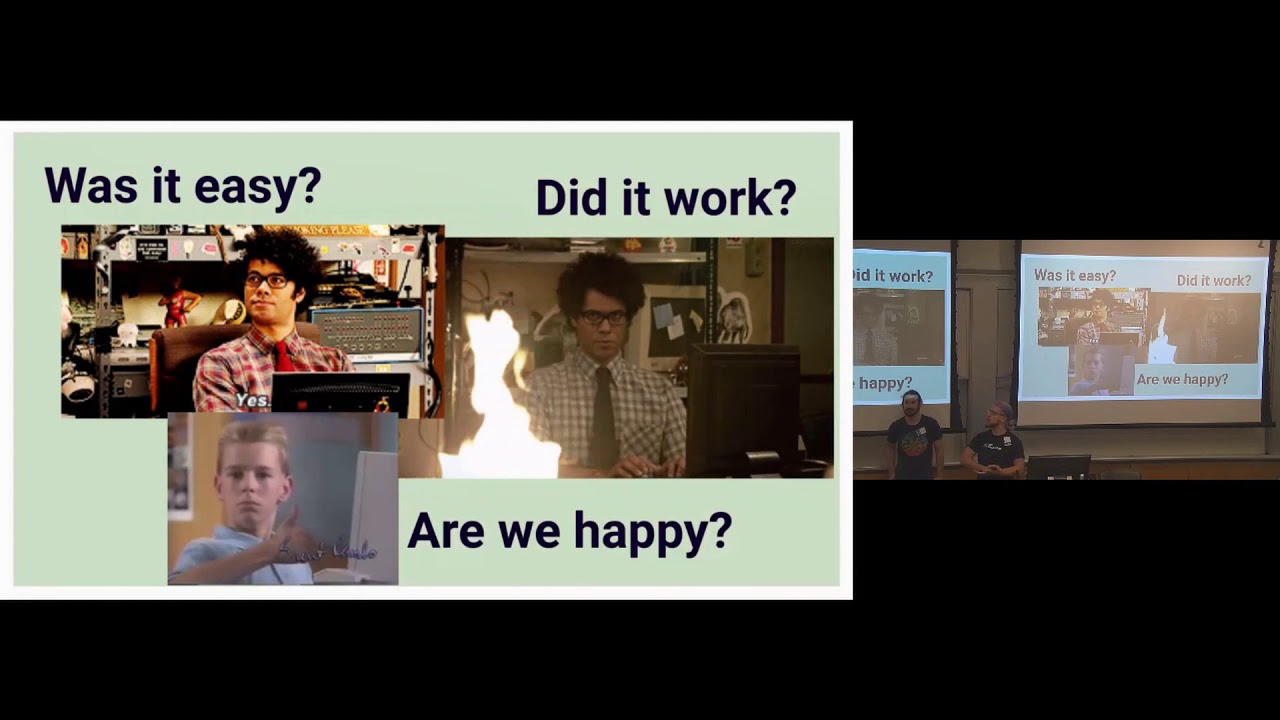
Speaker 3: Yeah. Um and uh there's other like enhancements and tweaks that we've done over time that we'll talk about next. Um but overall like the approach is sort of uh this is my favorite slide by the way. Um So overall it was like pretty easy to get set up with Wagtail and also deploy it the way we wanted to. Uh we use Docker for our deployments and you know have different staging and production environments and setting up for headless was pretty straightforward. Serving GraphQL endpoint is pretty straightforward. Does everything work? Like most of the time yeah it works pretty well. I mean You know, when it when it doesn't work, uh, you know, we've been able to uh engage with each other and engage with the community and uh uh sometimes there's pushback like we'll talk about next. I mean
Speaker 3: there's definitely like limits uh to the sort of hacking that we've done to try to give people what they want, uh which is part of the reason why we're here because uh we'd like to collaborate a little bit more directly. But overall uh pretty satisfied and happy using the system. Every time for myself as a full stack developer I can move away from working in React and go back to doing some stuff in Python for a couple days. I'm like Ah, this is nice. So yeah, so now we'll talk about more like uh present present day uh where we're at currently. Um You might have noticed already. There's some customizations that we made to the admin interface. I'll point out like the the biggest ones, which is uh do we have a pointer? I'll just point. See here
Speaker 3: You can see that there's a sort of a sidebar preview that we've made in an iframe. And the idea here, there's two main things that we wanted to support. One is uh we have a style guide that our content team is making which is supposed to guide content creators because right now we have four or five authors, but eventually it's going to be people throughout the city and we want to be able to sort of dynamically link those authors to the information of not just uh, you know, the admin interface does provide ability to put some help text, but we want to be able to say like Well, how should you craft your title? Like, you know, some of that is various and sundry things like uh you know, like you don't actually put need to put the name of your department and the title of your page, just so you know, you know, kind of stuff like that. Um, but also about making Making the content accessible for each section.
Speaker 3: And so the idea is that you have the style guide tab that will have anchor links to like title and description, and there'll be much more detailed information information for those authors and kind of side by side. And then there's a mobile preview which won't work on this flat screenshot. But trust us, it works really great all the time. Never any props Um and so that is a that is a preview build uh in an iframe of the front end of the site. And the main focus there uh is that we we found that um There's a a lot of value to having the mobile preview because most of our residents are going to be accessing the city website from mobile. uh from mobile rather and it's uh easier to have content writers sort of
Speaker 3: see how that's gonna present on on mobile uh and show that that's a priority. Uh it might uh help influence like the verbosity of what they write, make sure that it'll actually just you know, look good on mobile from from the get-go. So that's kind of a an important focus, I think, for us, and I think might be for others as well. So that's a pretty major uh departure, I think a a pretty useful feature, uh a cool idea if I do say so myself. Um And uh you'll notice other other things. Uh this screenshot's a little bit out of date, but we uh for a while we've had a a smaller, more custom menu, mainly because we just didn't want to expose all this extra functionality that we know is there to people that don't need to see it just yet. We also moved the account login to the upper right
Speaker 3: hand corner. Oh, computer just went to sleep, did it? Yeah. Back? It's back. Okay, we're back. And we went to the next slide too. How convenient. So um We're the account login like I mentioned is in the upper right-hand corner. That's where it is in like 90% of web apps or mobile websites that you might use. So we were asked to move it to where people would expect to see it. We also by default as it stands, when you log in, you go to like the page explorer page. And again, that's just we didn't want one more place for someone to have to go in order then see content that's uh related to them and also like I mentioned this is all an alpha so we're basically sort of trying these things out.
Speaker 3: Might change in the future, but that's how it is currently.
Speaker 2: Yeah, um there are definitely ways that we've already Planned on improving both the editing interface, having it so our mobile preview is something that's actually live updating instead of needing to save a draft and then seeing it previewed again as as well as switching from what is now just a modified version of the home page and these are all the children there. to using an updated search page where we can actually sort and filter based on which author has logged in because As we move from tens of pages to thousands of bits, hopefully hundreds of pages instead of thousands, we will have a lot of content authors that want to see different things.
Speaker 2: their dashboard of I just logged in, what are the pages that I care about, and how do I quickly see a list of those using the search page will be a good direction for that.
Speaker 3: Yeah and also We also as you can see there's a like we created the ability to publish a page directory from this page listing, which was relatively easy to do. I'll also just go back real quick to say like most of you are probably familiar with the vanilla admin. We we uh removed and cleaned up a lot of the styling just because it started to feel a little cluttered. Uh but so um some of the like Pink dashes across the admin aren't there and there's just more of a simple uh division between sections um which is works pretty well more or less. Sometimes there's there's things that we get asked to do like uh what like we wanted to move the the help text for the field to to just be like above the box instead of below it
Speaker 3: and that was like much harder for me to figure out than I might have liked uh but we figured out a way to make it work with the tools that were available. So we already talked about that. The count settings placement. Oh this is a slide about things we learned. Okay, so I didn't finish filling this out. So Anyways, um so I think most of this is I we'll just we're running out of time. We'll move on to the future because I think actually most of the pain points are discussed there. Um so the future To the future. So yeah, I think some of the pain points we already talked about, some of you might be familiar with yourselves if you tried to play with the admin. It works really well when it's used as it's designed to be used. When you start trying to move stuff around, it gets a little bit trickier, like moving the account into the upper right-hand
Speaker 3: corner. Not quite as straightforward as you might like. It's not necessarily as componentized as as would be ideal. Um avoiding page reloads is another thing that uh our UX people have have constantly asked us to do something about which is, you know, something that we would like to be able to do. And of course we could. We just haven't put the development effort into making whether it be Ajax templates or Wherever the there's a couple different options there. And the also what has come up to is doing more flexible messaging on the UI. You know, right now the admin uses uh Django messages and There's some ability to craft what the message actually says, but a lot of it is essentially baked into the Wagtail admin.
Speaker 3: And so controlling when those messages pop up and also what they say in a conditional way. At least it wasn't initially immediately apparent to me how I might do that. Um some of that some of these things kind of cascade into each other. Like for example, we added some custom buttons to like share a draft or share a preview. If you share a draft, it just copies the preview link to your clipboard so you can share it with someone. But in order to do that, you have to save the page. And when you save the page, the entire admin reloads. And that happens when you click the preview as well. And uh it's just not the best It's kind of a jarring UX experience. And then once you do that, it triggers the Django message where it pops down. It says your page has been updated, which is When we also have a pop-up that says this has been copied to your clipboard, it's just kind of like the entire page reloads and then there's like messages everywhere
Speaker 3: and Uh and so it it just it starts to be cascading a little bit. Um and I think that is that was one of the reasons why I started poking Around found the bagtail slack, started seeing that there's some refactoring of the admin going on and then was like, okay, well let's see like if we can you know see what else is going on, what other people have in mind and maybe can do this in a cleaner way and be more uh collaborative.
Speaker 2: Yeah. When you get something from a UX designer that's, hey, I want to have a button where you have Share a preview link and then you get a little thing that pops up and says preview link copied to clipboard and then you can go ahead and send that and it doesn't have any page reloads and it's just a clean little pop-up that says that and then you go to implement that and it's like well it needs to be the latest version because if we've typed something in there it needs to be saved. It definitely adds some layers.
Speaker 3: Yeah, for sure. Another thing that came up uh that I'm curious to see if uh there there were other uh noticed by other people is kind of tied to that. Um but there's a lot of uh the the whole revision and page model with Wagtail is great. Um one of the things is uh We would often notice that our authors would end up having to essentially save revisions that don't really have any differences between them. For example, like we've just been talking about, if you want to like share a preview. Well it saves a revision. And a lot of times there isn't actually any difference between the new revision and the old revision, but it still had to be saved because it's got to do that. And so you end up with a lot of duplicate revisions. Or I guess what I would describe as a duplicate revision. revision. And uh that's not the best user experience for content authors.
Speaker 3: Like the revisions interface is nice. It's nice to be able to see the list of revisions, but then when you go to compare and find out that there aren't actually a lot of differences between most of them, it starts to kind of be disappointing uh for uh someone who's like mainly an author and not really necessarily gonna grasp the like technical difference of like, well this is a new revision, right? You know, like we might all understand that. But from a content author, like, this isn't a new revision. It's not, you know And uh so we were asked if we could prevent all these duplicate revisions and drafts, and I have a couple ideas for doing that, but like not surprisingly most of that uh starts to heavily dip into like core wagtail uh territory. You know, there is the feature that exists to be able to do provisions. It would be great to be able to maybe call that function elsewhere. and either prevent a duplicate revision or maybe be able to like filter out the ones that don't really have a lot of differences.
Speaker 3: Definitely something happy to talk about. And uh we've also talked about uh having additional custom statuses of pages, like archived is a big one where like we have the request early on to remove the ability for people to be able to delete pages. But there still is some ability requested to be able to have the status of a page perhaps be archived so that uh You know, just this probably gets more into the nitty-gritty of how like city government works and like editorial and approval and not just like getting rid of something, uh, but having it around forever because you know I don't know exactly why, but um that's that's something that we're interested in exploring as well. Um I don't know, that might be something you could speak to a little bit more.
Speaker 3: But
Speaker 2: yeah, basically it's instead of actually having it be deleted, we want it to be unpublished but also hard to find.
Speaker 3: Yeah.
Speaker 2: Yeah. Uh
Speaker 3: um and uh yeah, so it was interesting to hear uh Tom you you speak about the sort of fork in the road because that's something we discussed internally a lot too. Uh as We're faced with like feature requests and we have to prioritize them, decide what we're gonna work on now, what we're gonna do later, how we're gonna approach it. Um there it it has often popped up in our mind of like Well, sometimes we're at cross-purposes if we're trying to like design and test like the like hypothetical ideal author interface. It's a lot easier to do that if you're not also coupled with an existing author interface that already has opinions about how to operate. And so like Brian also mentioned earlier, mobile previews, previews of builds in general works pretty good. But it would be nice to be able to just like import our React components from the front end there and just have it be like a live preview without actually having to
Speaker 3: having to reference a different website. And that's uh so that's something we thought about. We've also thought about the fact of like, okay, well what if W what if there was just like an admin API similar to how there's already an API exposed to build new pages? Like, well what about creating pages, editing, updating it? Definitely, I guess, seems like two different paths to go. You know, personally it might be possible to do both to an extent. I feel like having the option of an existing admin interface is great. The ability to maybe play around with custom views along with that or perhaps a more limited subset. would be cool too. I think I'm we're definitely open to both options, whatever makes the most sense
Speaker 3: for sure. Um but uh yeah uh we also just want to say thanks partner.
Speaker 2: Um
Speaker 3: really uh like we said before, like um Using Wagtail has been a great success for us. The majority, to be frank, the majority of the time that we've spent on development has been on the front end facing resident site, which this talk is not about at all. That site, by the way, like we mentioned, is headless and is a static generated site. We're gonna be doing a workshop tomorrow about those two things, uh so feel free to come to that. Um but we really have been able to like focus on serving residents first because we know that we have this admin interface combined with like page models that has like been good enough and great to be able to make changes to like quickly so that we could go back to pivoting and focusing on a resident-facing site. uh and we're excited to now be able to spend more time and effort and energy on the actual author
Speaker 3: experience side of it. And knowing that there's a great community out here that's also interested in those things is is really empowering. And we're very Small team with limited resources. We're not very uh established inside of the city. And so we have to do a lot with a little, and so being able to utilize like these open source communities. is like a hundred and ten percent critical for us to be able to actually like deliver these things that might otherwise cost the city like potentially like hundreds of thousands of dollars. Like I don't even know how much they've spent on the Drupal 8 upgrade uh to make that happen. And and meanwhile we've been able to like deliver this, you know, practically with nothing. And so that wouldn't be possible without all the collaboration with all of y'all so definitely deserve a shout out to you wonderful people.
Speaker 2: Thank you.
Speaker 3: Um and I think that's like Yeah, that's pretty much it. I know we're I'm trying I'm not sure how we are for time, but I think we've got time for questions if anybody has any.
Speaker 2: If not, I just want to re-plug the we're going to be Doing stuff during the workshop day tomorrow with if you're interested in GraphQL or static site generation or just anything headless. We have experience with that. We'd love to work with you and see what other people are trying to do in that space as well. Thank you.
The team was more comfortable with Django and Python than PHP, wanted a headless, API-driven site, and needed an authoring interface that supported content creators. Wagtail fit those technical and editorial requirements and was relatively easy to extend.
Discussed at 4:39They adapted Wagtail to serve a headless site and exposed a GraphQL endpoint, allowing front-end development to proceed largely independently from the CMS.
Discussed at 5:45They built a guided page-creation process as a React component, so authors enter required information such as the title, topics, and department as part of the creation flow rather than discovering required fields only after trying to save.
Discussed at 6:48They want live-updating previews without saving and reloading, author-specific dashboards and search, more flexible messages, and a less disruptive interface overall. They are also considering ways to avoid creating duplicate revisions when previewing or sharing drafts.
Discussed at 12:47They want an archived status that leaves a page unpublished and difficult to find instead of deleting it, preserving it for government editorial and approval needs.
Discussed at 19:23Note: We understand that names change, people change, and bodies change. We respect each individual's journey and privacy. If you have any concerns about a video or need us to remove content, please don't hesitate to contact us. We will handle your request with care and promptly address any issues.
Published July 19, 2024

Published July 19, 2024

Published July 19, 2024

Published July 19, 2024

Published July 19, 2024

Published July 19, 2024