
0:39:00
3D Files with Wagtail
Published July 19, 2024
Wagtail Space US 2024
This video is from Wagtail Space US 2024 in Philadelphia, Pennsylvania, USA.
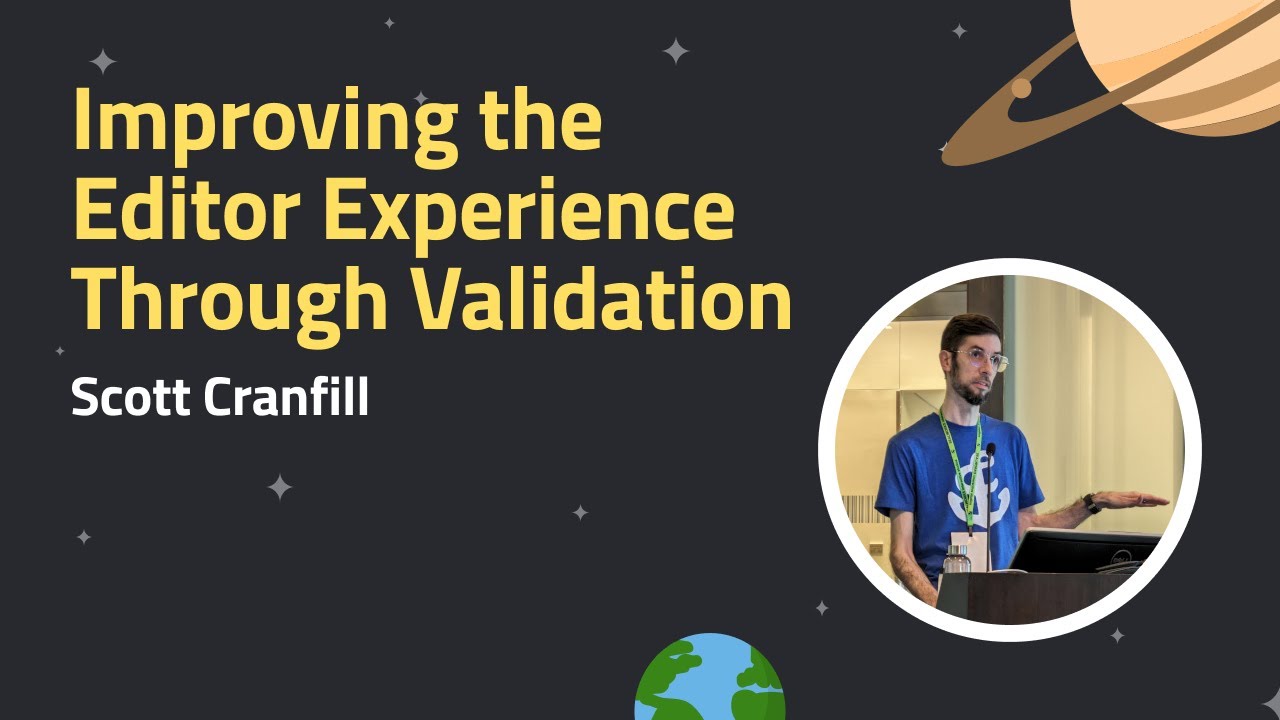
Wagtail leverages Django's powerful model validation system to make it easy to check for things like required fields being filled or URLs being entered in the correct format, but did you know that it's easy to write your own validation logic to make your site more predictable for both you and your editors? This talk will do a survey of a number of common (and less common!) custom validation scenarios that you may want to incorporate into your projects.
💻 Wagtail is the easiest open-source Python CMS to use:
Install the demo and start building your first site in 10 minutes: https://wagtail.org/get-started
📹 Related Videos To Watch Next:
▶ Quick Video Tour of Wagtail CMS 6.0 https://www.youtube.com/watch?v=_Vg_lPMipcQ
▶ The Latest on Wagtail AI https://www.youtube.com/watch?v=4zfs1u4Vy5Y
▶ What’s New in Wagtail CMS 6.0 https://www.youtube.com/watch?v=2AxLFyOFjQo
Wagtail future proofs your CMS system, as it’s open source, continuously updated and built on Python, one of the most popular global programming languages, used widely in machine learning and big data. So you’re always ahead of the curve when it comes to CMS platforms.
Wagtail is the #1 choice for accessibility, is scalable and most importantly, secure.
👉 Get started with a FREE Wagtail CMS TRIAL: https://wagtail.org/get-started
and see how easy it is to build a website that works for you.
📊 Read why Google, NASA, and the British NHS, are powering their digital estates with Wagtail: https://wagtail.org/about-wagtail/
🎥 More Wagtail Videos: https://www.youtube.com/watch?v=cne2kxemMAQ&list=PLfwZ-fob20cPvSQ_v1hkjto8BAPN21tLJ
📣 Follow us on social:
#WagtailCMS #Django #WagtailSpace
Automatically transcribed, so expect mistakes in names and technical terms.
Speaker 1: Welcome back everyone. We are going to continue with our next talk. Next up we have improving uh sorry, that's the wrong. Oh yeah. We have improving the editor experience through validation, which is something uh I'm really excited to see. by our next speaker, Scott Cranfill. Scott is a full-stack web developer and a Wagtail Core team member, and he works on one of the most out-of-this world Wagtail sites, which is NASA's Jet Propulsion Laboratory. Uh give a big round of applause for Scotch Mant.
Speaker 2: Thank you, Vince. So my name is Scott Granville. My pronouns are he, him, and this is another talk on how to make your editors happy. or perhaps how to infuriate them, but hopefully eventually having them grudgingly respect the the uh tools you're giving them to make better content. Like Vince said, I work as a full-stack web developer at NASA's Jet Propulsion Laboratory, but I'm speaking here in my personal capacity and not for my employer. JPL is located in Pasadena, California, but I work from my home in Rochester, New York. And aside from just using Wagtail at JPL, as Vince mentioned. I'm a member of the WhiteTail Core team and also its accessibility subteam.
Speaker 2: Let's start with a brief introduction to the concept of validation in Django. As we like to say, Wagtail is just Django, so the foundation of Wagtail's validation features comes straight from Django. In the Django world, the term validation refers to the process of checking that something is acceptable before saving it to the database. This is my personal vague definition. There may be a more formal one, but this broad concept applies in three parts, three main areas of Django, form fields, model fields, and model instances as a whole Forms are weird and they're kind of handled transparently by the by the Wagtail admin, so we're just going to focus on models here and their fields.
Speaker 2: And validation can be as simple as checking that a required field has been given a value. It can be as complex as looking at the relationship between multiple fields. It can take into account external factors like the current date or the API response from some service and more. So WhiteTel relies on the standard Django behavior of validating a model instance when it is trying to add it to the database or update its existing record. Here's a simple Django model for the kind of card that you might find on many websites. It has a title field and a description field. These are both required and note the null equals false and blank equals uh false.
Speaker 2: Um uh parameters on those fields. And it has two fields that support an optional link to be displayed below the description. When you attempt to save a new instance of this card model, Django will go through four different validation steps. First it tries to validate the individual model fields, such as making sure that the required ones are filled in. Second, validate the model as a whole. And these are the to the right here are the individual model class methods that are running when this happened. Third is to validate the field's uniqueness, and fourth is to validate constraints. And we'll go through these in a little bit more detail.
Speaker 2: Number one, validating the model fields. Looking back at our example, step one covers the items we see written into those field definitions. Are the required title and description fields populated? And if there is a value in the link URL field, does it look like an actual URL? That's what that validators, URL validator thing is doing. It will run the value you put into the link URL field. through a regex and make sure that it looks like an actual URL. You can also write your own validation functions, either from scratch or by extending Django's built-in ones Like our friend Tim did, here to validate the Zoom conference phone number, he's subclassed the built-in
Speaker 2: regex validator. to specify the regular expression to match, making sure that it contains only digits or commas or pound signs, and there's at least one of them, although you know a number would have to be more than one, but And then if it fails to match that regex, he's provided the message to display to the user in that case. So that's the quick look at step one, validating an individual field. That part is simple enough, but what about the rest? Step two is to validate the model as a whole. This is done by invoking the clean method on your model class. What is the clean method, you might ask? It's a special method provided by Django's base model class, which does nothing by default.
Speaker 2: This is direct from the source code here. But it serves as a hook for you to add your own validation based on your specific model 's needs. Again, this is the Django model. clean source code, which amounts to just a method declaration with a comment basically telling you what I just told you, and then pass means this method does nothing. Let's look at how Wagtail 's core page model uses that clean hook to give you the foundation for your pages. This is uh slightly condensed to fit on the slide, and it's it's still a bit maybe tough to follow what's going on, but um unfortunately I can't get my cursor onto the slides here, but The idea is that when saving any right tail page, it checks to make sure that the desired slug is available for use, that it is unique within its
Speaker 2: parent and among its siblings. If the desired slug is not available, then it raises a validation error, which is part of Django's core exceptions library. Which the Wagtail UI then takes and presents to the editor alongside that field. This gets run not only on initial page publishing, but well and also even saving a draft. Sorry. For slugs, it probably is only on publish, but every time it's updated as well in case the slug field has changed. And also in situations like when a page is moved under a different parent, and then unless it has new siblings to check against. The most important line on the previous slide is this one. Super dot clean. The Wagtail PageModels
Speaker 2: clean method starts by calling superclean and The super function is a special function for subclasses that, when used in a method, returns a temporary object of the superclass or the parent class. This then allows you to call that superclasses methods. So when WhiteLspage. clean calls superclean, it's invoking the clean method of its parent class. In this way, it ensures that we're not missing out on any validation done by that parent class when we override clean method for page. And you can continue this cleaning chain on your own models that inherit from Wagtail's page model.
Speaker 2: Here's a simple simple example of an event page where we want to validate that the end date is always after the start date. We define our own clean method on our event page class. We call super. clean, which in this case just does the slug validation from Wagtail's base page model And then it also calls any clean methods further up the chain, if there were any, between Wagtail's page and Django's model. And then to check our dates, we add our own logic here. If self. end date is less than, meaning earlier than the start date, then we raise our own validation error Which prevents the page from saving and displays that error message in the UI.
Speaker 2: I'm going to skip over the third and fourth parts of the Django validation process. They're important, but overriding the clean method is the biggest opportunity for improving your editor experience, so that's what the rest of this talk will be focused on. What else might we want to validate on a page model? Let's say you've got a page type that you only want one of under any given parent, and you want each one of those to have an identical slug. For example, you might have an author page, and under that you want to have child pages for that author's full biography, and you always want the slug of that to be bio. So you've got Scott Granfell slash bio or Don Wages slash bio.
Speaker 2: First we can make them only creatable under author pages using the parent page. parent page types uh technique that uh that megan mentioned and uh we can also use max count per parent to only allow one of them under any given parent And this will ensure that we do not have any duplicate slug issues. And then once that's done, we can write this incredibly simple clean method. Which in this case doesn't even validate the user inert slug. It just sets the slug itself, no matter what the user had put in there in the field And again, it will always be unique based on our previous rules. Now, to be fair, overriding whatever the user might have put in that slug
Speaker 2: field like this could be a little bit confusing to users, might be considered an anti -pattern. But another thing that you could do is redefine the stock remote panels listing to remove that slug field entirely so that users can't even try to set or change the slug. Let's talk about related fields. A classic scenario in any content management system is to have a field that is somehow dependent on the value of another field. Whiteail doesn't have a built-in way to dynamically reveal or modify form fields based on the value of another field being updated. So displaying both fields and validating them together on save is a good approach to take.
Speaker 2: Here's a snippet of a mission page model from an undisclosed website that has a couple related launch date fields. The first is launch date status, and that has several different choices that determine how the date gets formatted on the front end. Here's a quick look at what those choices are. The exact date can be known, or it can be three different levels of uncertain Might know only the year, or might know both the month and year, but not the exact date yet. Or we might not want to show anything at all, the none option. And then back to the model. Then there is the date field launch date for actually choosing a specific launch date.
Speaker 2: And depending on What is selected for launch date status? We may want to require that an actual launch date gets entered. So here's the clean method that lets us do that. If the launch date status is exactly known, or even if we only know the year or the month and year, then launch date field is required. So that Boolean evaluates true, and then if it's required but launch date is not set, then we raise the validation error. In the real code that I'm excerpting this from, there are actually multiple things that get checked in our clean method on this model. And now we want to talk about raising multiple validation errors at once.
Speaker 2: To do this, you have to collect them all in the dictionary and pass that dictionary to raise them all at the same time. Here's a condensed version of how that looks. I've taken out the launch date things, but we're looking at a couple other fields. You can imagine that we have a show clock field and a start date time field. Oh, and then the launch date is still here as well. So we start with a fresh AIRS dictionary after running super clean. And then we append to that as needed as we go through each individual validation scenario. If the show clock is set but self uh but start date time is not set, we append an error to show clock and uh this had the string for that. Then we do the launch date thing that we already looked at, and if that
Speaker 2: append an error there if needed and then at the end we check to see if there is anything at all in the errors dictionary and if so we raise a validation error passing the entire dictionary and then it will highlight each item that it has in it. Let's talk about stream fields. Validating standard Django model fields is greater than all, but As many of you know, much of Ragtail's magic comes from the stream field editing interface and the blocks that editors can add within that. Thanks to a great contribution by Matt Westcott and White Hill 5. 0, this same basic clean pattern can be applied to your custom stream field blocks. Let's look at a few common custom blocks and how we might want to validate them.
Speaker 2: Link blocks. Creating a link block is a rite of passage for Whitel developers. It seems like everyone eventually wants this sort of block where you can choose one of several kinds of link destinations. Enter your link text and output the resulting link markup on the front. I brought this example from the Wagtail Docs page listed below and modified it slightly So we're defining a new subclass of struct block, which is a way to group multiple child blocks together in one interface. And it's got three child blocks to determine what kind of link you want to create. Either an internal page link, a link to a document that is in your Whiteel documents library, or an external URL And then a block for specifying the text of the link.
Speaker 2: As the help text for the link block notes, sorry, for the text. block notes. We want to require it for external links, but if we are using a page or document link, it could be optional because you could just use the page title or the title of the document as given in the Wagtail database. So everything needs to be set to not required due to the different combinations that we may want to allow here. And then we want to validate that exactly one of the link type blocks has been populated and that if that is the external link URL block, then we want to also require the text block. So let's talk a little bit about the basics of block validation.
Speaker 2: When overriding the clean method on a stream field block, we have to do a couple things a little bit differently than we did with our page model. The first thing to note is that the function signature is different. You must pass in the value of the block in addition to the self that refers to the model instance. We also have to pass in value, which is an automatic thing that Wagtail's underlying block class handles. You also must return the cleaned value at the conclusion of the function if no validation error was raised. So when we were validating a page, We just go through and if we didn't raise any validation errors, the function ended and nothing happened and that was fine. But in this case, we have to return the valid data
Speaker 2: at the end of the clean function. So before, like before, you use the super method to call the parent classes clean method, but this time again we pass in that value argument. and store the resulting dictionary in a new variable called result here so that we can perform the validation we want against that So taking a look at what this would be for the link block we defined earlier. After setting the initial result with our super clean call, passing in the value as noted before. We do our first check, making sure that at least one of our link types has been set. And if not, alert the user. If that passes, continuing down the function, then we'll make sure that only one of them has been set.
Speaker 2: If any pair of them have been set, then we know we've got more than one. We can alert the user that only one may be set Finally, if we make it past that, then we do our final check. If the raw URL child block has been used but no link text has been entered, alert the user that text is required in that case If we get past all of those checks without raising an error, then we return the valid result object. As these validation errors are all mutually exclusive, we don't need to worry about collecting them. collecting multiple errors and raising them together. But we will see that in a moment. Now let's take a look at another very common block for Wagtail developers to implement, an image block.
Speaker 2: An example of a simple image block here. That bundles a basic image chooser block with a couple of accessibility-related blocks. The alt text child block accepts some text to be output in the image elements alt attribute While the decorative Boolean block creates a checkbox to indicate that no alt text is needed for the image in this context. Not shown here, but something to be aware of behind the scenes is that we have added a required default alt text field to the custom image model. So that is there and present beverage of choosing an image And it is a useful fallback if both no alt text is specified here and the default checkbox is, or sorry, the decorative checkbox is not checked, we can fall back on the default alt text from the image itself.
Speaker 2: But it again it's important to have a block like this with an alt text field because it's important to encourage editors to enter alt text. or determine if none is needed for each image in the context where it is used. So that's what this image block provides. Now let's look at how we want to validate this block. The main thing that we want to do is prevent folks from both entering alt text and checking the decorative checkbox. So this is a pretty simple thing to do, following a similar pattern to what we used earlier for related fields on a page model. The one additional thing that this example demonstrates is the use of the special struct block validation error class.
Speaker 2: If you just raise a simple Django validation error on a struct block, like we did on the previous link block example, then the error message will be presented on the block as a whole. But by instead utilizing struct block validation error, we can present the error message next to a specific child block within the struct block. So when raising struct block validation error, we pass a dictionary of errors to the block errors argument of that class. Where the keys in that dictionary, in this case alt text , correspond to the name of one of your child blocks that you want to the error to be associated with, and the values are a validation error instance with the messages that you want to.
Speaker 2: to go with it. Struct block volidation error also has a non-block errors argument in case you also or instead want to pass um errors to be applied to the struct block as a whole rather than an individual child block If no errors were raised, then everything is happy and we can return the valid result. Let's discuss another accessibility-related validation that we can handle with the help of those improvements from Wagtail 5. Incorrect heading hierarchy, one of my favorite things to harp on. This is a screenshot of Wagtail's accessibility checker reporting a heading level has been skipped What does that mean exactly? It means that
Speaker 2: on the page that where this was taken, there was an H1 at the top at the top of the page, and the error is pointing to an H3, you can see on the right there. With no H2 in between. So we skipped level two and that is a problem because screen readers and side crawlers rely on having a logical document structure. to understand the content of your page. And headings are the primary way in which they do that , in which they they interpret that structure. So one way to think about this, a metaphor I like to use is uh in hut in school you probably had to write research papers and your teacher probably had you write a big multi-level numbered outline to help you know help you organize your thoughts and and and group things into sections and
Speaker 2: have everything be orderly. So if you were writing one of those and you skipped an entire level of indentation, that would be strange and potentially confusing to readers, wouldn't it? So similarly, web page headings should avoid skipping levels as they create that logical page outline. The accessibility checker is great for helping editors identify when a mistake has been made after the fact, but what if we could prevent them from being made in the first place? Here's an example more or less directly from the bakery demo of heading block , which is another common block, often one of the first we set up in a stream field. It has two child blocks, one for the text of the heading and one to set the size or level of the heading.
Speaker 2: This is an essential tool for editors, but if they aren't aware of the requirement to avoid skipping levels, There's nothing to stop them from doing so. And again, the accessibility checker can catch it later, but if but let's use another custom clean method to prevent it. In this case, we want to validate across multiple instances of our heading block, more than one heading block within one stream field. So we can't place our custom clean on the heading block class itself. Instead, we want to apply it to a subclass of stream block Stream block is a data structure that can be used to provide a common set of block options to multiple stream fields within your project. In this example, the base stream block offers three different block choices, headings, rich text, and images.
Speaker 2: And then we pass that to the body in this example news page. And so the news pages body stream field has access to all three of those blocks. The general idea for this clean method is to look at each heading block in the stream field and raise an error if it has skipped a level. after the previous heading on the page. So after the initial super call, we start by creating a list for tracking all of the headings that we will encounter. Each item in the list will be a tuple, that is the blocks , first item in the tuple is the blocks index within the stream field, and the second is the its level, as in H1, H2, H3 It's being preloaded with a placeholder for the H1, which is not part of the stream field itself, but we know is there at the top of the page when
Speaker 2: it gets rendered on the front end. And we also initialize our errors dict in case we need it. Next step is to loop through all of the child blocks in the screen block that we are validating. And then this the um I'm I think I'm missing the self in this clean, but um the this stream block class that is again applied to whatever stream field you're looking at. If a block type is heading, then we convert its size to its string defined heading size which was H2 let's say chop off the H and we get the integer value of that level And then
Speaker 2: append that tuple of its index and level to the list of headings. And at the end of this loop, we have our complete list of headings in the string. Now we do another loop. This time we've just looped through the list of headings, starting at the second heading, and compare each one to the previous one. And if the difference between their levels is greater than one, then we have incorrectly skipped the heading level, so we add a validation error to the error's dictionary, using its original index to make sure that it appears in the right place. And with that loop complete, we check the error's dictionary if there's anything in it, then we raise the stream block validation error. Passing the errors dict into the block errors parameter. And if there were none, we're good and we return the result.
Speaker 2: I won't go through the code for this, but the principles we've discussed throughout this presentation can be combined and applied to examining all the headings on a page, whether they come from a heading block or it might be included in a rich text block or rich text field and you have to do a little bit of a regex identification of the HTML representation of those, but it's not too good. Fun fact, you can even apply clean overrides to site settings, which are ultimately just Django models. This example from Wagtail. org sets up a banner that runs across the top of every page on the site when it when it is configured There are a couple fields not shown, but these are the important ones in terms of what gets validated. Checkbox to enable it, and
Speaker 2: the the actual text of the alert that you want to have The validation logic here is nothing earth-shattering. It just ensures that if you checked the box to enable it, that you have also provided some text for it. Mainly just wanted to make the point that in addition to page fields and stream field blocks, you can also use it for settings, which is super cool. I want to mention a few more ideas to wrap things up that I've seen in a while that might be of interest but don't have time to demo. You might want to enforce a certain sort order when editors are putting items into a list. For example, we have a timeline page and we want the items on that timeline page to be sorted chronologically You can always do this in one of the layers between the editor and the front end, like
Speaker 2: on the query set, or if you have a uh decoupled front end you can sort the the data you get there but it can be nice to ensure that what editors are seeing in the White Tail editor um accurately reflects how it will come out on the front end Sometimes you might not want the title of a page to be arbitrary text entered by a user, but instead have it be set dynamically based on some other input. In our Y -Tail-powered internet, we have authored detail pages for folks who have written articles on the internet, and it's integrated with our LDAF directory. Instead of a regular page title field on those author bios, we uh we have a chooser for selecting a user.
Speaker 2: That page title is then set. on the clean method by fetching that person's display name from the directory. If they don't have a display name set, it will just combine their first name and last name And that becomes the title of the page with no, and we can again hide the the title panel so that there's no opportunity to try to enter it. Finally, if you are not particularly concerned about users potentially being surprised by this, another example from our internet is that we automatically update the slug if the title of the page changes. Normally Wagtail will just leave the original slug in place for all time, but you can have it absolutely automatically be updated as the page title changes. Whitel will automatically create redirects for slug changes by default, so the potential user confusion should be pretty minimal.
Speaker 2: To learn more about validation, I'm going to highlight these two documentation pages cited as footnotes earlier. Django's validation docs. And Whitel's docs on stream field validation are both great resources to help you learn more about this topic. Thank you very much for your time. I have published these slides on the repository shown here, github. com slash scotchchester slash ws dash validation. I hope you're inspired to go forth and improve your editor experience with custom validation. Questions or want to get moving?
Speaker 1: We have a tight schedule this afternoon, so uh definitely can do some questions over Slack and ask. Ah so thanks again Sagat, that was great.
Speaker 2: Your rook, thank you.
Note: We understand that names change, people change, and bodies change. We respect each individual's journey and privacy. If you have any concerns about a video or need us to remove content, please don't hesitate to contact us. We will handle your request with care and promptly address any issues.
Published July 19, 2024

Published July 19, 2024

Published July 19, 2024

Published July 19, 2024

Published July 19, 2024

Published July 19, 2024