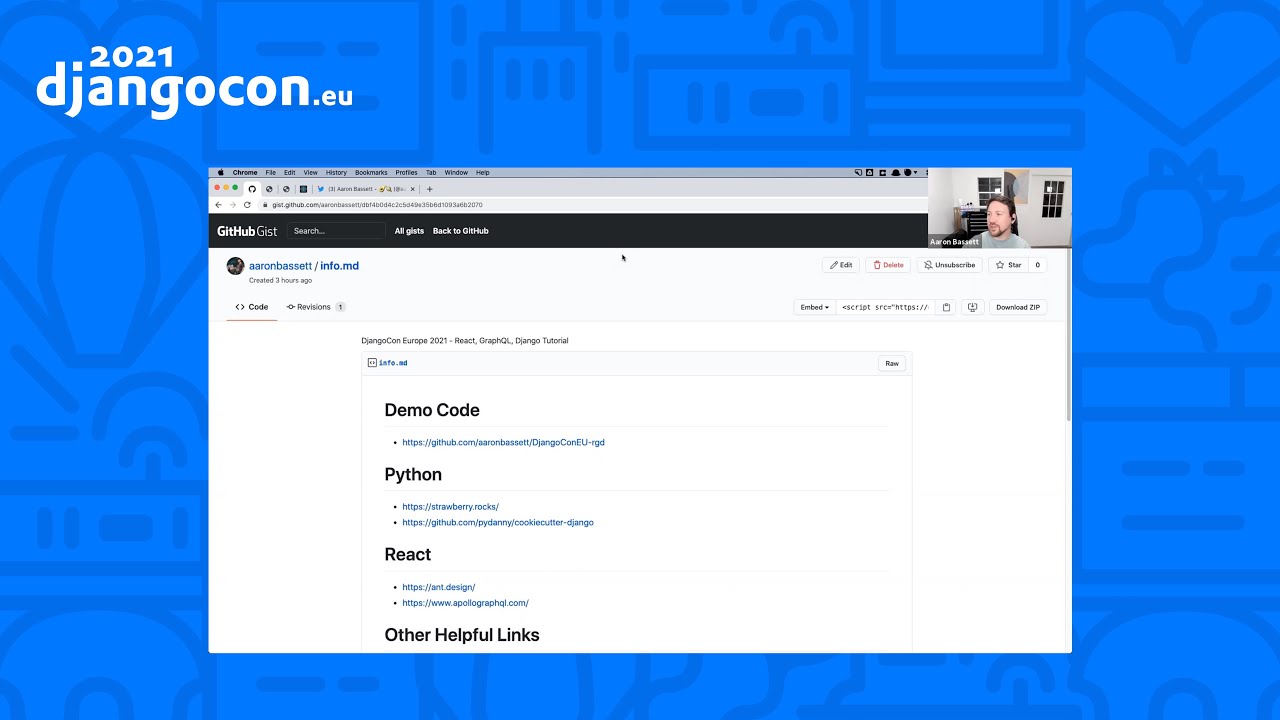
1:03:50
Getting started with React, GraphQL, and Django | Aaron Bassett
Published June 27, 2021
This video features Aaron Bassett at DjangoCon Europe 2020 in Online.
DjangoCon Europe 2020 (Virtual)
September 18, 2020 - 16h30 (GMT+1)
"Can't get you out of my head" by Aaron Bassett
Our devices are continually sending and receiving a complex set of instructions and information every time they interact over HTTP. While this mostly invisible interaction is primarily made up of the same standard set of attributes what oddities would we discover if we spidered 10,000,000 domains?
Aaron Bassett recounts building a crawler to inspect HTTP response headers across 10 million domains, including failed approaches, performance estimates, batching, concurrency, MongoDB task-queue bugs, memory leaks, and the eventual use of Scrapy and multiple workers. He explains how aggregating uncommon X- headers revealed cache and CMS markers, recruitment links, jokes, Easter eggs, quotes, possible security probes, and other developer messages. The experience argues that large-scale crawling requires careful estimation, resilient queue design, and asynchronous tooling, and illustrates why better async support would make this kind of work easier in Django.
Summarised automatically from the transcript.
Automatically transcribed, so expect mistakes in names and technical terms.
Speaker 1: So I'm not sure if I was getting intro. I wasn't sure about that part, so I'm just gonna go ahead because I got my free two one. So hey everyone, thanks for joining me today for what I think you'll find is a bit of a different sort of talk, but hopefully enjoyable and useful. Before I get started, I'd just like to say a very big thank you to all the organizers and volunteers behind DjangoCon Europe. This has been an incredibly difficult year for everyone. And also have the stress of having to switch from an in-person to totally virtual conference must have been an incredible burden. But they've done a fantastic job. And I just wanted to pause for a moment and just recognize that. Okay, so I'm Aaron Bassett. You can find me online and most places, Twitter, GitHub, et cetera, as Aaron Bassett. I know, I'm so original. I'm a Django Software Foundation board member and a senior developer advocate with MongoDB.
Speaker 1: I think I see was one of my colleagues at MongoDB and fellow conference speaker, Mark Smith, who came up with a title for this talk when I was telling him about my idea to attempt to catalog the most common HDP headers. For those for anyone who doesn't recognize it, Can't Get Out of My Head is the title of a 2001 track from Kylie Minogue. Unless I ever attempted to make this entire slide deck Kylie themed. She has such a huge discovery to draw inspiration from. It would have been wild. Or it could have gone like right back to her roots. You know, maybe look at some neighbors kind of stuff. But talk takes a long time to repair and the earrom that I would have to have the entire time would have been horrendous. So forgive me for going with this more neutral theme Also, this talk could have had a few different names. RN
Speaker 1: sucks at estimates. Big numbers are hard. Uh when life gives you lemons, write a conference talk. You see, when I first started to think about this project, I really didn't appreciate just how many 10 million domains is. I knew it was a lot, but after a certain number, your brain just can't really estimate correctly, or at least mine can't. If you're being generous, you could describe my approach to programming as explorative and results-oriented. What that really means is I just chuck stuff at the wall and what sticks is hopefully normally good enough. But when you're dealing with such a large starting data set, even minor impacts in performance can create huge delays. I've actually been working on this project on and off for over a year now. I'm not a data scientist. I've never done any major web scraping before I started.
Speaker 1: Like many of my ideas, it started as a small curiosity, what do other developers hide in their headers, and then grew into quite a large undertaking. It was a big learning curve for many false starts and lots of attempts, which just didn't work. So rather than just present the results of what I find and my final method, I wanted to take you through the entire process, problems, mistakes, and all. It's not going to be a color by numbers guide for writing your own Brett First Web Spider, but instead I hope it will give you some insight into the overall approaches that worked, and just as importantly, the ones which didn't. Okay, so let's start at the beginning. Where did I get the list of 10 million domains? This is a CSV provided by DomCall, which they've compiled from common crawl and common search open data. I can't say how accurate the data is, and to be honest, I wasn't overly concerned by that.
Speaker 1: In this instance, I was more interested in quantity over quality. As long as the majority of the domains existed and were active, that was all I needed. I wanted to see what developers were hiding in their headers. I didn't care if those developers worked for the number one ranked website or the two million and fourth ranked. Actually, if anything, I assume the higher ranked websites would be less likely to contain anything interesting, as they wouldn't want to waste the bytes or be able to get it for code review. With my starting data set of 10 million domains to begin working from, I jump straight into the code. So let's look at some of the ways that I totally messed that up. Okay, so this is my very first attempt or an outline off it. My problem is to use Django management commands to read the domains from the CSV, fetch each with requests, and store the headers returned in the response using the Django
Speaker 1: ORM. A straightforward but ridiculously naive plan. My script choked before it had a chance to get started. Apparently reading the entire 10 million line CSV into memory wasn't a very good idea. No big deal. A quick Google for read million row CSV Python, a copy and paste from Stack Overflow, install Pandas, and I was back in business. I watched my script started fetching the first domains and I was happy that it was all working. So I headed to bed. A good night's sleep and I'd awake to a database of headers ready to explore. I went to bed feeling good, like everything was right with the world. I think my script probably ran for about 15 minutes before it totally died. I'd made no attempt to cleanse the data. I received an unchecked empty value, and that caused an exception
Speaker 1: So instead of awaking to your ready-to-go dataset, I was faced with a dead script and no easy way to resume it. So let's give it another go This time I added some basic error checking and decided to run it while I was awake, at least for a little while so I could deal with any exceptions as they occurred. And it seemed to be running fine. I checked the database, did a quick calculation on how fast it was able to make requests, and it seemed to be around 20 requests per minute, or one every three seconds or so. Okay, so I knew this wasn't exactly blazingly fast, but I wasn't in a super big hurry either. I could afford to leave it running for a couple of nights, maybe a weekend, and then get started in the fun part, querying the data. I was doing 20 requests per minute, and I thought that might take it a few days
Speaker 1: at most to go through like the 10 minute. This is how bad I was at estimating big numbers. You see 20 requests per minute means that it will take 500,000 minutes to complete 10 million requests. But how long is 500,000 minutes in days? Like I can't even fathom that. Well, looks up. It's about 347 days. If I left the script running uninterrupted, and if my throughput remained constant, it would take almost a year to make my first passover to demands. But I had an epiphany. I don't actually need to get the entire page at my request. I don't care about the page content. I just want the headers. So I can use a head request and drastically reduce the size of my response. Most people are aware of like GET and post requests.
Speaker 1: They probably make up like 90% of the requests performed every day. But there are other HTTP methods too. You know, put is number one. You know, put method will replace all current representations of a target with the request payload. Whereas the patch method is similar, but it's used to apply a partial modification to the resource. Options method is used to describe the communication options available at the resource. But the one we're interested in is head. The head method asks for a response identical to that of a GET request. But we'll find a response body. Amazing. All the information we need, nothing else. I thought modified my script and tried again. Now we're at 30 requests a minute. It's a considerable reduction. One small change, and I'm already 30% faster.
Speaker 1: My time had dropped to 333,333 minutes or 231 days. Which is still incredibly slow. Also, my error rate had increased. Not all websites understand head requests. So now I would have to retry my errors as get to be safe. If anything, this is going to make my overall time slower. Optimation optimizations like changing the head just weren't going to be enough to cut it. Now, I want to preface this by saying I'm a DSF board member and an active participant in Django community. If I'm starting a new web project, there's a high chance I'll do it with Django. I'm a passionate Django user. I've been using Django since before version one. I built a range of applications of all shapes and sizes with it. Am I making it clear that I really like Django?
Speaker 1: But for this job, it just wasn't the right tool. So I rewrote the script in Go. I'm just kidding. Not about the Django part, not part's real, but I did the switch programming languages. All that I really needed was async. Python support for async programming has come on leaps and binds and is an area which is seeming a lot of uptick in demand. MyScript didn't use any async. It was a single lone little worker bee. A very hard-working bee, but there's only so much they can do on their own. So much of what I was doing was blocking as well, including the two slowest parts, making the HTTP request and accessing the ORM. Now hopefully this won't be the case in the future. Following our annual DjangoCon
Speaker 1: Europe edition, Andrew Godwin has already begun writing codes to make my talk obsolete. I highly recommend you read his Django Enhancer proposal and then watch his talk tomorrow on how to break Django with async. I'm very much looking forward to it myself. But at present, Django support for async isn't there. I'm confident that it will be, and I want to express my full backing for the work that's going into making Django async. I look forward to when I can rewrite this project using Django, but for now I have to leave the safety of what I know behind and try something else for web scraping. And the recommendations all seem to be scraping. Scripty is a Python framework for building and running web spiders, which sounds perfect. Maybe not quite actually. You see, Scrippy is designed for depth, not breadth.
Speaker 1: What that means is that given a starting URL and a depth, Scriper will find and follow links on pages exploring deeper and deeper into a website. But I'm not interested in def. My def is one. Maybe I actually have not 0. 5. I don't actually care about the page itself. All I want is the headers. When conducting a breadth crawl with Scrapey, rather than giving it a small number of starting URLs and letting it discover links over pages to crawl, you must provide it with all the URLs to crawl at the start. The good news is I had a list of the URLs I wanted at the spider, all 10 million of them. But I couldn't just read the CSV and at the start of the crawl like I had attempted to do with my management command. This would remove one of the main benefits of using scraping. I wanted to give my little lone worker bee some friends.
Speaker 1: With scraping, I can run multiple spiders at the same time, sharing the workload across them all. But to do so, they need to be able to claim a domain before they begin processing it so that multiple spiders are not fetching the same domain and wasting their effort. A CSV just wasn't going to cut it anymore. So I imported it into MongoDB. I should point out this but I did use Atlas in my project. Atlas is MongoDB's cloud managed database product. It has a free tier, but I had to use a paid tier to do the volume of data I had. However, you can do all this with open source community, server edition, MongoDB. There's nothing I'm doing here that is unique to Atlas. I'm just shifting the management of the server and backups to some of my colleagues. It also means that after this talk, I can make the dataset public. I'll be moving all 10 million domains and the complete results of my Spider
Speaker 1: into our public open data project. So anyone will have read access and be able to use the data in their own projects. Okay, so with my domains in the database, I can start to use it as a task queue. This is the main part of my spider code. It doesn't find in the database for the next domain on the list, which is not complete. And which is not currently in process and sets its processing status as true. That way, other spiders won't try and perform the same task. Once it spiders the headers for that domain, it will save results to the database and mark the domain is completed. At this point the spider will go idle. In Scrappy, once the spider goes idle, if it doesn't receive any more jobs, it will shut down. I don't want this. Instead, we use the idle signal to request the next domain from the database. It's not complete and non-process, and we continue to this loop until there's no more incomplete domains to process.
Speaker 1: Nine. Even with just a single spider running, like my request per minute increased a lot. It tripled my speed. And I started to feel much better about the time, although I started to celebrate a little bit too early. Yes, I was under a second per request on average, but with 10 million requests to do, that still came out as 77 days. Why was it still so slow? Okay, so I hadn't gone fully async. The PyMongo driver is blocking. There is an async driver for Mongo called Motor, but I'd never attempted to use it with Scrapie. So I took the easy way out and decided to change my spider. So instead of grabbing one URL. It would grab a batch of 2,000. Now, when I was grabbing a single URL, I could use find one and update that would find a matching record, update its processing status, and return it
Speaker 1: all in a single transaction. Unfortunately, MongoDB doesn't have a find many and update method. So I had to get a little hacky. After I find my batch, I take a list of the domain IDs and perform a second query to mark all the domains in the list is in process. Now there is a chance that Spider could grab its own batch in the time between the separate find and update queries. So I did a very short but random sleep at the start to hopefully stagger when a spider queries a database. Even if they're all spun up at exactly the same time. But even with this hack and the potential for repeating work, not having to query the database every single time caused another major performance bump, this time up to 350 requests per minute. That 's two 28,571 minutes to process all 10 million domains, which is roughly 20 days.
Speaker 1: So we're now done less than three weeks. Not quite at single weekend level that I was aiming for, but we're moving in the right direction. We didn't think it would be that easy, did you? I began to notice that my spiders memory usage would increase over time. I had a memory leak. Stopping the spider and allowing it to begin from where it left off would solve the issue temporarily, but it would only be a short time before it began to creep back up. But if I stopped and started the spider often enough, then the leak wouldn't have a chance to get too bad. So that's exactly what I did. It looked like 2,000 domains was a sweet spot for how many a spider could process before the look leak got too bad. So I just had each spider process a single batch, but I wouldn't have it fetch anymore when it became idle. Instead, it allowed the spider to shut down once it had finished the current batch and in a cron job running every minute
Speaker 1: would restart those spiders that it had stopped. This means that no spider was ever awake for long enough for the memory lake to become a strain on my machine or even slow down to spider. Probably not the most efficient way though. But I also moved my spiders to Scrapping Hub. Scrapping Hub is a paid service for running and managing your scrappy spiders. It's not cheap, but with Scrapping Hub, I could very quickly spin up multiple spiders and get my time down even further. So assuming I get the CM350 requests per minute and scraping hub is my local machine and I spin up six spiders, then I could be finished in my three days. I'd finally hit my target of done in a weekend. Again, or like had I. You see, I had a bug in my code, a really nasty one. Even when you work with a library every day, it can be easy to overlook things.
Speaker 1: The MongoDB update method does not update all matches. It only updates the first. So when I give it that list of IDs for all the domains in the batch, it would only set the first one it matches that is in process. This was a really bad mistake. Okay, so let's break down how my task queue was meant to work. I'm gonna look at what we're wrong. So each stack task starts like completed and processing set to false. When a spider pulled a task to work on, it was meant to set processing to true so that other spiders wouldn't pull the same task. Then when a task was completed, the spider would set processing back to false and completed the true. There was a chance the task could feel, in that instance, completed with say as false and processing as true. Each task also had the date and time the spider pulled it, along with a kind of the number of attempts.
Speaker 1: The plan was that I would write a second spider which would find these stuck tasks and retry them until a number of attempts crossed some threshold I set. But this would only work if processing was sent to true when a task was pulled. But because of my bug, only the first matching matching task would be updated. The rest would stay as false false. So not only could spiders pull the same task to work on, but if a task failed that it became permanently stuck within the queue, being pulled time and time again and blocking a valid task from taking the slide. A bit like this. So imagine this is RQ. The green squares are tasks that will complete successfully. The red squares are tasks which will always fail. A worker lifts tasks in batches of 15 or one row at a time, and those which
Speaker 1: succeed are then removed from the pool. We can see we have a lot more good tasks than bad, but watch what happens after our first batch. Already that next batch is starting to fill up with bad tasks, which have no chance of ever being removed from the pool Each time we pull a new batch, we're getting fewer and fewer good tasks. But even though we only have three good tasks in this batch, our worker doesn't know that and will still attempt to process the 12 bad tasks, wasting even more time. By now your error rates are for the roof, and as bad tasks take longer than good, our requests for minutes is plummeted. Our workers are still running, but our queue is completely blocked. No more good tasks can be completed. It took me three days to spot that bug.
Speaker 1: I originally thought that it was a problem with the dependability of the web. The one she got beyond the top quarter million websites, that it was just unreliable servers. And dodgy connections. Because of course, 9,750,000 developers had their servers configured wrong. Not that I had messed up my code. That definitely sounds like the more likely scenario. It wasn't so I noticed that every spider was raising hundreds of exceptions each crawl, but the number of domains stuck in processing was reasonably static that I realized why it happened. But with update replaced by update many, the crawl is finally able to process the mains at a reasonable speed. It took a long time to get here, and the spider is still running even as I'm speaking right now, so was it worth it What sort of things did I find?
Speaker 1: Well, even if the crawl only partially complete, there's already millions upon millions of headers recorded. Checking each one for something interesting just isn't feasible. But we can probably safely ignore the really common ones. These will be the boring default headers that every response sends. We can also probably ignore headers that appear only once. Sure, we're likely to miss some things that might be interesting, but the few interesting headers will likely be drained out a number of auto-generated keys containing IDs or etc. We'll also only look at headers which begin with the X-convention. If someone is knowledgeable enough to add their own custom headers, they'll probably also know about the convention. This should give us a good starting point. Nine. Our headers are still stored as a dictionary, so
Speaker 1: probably want to transform that into an array first to make it easier to run queries against the dictionary keys as well as the values. This is an example of an aggregation I wrote to perform the steps we just talked about. Each aggregation runs in multiple stages. First, I do the transformation to an array, then I unwind it so each header is in his own document. I match only those headers which start with an X dash something, and then I group them all by their header keys and count how many of each there are Finally I use that kind to filter the headers which occur only once and those which are too popular to give this hopefully an interesting set. So running this query, the first thing I noticed was there was a lot of cache management headers. It's almost as if every cache middleware has their own header format. I really expect to see a lot more standardization to be honest.
Speaker 1: For the most part, the cache headers were incredibly dull, with the exception of bat cache, whose header, na na na na na na na na. Although next I'll probably add a not cause my query to filter out these cache headers and clear out some of the noise. Even if it did mean missing out on a bit of a giggle at bot cache. There's also a lot of pirate byheaders, mostly PHP and WordPress. And I did spot a few empowered byheaders though. These were cute. The few that I saw seem to be from some in-height CMS called Freedom. Sony has an Easter egg in their headers across several of their sites. Searches for the value of the Easter egg bring back nothing. So take a look at the headers on pro. sony, and maybe you can be the first to solve it.
Speaker 1: A lot of different seemingly unrelated sites as an X Olaf header with the value of an emoji snowman. I have to admit I had no idea what it could mean until I Googled it. This Do Not Hack header points to a sanctioned and legal document, US Code Title 18, Crimes and Criminal Procedure Part 1. Crimes chapter 47, fraud and false statements, section 1030, fraud and related activity and connection with computers. A foolproof method of preventing hacking attempts. Just highlight the pertinent law in your headers and I'll stop any would-be hacker. Why has no one thought of that before? When I saw this header, I knew exactly what they had done. Both the key and the value looked very much like the sort of placeholders a developer would use when explaining how to set custom headers.
Speaker 1: And here's the exact same key and value on Stack Overflow. You can basically do this for any answer in Stack Overflow, which shows hard to set custom headers. And you'll be able to find a result. This Tony from Denmark appeared a lot. Sometimes I had her just say Tony was here, but it was his quotes, which are my favorite. Now these were originally where Danish in the values, so please excuse any translation errors. But some of the quotes are it's Sebastian's turn to pick up donuts. Who has kicked today? And I hit Vim. SoundCloud includes X Plant's header of an incredibly cryptic value of distant tell. This does not seem to be randomly generated and I couldn't get it to change on different devices and connections. So what does it mean? There is some talk and the internet really wants to know. So if anyone watching works at SignCloud, please tweet me and put me out of my misery.
Speaker 1: There was quite a few SQL injection attempts on one or two XSS. This was an odd one. NLM is a National Library of Medicine, and NIH is the National Institute of Health. The IP addresses and the value did point at some servers, but it just served up blank pages. Or that's why I'm guessing. Of course, I didn't try and visit some random government website for those that consider VIP and whose addresses were hidden in the headers. Tatler, Wired, Glamour, House and Gardens all have an X Arnie header. The value changes each time you load a different page, and it's got some kind of weird examples. Nice night for a walk. What the hell are you? Your luggage. Hey Claudius, you killed my father.
Speaker 1: Big mistake. Get your ass to Mars. Your levity is good, it relieves tension and the fear of death. Did anyone recognize them? They're all Arnold Schwarzenegger quotes. And these are just a few. They're none of the most least vulgar ones. Most of them are very not safe for work. They also included a SQL injection of each response. I try and I think was started by Reddit. Oh, and an X-Men header, which earned an eye roll the first time I saw it. Someone at Conmas is really enjoying their job. It's not just um Arnie as well. He's got quotes. Spender from Chichirama is a popular one. There's multiple unrelated sites of an X-Bender header. Again, earliest mention I could find of it is from Reddit. Probably the weirdest one I found in my initial search was Birchbox. It's a monthly subscription, boxes cosmetics and beauty products, and their smooth header contains an unlisted YouTube link to this video.
Speaker 1: Now you'll not be able to hear the music playing right now, but it's a song I believe I can fly. I did attempt to find more hidden YouTube videos, but without any success Smug mug includes one of their values in each response. I had to refresh a bunch of times as they appear to be random, but thankfully they were numbered, so I knew when I'd gotten them all. One, grow together. Two, thrill our customers. Three, deliver awesome. Four, dare, and five, empire passion. Another header I noticed in Smugbug was for recruitment. They had this like Hydle of What You Do header, which was like a links to their jobs board. But they weren't the only ones either. I did a search in and there was literally hundreds of companies recruiting by their HDB headers.
Speaker 1: Flickr, Zappas, Dollarshiv, Club, Connas, HAProxy, BackerKit, just to name a few. This one I tried on a hunch and thankfully it didn't work on it. These are regexes for detecting AWS secrets taken from the AWS Lab 's Get Secrets project. The query I did find a few, but there were false positives, not actual keys, which is good. Although I still have a lot of headers to spider. Okay, I'll admit this one's a little bit childish. I'm not going to show the swear word list I used. You can find these bandword lists in Google. But unfortunately it suffered badly from the scunfort problem. That is that the red checks was far too broad and would match the naughty word of a larger word assumption, for example. Pyred
Speaker 1: by was probably one of the most common headers I saw, and also probably the most likely to be custom. Alongside the usual PHP and WordPress. Some websites are powered by a range of things. Sacrifice. I don't know if there is or somebody else's. Commodore 64, which I really hope is true. Coffee with puppies. One was powered by aisles. Everyone was fond of aisles. Whiskey, sneaky, octopus, pineapple, and sloth. And yes, the emojis were in the header value too. Bananas and rum. My crazy smart brain , that person's not powered by modesty, blurry cat pictures, which I think accounts for 98% of powered by an internet, and finally the pyre of gray skull. With over 20 million headers already in the data set and probably many, many millions more to add, this is only scraping the surface of what I'm hoping to uncover.
Speaker 1: Unfortunately, even with the company I work for, I'm not a data scientist or even a DBA. I'm much more towards the developer end of the spectrum. So dataset still needs some work before it's in condition to made fully public. I'll need to get some of my more learned colleagues to create the correct indexes and things for me first. However, with that said, if you would like to take a sneak peek at the data before the public launch, I'm happy to provide read access to anyone watching. You can reach me on Twitter to ask for that access. My DMs are always open. So thank you so much for your time today. I know this was a little different from Age of DjangoCon talks, but I hope I've helped make the case for why async and all of the work Andrew Godwin ours is so important to the future of Django. I really hope you'll attend his talk tomorrow. And personally, thank you again for listening.
Speaker 1: So there is so there's actually one I I kind of like skipped over I thrupting the slide out to be honest um because I'm IC responsible for it. I only really remembered when I came to throw it. So when I see when I saw they had her appear a lot, and it's the um the clax overhead uh package So it was um Terry Pratchett, uh people who are not aware is an English author who wrote the Discworld series of books. And uh it was created as a memorial to hem essentially there's packages for most different frameworks and web servers, etc. that will set this clocks overhead header, and the value of which will be uh Terry Pratchett It's actually
Speaker 1: I think it's on like all the Mozilla websites and things like that and there's a Django package for it. But I said I wrote it six years ago and the way in which you modify headers in Django is chains in sense, so I didn't want to put it in this talk. before I have a chance to go in and fix it. So that's one M Ware off for Django. Not too many more than that, to be honest. I know there was There's been a couple that like modified headers. Um I think there's like a target one and things like that, but in Django world, it's mostly to be honest. People like writing it themselves or or making like small kind of in-jokes or or little comments for even. Um the recruitment one seems to be the one that everybody's doing. Like
Speaker 1: I would love to be able to figure out how I can actually track the amount of bandwidth that is used by the X hacker. uh header that is sent by all WordPress. com sites to advertise coming to work for uh the parent company of WordPress. Like every single one of their sites on every page load sends this header. It's like an X hacker header and then this like sentence saying why you shouldn't work for them. And with how much of the web is powered by WordPress, it's like that must be a considerable amount of bytes that's transferred every day just for that.
Speaker 2: Yeah, that's crazy. Thanks.
He used a CSV from DomCop compiled from Common Crawl and common search open data. The dataset was chosen mainly for its quantity, as long as most domains existed and were active.
Discussed at 2:25Use HTTP HEAD requests instead of GET requests, because HEAD returns the response headers without the body. For greater speed, the talk also recommends asynchronous workers, distributing work among multiple spiders, and claiming batches of domains from a database-backed task queue.
Discussed at 5:31Store domains in MongoDB with completion and processing states. A spider claims an uncompleted, unprocessed domain or batch by marking it in process, saves the headers when finished, and keeps requesting new work until the queue is empty.
Discussed at 10:59The code used MongoDB's update operation when it needed updateMany, so only the first domain in each batch was marked as processing. The other domains could be claimed repeatedly, while failed tasks remained stuck and gradually blocked the queue.
Discussed at 14:58Transform the stored header dictionaries into arrays, unwind them into individual records, keep headers beginning with X-, group them by key, and count occurrences. Filtering out headers that are too common or appear only once leaves a more manageable set of potentially interesting headers.
Discussed at 18:03The crawl found headers containing jokes, developer in-jokes, recruitment messages, Arnold Schwarzenegger and Terry Pratchett references, hidden media links, and possible security-related strings. It also found many “Powered by” headers and tested for AWS-secret patterns, though the apparent matches were false positives.
Discussed at 19:36Note: We understand that names change, people change, and bodies change. We respect each individual's journey and privacy. If you have any concerns about a video or need us to remove content, please don't hesitate to contact us. We will handle your request with care and promptly address any issues.

Published June 13, 2025

Published June 13, 2025

Published June 13, 2025

Published June 13, 2025

Published June 13, 2025

Published June 13, 2025