
0:24:18
Wagtail as a Platform - Matt Westcott
Published March 30, 2022
This video features Matt Westcott at DjangoCon Europe 2021 in Online.
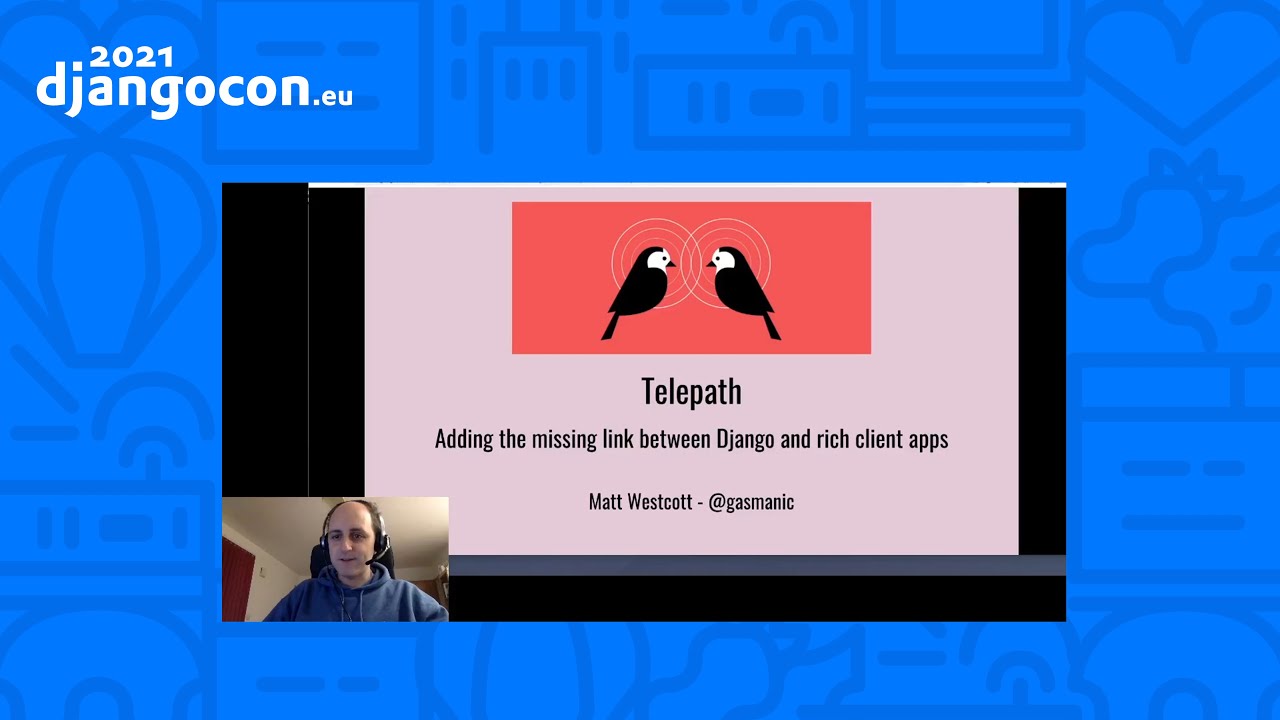
In today's web applications, the traditional client/server division is falling out of favour - there's an increasing need for the client side to handle not just the presentation layer, but the data model too. But how do you do that without recreating all of your Django business logic in JavaScript?
This was the problem faced by Wagtail CMS (https://wagtail.io/) when building a new version of StreamField, the framework for editing and organising structured page content. Our solution was a new library, 'telepath (https://wagtail.github.io/telepath/)', which can be thought of as a cross-platform version of Python's pickle mechanism, allowing arbitrary object to be unpacked into JavaScript code.
In this talk, we'll show how Wagtail has used telepath to enhance Django forms with new client-side capabilities, and how you can use it in your projects to get the best of both the server-side and client-side world.
Django’s traditional server-rendered forms and HTML-level JavaScript work well for simple interactions, but they become unwieldy when rich client-side interfaces need access to structured application data. Matt Westcott presents Telepath, a mechanism that transports Python objects and their definitions to JavaScript, giving the browser data-level APIs for Django forms and custom widgets rather than forcing it to manipulate opaque HTML fragments. In Wagtail, this makes it possible to duplicate StreamField blocks, update previews, and work with complex widgets while retaining Django’s forms and ecosystem; more broadly, Telepath is intended to complement rather than replace React or Vue when close integration with Django is important.
Summarised automatically from the transcript.
Automatically transcribed, so expect mistakes in names and technical terms.
Speaker 1: Hi, I'm Matt Westcott. I'm the tech lead of Wagtail, the leading Django-based content management system, and you might have seen me around on GitHub as Gasman. I'm going to start this talk off with a hot take. Django is lagging behind in its ability to deliver the rich client-side user experiences that people expect today. That might seem like an unfair charge to level at a back-end framework, so maybe I should justify that In the uh early days of Django, the kind of uh client-side code that would be in use on a website would have been something like this. Um so showing or hiding the uh state drop down depending on whether the client country is set to United States or not.
Speaker 1: Um or just d postcode lookups, autocompletion, these sorts of enhancements that don't fundamentally change the principle that the server is doing all the hard work. None of the client-side code really needs to know much about what sort of data it's dealing with. These interactions can be written as very simple rules at the HTML level If the element with ID country has a value equal to United States, show the element with ID state. And none of this code cares what a country or a state actually is, that's a servers business. This is just HTML elements. And we have libraries like jQuery, which are really good at that, manipulating web pages at the level of HTML.
Speaker 1: And while Django is a server-side framework that generally leaves the details of front-end code up to you, there are traces of this thinking in Django's design. So in particular form sets have this empty form property which uh gives you the HTML for an empty form with a placeholder for the prefix with the uh intent that you can use this for dynamically inserting new forms uh like I'm doing here. And you do that, you render that uh You render that that form in uh in a scripts tag. This is one way of doing it where we've uh set the type to something made up.
Speaker 1: This is a trick for just stashing strings in the document and uh keeping them as plain strings because the browser will just skip over any con content types it doesn't recognize. So this is just a string that we can grab from our JavaScript code and whenever we click that button we'll uh create a new list element, write the HTML into it with this prefix filled in. and then update the uh form count in the hidden inputs. And again this is just naive HTML manipulation, none of the JavaScript code knows what data this is representing. There is no array of voucher code objects anywhere. But uh if we sort of think of a more complicated example
Speaker 1: like a Facebook style messaging system. When a message comes in, then sure there's uh uh an HTML element that pops up in the corner of the screen, but maybe it also adds uh little sort of red badge to the menu bar, updates the title element and um in your sort of contact list it will sort of flash the what the contact red and sort of put a little snippets uh of the message underneath that person. And in the traditional Django slash jQuery mindset where the server side logic reigns supreme and the client is a passive window onto that server side state, you could treat this as just a set of HTML manipulations to perform.
Speaker 1: where let's say a message has come in from user ID 12345 so let's find the element with ID user1235 345, flash it red, find the span with class name message snippet inside it and update that with the message text. Yes, in principle you can do everything that way, just as anything you can do in a Django site, you could equally do with PHP and raw SQL queries. But clearly it's much more expressive and easier to code when the environment you're working in has a concept of the data model. This is a message, it has a timestamp, a sender, that sender is a person who has a message history. And We add that new message to the message history
Speaker 1: and any view side components that represent that person and that message can then update themselves to reflect that change. And this is the selling point of frameworks like React and Vue. It gives the front end code access to that data model. We're no longer just working with HTML fragments. And plenty of uh Django developers have seen the uh value of uh working uh with uh with React and View and so on. And and now it's quite common to build your project's front end in one of those frameworks, uh talking to a JSON API most likely built in Django REST framework when we need to get data from the server
Speaker 1: But that way you end up leaving behind a huge part of the Django ecosystem like templating and forms. It's two different worlds. It's the first question that a developer starting a new project has to ask. Am I going to build this as a traditional Django website with views, templates, forms and so on? Or am I going to build it as a React app? Now on Wagtail we didn't even have the uh luxury of uh making that choice. Those of you who've uh used uh Wagtail before will uh hopefully be uh familiar with uh Streamfield which uh allows you to uh insert and arrange of mixed content blocks of various types
Speaker 1: and the developer can specify which kinds of blocks and fields are available here And while there are sort of quite a few wagetail-specific conventions you need to follow, this is ultimately a Django form. These are Django form widgets, and when the form is submitted it's uh it will all be handled by the Django forms framework and this is important to us as Wagtail developers we want Wagtail to be the best Python Django CMS and that means embracing the Django ecosystem. If a developer wants to customize how this works or there is a third party colour picker or date picker or autocomplete input that they want to use, they should be able to use their Django knowledge to do that.
Speaker 1: And if instead we end up saying, sure, yes, you can do that, you just need to rewrite it all as a React component, then we've kind of failed at that goal. We might be the world's best React CMS, but that's not what a Django dev wants to hear. So what we've ended up with is basically the same mechanism as these dynamic form sets but turned up to 11. It's uh if the the page you're editing here has a gallery of uh of ten image objects on it then you will have then when we load this page it will have to render 10 copies of this subform. And if you want to add another one then there 'll be
Speaker 1: uh an empty form stashed away in one of these um th these fake script tags sort of somewhere on the documents and um and it will sort of duplicate and clone that one just as we saw before. And it's the same for any other block type. And these blocks might themselves have dynamic elements in them too So um there's uh uh a a lot of complexity going on in here and we're really at the upper limit of what we can reasonably do with pure HTML manipulation. And it would really be a whole lot easier if we could say, okay, to the client side, this is the data for 10 images.
Speaker 1: Here's the structure of a form for editing those images. So give me 10 instances of that form all populated. But we can't do that when we're only working at this this sort of opaque HTML level where the uh the client-side code doesn't have an insight into that actual data And you might be wondering, well, what is the barrier to getting at the data directly? Why do we have to work with these HTML fragments? Well, as I said, we're committed to working with Django Form widgets. That's a choice we've made as developers of Wagtail and the ability to interface with form widgets from client-side code has never been part of the contract that Django
Speaker 1: laid down Form widgets care about two things. Firstly, given some data on the Python side, they can render some blob of HTML that represents that data in a form field. And secondly, if you stick that blob of HTML in a form and submit it, that widget knows how to make sense of that submission and get data back out of it. That's all happening on the Python side and what happens in between those points is entirely private to that widget. But but come on, you might say, we we know HTML, we know what an input element looks like. How hard can it really be to get data in and out of them from JavaScript code? Well uh let's take a look at some of them, starting with uh plain text inputs. So this is what it looks like
Speaker 1: Uh that's the HTML for it. So how do we get the value out of that? Well, okay, this this is not a trick question. It's document. getElement. artbyID title So yeah, just hackering with the value property and to put data into it, value equals goodbye world. So that's pretty easy. So moving on, how about a choice field using radio buttons? So uh here's the HTML for that, and okay, now it's not quite as simple as just saying um dot value because there are a bunch of different it inputs and only one of them the one with the checked uh attribute on it is the one that we're actually interested in
Speaker 1: so It's sort of a slightly different uh bit of code, still nothing uh not no nothing catastrophically complex, but um It's it's just annoyingly different. Um you just need to to look for for for for the right uh element with with that attribute or to uh writing back to it may make sure you're matching it by ID and then setting checked. So yeah, just not difficult, just different. Now let's take one of our sort of fancy image choosers and this is yeah as we've seen here this is something specific to Wagtail and it's uh And oh and yes there's lots of custom JavaScript going on here, but it's still ultimately a form
Speaker 1: widget. It follows the contract of form widgets as specified by Django being able to get data in and out of it from Python. And so the HTML for that, um well we've got uh hidden input, so at least we we know what to do with that, we can get the ID out. But If we're actually populating this field with data, if we're rendering this field this form entirely client-side, we can't just fill in the ID and call it done. We've also got this uh that to set the URL for this thumbnail image and populate the URL for the edit this image. And if all you've got is the ID to go on, you just don't have the data to do that. So you're kind of stuck.
Speaker 1: You're you're and And and and your your n if if your client-side code doesn't have specific knowledge of what's going on in this particular component, then it won't have a hope of doing the right thing. And I won't even start on how things like rich text work. That's just um you'd well you just don't want to know, not today anyway. So what we need and what Django doesn't give us here is a standardized API, a standardized JavaScript API. for getting at the uh at the data contained in form
Speaker 1: fields, one that works regardless of whether they're bog standard HTML inputs or fancy JavaScript component That knowledge exists on the Python side, in the form object, and in the form widget classes. What we'd really like to do is take those definitions and zap them over to the client side. In short, what we need is telepath. So telepath isn't a large-scale framework in the way that something like React is. It does one thing, transporting object data from Python to JavaScript. If you're familiar with the pickle um functionality from the Python standard library where you can take uh an
Speaker 1: arbitrary Python object, serialize it, and then write it to Disc or whatever you want and then at some later point read it back, unpack it and get back the Python object again. Then this is The same as that, but when you're unpickling on the client side and getting back JavaScript objects. or if you prefer it's a m a more generalized version of JSON that you can teach about new object types So the demo of that, uh so let's say so we've got uh Django form here, the sort of thing that we might use in Wagtail for placing an image on a page.
Speaker 1: In fact, uh let me just grab the definition of that. Um so um You can see we're using one of our Wagtail specific admin image choosers there, but besides that, this is just an a completely typical Django form So we can fill this in. Let's use this picture of some cakes just to make you all hungry. And let's fill fill the that uh caption in and the uh the new s new th uh thing that uh that telepath gives us the uh interesting bit is now that we can grab this form state as a
Speaker 1: JSON-like structure And this is entirely client-side. There's no round trip to the server to obtain this data. And it obtain it includes data like the uh this uh preview thumbnail URL which is not contained in a form field. You couldn't do that by digging around with some naive code that just looks at input form fields and this gives us everything that we need to work with this form on the client at the actual data level. So if we just change this caption And maybe we want that right aligned, then we can push that data back to the form
Speaker 1: and then it will do the right kind of manipulations to the form. to update that and if we uh change say this image let's just uh Set all that to just null and then set that across. Then it also knows the right sort of updates to do to our custom image widget, including sort of setting this back to the placeholder image. And this works because we've taken our Django form definition And we've got telepath to build a corresponding JavaScript object with the API that we need. And if we uh open up uh developer tools We can actually just see what playing around with that object looks like.
Speaker 1: I've uh given it the name just form We can say form. widgets and if we get the caption object get its state and then set its state to something else. And then so we we've got uh a full JavaScript API to sort of do sort of the an any kind of uh data level manipulations we want. And within Wagtail this opens up a whole lot of functionality that we just couldn't do before, such as duplicating blocks. Let's um
Speaker 1: Just make an edit there and then duplicate that. It will read the data from one form and push it back to another. And we can just render those dynamically. And we can also, if I Change that we can collapse this block and uh we get this sort of little preview snippet of uh what's in here and And it's possible for us to do that because we have access to to the data within the form, so we can dynamically generate that. So uh digging into a bit more on how this uh on on how this demo works, um so on the Python side We have our form instance that we build as normal
Speaker 1: and then we ask Telepath to generate this packed version of it This condenses the definition of the form object into a JSON serializable representation, which we uh which we then include. On the template, I'll show you that in a moment. And this is done through this JSContext object. And the idea here is that whatever objects we send to the pack method When we come to unpack them at the other end on the client side, there will be some JavaScript implementation for that object in a. js file somewhere which then needs to be included on the template and telepath keeps track of where those implementations can be found
Speaker 1: and makes them available through uh a media object if you've used of Django's the form media this is just one of those and um So what we get out af after we've uh uh after we've turned that into JavaScript objects is um this client side form object which offers you the uh nice data access API that I uh just showed you and uh so if I uh If I add say a credit field, well before I add this, let's show you
Speaker 1: what's going on on the in the in the source code. So you can see that this the definition of the form object is is this sort of custom dialects of JavaScript of of JSON and we've stashed that into one of our fake uh script tags. Yeah you don't need to understand this format but you can see it has these references to types that we've defined elsewhere, image chooser, radio select. And if you scroll up we can see these uh media definitions um those those have been output on there uh so the these contain those the definitions of these types here
Speaker 1: so Then we re re read the read that definition and then get telepath to unpack it and at this point it's got all of the JavaScript definitions it needs. So if we add uh another char field to our form just changing vanilla jar Django code again and if I refresh that oops should have uh waited for it to reload There we go. And now you can see that we've got this credit as part of the definition and it's got this custom definition of this widget object.
Speaker 1: So now these JavaScript implementations, they don't come out of nowhere. This isn't some kind of magic Python to JavaScript converter for your business logic. And behind the curtain, these JavaScript implementations of the Django form and widget objects are things that I've created as part of the Telepath ecosystem. Calling it an ecosystem at this point might be a bit grandiose given how new Telepath is, but The point is form widgets are only uh one possible application of this. Um It's perhaps the most obviously useful application when we're talking about Django functionality that we'd like to interface with JavaScript.
Speaker 1: But telepath can be used anywhere that you have a server-side data representation in Python objects that you want to share with front-end code. So to finish, uh I'll uh give you a fairly silly example that sort of demonstrates the possibility end-to-end. Um so Here we have some bouncing emoji and if I bring up the code for that Uh it's this one. Uh you can see that uh each emoji is a Python object with a name and a size property and we're defining our
Speaker 1: list of uh of of emojis in python code We're sending that to uh packing that up with telepath to send that to the template as before. On the template we're writing out that that that packed JSON definition and then we're unpacking that well gra grabbing that from the script tag unpacking that in telepath and calling animate on each one. And the the JavaScript code for that, let's just Enlarge just a bit so you can see the whole thing. Um is a JavaScript class that is uh called emoji.
Speaker 1: It has two properties, uh name and size, that get passed to the constructor. and an animate method and we're taking this uh so so the one piece of glue to make uh telepath work with this. We're registering this class with telepath under the name sprites. emoji. And that is and if we go back to the Python code, you'll see that we've got this telepath pack method which defines everything it needs to know about how how to turn a Python emoji object into a JavaScript one. So firstly, whenever we
Speaker 1: whenever this pack method encounters an emoji object, we know we'll have to insert our emoji. js as part of the JavaScript media definition. So we'll add that one in there. And then We are going to use the class that we've registered as sprites. emoji and pass it the name and size properties from the from the from the Java's the Python objects and from there telepath will take care of encoding that into the data structure that it packs up to center the front end And as far as as the
Speaker 1: transporting from Python to JavaScript is concerned, that's all there is to it. So if we want to add a new kind of sprite to this display, let's say we want to add a text banner. So we can say banner. Hello DjangoCon and let's make that purple and obviously this is a new kind of uh Python object that we need to define And same as before, but this time we'll give it text and colour properties
Speaker 1: Well, let's move on to the JavaScript implementation of a banner, and I'm just going to steal most of this from Oops, most of this from the emoji implementation. So this is now class banner. It will take text and color Inner text will be text, font size we will hard code to 40px We'll set our colour to whatever we passed and everything else can remain the same, I think.
Speaker 1: So We've now got our banner object which will sort of render our text element and give us the ability to animate it. And now We'll register that with telepath under the name Sprites. banner And then back in our Python code we'll define a telepath pack method Which this time we need to bring in banner. js, sprites. banner is uh the class that is the class name that we registered that uh we will uh pull in
Speaker 1: that that that we'll use for uh to instantiate this banner object and that is going to be past these two parameters t size and color And finally we have to use this telepath. register decorator, which um tells telepath that this is now one of the object types that it should support. So now if I save that, wait a moment for it to reload everything. And now, hopefully no , still reloading.
Speaker 1: And there we go, we've got our hello Django Convana. So that's a Python object that we just invented. like two minutes ago popping up in the browser as an object on the JavaScript side in its own right and While this is a silly example, hopefully you can see the potential of sharing the business objects from your Django application with front-end code. And in Wagtail's case, these business objects are forms, and this has solved a huge tricky problem for us. And maybe you have something similar in your project or something entirely different
Speaker 1: where telepath as a mechanism for sharing logic can offer you a new kind of solution So you can find Telepath on PyPI, it's called Telepath, and the documentation and GitHub project will be all linked from there. So, thank you very much.
Speaker 2: Hi Matt.
Speaker 1: Maybe you have something similar to the project or something in time with the website.
Speaker 2: Just one question. Why do you need the Deft Decorator on the back-end side and on the pione
Speaker 1: side too? Uh I suppose in that particular case um
Speaker 3: it wouldn't really be sort of needed because yeah it it would be able to figure out where um where the um um yeah based on the fact that you've got the telepath pack method what to do with it. I think where that really comes in is when you 're uh packing objects that you don't have direct control of in your own code so that would be things like Django four widgets which obviously we can't real easily add that to the Django code so in that case um there's uh an alternative way of uh registering an adapter where it's an external class. So I think that just kind of keeps it a bit a bit more sort of consistent between those two approaches.
Speaker 2: Thank you.
Speaker 3: I see that uh Chris has just arrived so I can uh ha answer the the question I was about to answer on uh on on on Slack about uh so examples of uh this in use. uh in Wagtail. Um so I think there is um yeah trying to think of the the best um place to look so all our the front end code in the Wagtail repo is uh in the um well most of the front end code is in the deployant subfolder and there's a few um But the well the the place where we are um s working with those Django form widgets is um in the uh what is uh widgets. js uh which I've always tried
Speaker 3: to dig out and uh put the uh link into chat so it's um So this this is one thing I was hoping to have in done in time for um this talk but didn't quite get around to um was uh taking the the the sort uh code for dealing with the the Django widgets and forms and putting that in its own own package. At the moment that code is sort of tied into Wagtail with it, but hopefully this week I'll uh have chance to split that out so that that is that's usable outside of uh of of White Tail itself
Speaker 3: Thank you. Yeah, you're welcome.
Speaker 4: Can I ask a question? Yep, sure. Yeah, that's super cool. I'm curious, like it makes a ton of sense for the Django Forms use case. I'm curious, like if you were You know, if if you weren't, if you didn't have to sort of embed it in this complex uh Python object that you don't fully control, like how how would you think about when you would want to use this versus just using something like like Reactor View front end instead of like passing normal JSON and APIs back and forth.
Speaker 3: I I think if if you've already sort of got some investment into the um uh a s a sort of conventional Django app where the you're you're re rewriting everything in React isn't really a a an option, then I I think this is probably the the way to I think there's a a few other places that we've that yeah started to find a use of this in in Wagtail. So I think we're looking at um rebuilding the uh the the left hand menu in the uh admin interface so that each menu item is a telepath object and um that That's uh and and and that that that's where it it
Speaker 3: really helps us because we we've um sort we're sort of building the the the definition of which menu items are shown to someone is all in Python logic. Um Um I suppose, yeah, but for a lot of things, um you don't might not need something as complex as as telepath that can sort of pack arbitrary objects. You could get pretty far with um just objects that's um just uh basic JSON definitions as as like dictionaries. And I think where th this really helps is where you have kind of nested structures of objects that sort of don't really sort know about each other. So in the case of uh of of of Wagtail in the screen field, each block can have sub-blocks
Speaker 3: and they can be mixed and matched in any any combination So I think where where you've got that sort of more the extensible the data model, I think that that's where this is where you get the most benefit from that. Next
Speaker 4: next year.
Speaker 5: Thank you very much, Matt. That was um really interesting. Um I'd like to know, um are you tracking the use of this outside your own wagtail torch box? community to find out uh do you have a sense of who's using it and and what use cases it's finding out there in in the Wide world.
Speaker 3: Um I I I'm not really tracking that at the moment. My impression is that there'll there's probably very little right now because it is the pretty new. I think this is probably the the first time I've really sort of introduced it as a project in its own right as opposed to something that fixed a problem within Wagtail. But um Yeah, I'm I'm definitely keen to see how it uh evolves from here. As I said, I'll I I need to uh open up the the the code for uh working with with forms and form widgets um which I think is where it's going to become really useful. So yeah things is uh just the start
Speaker 5: I I I assume it's going to explode with interest following this talk.
Speaker 3: I hope so.
Speaker 5: Thanks. Really great. Antonio, I think you were going to speak so I'll since I've already spoken.
Speaker 6: Okay. Uh I uh Hello Matt. I was going to ask is this more of a backwards compatibility thing? I mean you have an old style uh web application and you want to add some reactivity to it so it helps you do that. For new applications would you recommend going the React or the U way Um
Speaker 3: I I think yeah, it it has a a place for both. Um I think if i if you're the i i if you're most confident in working uh w in the the Jenga way, um, then I think it it probably is uh it it or or or you have um the requirements to integrate with the Django ecosystem more closely than you would be able to do if your front end was just uh just React and uh and you were just talking to Django just through REST API. So I I d I think w where when wherever the it makes most sense to to to to communicate with with with Django
Speaker 3: as a back end which might be something like the uh their the the uh channel channels um uh uh chat application that we just saw in the uh last talk then uh I think that that's uh that that would be A good fit for telecom.
Speaker 5: another question if I if I may, having haven't already. There's quite an e not an ecosystem, but there's quite a set of um uh approaches to front-end work within Python appearing now everything from uh Anvil and uh libraries that we can use in Python to generate Java script. Where do you see the overlaps? How does this fit in with other efforts to put more power in the hands of the Python developer? Yeah, that's that's it. How how does it fit in in in that picture of these many different solutions to a similar question?
Speaker 3: Um yeah, that's that's uh a a good question and and I've I've noticed as as the uh the the schedule for this talk was coming for a thought oh that yeah it's quite a lot of of uh front end so I'm uh yeah looking forward to uh learning more about the what else is out there over this week. Um I th I think well where to the telepath comes in, I think it it's sort of solving like one specific problem um relating to like transporting data a around. So I I'm hoping that the this isn't sort of necessarily that this this is the the one framework that you have to adopt. It should uh integrate nicely with uh an anything else as long as it's ultimately talks in uh to
Speaker 3: in the plain JavaScript objects And so hopefully it it should sort of integrate well with uh the existing sort of um frameworks, whether that's Python or JavaScript, but that's something that we'll be completely learning more about and uh adapting as as the project grows Okay, I've got a couple of uh questions in in the in the chat. So uh talking about uh validation So yeah, I think that that's kind of one missing missing part of what I've built in the form handling so far. So we've got the rendering of the forms and the form widgets and the validation happens
Speaker 3: on the in Django terms on the field object and we don't really have a concept of that yet. Um I think there there's certainly sort of a a lot of validation that you that you you can do the usefully on the client side and I think that would be a useful addition to to what telepath provides. There's certain things that can't be done on the client side if it's like validating that a username isn't taken, for example. Although we even then that you could um you could usefully subduit for the a background query to check that Um so I I th I think so that that's not something I've looked into but I'm h hoping that's something where that telepath can uh can
Speaker 3: fit fill the a need for. And um how easy it is to use with uh web components instead of uh of native controls. Um again that's a a a good question. I I I've not really looked into that. I think that's the the next thing that we'll be d discovering uh as as we sort of start migrating wagtails um um menus into uh to to to to this new framework because um that's uh I think that that there's some react involved there. So yeah we're still on on the way to discovering that
Speaker 7: Uh I have a a question about uh if you have any extra security. uh like middleware where because usually serialization is serialization of objects between parts of an application is um well an entry point for some vulnerabilities sometimes Uh historically, I don't know if um this specific library has uh extra explicit layer to handle that Or or no? Just wondering?
Speaker 3: Um no it's it's not that's not something we've uh r designed into it. I think the expectation is that when you're defining the uh the mapping from Python objects to the client side, the the JavaScript ones, and because you're sort of specifying which parameters are being passed on, then you will always have sort of control over which the data gets passed on and uh and o only sort of passing on information that the the the client is supposed to know. And
Speaker 8: I thought I'm here with Stephanie. Yeah and
Speaker 7: the regular security concerns everyone should have.
Speaker 8: Well let's start it right for the I'm mostly a Python user and occur I
Speaker 3: see the uh next talk has uh
Speaker 8: started now. So I'm
Speaker 3: happy to stick around if there are
Speaker 7: things that there's one next to the question uh
Speaker 8: Django or shut. How easy would it be to use telepath to allow front end
Speaker 3: editing of screen fields outside of the admin backend? So yeah, that is um
Speaker 8: that that's something that we're really keen to to do is to
Speaker 3: It's uh to make sure that we we've got this um
Speaker 8: this accessible
Speaker 3: API for working with Springfield data and the Springfield interface without that being tied
Speaker 8: into um
Speaker 3: the the uh the all of the admin zone
Speaker 8: javascript. Um so it's
Speaker 3: not something that we we've
Speaker 8: worked on yet, but I think that
Speaker 3: that is definitely kind of top of the list of the next bit of development is I I know people have been interested in the of creating more the
Speaker 8: front end user
Speaker 3: facing interfaces for editing screen fields. So yeah, we really do want to want to
Speaker 8: to do more work on that. And I think we're sort of a lot closer there. Probably open questions in certain block types um like the rich text and the
Speaker 3: um
Speaker 8: that image choosers which are more tied in to
Speaker 3: uh the the Wagtail admin interface than
Speaker 8: Others would be.
Speaker 3: So but
Speaker 8: obviously the thing about Spree Field is that you can choose as a developer
Speaker 3: which blocks are available, so maybe that's uh that that's not a blocker for sort of building yeah these interfaces for making this available to the front end.
Speaker 8: So
Speaker 3: yeah, I think
Speaker 8: that's definitely something we're keen to look into as as a
Speaker 3: next step on this.
Speaker 8: For the moment let's just assume that we go on either R approach. So you would
Speaker 3: Okay, so you use a a variant version of
Speaker 8: Django built in
Speaker 3: the filter JSON script instead of say um
Speaker 8: to use Yes, I I think so. I think this is um that's something that I I
Speaker 3: only just learned about sort of in the last week or two and I sort of filed this and oh I should
Speaker 8: I should use that a lot more function and Yeah, I th I think yeah that that that is um get s something that's kind of low level bothered me about um embedding
Speaker 3: bits of JSON into script
Speaker 8: tags is that uh you know what
Speaker 3: what if it contains a closing script tag and I see it really it's count
Speaker 8: accounting for that.
Speaker 3: So yeah we should uh I should probably update my uh examples if if I am still using script to
Speaker 8: using safe to use JSON
Speaker 3: script instead.
Speaker 8: not to run into too many.
Speaker 2: Um
Speaker 8: in C what about uh the front end uh editing uh for uh walk tape Normally no. Is uh a different question uh
Speaker 2: it's not related to teleport.
Speaker 8: Maybe. Not so much. So if you don't template you need to
Speaker 2: Do you think is uh in the in the future uh Wagtail will support the front-end editing uh or uh only preview?
Speaker 8: a specific. On the other side. Or something uh like uh the Django CMS Django CMS uh waves. We might
Speaker 2: I don't know. What do you think about the front end editing?
Speaker 8: Now um it's it's not really something we thought about um in
Speaker 3: as something for White Tail
Speaker 8: itself it
Speaker 3: it could certainly be I I could see that being done as as maybe uh
Speaker 8: a third party add-on. I think um
Speaker 3: The the thing is, yeah, Wagtail does try not to be sort of opinionated about any particular what whatever you're using on the front end where that's yeah
Speaker 8: , CSS or
Speaker 3: JavaScript frameworks. So it might be that
Speaker 8: one the uh the the mechanism for editing on the front
Speaker 3: end will be different for everyone.
Speaker 8: And and I I think
Speaker 3: Doing that within a third party package
Speaker 8: makes it easier for that
Speaker 3: to be sort of more opinionated about one way of building the front end.
Speaker 8: So I think yeah,
Speaker 3: certainly something I I could see happening in the wider white
Speaker 8: tail ecosystem. Okay, thank you. Okay, now we'll look shortly over multiple scenarios on how to use the Django ORM. We will compare them to the SQL that jungle creates in the background. So yeah, th thanks everyone for your interest and yeah
Speaker 3: and yeah, you can find me on on Slack and uh
Speaker 8: and yeah, and I'll be around for the rest of the week.
Speaker 3: So yeah.
Speaker 8: Thanks for all your questions. Yeah,
Speaker 3: great talking to you.
Speaker 8: has a discount of 10 and then I can work with this customer, change his discount, delete him again.
Telepath provides a standardized JavaScript API for accessing the data inside Django form fields, including custom widgets, instead of forcing client-side code to manipulate opaque HTML fragments. It transports Python-side object definitions and data into corresponding JavaScript objects.
Discussed at 13:25Telepath creates a client-side object for the Django form, whose state can be read as a JSON-like structure and changed without a server round trip. The form and its widgets then perform the appropriate DOM updates, including custom image-widget behavior and preview data.
Discussed at 14:59Define a JavaScript class, register its Telepath name, and provide a Python packing method that declares the JavaScript media file, class name, and constructor parameters. Telepath then serializes the Python object and instantiates the corresponding JavaScript object on the client.
Discussed at 22:50Telepath is a good fit when an existing Django application needs richer interactivity while retaining close integration with Django forms and other server-side logic. It is especially useful for extensible, nested object structures such as Wagtail StreamField; simpler cases may be adequately handled with JSON and a conventional React or Vue frontend.
Discussed at 34:22Telepath is intended to solve the narrower problem of transporting structured data and should work alongside other frameworks, as long as they can work with ordinary JavaScript objects. It is not meant to be a framework that replaces every other frontend approach.
Discussed at 40:38At the time of the talk, Telepath handled form and widget rendering but did not yet provide a validation mechanism. The speaker saw client-side validation as a useful future addition, while noting that checks such as username availability may still require a server request.
Discussed at 41:24No explicit additional security layer was built in. The developer controls the Python-to-JavaScript mapping and chooses which parameters and data are exposed, so the normal responsibility is to pass only information the client is allowed to see.
Discussed at 44:06Note: We understand that names change, people change, and bodies change. We respect each individual's journey and privacy. If you have any concerns about a video or need us to remove content, please don't hesitate to contact us. We will handle your request with care and promptly address any issues.

Published June 13, 2025

Published June 13, 2025

Published June 13, 2025

Published June 13, 2025

Published June 13, 2025

Published June 13, 2025
