0:30:54
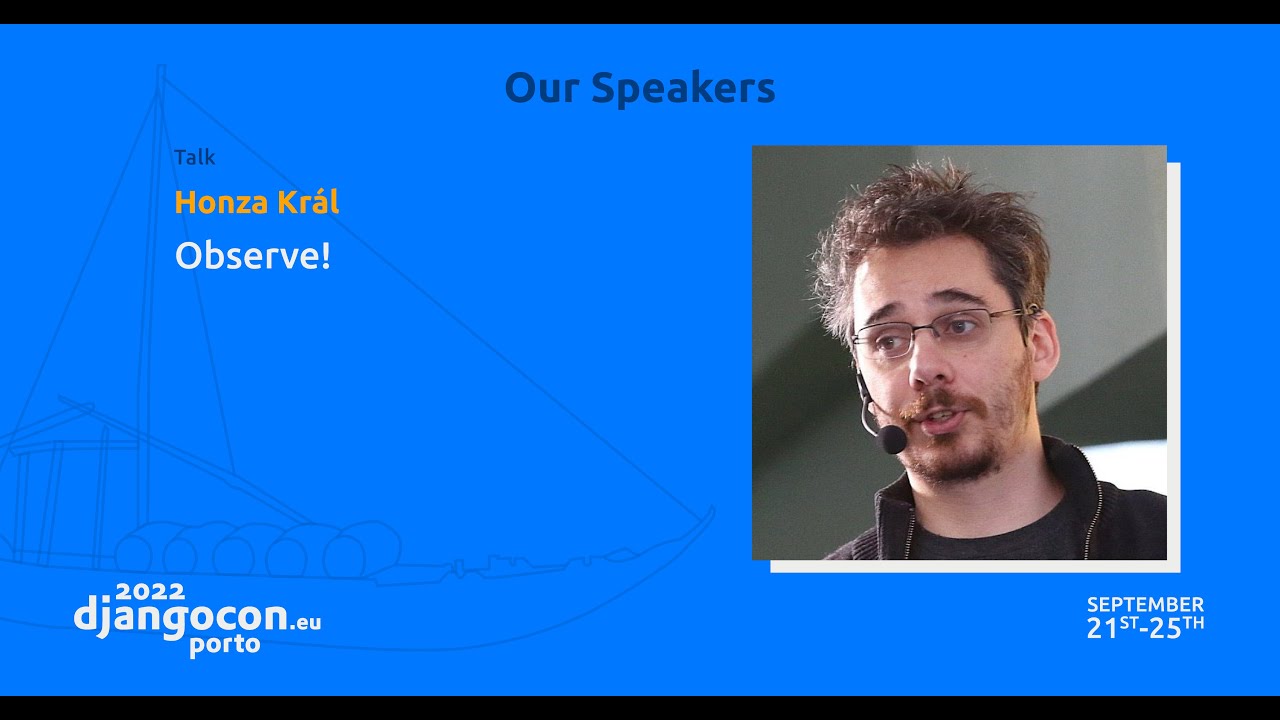
Observe!
Published October 14, 2022
This video features Honza Král at DjangoCon US 2014 in Portland, Oregon, USA.

By, Honza Král
Good search experience for your users is about more than just a more efficient way to find models containing certain word or phrase. In this talk we'll go through what are the relevant parts of search and how to best implement them (we'll use Elasticsearch for actual examples).
The goal of the talk is to demystify search engines and provide the attendees with the tools required to create a great search experience for their sites. It will cover basics from information retrieval theory as well as practical examples on how to integrate search into their apps.
Help us caption & translate this video!
Honza Král explains that full-text search is different from filtering: an `__icontains` query scans document content, while a search engine uses an inverted index mapping terms to sorted lists of documents. Tokenization, stop-word removal, lowercasing, stemming, synonyms, and positional information make phrase and proximity searches possible, while TF-IDF-style scoring ranks results by relevance. He also shows how the same index supports highlighting, exact-match filters, facets, aggregations, and exploratory interfaces such as GitHub-style navigation and Kibana visualizations.
Summarised automatically from the transcript.
Automatically transcribed, so expect mistakes in names and technical terms.
So yeah, so what it what it actually means going from icon taints search. In this talk I would actually like to tackle the distinction between filtering and searching and what search actually is. It's going to be a more theoretical talk, what's what's actually behind it, how it works And hopefully you'll be able to draw some implications into what it actually means for the actual performance and the use cases for the more uh concrete stuff using Elasticsearch that will actually uh be tomorrow. I'll have a talk on how to integrate Python and Django with uh with Elasticsearch. This is mostly theory that can be applied to uh any and all uh search engine. So I said the
theory. So any any good theory and sometimes even the bad ones start with some definitions. So uh let's define what search is for us. So for me and and for for the purposes of this talk, search is any interface to data, anything where need where you have some data set and then you need to sort of explore and find what's what's in there And there is a difference between exploring and finding, and we'll deal with that a little bit later, but just shortly, when you know what you're looking for, then it's search. When you don't know what you're looking for, you want to know what's there. That's sort of the exploration part. And that part is often more interesting. So if I asked you to implement a search, how would how would you do it?
How do people do it? So Typical the first response is I I'll just go through it. So if I'm looking for a book in my library that that mentions Django, I'll I'll pull it, pull them out one after another and I'll read them. And I'll set all those that actually mention Django aside. If I have a files, I will do the same, but just using grep, so it'll be much faster, but still not ideal. And many people do, if I have a database, I'll just I'll just run the the iContents query. And that's essentially the same thing. What this means is I'm going through all my books in my database, I'm going through all the text, and I'm looking for Django in there. So you can see that that doesn't really
scale because indices in the database doesn't help us. Grep will still have to read almost every single byte in the file. Well that's not really true because grep is amazing, but still it will have to sequentially go through the files. And I don't even have to tell you how much work it would be to read uh all the books in your library, at least I hope I I do hope that you people read. You should, it's awesome. So clearly this is not the way to go But someone must have had this problem before. Clearly, we're not the first one, not even the first generation to think about search. If you think that way, you're actually correct. We already solved this. When you're reading a book, you can you can list
to the end sometimes and you will see an index You will see an index that actually points you to where the relevant terms occur in the book. This is a data structure that first occurs in the 1200s In a small monastery in Europe and in concretely in twelve uh twelve thirty uh thirty s uh some set of monks actually completed the coordinates of Bible. So essentially taking all the references from Bible and putting them in sorted order somewhere, and then for each of those have a reference to the chapters, to the passages in in Bible where they actually occur. And this enabled them to have much better discussions and to find things much more quickly.
And this very same data structure is the same data structure that powers 90% of all the searches out there. This data structure is called an inverted index. What it is? It's a list of terms, a list of words that actually occur in in the data set. So in this case we have words like Django, Flask, Python, Jazz. And note that they're in sorted order. That's important. And then for each of those in the rows in our case, we have the list of, in our case, files, where those terms occur. And again, you can see that those are in sorted order, and that will be important.
So what how do we use this data structure for search? So if we want to search for Python and Django, we just find the two relevant lines. And finding those two lines is simple because the lines are sorted. So we can immediately go to the Django line and to the Python line. And now what we have is two lists of documents, two posting lists is the proper term , that we just need to merge. So we are merging two sorted lists and we are outputting the documents that actually are uh present in both. Which is a fairly simple operation. To merge two sorted lists, to iterate over multiple lists at the same time, and just output anything that's
uh That's in both. That's the sort of that's the sort of task that you might get at during an interview. It's not that hard. Can get a little tricky when you have multiple, but it's really not that hard. And also this data structure lends itself very nicely to further enhancements. So with this as as we have it now, it's safe to say that we can do AND and OR queries and anything like that. But if we add some more information into the data structure. We can do a lot more. For example, if we add positions. So for each t for each document, we add
what was the position of the word So we can see that for file one, Python was the fourth word. And we see that for that for file two, web was the second word. And why this is useful is because this actually enables us uh to have the condition on the merging phase a lot more sophisticated. we can do phrase searches. So if we look for the phrase PythonWeb, which means word Python, followed by the word web , It's easy. We do the same merge process, except in this time ,
we take the position, the offset of of the word into consideration. So we only consider it a match if the offset, if the difference between the two numbers in the two diff for the two different words is just one. And plus one in this case. So that's that will mean that I can do I can do phrase searches. So even though I'm only indexing individual words and when doing searches, I don't care how big the documents are. I go for the words directly. So it doesn't scale linearly, it scales much better. And Just by adding more information, you can even do searches across words and even search across relations. So you can immediately see that the offset
doesn't have to be one. I can for example say Python followed by web and there should be at most 10 words in between. So I can do proximity searches. I can do a lot more with that and and we'll we'll discover a little bit today of what what everything whatever thing that I can do is. But in the end, it's just the inverted index, the which is a which is a very nice data structure, and it is how I can do it, what I have to put in to be able to get it out. So this was a a brief introduction into how inverted index works. And the the important thing to remember is you're always just merging sorted
lists. Which is a which is a very very efficient operations one you of course once you have uh the inverted index on disk or in memory even better So how do you get there? How do you how do you build this data structure so that you can then search very effectively? Hopefully I've already convinced you that you can search very effectively with an inverted index. So now I'll let's see how you actually build it. So let's assume that we have uh that we have a a phrase, a sentence, or let's call it a document for for our use case. And this is something surely sentence that you've never heard of uh
before. Django is a high-level Python web framework that encourages rapid development and clean, pragmatic design. So this is this is the document, this is the raw text that we have on the input. And now we need to split it into words. So how do we do this? I've I've already I've already provided you with a with a result and you can see that there are several surprising things. For example , I've omitted some words. I don't care about a word like is or a or and or that. They're way too common. Chances are that every single document will have those words.
So there is no point in me actually indexing it because it will it will bring nothing to the table. So instead as a form of an optimization, I'll just I'll just leave them out. No one cares. So that's one thing that I've done. Uh the other things uh uh I've done here is everything is lowercase because the inverted index that that does exact matches, so If you if somebody searches for lowercase Django, they should still be uh able to find this document, right? And then also what I've done is I've normalized the words So you can see that in the text I have encourages, but what I'm actually going to index is just encourage
And this is to sort of allow for the for the morphology of the language, for the different shapes of the words. Because jumping and jump is is the same word. When I search for jumping, I want to find a document that just mentioned uh jumps or jumped. So this is a process called stemming where you actually take the word and you find just the stem, just the core of the word that defines the meaning and omit all the grammatical constructs around it. And one last thing I'll mention is you see that for for rapid, I also index it as fast. So you can see that the inverter index doesn't necessarily have to contain the same words in the same shape
or even the same number of words as the original document. So I can I can just index additional additional words, for example, fast. So when somebody s uh searches for uh fast development as a phrase They should they should find this document. Even though the creators of Django have a very very large vocabulary and they're not limited to simple words like fast, most of the people who search are So we need to take that into account. So this process is called analysis. The example that I give here was composed of these steps split it into tokens or into words, remove the ones that I don't like, lowercase everything, do the stemming, apply the synonyms.
And this is a very interesting and important process for doing uh searches. It uh varies different languages. It varies for use case because in some use cases you want to do the analysis, in some cases you just want to index the raw value as it is. In some cases you might want to do completely different type of analysis. For example, you want to index every uh every three letters as as they follow each other, so uh so-called engrams. So you can do partial matches and stuff like that. So it's all defined as part of the analysis. And it happens at index time.
So when a document comes in, we apply this analysis process to get the get the results, to get the tokens that we will then put into the inverted index So once you change it, you have you need to re-index your data. So this is the one one drawback of the of the search engines. If you change any of this any of this high-level configuration, you need to re-index your data. The other important thing to keep in mind is that this needs to be applied for the queries as well. Because it's all nice and well if I lowercase everything in my document, but if I then don't lowercase the query that comes in, it will again never match. If I don't remove the stop words
from the search, so I try to look for for the word the, which I haven't indexed, it will fail. So I need to apply the same process for queries as well. So this is this was analysis. This is a process of actually taking the text and splitting it up and populating the inverted index. During this during this process , we got all the tokens, we obviously have the document ID to put into into the posting lists. So now we have all we need to actually build the inverter index. So what else what else is part of the search? What else is the major difference between between filtering and and searching?
Well the biggest one probably is relevancy. Because when you do when you just do a filter, when you just do an I like query or I contains in our case. case. It will tell you which document actually contained this word, but it will not tell you like which contain it more or better. Because it doesn't have any concept of of relevancy. We do. There's a science behind it even. So this is a this is a formula from Lucene, one of the most widespread search libraries out there. uh the uh uh library that powers both Elasticsearch and solar uh and can even be used uh raw there is even a uh Python interface to Lucene.
And this is a this is a scary formula, but it's actually not that difficult to to wrap your head around it when you when you break it apart. And the parts are the most relevant part is in in the middle, it's the sum of it. And that's taking into account TF and IDF. You'll find a TF-IDF formula in in the middle of any relevancy formula out there. TF stands for term frequency, and IDF stands for inverse document frequency. So the TLDR version is the higher the TF, which means that we have found multiple occurrences of the term in the document. So the word is repeated multiple times in the body or in the title, the higher the score.
And IDF means The more common the word, the lesser the score. So it's a balancing act Because if I find a word five times, but the word is contained in almost every other document out there, that's not really saying much. But if I find a word twice that is only contained in in 5% of my documents, that means that it's a it's a it's a good match. So uh that was just a just a mathematical expression how to uh how to put this down in a in a formula. What we also take into account is the length of the field. Because the assumption is that if we find something in the title or in a tag or something like that, it's probably more relevant than if we just find it somewhere in the middle of the body
Because there's a lot of things in the body, so the chances that of our word being there are higher, so we need to take that into account. So this is this is relevancy. This is this is a very uh helicopter overview of of how relevancy works and how we can how we can actually do that. We have the access to the term frequency because that's part of the inverted index. And we also have the access to the document frequency, which means how many documents actually contain this term because that's just the length of the posting lists for that term So we don't need to do any lookup. We have direct access to those numbers so we can calculate the
the relevancy, the score very quickly. So that's all that's all you need to to build a full text search. You can implement this in in Python and and uh you can use you can use Redis for your data storage and it will work just fine. But this is not all there is to search. We've just built the the s uh the search bar, the the the text input. There are other parts on this on this page that we might consider part of the search and and are definitely part of the search experience. So let's look at them very, very briefly The first one is highlighting. When I search through a book and I find the word Django somewhere in there, I cannot return the whole book and just tell the user, here, I found it somewhere in there.
That's not very useful. That's not very nice of us. So instead, what we can do is we can just uh con uh return fragments. Sort of I've I found it in in the in the fifth chapter, on the on the second paragraph, on the second sentence, and this is how the sentence looks. So that's a process that's called highlighting because I can also, in that fragment, I can also highlight uh highlight the the text. And that's done again easily just by sort of augmenting the inverter index to also contain the offset. Byte offset of the original uh of the original term. So for for example, for the word fast, which is nowhere in the text, by the way,
I the thing that I index is fast, and I index the offset, which is 60 to 65. So then when I have a match on the word fast , I'll just reach into into the text, into the document, and retrieve anything around the bytes 60 to 65, and I'll I'll put I'll put the HTML emphasis tags around the 60 to 65. uh characters. So again very simple, very simple operation. I just go somewhere, I retrieve a byte offset, and in uh precisely specified bytes I in I input some HTML markers and that's all I need for highlighting. And the last one we have uh we have time for is my my favorite
one and that's facets and filtering So on the left side, on on GitHub, for example, or if you're uh if you're ever looking for something on Amazon or something, uh you have the breakdown by by different things. On GitHub, it's breakdown by type. So is this a repository? Is this a code? Is this a user? And you have a breakdown by languages. And for each of those you you also have a little visualization, like how many uh doc uh repositories for in the Python language have I found? How many in in Ruby or JavaScript? And this is something that's called a facet or an or an aggregation. And this is the part, if you remember from the beginning, this is the part about exploration.
This is something that enables you to explore what's in your dataset without you having to know beforehand. If you're looking for Django, you have to know that you're looking for Django. But now if you search for Django, you immediately see that majority of the repositories that mention Django are written in Python. And you can see it, you can see right there. What then you can do is you can click on the Python and have it filtered to only contain the repositories for uh For Python. So how this works under under the cover is we have a feature called uh aggregations and this part is specific for for Elasticsearch, other search engines do it slightly slightly differently, but the functionality is is in all of them.
So we have two different types of aggregations. We have buckets and metrics. So buckets are those that actually define define the groups of the documents. It's what you would put you could say that it's something that you would put in the group by in in SQL. So for example, you can have a group by language type, or you can have a group by Group by geodistance , or you can have a group by month. So that's how you define how you define the buckets. And now the interesting part is you can nest those buckets. So you can uh define a a bucket per language, and for each language you can define a bucket per month
So in one query you can actually get the the different distribution in time for different languages. And then inside these buckets you can you can ask for certain metrics. Just the count of the documents, how many documents fell into that bucket, or what's the average value of a of a certain field, or something more uh more sophisticated. And we've already seen facet navigation, how it can be used. The other way how this can be used is to actually just visualize it Because this is uh this is Kibana by the way, it's just a JavaScript application that serves data off of elastic search. And it's just doing aggregations and visualizing them. So you can see that the the time series,
just a date histogram. So basically everything is split by uh by time. In this case I believe it's like five minutes And within each five minutes, it's split between the four or five different types of of the request in this case. And then all you need to do is you just need to you just need to filter. So if somebody clicks on something, you add a filter, and filter is Again using the inverted index, but in this case there is no uh there is no analysis, there is no uh there is no nothing, so it's just uh exact match And because it doesn't contain also any score, it's very fast and very
cacheable. And That's it for now. We ran out of time a little bit. I'm sorry for that. So if you have any questions, uh I'm not- Do we have any time for questions? Yeah. We do have time for questions, so I'll be happy to answer any of your questions
An inverted index stores each term in sorted order along with sorted lists of the documents where it occurs. A query finds the relevant term lists and merges them, avoiding a scan of every document.
Discussed at 4:20They analyze incoming text by tokenizing it, removing stop words, normalizing case, stemming words, and optionally adding synonyms. The resulting tokens are stored in the inverted index, and the same analysis must be applied to queries.
Discussed at 9:46Filtering tells you which documents contain a value, such as with an `icontains` query, but it does not rank them by usefulness. Search also supports finding or exploring information and typically orders matches by relevance.
Discussed at 15:23Relevance commonly uses TF-IDF: repeated terms increase a document’s score, while very common terms contribute less. The score can also account for field length and give more weight to matches in places such as titles or tags.
Discussed at 16:08The index can store the byte offsets of terms in the original document. When a match is found, the search engine retrieves text around those offsets and marks the matching part for display.
Discussed at 19:26Facets let users explore results by showing grouped counts, such as repositories by language or type, and then filter by a selected group. Aggregations implement this through buckets, which define groups, and metrics such as counts or averages, which summarize them.
Discussed at 20:59Note: We understand that names change, people change, and bodies change. We respect each individual's journey and privacy. If you have any concerns about a video or need us to remove content, please don't hesitate to contact us. We will handle your request with care and promptly address any issues.

Published July 15, 2026

Published July 15, 2026

Published July 15, 2026

Published July 15, 2026

Published July 15, 2026

Published July 14, 2026

