0:46:44
Usando filas de tareas (task queues) en aplicaciones web
Published October 21, 2021
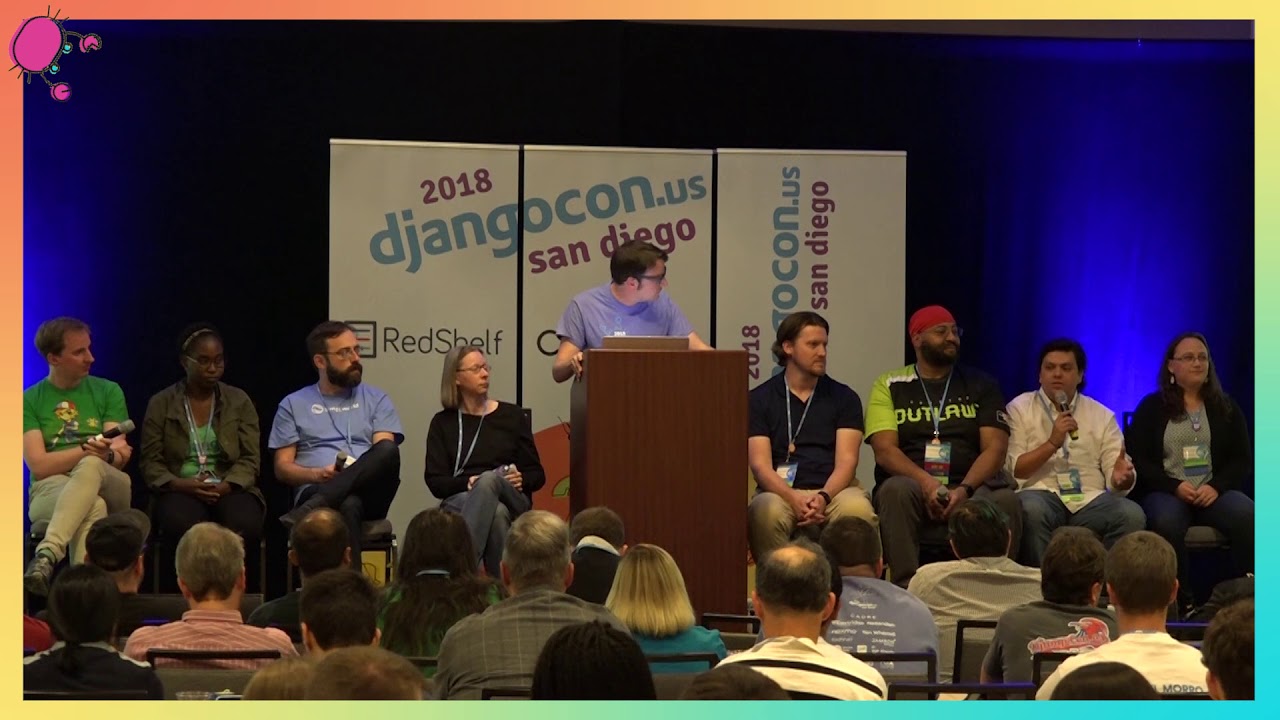
This video features Josue Balandrano Coronel at DjangoCon US 2018 in San Diego, California, USA.

Task Queues is a topic which most developers will eventually have to dive into, specially in today’s web development world. The idea is really simple: whenever one has any functionality which might take too long to perform, one can spawn a process which will take care of this functionality without having to block the app’s main loop. A task queue will use worker processes to execute these long-running tasks and the user does not have to wait until the task is done. Instead, an acknowledged message is presented to de user while the task is executed in the background. This concept is really important when building web applications. HTTP Requests have timeout and making the user wait a long time for something to finish is not a good user experience practice. Usually, these tasks are used in groups creating a workflow where the work is distributed into smaller tasks.
Celery is usually the first project one encounters when searching for task queues and Django. I have been using Celery for over four years. The Celery project is one of the most robust task queues out there. It is certainly not the only task queue. And, it can be difficult planning the correct architecture for a specific workflow. This talk will explain enough of Celery’s basics to understand how to build workflows with Celery.
Building workflows with Celery is never straight forward. This is mainly because Celery offers the building blocks to build workflows but it tries to move out of the way. By not being too intrusive, Celery allows building complex workflows. I will explain common patters and tips to successfully use celery to build workflow of different complexities.
This talk was presented at: https://2018.djangocon.us/talk/building-workflows-with-celery/
LINKS:
Follow Josue Balandrano Coronel 👇
On Twitter: https://twitter.com/rmcomplexity
Official homepage: https://rmcomplexity.com
Follow DjangCon US 👇
https://twitter.com/djangocon
Follow DEFNA 👇
https://twitter.com/defnado
https://www.defna.org/
Celery is a distributed task queue for running work asynchronously on remote machines, with support for retries, result storage, queues, and different brokers and backends. The speaker explains how signatures represent serializable task calls, then shows how chains, groups, chords, maps, and callbacks can be combined to build workflows such as checking a login device, notifying a user, calling an external API, and post-processing the response. He covers retry and error-handling strategies at task, group, and chain level, and explains how AsyncResult and GroupResult are used to inspect task status and retrieve results. In the questions, he recommends RabbitMQ for its robustness and AMQP support, advises keeping workflows simple and reporting bugs, and says coroutine support was not yet fully supported.
Summarised automatically from the transcript.
Automatically transcribed, so expect mistakes in names and technical terms.
Speaker 1: When I started I I promise you this talk will be in English. Introduciendo al Signor Josue Coronel. el título de su de su presentación, Building Workflows with Salary.
Speaker 2: So yeah we'll welcome Josué Colonel for his talk in English.
Speaker 3: I work for the Texas Advanced Computer Center at Austin. And I'm also a small part of the core team for Celery. So let's start with this hopefully very interesting presentation. And first let's start with a very quick overview of what celery is for anybody who doesn't know out there. And sorry, it's uh it's basically b basically a task queue, which what what allows us to do is to run things asynchronously. Now the only thing is that you might be thinking, well, nowadays we have all these different projects like async. io and all the different asynchronic world out there. But the the very interesting thing about Tellery is that it allows us to do distributed things.
Speaker 3: So run things remotely in other different in in other computers. Also it it gives us a lot of different things that we in a in a way that we can for instance apply a retry policy on different tasks that doesn't run or they error out or some like that and we can also store results in different ways. This is just like a very quick thing, a very quick also way to view how the celery architecture actually works And everything starts with our main application, which what we it's usually what we call our uh our producer. And we call it like that because this is actually what creates or produces all the different messages that are going to be sent. to the workers and the workers are the ones who are actually going to run these different tasks that we're queuing.
Speaker 3: Right? The g the cool thing about this is that if we if you think about it, you can run different tasks in different machines that have different resources. or have access to other different uh resources. Inside each one of these workers, what we have is usually a main process and then a number of other worker processes. And this is how we can run things also concurrently. And all of these actually the the the way that they're communicates between between themselves is using something that's called a transport, which is usually something like RabbitMQ, or we can also use Redis, and there's other supports for other types of transports, even a simple file transport And we also we can also use a backend, which is usually what we name, what we uh
Speaker 3: what we use to uh to save the different uh task results So how can we start building these different workflows with Celery? Because we have talk and how Celery basically just run different code in in remote machines, right? In distributed machines. if if you can call it that. So the the everything starts actually in Celery with what with what we call signatures. And signatures are basically very related to what Python partials are They're implemented in a different way, but the idea of it it's basically the same. So uh the way that they work is that if we have a task, for instance here, the task that we're going to to use
Speaker 3: is projects dot tasks dot my task. We can create a signature. We can create a signature from this task. And this signature is basically going to be Going to be a representation of what we have here at the at the uh at the end of the slide, which is just uh a way to to actually execute that function itself. which is project. tas. mitas with some specific arguments. It could be just like normal parameters or also keyword parameters. Um the other cool thing about this type of of uh of signatures is that they're easily serial s serializable. So Sorry, that's really really hard to pronounce.
Speaker 3: Yeah. Is that correct? Okay. Uh let's just continue with that. Yeah. Okay, so for instance, the serialization of this task, uh or well, of this signature, as we can take a look at it at here, it's actually just uh a very, very simple dictionary. And this is what allows us to actually send this message into our workers through something like RouteMQ or Redis or any other type of broker and have that worker know what it needs to execute. So we can see signatures actually starts creating this message that we're gonna send. So the message itself doesn't contain any code. And that's one of the things that that we we have to to kind of gr have get a grasp on
Speaker 3: because we have to have the code that we need to run in each one of the workers. That way the producer only tells the worker what it needs to run with which parameters, and then the worker does its job. The other cool thing about signatures is that we're able to define different options that are that that celery actually uses. So for instance, we can specify different cues on where these these uh these tasks are going to run. And we have this example here where we're actually setting a custom queue whenever we're creating our signature. Then the other the other good thing is that we can create a signature, and then after creating that signature, We can set different arguments for it or we can merge different different options.
Speaker 3: So for instance here on the first line, we're creating a signature Or well, we're using a signature that we're already we that we have already created here, and we are actually using another parameter. which is going to be this string called world with the value new model ID. Or we can also set another queue that that task is going to go to. Now this is this is the the very beginning of how uh of how to start creating workflows. The other idea that we need that that we need to to uh to realize here is that we can we can create signatures in different ways, right? Um and one of the other ways is to create it directly from the task objects. So we can see here there are some shortcuts
Speaker 3: which is. s and dot s So dot SI, well dot S first creates a regular signature as we as we just just saw, and dot SI what it does is that it creates an immutable signature. And that signature will not allow to get any new parameters or anything like that. The other thing to see here is callbacks because now we know how we can send this task to different workers. Now how can how can we start creating these workflows? So the the very first step of it is to create a callback. After one task gets run or one function runs and it's it's uh it's successful, then we can run something else And this is the way that we can actually start setting different callbacks. It's very simple. One of the of the main ways to do it is whenever we queue
Speaker 3: one task. We can tell Celery to actually run something after it has been successful using the link parameter. The link underscore error, that's going to be the callback, the error callback, whenever that task fails. Or if we're creating a signature, then we can actually set uh these different links or link error to callbacks Now, after this, this is based this is the very basic ideas on how how everything that has to do with workflows work in Celery. And then it's a little bit hard to just kind of start building uh workflows with just these two different objects. So Celery allows us or well solary gives us these different primitives
Speaker 3: which we can use to start creating better and just a little bit more complicated workflows. The first one is a chain, which is basically what we just saw. It's running first one function and then once that function uh executes we can run something else. So first this one and then we send the result to whatever the callback is going to be going to be and this is the way that we can actually define a chain. As we can see here, it might be a little bit difficult to see first, but the way that the what we're using here is the pipe operator. uh operant or we can also just use the actual chain function that we can import from from Celery. The other thing that that we can use is a group And basically what we do with a group is that we queue multiple tasks with the same well with different arguments, but they are going to run in parallel, as we can see here in the in the image.
Speaker 3: So for instance, here What we're going to do is that we're going to run an array of tasks and they're going to run each one with different parameters and they're going to run in parallel here. And we're creating this array of tasks here in these four statements. The other thing, the other primitive that we can use are chords. And this, as we can see from the image, actually it's just it's calling one or more or more tasks and running those in parallel and then running a callback after each one of those has been run successfully. And this is basically what we what we can also call a group with a callback. So there's two ways to create a chord. One is to create a header, which is an array of one or more tasks
Speaker 3: and then a callback and execute that. But also we can just chain a group with a callback and that's basically the same thing. Celery will know that this is going to be a chord. The other primitive is map, which is something that we can use whenever we have an array of parameters, and we need to run this array on the same task And and it's is the only difference is that it's not going to be in parallel as a group. It's going to be uh sequential. And we also have star map, which is basically the same thing as map, but is whenever the array has each one of the elements, it's another iterable. So let's start, let's let's see how with like which kind of workflows can we create from this? And let's think about whenever somebody logs into an account.
Speaker 3: And you wanna you wanna check if that user is logging in from a new device. So there's different things that we can do in the background. And one of the and let's let's go through kind of just like the requirements that we need for it First we need to check if the device has been used before. Then we need to, if the device has been used before, then we need to notify the user, tell it that this is a new device, and we need to save that that event into a database These two can probably run in parallel. So we're already kind of building this workflow in our own mind. Then we can send whatever we we get from all these different from these events We can send it to an external API. Let's say that it's not really external to the company, but it's just an API that another group is is developing.
Speaker 3: So for us, it's going to be external. And let's say that that API I don't know, does some machine learning stuff like outlier analysis or something like that. And then and then finally we get whatever response we get from this API. And we post process it in different ways. We could probably again save it into a database or maybe send another notification if there was or maybe just flip a switch. Somewhere. Uh so let's start. How can we can we start drawing our workflow? First uh the first step is going to be just to check the device the if the device is is a new device, right? And then we have these two tasks which we we already said that we can run in parallel So we start we start kind of drawing them here
Speaker 3: so we have an idea of the different tools that we can use. Then we're gonna do a call to a third-party API uh which is over here this node and then we're we're finally going to post process whatever response we're gonna get. So the first one is going to be a task as we were as we were talking about these ones And then after this, we can use a group in order to run these two tasks in parallel. We can and the the result of this group is going to be an array because the group is going to wait until each one of these tasks are going to To finish to go to the next step, then this this array of results are going to be to be sent to this other task, which is going to be our step three.
Speaker 3: And this one, which is basically a callback, is is going to post all of this data into this third-party API. And then this response is going to be fed into this last step, which is our last call. back and all of these we have to put into a chain that way we can go from step to step. So let's take a look at it in code. This is basically how it looks. And as we can see, Celery gives us different tools, all the different tools that we're talking about in order to do this. And it's very easy to read and it's very easy to write too. So the so first, well, first as we can see here we have our step one, then we have uh this step two, which is the group that we're we're running in parallel, then we have our step three
Speaker 3: which is where we're posting to our third-party uh API and then we're post-processing the result from this uh external API Now, this is only uh very very very kind of uh simple example with no errors and we're assuming that everything is perfect in the world, which is not So let's try and figure out how can we handle errors. There are different ways and we can handle it in different levels from within within the the the uh the workflow. Uh one thing that we can do is that for every error we can just retry one task. Or the other thing is that we can set different callback errors and instead of retrying that task we probably switch another I mean flip another switch or maybe do something else, right?
Speaker 3: It depends on what kind of error it is. So if we wanna if we wanna retry the one task, then the only thing is that we can only do it in the task level. We cannot do it in the entire group level. We will have to do it in one task. But within one group If we start retrying one of the tasks that are running parallel, the group is well, the entire chain is not going to move to the next step until every single one of the tasks in a group finishes. That means even if one of the tasks is retry and I retry. This is one of the ways that we can that we can retry within a task. And it is a little bit manual. There is another way that we can do it, which is uh setting an auto-retry and specify the different exceptions that we can catch.
Speaker 3: But in in in my uh well historically actually in in in in uh in the th the different things that we have implemented uh we've seen that it's easier to put it this way because uh it's more it it's more explicit what we're actually trying to trying to do. The other thing that we can do is that we can set different callbacks. We can set a callback on a on a task level. So whenever this step is gonna is is going to fail, then we're gonna fire up this callback. Which is this is one of the ways that we can do it. As we can see, it is the same code that we had before, but we're adding an dot on error. uh and then the different the the handler. Then we or we can also do a callback just on one of the tasks on a group or even we can do it on the entire group itself
Speaker 3: So for instance, if we want to do it on the entire group, we can we can also use this link underscore error, which is what we were looking at before. Or the other thing is that we can also add a callback error for the entire chain. It depends, it really depends on a lot of different things and it's a decision on whatever it is that that uh each uh team is implementing This is a way to add an error callback after or if anything goes wrong in a in a cha. The other thing to take a look at here is how can we handle different results. So we have our entire uh our entire uh workflow, but we wanna check we wanna go back and wanna check uh what were the results of each one of these tasks.
Speaker 3: So the good thing is that Celery gives a specific task ID which is unique to each one of the tasks. And we can grab that task and use this class, which is called async result, in order to grab the result of that specific task. Task. And there's two, there's different ways to do it. One way to do it is to uh to use just the the uh the async result class. And we have to give it a task ID, then we have to specify which backend that we're using. Usually it's going to be Redis or it could also be a database, any other database, or it could be It could also be a RabbitMQ, but there it that depends also on your needs. And you also have to specify which celery app are you using because of the the different configuration that you can set on each one of the apps
Speaker 3: The other way to do it is to use the async result class that comes from the task object. And that that way we only have to give it a task ID and we don't have to specify the backend or the app because the task object is already bound to a specific app which has configured uh the backend correctly. So one way to do it is to grab that and then to to use to use the the specific task ID in order to get the result. Now these are different the different things that we can use from the result object, different attributes, in order to analyze it. So the first one is how we can get the value of the actual result, then if we're within a workflow like this one or within a chain, we can go up and down
Speaker 3: in the chain or in the workflow by using dot children and dot parent Now the only thing is that this workflow is very interesting because the second step is actually a group result. It's not a single task. So the class that we are going to have to use here is called also group result, which is basically an array of async uh async results. And here it works a little bit different, uh, but most of it it's basically the same thing. So for both classes we're gonna have these different methods. The first one is to check if the if the result is ready because all of this is running asynchronously and we don't know when is it gonna So we can continuously check if a result is going to be ready. We can also check if it's going to be well if if it has been successful, it
Speaker 3: it's either going to be one task or if it's a group result, then it's gonna check if it every one of the Results within that group were successful. Then whenever we have an async result, we can get the result, which is a another which is the method in order that we can use uh to get the same thing as we were going uh as we were doing when we were uh accessing result dot result. Then whenever we have a group result, we can use dot join, which what it does is that it loops through each one of the async results that is uh we it inside one group and it's going to wait for each one of those async results to be ready and then it's going to to return an array of each one of those results
Speaker 3: Um and this is that that was pretty much all the different ways that we can uh create and manage different workflows in Celery. This is where you can contact me if you have any questions or outside my halls. Also, the salary program is going to be on sprints, so drop by to pick up some uh stickers and or pins. We also have some sticker and pins right here on in the front if you guys want to pick up some
Speaker 2: Thank you, Joshua.
Speaker 4: Hey, um in your experience, uh which back I'm sorry, um which processing backend do you prefer, like rapid MQ or s um versus uh Redis or whatever?
Speaker 3: Well in my experience it's usually better to use uh a rabbit MQ because it has more more it supports more things and it's more robust. And the only thing is that whenever we're doing like for instance this type of workflows, Celery has to do to send different messages that is that you're not gonna see those, right? But the your back end is gonna see So if it's an actual implementation of AMQP, then it's it's going to be more robust and it's going to handle these multiple messages better.
Speaker 5: Thanks for the talk. We use some workflows in our work and We had some bugs like things weren't being called because of some like even though we are calling retry or like messages being lost, even though the configuration uh kind of handled that. So do you know if this is well tested inside of celery or did you have any problems like that? Because we we've we had many bugs on workflows. And kind of right now we are trying not to build so complex workflows for better debugging at production. Do you have any problems like that?
Speaker 3: Well yeah, it's it's always better to keep your workflows as simple as possible. as possible. But and we do test a lot of these different things within the Celery project. But there is there are some work with some bugs around it. I mean that these are very complicated things to implement So yeah, if you have some bugs, I do recommend you to uh submit some issues. We're always taking a look at those, even though if we take time. Also, if you want to drop by the sprints and help out, that would be awesome.
Speaker 6: Um can I invoke coroutines from within salary, is that possible? Can
Speaker 3: can you whats are?
Speaker 6: Co-routines, like async I. O. things
Speaker 3: Oh well um no w yes there is there is a way to do it but it's not fully supported by by salary right now because it doesn't support all the way to 3. 7. We're working on that and hopefully we'll hope well soon we're gonna we're gonna do that release that's going to fully support 3. 7 Okay, just one more thing. If you guys are gonna drop by the sprints, we have a lot of different beginner tasks and also advanced tasks. So feel free to drop by and to grab some swag
Celery is a distributed task queue for running work asynchronously on remote machines. A producer sends task messages through a transport such as RabbitMQ or Redis to workers, which execute the tasks and can store results in a backend.
Discussed at 0:52A signature is a serializable representation of a task call, including its arguments and options, that can be sent to a worker. Signatures can be created directly from task objects, modified with additional arguments or queues, or made immutable with `.si()`.
Discussed at 3:14Use a chain to run tasks sequentially, a group to run tasks in parallel, and a chord to run a callback after a parallel group completes. Celery also provides map and starmap for applying one task sequentially across an iterable of inputs.
Discussed at 8:37Individual tasks can retry manually or through automatic retry settings, while error callbacks can be attached to a task, a group, or an entire chain. A group does not advance until all its tasks finish, including any retries.
Discussed at 14:08Use a task ID with `AsyncResult`, or use the result helper bound to the task, to inspect a task's value, readiness, success, parents, and children. For groups, `GroupResult.join()` waits for and returns the results from all member tasks.
Discussed at 17:17The speaker generally prefers RabbitMQ because it supports more features and is more robust. For complex workflows, its AMQP implementation handles Celery's multiple internal messages better.
Discussed at 21:11There is some way to do it, but coroutine support was not fully supported at the time of the talk. The project was working toward fuller support in a future release.
Discussed at 22:55Note: We understand that names change, people change, and bodies change. We respect each individual's journey and privacy. If you have any concerns about a video or need us to remove content, please don't hesitate to contact us. We will handle your request with care and promptly address any issues.

Published July 15, 2026

Published July 15, 2026

Published July 15, 2026

Published July 15, 2026

Published July 15, 2026

Published July 14, 2026