
0:05:40
Creating an Inclusive Django Community with Kenya Phelps
Published July 15, 2026
DjangoCon US 2026
This video features Derek Payton at DjangoCon US 2018 in San Diego, California, USA.
Many Django developers are familiar with building APIs, but what about when you need to build a mobile client consume them? Wouldn’t it be great if you could build a mobile application using the same language as your backend?
Well, you can!
This talk will introduce Kivy, a framework for building multi-touch applications. We’ll cover all the basics, including…
Why you’d want to build mobile apps in Python, and what other options exist
How to install Kivy (It’s really easy!)
Basic examples of what a Kivy app looks like
The Kv Design language, a YAML-esque abstraction for rapidly building UI’s
How to access the hardware features of your device
How to package your app for the Google Play and iOS App stores
We’ll provide everything you need to know to get started building Python-powered phone apps with Kivy.
This talk was presented at: https://2018.djangocon.us/talk/python-on-your-phone-building-mobile/
LINKS:
Follow Derek Payton 👇
On Twitter: https://twitter.com/dmpayton
Official homepage: http://rootaccess.space
Follow DjangCon US 👇
https://twitter.com/djangocon
Follow DEFNA 👇
https://twitter.com/defnado
https://www.defna.org/
Derek Payton explains how Kivy lets Python developers build cross-platform, multitouch applications for Android, iOS, desktop systems, kiosks, and touchscreens. He demonstrates Kivy widgets, event handling, the KV design language, and KivyMD’s Material Design components, then shows how Buildozer packages, deploys, and runs apps on mobile devices. Hardware access can use PyJNIus and PyObjC, or the platform-independent Plyer API, although platform coverage varies; he presents his guitar-practice app ChordWise as a practical example. He argues that Kivy makes mobile development accessible to Python programmers, while noting limitations around native UI, accessibility, background services, push notifications, and platform-specific build requirements.
Summarised automatically from the transcript.
Automatically transcribed, so expect mistakes in names and technical terms.
Yeah, I think that's a good thing.
Speaker 1: Yeah, so uh my name is Derek. Uh by day I'm the director of development at Order Slip. Uh we build um uh apps for small restaurants to to have mobile ordering. By uh night and all of my other free time, um I uh do things like uh co-found a hackerspace. which to my knowledge is the only one between LA and the Bay Area, which is uh kind of cool. Um I'm uh on the board of directors for an organization called 59 Days of Code. We do a lot of uh tech education and trying to grow uh the technology scene in the Central Valley. Um and then I also run uh my local Friends No Python um chapter. All of uh the slides uh as well as the code that we're gonna take a look at um is online on GitHub, um
Speaker 1: bit. ly slash qb-djangocon. Definitely recommend checking that out. Grab a picture, look it up, follow along. There'll be some URLs in there as well that you can check out as we go through the talk. So I'm not a mobile app developer. My whole background is web development. I've been using Django since 0. 95 or 6. And uh so that's that's kind of where I'm coming from in this, right? I've been using Python for quite a while. Uh it's a language that I really like. Um but I uh Uh when I lived in San Diego, uh
Speaker 1: there's a classical radio station called KUSC based out of LA. Um and We live just outside of their broadcast range, right? There's this one hill in Escondido where there's a target and in the in the parking lot you can you can get this classical station. But uh so KUSC uh they they stream online um they didn't have a mobile app um they um also didn't have a mobile uh friendly website And I thought to myself, this is a solvable problem. I can do this. And so I I dove in, started learning Android. And I put this together. This was just something to scratch my own itch.
Speaker 1: Stream their the grab their MP3 stream. Play it on the phone, script their website once a minute to get what's now playing. It was native Android, XML layouts, and and so forth. But there was a problem. And the problem was that it wasn't enjoyable. I've been doing Python. I love Python. I've been a part of the community. That that excitement that you feel when you're learning new things, when you're when you're building new stuff, uh it it wasn't there for me. Uh and I'm not trying to knock Java or native uh development. Um But the problem is that I really like Python. And ultimately, I want to build software that runs on my phone, but I would also prefer
Speaker 1: to build things with Python. So that kind of leaves me figuring out what options do we have? What are the options that we have? And the first one that I have to mention is the BWAR project. So Beware is a project aimed at building applications in Python across multiple platforms using native uh UIs. You should definitely check it out. Beware developers are here at DjangoCon, Russ Keith McGee, Philip James uh James, Kitty McLaughlin, they're gonna be sprinting on it. Definitely seek them out, ask them questions, learn more about the Beware project. And that brings us to Kiwi , which is a framework for building multi-touch applications across platforms.
Speaker 1: So it's all geared towards multi-touch. Um it's not specifically mobile development. Um You can uh build something that runs on your phone, yes of course. Um pinch to zoom, all of that is there. Um but it's also for things like if you need to build out a kiosk uh running on a touchscreen TV. Uh that's a really good application for Givi. QV is open source under the MIT license and it's cross-platform, uh runs on um Android and iOS, also Windows, Linux, uh, Mac OS, uh, what have you. And Kivi is uh pretty fast. Um and it's fast because of Python, right? The bulk of uh the the bottleneck uh in developing uh mobile apps with Python
Speaker 1: isn't your application code. It's gonna be the graphics and the rendering. Uh and so Cython uh kind of bridges that gap, allows you to add uh static type definition or declarations to your Python code, effectively compiling it into C And then you're basically just running C at that point. So we'll do sh quick little demo. Woo. Uh and kind of take a look at um what kiwi looks like. Uh so uh there's tons of examples in the kibi codebase. Uh and we're gonna look at one uh the the Kiwi catalog. Um Kiwi catalog, uh
Speaker 1: is just a collection of different layouts and widgets kind of showcasing what Kiwi looks like. These are all Kiwi widgets. With Kivi you're not building native UIs. They have their own UI layer. But you can do things, different layouts, box layout, stack things up, put them in a grid. There's different things you can do with buttons, kind of showcasing. uh different buttons uh and events there, um things like progress bars and sliders, all of this implemented kind of in an extensible manner and available to use. Now the QV UI is not super exciting. Very grayscale with some blue accents.
Speaker 1: Uh and it's it's totally customizable. You can change all the colors and whatnot. Um but maybe you want something a little more complex without having to put a ton of work into it. Uh and that is where There's a project called Kivi MD. That implements uh material design uh in Kiwi. So um if something like this is more up your alley. There's a lot of material design widgets included with this, all styled according to the material design spec. Everything, you know, buttons, again, a lot of the same things that you see in regular Kiwi. menus, uh it all looks decent and is a way to kind of give you uh a good starting uh starting point for building out more of uh your app's
Speaker 1: UI. And with that, we kind of go into looking at the code. Um So this is where it uh becomes kind of beneficial to follow along. The first thing uh that we need to do is install Cython and Kivi. The specific versions of Kivi work with specific versions of Cython. So you want to make sure look at the documentation, see what version of Cython you need. There's other useful uh but optional uh dependencies as well, uh things like Pygame. So remember when Kiwi implements its own UI layer on the desktop it's using Pygame uh to draw the window and and uh write to that canvas.
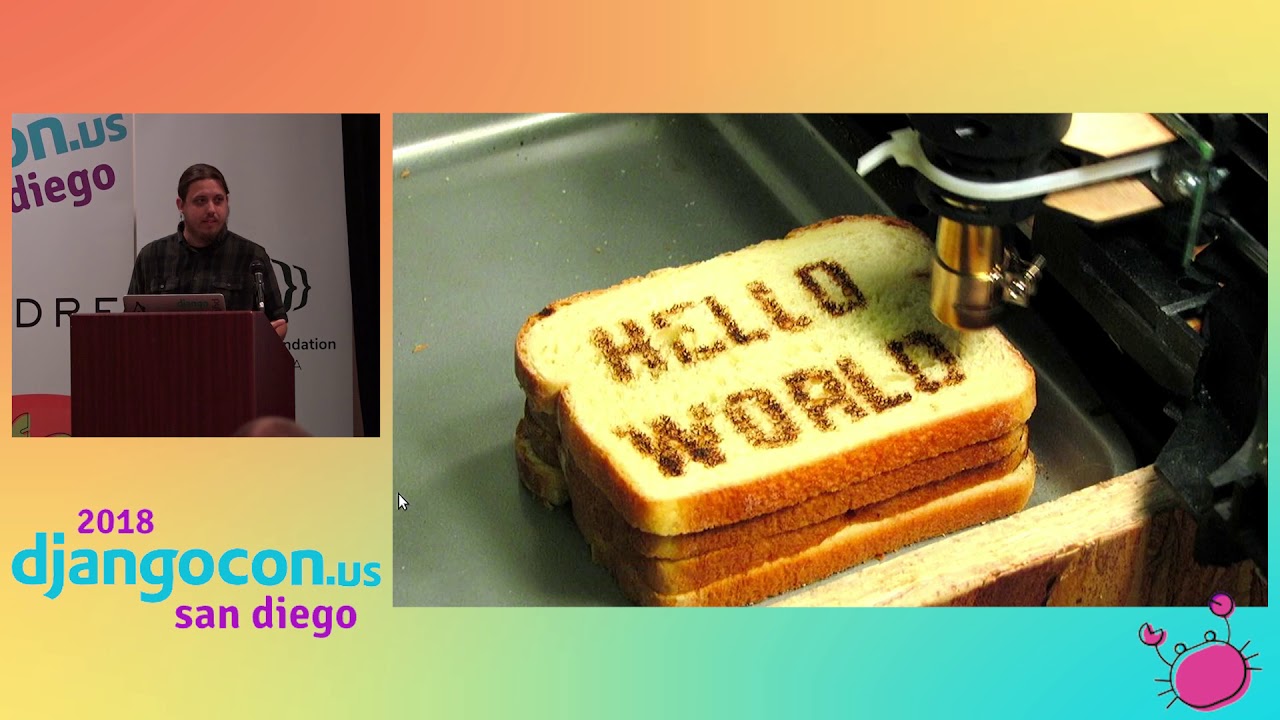
Speaker 1: And this is our first hello world. We have seven lines of Python that display hello world. Not a whole lot of excitement going on here. Very simple. Just writing some text onto the window. Seven lines of code doesn't get a whole lot simpler than that. First thing we want to do as we step through this is import the app class and the label widget. Your application must inherit from the at class. You need to implement a build method that returns a single widget. This is the root widget of your entire uh widget hierarchy, the widget tree. uh and then we run it. Um not a whole lot uh going on here uh besides that.
Speaker 1: Now QV is meant for multi-touch uses. Uh so It makes it really easy to do interesting things with zooming, rotating, scaling, uh, and so forth. So looking at this example, Uh same thing. We have hello world uh displayed in the window. But we can also set touch points and Play around with the text a little bit. Um so it's this is kind of the the the core of all of the multi-touch uh interactions on Kiwi. is this thing called the scatter layout. This is how it implements those multi-touch functionality. So the same thing
Speaker 1: import the app and the label and the scatter layout. Only this time we're going to instantiate the scatter layout We have our label, we're going to add that as a child onto the layout and return that layout. That's all we have to do to get some neat multi-touch functionality into our app. And anything can go into a scatter layout. Events. Um so We don't just want to show things on the page. We want to allow people to interact with buttons, right? What do you do when you press a button? What happens next? The code for this slide is a little too long to uh look at at once, uh, on on one slide, but what we can do.
Speaker 1: And uh kind of showing uh uh a demo. Um we have a button that gets uh rendered to the very middle of the window. The button says click me. When we click the button, we have a pop-up that has another button that says close me. Very simple event handling here. What we're gonna end up doing is importing the float layout. So the float layout works very much like CSS in terms of positioning. We also want to import the pop-up widget. Going into our build method, uh we instantiate the float layout, create a button, uh the the size hint and the position hint um do exactly what you would expect. We add the button to uh the float layout, uh, and then we have this pop-up.
Speaker 1: Now, one thing uh that you might notice in here As we define the pop-up and the button that goes inside of it, we're not attaching the pop-up to the float layout. And the reason for that we'll get to in the next example, but it's something that I wanted to point out here. The event handling itself is pretty simple. We have the open button and we want to bind the on-release event to pop-up. open, and on the close button we want to bind the on-release event uh to pop-up. dismiss. And then finally we return the layout. Now As you build out your Python app, doing all of your widgets uh in Python, uh as your app grows and becomes more complex, uh
Speaker 1: Doing all of this stuff in Python can become a little bit messy, uh very verbose, um, and uh you know can can be kind of tough to navigate. Uh so Kibi tries to solve this with the KV design language The KV design language is a very YAML-esque language where you define the tree of your widgets and it uses that to instantiate the actual Python objects. So now in our main. py um this is all the Python that we have. We have five lines of Python, there's nothing in our demo app, uh and we just run it We have this demo. kv, right? Very YAML-esque. The name demo. kv, the name of your KV file is derived from the name of your application class.
Speaker 1: So we have demo app, we get demo. kv. This is the same uh hierarchy that we had before, uh, with uh the buttons, the pop-up, uh the buttons inside the pop-up. Uh And as we go into the specifics, we see the same attributes. The size hint, position hint, on release. What we're doing with the on-release now from within KV , we can access the root widget, look up the pop-up by ID, and call open on it. Now an interesting thing to keep in mind here is that everything to the right of the colon is valid Python syntax You can use data structures, lists, tuples, dictionaries, uh, list comprehensions, you can call functions, you can do math. Um there's all sorts of things that you can do. You can treat it as a valid Python expression.
Speaker 1: We have our pop-up again that we are initializing. Same attributes as before with the addition of the on parent that we're adding. Now just like the build method needs to return a single widget that's your root widget same with dem uh your KVLang uh files. You need one widget at the very top. Um so the pop-up currently is now inside the float layout, right? It has a parent. And that's not what we want. We want the pop-up to have no parent. If it has a parent, it's going to get rendered to the screen. And we don't want that to happen until we press the button. So all we're doing here is saying when it gets parented, if the parent is the layout, just automatically remove itself
Speaker 1: from the layout, and we get the same functionality that we had before. And then of course we have the the the same button, same on release, look up the pop-up by ID uh and uh dismiss it. So as you can see, updating uh our uh example three uh to work with the KV Lang. It works exactly the same. We have something that's a little bit easier to read and understand. It works just as it did when we were doing everything straight in Python. So
Speaker 1: we've gone through, we have put an app together, um, and now we want to get it on our phone, right? Uh so We've built a Kiwi app, we need to package it for mobile devices. The answer to that uh the question, how do we get from Kiwi app to mobile app On Android, uh Python for Android. So Python for Android is part of the Kiwi project. Uh it does exactly what it what it says. It packages uh Python apps for Android. It does only run on Linux, which can be problematic. The Kiwi project does have a virtual box uh disk image. uh with everything needed uh to run it. Uh so Windows developers, Mac developers, uh, there is uh a way forward. Um Similarly on the iOS side, uh there is Kivi
Speaker 1: iOS. Uh so it's a tool chain for compiling Python apps to run on iOS. Same problems, obviously. Um you are probably aware that you can only package iOS apps on a Mac. So you kind of run into the situation where you're you need the the specific platforms uh to build for those devices. Uh but you shouldn't use either of those. Um and and the reason why is because if you use them specifically, now you have this whole build process for Android. and a whole bunch of custom stuff for that. And then this whole build process for iOS, a bunch of stuff for that. And it can get really unwieldy. So instead of using those directly, you should use builddozer. So builddozer is a tool for creating application packages.
Speaker 1: It's another part of the Kiwi project. You can build for Android and iOS using a common spec file. So you define all of your configuration and attributes in one place and then go from there. It's really easy to install. Pip install builddozer. And then run builddozer init. Builddozer init gives you a default builddozer. spec file. And from what I've found out, in most cases, that seems to work just fine. I haven't run into any major issues with that. So the builddozer. spec file is basically just an INI file where you can configure the name of your application, uh the package domain, source directory, any other assets you want to bundle in. Also platform-specific configuration as well, Android permissions, API versions, so forth.
Speaker 1: There's similar iOS specific options for Apple devices as well. So when we want to build on our phone, uh we've we've filled out our builddozer. spec file uh and now we run builddozer android debug. What that does is it goes through If you haven't already installed the Android SDK and the Android NDK and Python for Android, this command will do all of that for you in one go. So it's a lot to download. This can take quite a while to run the first time you run it. But once you've run it, once you've done it, now you have everything you need and it becomes a lot faster as you start iterating on your app and testing on your mobile device. So this command will package up your APK file and drop it into a bin
Speaker 1: directory, which is nice, but you might want to run it on your phone to test. And so all you do is you tack on deploy run as an additional commands to that. And so deploy will then take the APK, use uh ADB, put it on your device, and then run will open it up. Uh so you have one command to build your entire app, uh build the APK, put it on your phone, and open it up uh in uh just a couple of seconds. So building UIs is great. Phones these days have a lot of really neat hardware. You have accelerometers, gyroscopes, camera functionality, all phones vibrate. You want to do things with those.
Speaker 1: How do you do hardware things? And so the example that we're going to look at is the accelerometer. Enter Pygenius. Uh so Pygenius uh allows you uh to access Java classes through the Java native interface. Um And uh the way that you do this is that you for the accelerometer example, uh you have to build uh a Java class uh to interact with uh the Android sensor manager. There's a lot more code here than I can fit onto this slide. It's also Java. I don't know Java that well. So you have to build all this out in Java, create that bridge, and then on the Python side, uh import auto class, instantiate it, enable the accelerometer, and you can go
Speaker 1: read from the accelerometer. Similarly , you have PyObjus for the iOS side. So PyObjus, similar to PyGenius, lets you do iOS or Objective-C things from within Python. So I'm not an Objective-C developer either. Um this is the example that's given. Uh you have to use uh uh core motion uh uh on uh the iOS side. Um uh in order to interact with the accelerometer. Uh and then the Python side looks somewhat similar to uh to how you would do it on Android. Right, you import auto class, um
Speaker 1: in this case we're gonna instantiate the the bridge uh start the accelerometer and we can start reading values from it. But we have another problem is that I don't want to write Java. I don't want to write Objective C. I just want to write some Python. And so again, we have another layer of abstraction that the Kivi project has provided called Plier. So it's platform-independent APIs for common hardware features. It supports a number of features on both Android and uh iOS. Uh if you're not running on one of those platforms, uh say you're doing something on on Linux or uh Windows, Mac OS, um it will use available libraries on those platforms to kind of fill in the gaps. So if you have an accelerometer um
Speaker 1: on on a desktop or you know whatever you know Linux uh thing that you're doing, uh you can still do hardware things with Plier through one uh simpler interface. And so now instead of having to write um a bunch of uh Java and Objective C, uh you have six lines of Python uh with no platform dependent code. Which becomes really nice, right? I can just, cool, import the accelerometer, enable it, go. I didn't have to dip into uh any platform-dependent um code. So that's kind of the gist of uh
Speaker 1: Kiwi. And I'm going really fast. Wow. So kind of showing off the one of the reasons why I started uh messing with Kivi is I really like playing guitar. I'm really bad at playing guitar, but I really like playing guitar. And as I was going through trying to learn, build up muscle memory, learn chords, there's this trick where you go from guitar chord to guitar chord, just kind of strumming chord to chord to chord. Trying to build up muscle memory. And so a Kiwi app that I put together is this thing called CordWise , which is just that.
Speaker 1: Uh so chord wise uh lets you choose guitar chords. This is all a kibble app. Um Choose what uh guitar chords you want to practice. Uh you can select uh and deselect uh chords and then dumps you into practice mode, sending them at you in 4-4 time at 100 beats a minute. There uh is audio, there's a little metronome that plays as well, so you can kind of keep time. And This has been kind of helpful for my own playing. Trying to learn new chords and build up that muscle memory. And it's it's been a neat experience, right? I uh being able to build this, put it on my phone, I have it with me anywhere. There's uh a couple guitars at my office, I have my one at home.
Speaker 1: uh and I can uh just pull up my phone and start practicing uh using this Kiwi app uh running on uh Android. So we can totally build mobile apps in Python. You totally should build mobile apps in Python. I would love to see the Python ecosystem. Grow in that regard. There's have been a lot of efforts to doing interesting things in Python, both on mobile apps, things like in the browser. I would love to see Python everywhere. I probably like the language a little too much. But a lot of that has to do with the community and all the support here. So that's kind of it. Questions so far?
Speaker 2: So once you've built your app, how do you get it to your phone?
Speaker 1: Yeah, so uh that takes us back to Uh Builddozer, right? So all of all of that, uh getting your app onto your phone happens inside Builddozer. Um This command, specifically this command, um will build your app uh in debug mode. Uh it will deploy it to your phone, it'll put the APK on your your phone. Uh there's a similar command for iOS uh and then run it directly. Uh so that's that's pretty much all that's needed. It's a single command uh to get it everything up and running on your device.
Speaker 3: Um does KV require Python?
Speaker 1: Yes.
Speaker 3: Ah okay. And then another question is can you mix a match The Python and design designer widgets? Like if you write your own widgets in Python versus that designer app that you show, can you mix and match them? those widgets?
Speaker 1: Yeah, so um you can you can obviously you know design your your own widgets um you know and you probably want to do that if you want to make things extension You don't want if you have a button with certain parameters, certain position, colors, and whatnot, you probably don't want to pass all of those options in to every time you instantiate that button. Uh so of course you can uh you know through object inheritance uh define your own custom button uh and set those uh yourself uh and use those throughout your app.
Speaker 4: Okay, I guess uh next question would be in your uh plier example, I saw that you were using X range.
Speaker 1: So um this example, let's see where's that example Um so yeah, so this code example is a little bit uh older. Uh Kiwi itself does support Python 3. Um Builddozer and uh so specifically Python for Android, uh it does have uh Python 3 support sort of. I haven't been able to quite get it to work yet. You have to use a custom NDK. um for that. So I would say if if you specifically are targeting Android, for now you're probably stuck doing uh Python 2. Um if you can get that uh the Christax NDK to work, um which I wasn't able to, um then by all means use Python 3.
Speaker 4: Cool, thanks.
Speaker 5: So it looks like everything that you've shown primarily is oriented toward user interface type work. Does Kivi support background services and other non-UI-based applications?
Speaker 1: I haven't had a need for that. So I haven't really come across it. So the answer honestly is I don't know. I don't I'm I'm afraid I don't have a uh more uh a a better answer than that. Um I haven't I haven't come across anything in Kiwi that um you know is like background work um so
Speaker 6: The material design demo you showed at the beginning, uh is that just uh how deep is that uh theme I presume it's a theme. How deep is that theme? Is it just sort of a a coat of white and blue paint or is it actually changing behavior in any way.
Speaker 1: So what they've done is uh the QVMD project and I don't have a link in my slides. Um so I I'll update my slides online. But they've uh they've created a custom set of widgets, right? So instead of button, you have MD button that you use throughout your application. So with this, you can absolutely mix and match regular Kiwi widgets with material design widgets if you wanted to.
Speaker 6: So but they're actually material design widgets. They're not just Kiwi widgets painted.
Speaker 1: Yeah, so I'm not uh entirely certain about how they're set up kind of behind the scenes. Um I know that uh this looks pretty darn close to material design. And I'm not really sure what you mean by actual material design widgets because MD is more of a specification, right? Than here's a library to use in things.
Speaker 6: Would it be would I notice any difference whatsoever?
Speaker 1: I know in using material design for web stuff, this looks pretty close. uh from from everything that I've seen.
Speaker 6: Okay. Related to that, um accessibility, what's the accessibility story with Kiwi Widgets?
Speaker 1: Ah um I would imagine there isn't a very strong accessibility story there simply because it is implementing its own UI layer. It's a canvas and it's just kind of drawing onto the screen. None of it is native, so I don't know how well you can tap into accessibility features on the platform uh that you're building on.
Speaker 6: Sure. Thanks.
Speaker 1: So yep.
Speaker 7: My question is about push notifications. Like I use Firebase for push notifications in native Android and iOS. Is that anyhow subordinate?
Speaker 1: Yeah, so push notifications, um again, I'm not I'm not super familiar um with with how they're implemented on native Android and iOS. Um I know that in my experience like at work we had to go through and like create a Firebase account and do all this weird stuff. I don't think that there's anything that would stop you from doing that. Again, because we have Pyginius and we have PyObjust You can hook into any Objective-C libraries and call classes and whatnot with that. So I would imagine it's doable. There isn't anything out of the box in Kivi that provides that purely from the Python side.
Speaker 8: Yeah, so uh I was wondering what's uh going on under the hood. Is it uh packaging the standard Python interpreter into the uh the application packages. Is it running on Jython under Android? Yeah.
Speaker 1: So more more or less it's uh packaging, my understanding is that it's packaging CPython. Right. And I I I I kind of want to I should should have qualified this in the beginning. I am by no means a Kivi expert, right? Um I occasionally want to do uh mobile app development, I would love to do Python uh with that. And so this is kind of what I've discovered uh along the way is I've uh done a couple things with Kivi. So again, my understanding is that yes, I believe it is packaging regular CPython up to run on Android. Again, I'm I'm a little light on specifics of how it's doing that. Um
Speaker 3: regarding plier, you said that's gives you access to the hardware. Um what kind of hardware? You showed one with the accelerometer, but Mm-hmm. Camera or I don't know what we're doing.
Speaker 1: kind of see what's available on what platform. So Android is uh let me zoom in here. Uh so Android is pretty well covered uh in terms of what you can access. Um iOS a little bit less so and then it gets um you know less is as you go down into uh desktop uh operating systems. Um but there's a lot here that you you can do uh things like the proximity sensor on Android um Sending SMS messages on both uh iOS and Android. Um again, Android is is much more fleshed out uh in terms of what plier supports than iOS, um but there's a lot here that you can uh work with. with.
Speaker 8: Hey, thank you. Um really good talk. I just had a question. Uh what are some like good apps that have been made with Plier that you know about alongside your cord?
Speaker 1: Sure, yeah. Um so there was, and I'm I'm a little bit bummed, I went um I originally had a slide in my talk uh saying if you get bored, go download. Uh does anybody remember 2048? uh threes when that was all the rage. Um so there was a really cool implementation of that built-in KV that was on the App Store and in in preparing for this talk uh the other day I went to go you know get it and add it as my slide and it's not on the App Store anymore. Which is super unfortunate because that would have been really cool. Um But uh I mean searching um for Kiwi in uh the App Store will uh yield some results as well. They have uh a showcase on their website um kind of showing what's been done with it. I've seen screenshots from uh several different games. Um there
Speaker 1: is a um an event uh library called Kivent um which is great for um you know event handling uh and and uh uh it has been used to make uh some some games in kiwi.
Speaker 2: Well in that case uh thank you derek for a great talk uh let's give derek a big hand
Yes. Kivy lets you build cross-platform, multi-touch applications in Python, including apps that run on Android and iOS, although it uses its own UI layer rather than native widgets.
Discussed at 4:13Kivy supports Android, iOS, Windows, Linux, and macOS, and can also be used for touchscreen kiosks and other non-phone applications.
Discussed at 4:13KV separates the widget hierarchy and UI properties from the Python code, making complex interfaces less verbose and easier to read. It supports Python expressions for properties and event handlers.
Discussed at 11:58Use Buildozer rather than invoking the Android and iOS toolchains separately. A common Buildozer spec file holds the configuration, and commands such as `buildozer android debug deploy run` build the app, install it on a device, and launch it.
Discussed at 15:08You can use PyJNIus on Android or PyObjus on iOS to call platform APIs, but Plyer provides a simpler platform-independent interface for common hardware features. The talk demonstrates accessing the accelerometer with only a few lines of Python through Plyer.
Discussed at 20:38Yes. You can define custom widgets through inheritance, configure their behavior and appearance once, and use them throughout the application alongside standard widgets.
Discussed at 25:27Kivy itself supports Python 3, but the Android packaging process described in the talk is still limited: Python for Android requires a custom NDK, and the speaker recommends Python 2 for Android unless that setup works.
Discussed at 26:04There is no built-in, purely Python Kivy solution for push notifications, but it should be possible to integrate native Android or iOS notification libraries through PyJNIus or PyObjus.
Discussed at 29:24Note: We understand that names change, people change, and bodies change. We respect each individual's journey and privacy. If you have any concerns about a video or need us to remove content, please don't hesitate to contact us. We will handle your request with care and promptly address any issues.
Published July 15, 2026

Published July 15, 2026

Published July 15, 2026

Published July 15, 2026

Published July 15, 2026

Published July 14, 2026