0:42:14
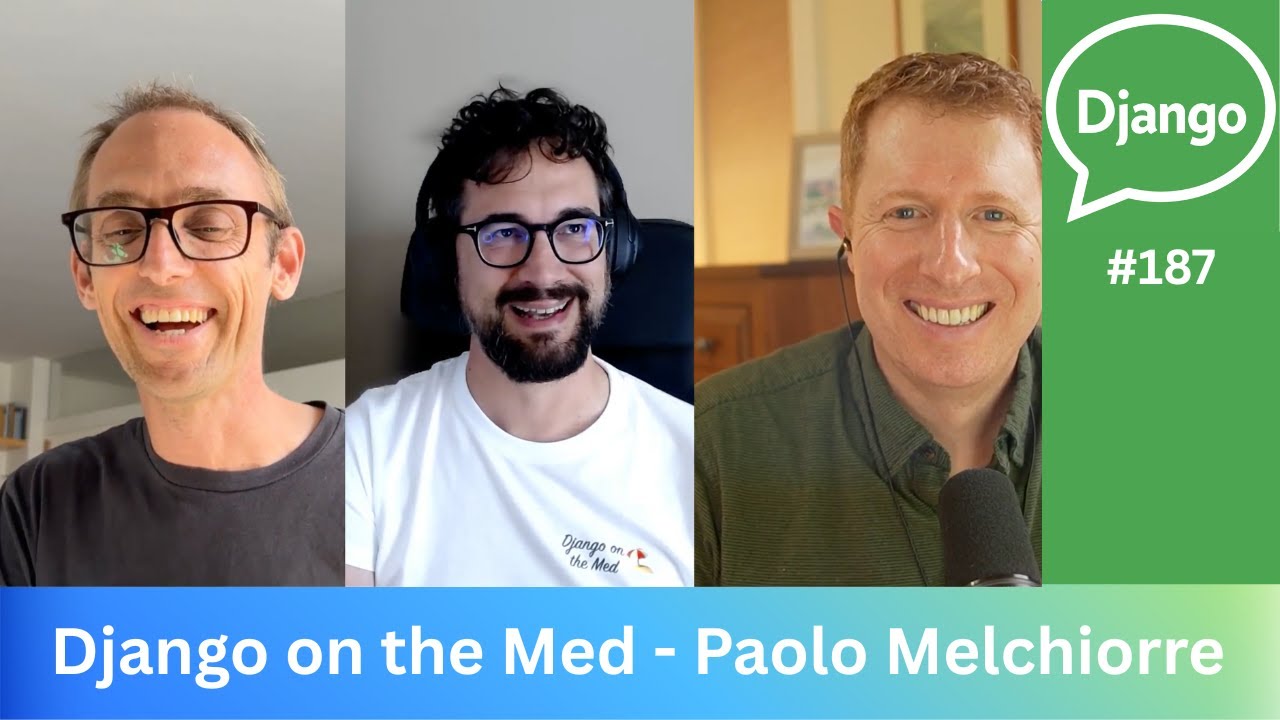
Django on the Med - Paolo Melchiorre
Published October 20, 2025
This video features Carlton Gibson at DjangoCon US 2022 in San Diego, California, USA.

There’s a lot of excitement about Django going async in 3.0+ but also many questions. This talk will provide a brief introduction to async, cover its pros/cons, and show how to build async into your Django app.
This talk was presented at: https://2022.djangocon.us/talks/async-django-the-practical-guide-you-ve/
LINKS:
Follow Carlton Gibson 👇
On Twitter: https://twitter.com/carltongibson
Follow DjangCon US 👇
https://twitter.com/djangocon
Follow DEFNA 👇
https://twitter.com/defnado
https://www.defna.org/
Async makes Django applications more complex, so it should be introduced for a clear benefit rather than used by default. Carlton Gibson explains Python’s asyncio model—coroutines, event loops, tasks, awaiting, and gathering—and shows why fire-and-forget background work is unreliable under WSGI; durable jobs are better handled by systems such as Celery or Django Q. He demonstrates an async aggregating view that concurrently fetches several APIs, then compares polling, long polling, server-sent events, and WebSockets for a reactive chat application, explaining how Django Channels, Redis, and ASGI support the latter approaches.
Summarised automatically from the transcript.
Automatically transcribed, so expect mistakes in names and technical terms.
Hello Thank you for joining me, Wowser. Okay, um let's go on. This is me. I'm Carlton Gibson. I'm at uh Carlton Gibson on Grit Hub and Twitter. You can find me there if you type those in I get messages and try to respond. Who am I? I'm one of the Django fellows. Um fellas, sorry. Together with my colleague Marish over there, I'm um one of the current Django Fellows. We're contracted by the DSF to do the um the sort of day-to-day running of the framework. We do uh ticket triage, patch review, um security releases, handle the releases, all the things like that. Together with all our fantastic contributors, which all of you are, yes. Um W we we k keep the framework running. We um frame Django is of a size that
there's too much work to be done on a purely volunteer basis, and so the fellow program was created to um create that. So let's just say sponsor the DSF. Your contributions to the DSF, either as an individual or ideally as a company, help to secure the f the the sustainability of the framework. You make a small investment that's a bit like insurance. It keeps the framework that you've built your butt your business upon running. So, you know, I'll say that. When I'm not fellowing, I help maintain various packages in the Django ecosystem. The ones that are relevant today is the channels trio of packages that were started by Andrew that I took over a few years ago. The brand new releases out for all of these three packages, Channels Daphne and Channels Redis.
That's been going all summer trying to get Trying to get out the door. I finally got the time to write the release notes on the phone where uh on the plane coming over here where I refused to uh get onto the Wi-Fi and I'm like, no, I'm gonna write the release note. So I got it out and so I was able to release the channel's version on um Saturday last Saturday from uh Will's house in Boston. Speaking of Will, nothing to do with this talk, um, but we also have a uh a podcast called Django Chat, um DjangoChat. com Uh do check that out. What we do is we get people from the community and we chat about Django. So check that out. Today's talk is about async Django. Async is one of those buzzwords. It's an exciting topic. I think there's a lot of confusion about what it's all about. So there are questions like, well, what's all this about? What is it good for?
How do I use it? And so on. So I've titled this talk, or I've tagged this talk the practical guide you've been awaiting for. Sorry about the palm, but once I've thought of it, it was inescapable. Async's a big topic. There's a whole load of depth to it and there's a whole lot of very, very clever people who spend a lot of time working it on it. Now that's more than we can talk about today, but as Django developers, it's more than we need to worry about most of the time. So what I want to do is go through a few examples of async and bring out some of the key things that I think are most relevant when you're applying async in your Django application. The bottom line is that using async makes your application more complex. Like a hundred percent more complex. So my hope is that you leave this talk with some ideas
so that when you decide that you do want to use async, you don't make it too difficult for yourself. So let's go. We're going to start with a simple async IO example. And we're going to do that just to bring out a couple of ideas that come up later. So let's begin. First of all, we import async I. O. Async. io is the Python standard library's implementation of an async runtime. It gives you an event loop and lets you schedule concurrent tasks that will run on it. There are other async implementations in Python, most notably the Trio project. We don't need to worry about those as Django developers. Async. io is the main option. It's the one that the standard library provides, and it's what Django's async support is built on, at least for now.
So with async IO in place, we can define a couple of helper functions. We'll define one that just prints a dot every second. And then the second one we'll give it a we'll give it a couple parameters, a task name and an amount of time to wait, and it will just print when it starts, it will print when it finished, and it's dumb to see. Okay, a couple of things I want to draw out there. The key syntax, which is the async and await syntax that we use to mark async functions and signal to async IGO that we're ready to pause our function um normally while we wait for uh um a io but we're just using sleep here and we'll give back control to the event loop so it can go and do something else. An async def function is called a coroutine. And when you call it, it doesn't actually run its code, it returns a call routine object.
Helpful in that. hopefully similar names. But um and then you can await that coroutine object with the await um keyword there and that will get your event um your your code run on the event loop. When you await a coroutine object, your code is paused, the event loop handle is running it, and sometime later what you'll get the actual result of your function, and your code continues from where it left off. So let's look at that. Here's our main function. First, at the top, we use um the async. io create task to schedule our print every second um coroutine to run. Then we create five tasks with a name A to E and an amount of time to wait.
Then there's an important step. We gather those tasks to wait for them to complete. That's a bit like calling join on a thread. Have you ever used that kind of um API. Then at the bottom we use async IO run, which is a utility function which will create the uh an event loop for us. It will start it and it will run it until our main function completes Okay. So the whole thing looks like this. You still see that? Okay. Let's run it. This is the output that we get. Our five tasks. A to E start, then we get a dot from our print every second one, then A finishes, B finishes, and then we get another dot. It's a bit curious why there isn't a dot between A and B. Like async IO creates has a kind of list of tasks, a queue of tasks.
And whichever one gets there first will get run. And I don't quite I didn't dig into exactly why it comes out this ordering, but it's kind of nice that it did for the example. Let's just um see let's just see the example if I forget that important gather step. So without the gather step, what happens is this. All our tasks start, but then the main function finishes. Um and our event loop is shut down. So our poor our poor print every second function, it doesn't get to do anything because the it was shut down before the end of that. So we need to not exit our main function because we need a running event loop to execute our concurrent tasks on. If I go back, it says um Hang on. Important. Wait for all the tasks to complete. If we take that out, we get this problem here.
So thinking about Django, the first question that comes up when the async word is mentioned is, well, uh, can I use this for background tasks? User signs up. You want to send them an email so they can click a link to confirm that they entered the right email. But we don't want to spend five to ten seconds with the browser not doing anything before sending back the response. So could we use async IO to send that email? Could we use create task to send one in the background? Well my old man answer here is well it kind of and it depends. So can I use let's go through both of those. So can I use this for background tasks? Well kind of. The question is, is your task going to Going to fail? Is it going to go wrong? Can it can something blow up? Because there's no built-in statuses or retries or error handlers or any of that if you just fire off a coroutine with create
task. Okay, you could write all of that, but in reality you're going to want to use a system that provides that for you, like Django DBQ or Django Q or Celery, even if you know. That's your cup of tea. Maybe someone writes um a Q implementation w on top of Async. io that provides these nice utilities, um, but You don't really want to be writing them yourself. Now you're all adults, you can do what you want. Maybe your you know maybe your code doesn't you don't do any error checking anyway, you're not checking resigned. So you know, wow, blow it, let's go. Maybe for simple tasks that aren't likely to fail. Yeah, okay, fine. But you can use it. But can I use it for background tasks? Well, it depends.
It depends on how you're running Django. So we come back to this clean that's been mentioned loads of times this uh this conference already uh about WISGI and ASGI. WISGI is the standard for Python, as the synchronous standard for Python web frameworks. ASGI is the asynchronous standard for um For such. Simplifying a WISGI app gets the whole request at once and then it returns the whole response in one go as well. It's kind of like one shot. An ASGI app is event-based. It has a pipe for incoming events and it has a pipe for outgoing events. so that communication can be long-lived or bit by bit or two-way. The point is that in general, under WISGI, there's no running event loop. So when we hit an async view, an async def view that is supported under Whiskey
and Django, we spin up an event loop to handle the request, but it's stopped as soon as the view returns. Okay, so that's gonna be exactly like the example the async. io example when we didn't have the gather call. Your background task that you spin up with async IO create task is gonna get shut down as soon as we stop the event loop. So if you're running under Whiskey You can't use um create task um to schedule a background task. Um if you're running under ASGI, well, yeah, kind of. So let's look at another example. Aggregating views. This is one this is my favorite really. What I like to call it is what we did before we had GraphQL. So let me give you an let me talk you through the example. The basic setup here is that you have an app for hotels.
It's got hotels, it's got rooms, and rooms have rates. And you have a couple of Django models for that. You have a hotel and a room with some rates. Okay, you have some basic d um Django rest framew serializers. We've got a serializer for the hotel, the serializer for the room. Um Okay, and we have a couple of um jang Jag and Rest framework views. We've got a hotel detail view that will just show the hotel and then a room list. You'd probably have other views in your API, but This is all we're having here. And then those you those those views have URLs. Now this is all great. It does everything except your mobile team comes along and they say we don't want to make two requests to get both the hotel and um the matching rooms with their prices. We need that all in one in one hit. And quite rightly, even these days mobile connections are slow and they take a long time to connect.
And they use battery and they use data and we want a responsive web app What we want is a single view that fetches all of the required data in one go. Now this is exactly the use case that GraphQL was created too. created to solve but you don't necessarily need to take all that on you can have an aggregating view so let me just put it up and then we'll go through it bit bit by bit so At the top, first of all, we're going to import a library called HTTPX, which is a async requests library for making HTTP requests. And then we're going to import the bits that we need for a JSON endpoint. Yeah, just JSON response and view and such that. Then we're going to define our our our view with an async um async defget
handler. From Django 4. 1, we can define async dev handlers on View subclasses, class-based view subclasses, and so we've got a nice namespace that we can decompose our view logic into if we need to. You could do this with a function-based view. You could just take get rid of the class and you could get rid of the self-argument and you could move it, outdated one. But it would work exactly the same, but you wouldn't have a name, name place. So it's up to you, whichever you prefer Then once with our view boot with our view boilerplate in place, we can get the URLs for the views that we want to aggregate. This is the hotel detail view and the filtered room list for that view. Then we can use HTTPX's async client to fetch the URLs concurrently. The client
got dot get method is an awaitable And we again we use the async IO gather method to wait for all the tasks, essentially the slowest one to complete. With those there, we finally compose the response structure we needed that's needed by our front-end team and we return the response. Okay, so it looks something like this. We make the request. This is what the response looks like and the mobile team are like great. And then they come along and they say to you, oh we need can we have an extra field? And you say, yeah, no problem. Let's just adjust the mapping that we had in in our view function there. You can even train them to do this by the way. Because you once you put the boilerplate in what the structure in place, it's really easy to adjust the mapping. And you can say, well yeah if you create a ticket I'll do it in a couple of days or you can just do it this afternoon.
The day before release, marketing turn up and they say, oh by the way, um the hotel detail view it needs to pull weather for in from an A from the weather API and we need to display weather on the hotel detail view. view as well as the rates and the the rooms. And you say no problem. You just add an extra call into those that list of concurrent requests that we run, and then you you map it into the request data. It's a very simple pattern. It's a pattern I've used for many years. Async. io didn't exist, and so we used to use Node. js. And we could have done it with Python threads maybe, but you didn't do that. You used You'd spin up a little node service next to your Django app and you provide the aggregating endpoint, and now we can just do it with Django. The best bit about the aggregating view pattern is that you can do this with your existing WISGI app right now.
You don't need ASGI. You don't need to worry about async. You can just write this one async view that gives you this aggregating view pattern. Job done. As Jenga Nauts, that's quite exciting, I think. Okay. So for the last example I want to go through a chat app and I want to go through it four different ways. We're going to do it four different ways so I can show different um approaches to how you take a a basic app and you add reactivity to it. So let's go through the setup quickly. We're going to build a simple app that lets you post messages to a single list, like the old guest books that you would have built on the late 90s. You know you've got List to post, little add your playing message board there. The officials channel tutorial has a similar multi-room example that uses WebSockets and that's worth comparing with later on.
But this is just a single room example. So let's start off. We've got a Django model. It's just a message model. We have posted bias, just a string field, because we don't want to get involved in foreign keys to users or anything. like that we're just gonna have some text for the um for the for the message a created out updated at end of there we'll have a form and a filter so we're gonna have a Django filter filter um there that will enable you to say look I just want the messages created since a particular date. There's a nice little trick here from Django filter. Nobody likes created that as a URL parameter, right? So if you put since there um as the name of the filter field and then you have the field name that it points to, you can name your query parameters however you'd like to name them. them that comes up quite a few times on them thing on the issue tracker there so then and then we'll just have a a a form a model form for posting our message
couple of fields. Let's have a view. This quite this is going to be a message list view, but let's go through it bit by bit. At the top, um we just it's a it's um Django generic list. view. So we have our model, template, context object name and an ordering. Then we define the get query set method. We just get the query set, we run it through the Django filter set, and I'm just limiting it to the 30 last messages in case you know there's four under I don't want 400. Get context data. I'm just overriding this so that if there's um session data saying who it's posted by, it will just populate the initial value in the form with the posted by so that people don't have to keep entering their name. multiple messages here. Okay. And then with the get template name I can just add um this if it's an HX request which is a header set by HTMX, not HTTPX I get confused
with too many X's , which is the library we're all loving these days. And then that's the view. Then we're gonna have a post view for messages, which is a create view. So if you post in, you It processes the form and creates the object in the database. Two bits to pull up pull out there. I'm going to set the suc the success URL to um go back to the list view. I'm not going to have a detailed view, it's just the one list view that we've got And then if they posted, if the form has the posted by data, we're going to put it into the session so that we can reuse it next time. They don't have to keep entering their name. Okay. So that all works. That you know, you you could have those two views together, you got a list view, post a message, it'll appear. But question, how do we get updates?
Oh I've I've got it in front of me. I want to see if someone else posts. So that's the reactivity that we're going to look into that we've got the four examples for. The first is polling, where we just go and hit, we just go and refresh the list and see if we've got a new one. We're just going to use HTTPX for this. Okay, so um HTMX, sorry. We're just gonna use this lovely HTML. thing that we all love. All you do, set where you want it to go, set the set the URL you want it to get, set the target that you want it to go to. And we've got a trigger here. So when this is just a checkbox, if I check it, it'll start polling and then every five seconds it will go along and say and and and and refetch again. And that might well be enough.
And if it is, well, stop there. But scaling. Having lots of clients repeatedly making requests, well, you know, perhaps that m you might run into problems. What about responsiveness? The other concern is responsiveness. Uh five seconds might not be too long, but maybe I want to get quicker updates. You know, some it checks, no, there's no update, then half a second later there's a new one. I have to wait the whole top polling interval for the update. I could poll more frequently, but then that scaling slide that starts to become more problematic. My app essentially gets to the point where I'm doing a self-DOS on my, you know, I'm denial of service attack on my own application. Okay So this is where we need a second strategy. This is where we start to introduce something else. And that second strategy would be long
polling. And here we go beyond what Django can offer itself. Async kind of changes the schema of of how we make requests. So traditionally we go from a we've got a request response. um thing. We g we send a request, we get a response. And we go to an event-based model where we get a request, then we wait for an update somehow. And then we send the response. And it's the waiting is what means that we really need async. Under ASGI, each request is treated like one of those concurrent tasks that we had in the first async. io example. And if we're just sitting around if they're just sitting around doing nothing, then for all intents and purposes we can have as many of them as we like without overwhelming our server. But by moving to ASGI, so we can we can wait And we can also handle our issue with too many simultaneous connections because we're not overloading our server.
We also need a way to respond to events that communicate between requests, so for this we need the channel layer We need more than Django provides itself, so we need um the channels package. And the channels package has a couple of pack parts that I want to um talk about. So I've got just got tense. In fact, I'm running out of time. The first is channels gives you a channels layer, and that's a way of sending messages between different connections. So I've got to browser window open, someone else has got a browser window, someone else has got a browser window, and I want to communicate updates between them. How do I do that? Well I need a channel layer. Essentially we're going to post to Redis and Redis is going to send out an update. update to each of those. And then the second one is consumers, which are essentially high-level abstractions on top of ASCII
, which make writing erasing applications a bit more Django-like, a bit more human. All of this is in the channels docs. If you want to find another channel's tutorial, that's great. But I'm going to give you just, I just want to run through an example quickly. First of all we need a way of notifying when there's a message. So when when we get a message we have to grab a channel the channel layer And then we have to post that. We have to post a message to a channel. And each each message, the message here will have a type of chat dot message. That's the type of message we're getting. And we'll we're going to post it to the chat group. Um let me let me push through because I'm running out of time.
Then we're going to use that notify method in our form valid message on our post view. When the form gets saved, we'll send off this notified that there's new messages. And we do that on transaction on commit because we want to make sure that the the the the message is actually in the database before we go and tell all our other clients to fetch it otherwise they're they're gonna go and it's not gonna be there and well hang on what what's going on. That's it. So that's all we need that's the the the change we need to notify and then we just need to listen to it. So um a channel's consumer we just We set it up with um to connect to the channel layer and say, hey, we're we're here. When we disconnect, we uh when we disconnect that, we um we remove ourselves from the channel layer and then um
we just send some headers. Let's skip that bit. Um sorry, I'm just realised I've got I'm going much slower than I should have been. Um then we define a helper method um to f um fetch the um Fetch the messages from the database and render them in a template. Now we could use the new async ORM query methods here, but template rendering is a CPU blocking operation. And so we're going to want to run that into a in a thread pool because otherwise we block our event loop and we can't handle lots of requests. if we block our event loop. And we can't pass ORM objects into the into a thread pool because RM objects aren't thread safe. So it's much better just to fetch them all in one synchronous function and do the fetching and rendering in one rather than trying to cross that async. sync boundary um too quickly.
And then we just define one more method on the handler, which is this chat message this chat message handler. So we send a message to the channel layer of a type chat. message and channels knows to map that to a function chat underscore message. Because you can't have Python identifiers with dots in that's not a valid identifier, so there's this this mapping between um message types and the handler that's going to be called. We then the sync to async function enables us to call that synchronous function in our asynchronous context in a thread pool and get the result, the HTML, and then we just send it over the the the um send it over the wire. And the key bit here is this more body false. And that says there's no more body to come, so can you shut can you stop the connection? And that's that
that's the how we get our instant reaction our instant reaction. As soon as the message is posted, we'll get an update. Our consumer will receive an update saying, hey, you need to fetch the messages, and then it sends, it can render the HTML, send it across. Okay And HTM, HTMX will do the long polling as well. Okay? Now that's great. It's exactly what we wanted. But with long polling, we get a chat message for every single um request. And it's like saying, well, what are you doing? What are you doing now? What about now? What about now? And it's lots and lots of connections, and we might want to reuse those connections. So can we keep using well yes we can. And so for that we'll use server cent events. And the the it's exactly the same. We set up um a a a channel's consumer, we connect to the channel layer, we disconnect with from the channel layer when we when the connection ends.
We've got the same message list HTML renderer. The only thing that's different is this the chat message handler, the handler that actually does does the the updating. And the only real difference there is we're formatting the event for um a server center event because server center events are new line deliminated so you can't have new lines in your server in your event body otherwise you get an injection. attack. So we have to format it particularly, but then we just say more body true when we send the send the event across. And that more body true says, hey, and don't close the connection, I'm going to get another one. So I can keep the s keep reusing the same connection and Bob's your uncle. Um Again, HTMX has an extension for service cent events, and
you're there. The final example, the final option is WebSockets. And you might, these are very popular, they've got good library support. It might be what you jump to straight away. WebSockets again keep the same connection open, but they allow two-way communication. The long polling and um service and events examples only let us send data from the server to the client, whereas WebSockets can go back. So we could rewrite the post form to use the web socket. We're not going to rewrite the post form. We're janging hot. Okay, so it's It's a it's exactly the same. I change the import and in connection, I still connect to the channel layer on disconnect I I um disconnect from the channel layer. I still got the same HTML helper function. And here in the chat message, I just sent use the WebSockets
bit to send the data across. And the this is the genius of the channels package, is the abstractions hide all of the differences between these packages, uh between these options for you, and you can write almost the same code, just changing a few bits and bobs here between them. Anyway. That's it. Channel app four ways. Which should I use? Okay, polling is simplest. If you've got a lot of if you've not got a lot of clients and a lot of requests relative to your response time and a small delay doesn't matter, then just use that. If you're building an internal facing app, it's likely all you ever need, right? If you've got lots of clients though, lots of connection, then that's when you want one of the other three. From Django 4. 2, if it's at all feasible, we'd like to have a story for streamlining async responses. So you can do the polling or SEO examples just within Django. If you want real-time responses, then you need one of the um
async examples because of the um If you want two-way, you've got to use WebSockets. You might use WebSockets anyway because they've got better library support. You m you know if your library uses WebSockets, just jump to those, right? So the normal answer is, well, it depends. Okay Two two very quick slides and then really we will stop Katie. Getting online, we said at the beginning Whiskey or ASGI, what about Whiskey and ASGI? Async is really complicated. And it's new, and we're all still discovering how it works. And I don't just mean we, me, and whoever else. I mean everybody is still discovering how it works. it works. On the other hand, Whiskey 's got 15-20 years of solid experience. Do most of you out there and have a little side one just running a couple of Whiskey endpoints. Double check everything.
Most of the problems I see on the channels repo are you know configurations with l loud bouncers in platforms of the service, like take the time to go through it and then have fun. Um literally ace async is it's like catnip, right? Um so have fun. What are you waiting for?
`async def` defines a coroutine, and calling it returns a coroutine object rather than running the function immediately. `await` pauses that coroutine while the event loop runs other work, then resumes it when the awaited operation completes.
Discussed at 4:15Only in limited cases. A task launched directly with `create_task()` has no built-in retries, status handling, or error management, and under WSGI its event loop stops when the request finishes, cancelling the task; for reliable jobs, use a task system such as Celery, Django Q, or Django DBQ.
Discussed at 7:21Yes. An async view can use an HTTP client such as HTTPX and `asyncio.gather()` to fetch the hotel, rooms, weather, or other endpoint data concurrently, then combine the results into one response.
Discussed at 12:00No. The aggregating-view pattern can be used in an existing WSGI Django application with a single async view; ASGI is not required for that use case.
Discussed at 14:15The talk presents four approaches: polling, long polling, server-sent events, and WebSockets. Polling is simplest, while the other approaches use Channels and a channel layer to notify connected clients and deliver updates more efficiently or immediately.
Discussed at 17:29ASGI allows requests to remain open while waiting for events, so many connections can wait without tying up the server in the same way. Channels adds a channel layer, commonly backed by Redis, to send notifications between connections, along with consumers that provide Django-like abstractions for async applications.
Discussed at 19:00Use polling when the client count and request volume are modest and a small delay is acceptable. For many clients, use long polling or server-sent events for server-to-client updates; use WebSockets when you need two-way communication, although their library support may also make them a practical default.
Discussed at 26:02Note: We understand that names change, people change, and bodies change. We respect each individual's journey and privacy. If you have any concerns about a video or need us to remove content, please don't hesitate to contact us. We will handle your request with care and promptly address any issues.

Published July 15, 2026

Published July 15, 2026

Published July 15, 2026

Published July 15, 2026

Published July 15, 2026

Published July 14, 2026