0:45:05
KEYNOTE: What should you have to worry about
Published October 14, 2022
This video features Katie McLaughlin at DjangoCon US 2022 in San Diego, California, USA.
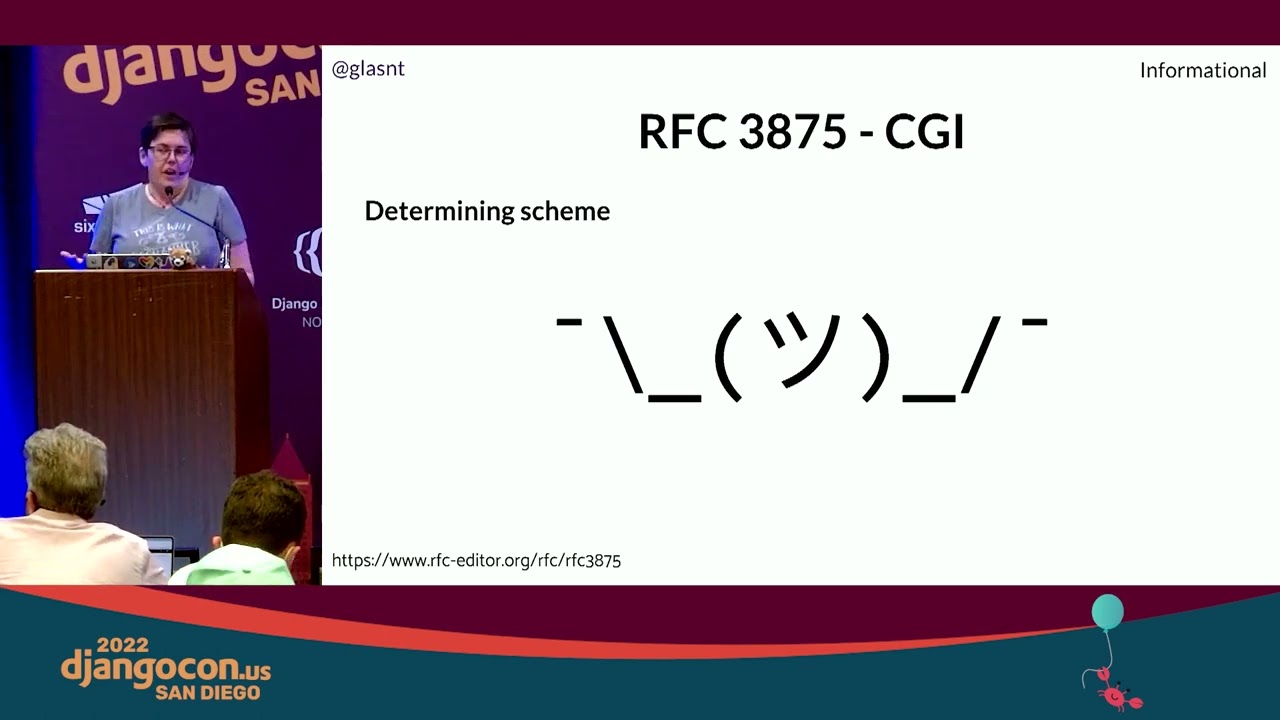
When you choose to host your Django sites on managed platforms, you delegate responsibility to those platforms. But when you also can't control what those platforms do, you might find yourself with things that don't work as expected. What follows is a warning to why being explicit in Django's settings is a very good idea.
This talk was presented at: https://2022.djangocon.us/talks/scheming-with-csrf-when-platforms-manage/
LINKS:
Follow Katie McLaughlin 👇
On Twitter: https://twitter.com/glasnt
On GitHub: https://github.com/glasnt
Website: https://glasnt.com/blog
Follow DjangCon US 👇
https://twitter.com/djangocon
Follow DEFNA 👇
https://twitter.com/defnado
https://www.defna.org/
Django 4.0 began checking the `Origin` header on unsafe requests, so `CSRF_TRUSTED_ORIGINS` entries must include a scheme such as `https://`. Katie found that her Cloud Run deployment could load the app but failed when logging into the admin, while the same tutorial worked on App Engine. She traces the difference through Django’s host and scheme checks, WSGI, proxies, and Gunicorn: the platforms handled forwarded HTTPS information differently, causing Django to see a mismatched origin. Rather than relying on fragile proxy IP allowlists or risky proxy settings, she argues that production deployments and tutorials should correctly configure `ALLOWED_HOSTS` and `CSRF_TRUSTED_ORIGINS`.
Summarised automatically from the transcript.
Automatically transcribed, so expect mistakes in names and technical terms.
Hi, I'm Katie and I'm going to tell you a story. If you want to prevent all the problems I went through and save yourself some embarrassment, make sure you're setting your allowed hosts and CSRF trusted origins values in your production deployments. Thank you so much for your time. I hope you You probably want me to tell the story. I'm not finished! For a written version of this tale, check out this blog post that I wrote back in April available at bitly slash follow pinkpony. I'll include a link to this at the end as well, so don't go reading it just now because I'm about to tell the story. The year is 2021, and Django 4. 0 was just released, and with many of the changes in this release, there was a small note about CSRF. CSRF Protection now consults the origin
header if present. To facilitate this, some changes to the CSRF trusted origin setting are required. Those changes are Values in the CSRF trusted origin setting must include the scheme name, HTTP or HTTPS, instead of only the host name. Cool. Okay then. So fast forward to after the Christmas break and I get to doing some updating. I work as a developer relations engineer and one of my jobs is to help people use my platform. As part of that, I maintain the documentation for deploying Django on various parts of Google Cloud, including App Engine and Cloud Run. These tutorials show you all the things you need to go do to get a fully functioning Django app working on these platforms From setting up IAM, creating the database, creating secrets, creating static storage, connecting the database and the statics through secrets to the app itself, deploying the first time, and then how to deploy the second time.
It uses a simple version of the Polles app from the Django tutorial, and it gets you to test all this works by loading up the app, thus checking it loads. but also logging into the Django admin confirming that the static works, the database works, and authentication works. From there you should have everything you need to get your own Django app running. So, having learnt of the 4. 0 release, I go and try out these tutorials with this new version, checking they all work. So I go and try the Cloud Run tutorial with the new Django version, which shows me the wonderful polls index But then if I go to try to log into the admin, it fails. Origin checking failed. URL does not match any trusted origins. What I should have done is followed the debugging message and gone and configured my CSR of trusted origin
setting and then updated the tutorial to suit. I should have. It would have saved me so much time. Because you see the thing is, I'd also tried out the App Engine tutorial, and I was able to successfully get the app deployed with Django 4. But then if I tried to log into the admin, it worked. Well that's interesting. So let's dive into this. CSRF or cross-site request forgery is a type of security vulnerability that Django does a lot of things to try and stop. Indeed, if you're familiar with the OWASP top 10 list of vulnerabilities, CSRF has actually slipped from the list over the years because many web frameworks include protections for it. It's just one of the many reasons why you'd use something like Django
rather than making your own web framework. Specifically, CSRF deals with unsafe methods. As first defined in RFC 1945, safe methods are those that let you just view the data. Things like get let you just read the data. These methods shouldn't have any effect on your data. Conversely, unsafe methods alter your data or have side effects. Things like post can create a new item, put can update an item, and delete can delete an item. CSRF is primarily concerned around ensuring that those unsafe operations are coming knowingly from the current authorized user. Django has ways to help prevent CSRF attacks, such as including tokens in forms. You might be familiar with CSRF token. This generated token is sent in the request and checked against the user's local cookies to confirm that the request is legit.
But this isn't the only protection against CSRF attacks that Django helps with. As of Django 4 There are now additional checks against the origin header. Django checks the value of the origin header against the CSRF trusted origin setting. But also against the current host. This will be important later. But what's this origin header? HTTP headers are essentially metadata for requests and responses over HTTP. You can see what these are depending on what program you're using to make requests. For example, if you use curl to get a URL, you'll get back the page. But if you turn on the boast mode, you can see a lot of things going on. In the request headers, you're sending a GET to the host, defining your user agent and some other smaller settings. Curl's get requests
here are simple by default. But you get back a number of response headers including the content type, it's HTML document, and other information as well as the response itself. Origin headers are relatively new as described in RFC 6454 and are added to unsafe requests. It's defined as being the combination of the scheme, host, and optional port of the origin of a request. You have the scheme there because as the RFC states, including the scheme is essential for security, and without it there would be no isolation between the HTTP and HTTPS of the same host. The host is going to be the domain name, whatever that is, and the port is optional because it can be nothing. But if there is a port, it needs to be there again because there could be multiple different ports on the same host
Since this standard defines the origin as having a scheme, Django's settings needed to be updated to include the scheme. This makes sense. Indeed, if you were to do a post request in the browser and take a look at the headers it's sending, you'll see the origin in there in the inspection window. There's a lot more headers in the browser than in curl because There are a lot more headers here in the browser than in curl, but you can optionally set these headers in your curl request. But hold on, with all this host checking, what about allowed hosts? A LAT host details what host names that Django can serve from. This applies for all requests, not just unsafe ones. This setting helps protect not only against CSRF, but also cross-site scripting attacks. So why do we have two settings?
No, really, why do we have do settings? That is actually a question I have. At a guess. Allowed hosts is an older setting. And as of Django 4, CSRF trusted domains requires a different format. And you might want these two values to differ. For example, you may want Django to accept hosts from other hosts. So back to this. How does Django verify against the current host? Because it seems like there's something different going on here, given we deployed the same code to do different places and the results differed This is where the new logic comes in. New in Django 4, there's an internal method called origin verified. This method does a bunch of stuff, but it makes use of methods that are already in Django for other purposes. And this is where it gets complicated.
And I'm going to use code from here because that's going to make things simpler. Origin verified compares the origin request with a known good origin. If they're the same, it returns true. Otherwise, it goes and checks if the request origin is in the allowed lists of origins as per the CSRF trusted domain setting. And if that isn't true, it goes off and tries some other things. So what's this request origin and good origin? Well, first, it gets the request origin value from the request metadata, aka the HTTP headers from the request, which we saw in the browser inspector earlier. So now we need to get the good origin. And the good origin, or the current host, is a combination of the scheme determined by request is secure concatenated with request getHost. And gethost itself is complicated because gethost
gets the host value from a private method getRawhost and confirms that the value is an allowed host. GetRawhost gets the host based on an order of preference If configured, it tries to get the value of the exfolded host, otherwise HTTP host, otherwise a concatenation of the server name and the port based on the insecure setting as defined in PEP 3233. We'll get back to that. But it's not just the host. Now we need to get the scheme from isSecure. Now, isSecure returns true if the scheme property is HTTPS. the string and the scheme is based on a few settings. If you've got secure proxy SSL header, it will confirm that that setting matches the HTTP header of the same name. If you don't have this setting, it'll use the private method get
scheme. And get scheme is HTTP. Okay, I lie because I didn't include the dog string, which says that this is a hook for subclasses to implement. So let's look at WISGI request. It says that the scheme is the value of WISGI URL scheme, and that's an environment variable. So where does that come from? This is where Django delegates. Last time on Katie is too much of a nerd for their own good, also known as my talk from DjangoCon last year, I presented What is Deployment Anyway, where I pulled this quote from the docs. We are in the business of making web frameworks, not web servers. Django has done a lot for us so far, but this is where Django starts to make use of web servers.
Specifically in this case, WSGI servers, because for now, I'm not mucking with async. So I'll stay with Whiskey. Now, WISGI is a Python standard for web servers and applications, and this was defined in PEP333, later PEP333, the PEP we mentioned earlier. This standard defines a bunch of things, including a set of environment variables. The environment directory is required to contain a number of environment variables as defined by the common gateway interface specification, including request method, content length, content type, server name, and others. Which we saw in our request headers earlier. Oh yes, there's another RFC. But also, in addition to the CGI-defined variables, the environment directory must contain the following whiskey-defined variables.
including URL scheme which must be HTTP or HTTPS. That are the RSC though, RC3875. defines a bunch of request metadata variables, including server name, which Django references as one of the options for determining the host name. But also references both the scheme and the server protocol. The scheme is what we're after, but what does the RFC say about that? Well, it says a few things. In different sections, it notes the conflation between the protocol a server communicates with, the scheme the server uses, and the port the server operates on From RFC 2818 to HTTP over TLS, common practice has been to run HTTP TLS on a separate port in order to distinguish which protocol is being used. When HTTP TLS is run over a TCP/IP connection, the default port is 443.
This does not preclude HTTP TLS from being run over another transport. Basically, this boils down to that you shouldn't use the port to work out if a request is secure. You cannot assume a request is secure if it's on port 443. You can't presume HTTPS 443. Cool. When determining the scheme, the CGI RFC says that a script may make use of scheme-specific metadata variables to deduce the URI scheme. But generally, CGI standard offers no algorithm to determine the scheme, which is Fine, that's not really its job. But PEP3233 also doesn't say how to do this. We have nothing so far to help us determine the scheme. Interestingly enough, there was an experimental RFC from nineteen ninety nine
that denoted a security scheme header that could have been the way to identify if things were HTTPS. Well, SHTP, which was the style at the time. This RFC was marked as historical as there is no evidence of widespread use. Because here's the thing, right? You want to know what RFC stands for? An RFC is a request for comments. The Internet Engineering Task Force, or IETF, can adopt an RFC as standard. But not all RFCs are standards. Indeed, there is literally an RFC 1796 called Not All RFCs Are Standards. Out of all the RFCs I've mentioned so far, only the first one, the Web Origin Request one, RFC
6454, is actually a standard. RFCs can be experimental, informational, current best practice, proposed standards, or internet standards. Not all RFCs are law, as best showcased in RFC 8140. an absolutely real RFC titled The Art of ASCII, or a true and accurate representation of a menagerie of things fabulous and wonderful in ye form of character, published April 1, 2017. This part of the RFC has a unicorn, with the commentary, without pixie dust or art other artful contributions from the world of fairy, it is unlikely that the internet would work at all. I mean they're not wrong. The CGI standard that PEP 3333
builds off, that's informational only and is not a candidate for any level of internet standard. There is a very new RFC, 9110, which is actually part of the standards track and obsoletes a bunch of other RFCs. including the RFCs for HTTP over TLS, the RFCs for underlying the hypertext transfer protocol for semantics and context, conditional requests, range requests, authentication, client initiated content encoding. The hypertrans transfer protocol status code 308 permanent redirect, HTTP authentication info, and proxy authentication info response header fields and sum of message syntax and routing. And it's like new new, like June 2022 new. And I suspect there are going to be things in here that parts of the Web Stack are going to have to minorly adjust for, including, but not limited to
nomenclature. Because technically there's no such thing as HTTP fields anymore. HTTP headers anymore, they're now fields. HTTP header fields. Name value pairs with a registered key namespace. Likes are now flops, I guess. This RFC is very large and talks about both HTTP semantics for both clients and servers Getting back to our original hunt, this RFC has a section on HTTPS origins. It talks about how all HTTP versions use server certificates in various ways. But this is also talking about how the browser should be accepting of HTTPS in general. In the case of origins, which we spoke about earlier, RFC 9110 does mention it, but references back to the original RFC about web
origins. So what's a Whiskey Web server to do? It depends! Depending on which Whiskey server you're using, you will have different behaviors. Isn't that wonderful? And this may all change based on if any of these applications adopt changes based on RFC ninety-one ten, but this is how these all acted back in April. MicroWhiskey opts to use the exported protocol value following the advice from RFC 7239 Oh yes, there's another RFC here. This one is centered around adding a HTTP extension header field that allows proxy components to disclose information lost in the proxying process. This field is literally the protocol type that is being forwarded.
Waitress? Defaults to HTTP as it says it doesn't bother with all this TLS nonsense. You can set URL scheme yourself literally by using the URL scheme setting at runtime And everything else just flows on from that setting. G Unicorn is different again. And this is also the WISGI server I use. If SSL certificates have been configured or the request is from localhost, it sets the scheme as HTTPS. Otherwise, it's default HTTP. So how do we tell what's going on with GUnicorn? From here, we have limited insights about what's going on with our host. App Engine and CloudRun are both examples of managed hosting or platforms as a service.
They manage a bunch of things for you, but it also means you can't manage some things. Typically with a managed hosting setup, you'll be developing your Django app and you'll be getting your Whiskey Web Server a choice to serve it And then you deploy it. You have complete control over that part, but everything else is in the little bit of gray mist of the cloud. Typically, there will be some sort of DNS and load balancing, how the request from the internet finds its way to your specific application, and that and the part that gives you your URL with HTTPS included and such. How it works is often obscured by the host of choice because you literally should not have to worry about it. Except in the times that you do, like now. Because we're now peering into the Here
Bee Dragons part of this map. Here's where we need to talk about proxy service. They've come up a few times so far. If you were setting up Django on your own machine, you'd probably put Nginx in front of your Unicorn. Nginx can be used as a web server, or you can just say serve thisindex. html file. but it can also be used as a proxy server to things like GUInicorn and Django. Because it sits between the internet and GUICorn, it needs to pass through information to GUInicorn Like all those headers we saw in RFC 7239 forwarded HTTP extension. If you have complete control over the stack, then you can toggle the Shielby Right setting into Unicorn. But if you use managed services, they provide the proxy for you and they will work outside of your control.
Every managed service is going to be different here, but we can refer to the Google Cloud documentation to try to work out what's up. On App Engine's documentation, it says that it terminates all HTTP connections and then forwards the traffic to App Engine over HTTP. CloudRun's documentation is similar, that TLS is terminated by Cloud Run, and then the requests are proxied without TLS. So these platforms are literally changing the connections for you? And you'd think though, if TLS was being terminated by both platforms, they'd both have the same issues or non-issues, right? Well what we can do here is start doing some debugging and poking around at your unicorn. Because one of the things we do have control
over is our code. So let's use some vendoring-based debugging. Typically on these services, you'd add GUnicorn and Django into your requirements. txt file, and they'd be automatically installed from PyPI for you But when you vendor in your dependencies, you can add them directly into your code, which means you can edit them. To vendor in Django, you'll need to run pip install Django, but add a hyphen t dot onto the end. Tells pip to install the dependency into the directory defined, in this case dot, the current directory. Then you'll have to remove the Django line from your requirements. txt You'll do the same for GUICorn as well, but you also have to adjust the GUnicorn command, because if you vendor in Gunicorn, you don't get the nice GUnicorn executable anymore.
You have to directly call the module from Python. And in this case, I'm using a proc file to define how to start my web service. Ask me about proc files and build packs in the hallway later. So I'll have to adjust the GUnicorn command by adding Python M to the start of my command there. For App Engine, you'll also need to add a custom entry point because It just so happens that for Python, GUnicorn is being used by Default and App Engine, which runs GUnicorn against your main. py file, which needs to have a Whiskey compatible object called app. Since we're using CloudRun and App Engine, anything that gets printed out to standard out will end up in CloudLogging, which means we can see what's going on. So for my debugging, I printed out the origin
value from the headers field at the top of the previously mentioned origin verified method. Then throw in some logic at the end of get raw host to confirm what the raw host is. And then over into Unicorn, I went and found where the WISGI URL scheme value was being set. Printed that out I'm using emoji here because I'm Katie, but also this helps me find which file each statement is from. So now I can start to see whether where some of the differences are between these platforms. CloudRun's URL scheme is HTTP, but App Engines is HTTPS And based on our earlier debugging, we know that the good origin is based on getting the host name and the URL scheme and smooshing them together and matching that
that against the origin in the HTTP field. These values differ, so we get those CSRF errors from 65 slides ago. So what we can do now is poke around to see how the scheme is being determined in GUInicorn. Over in message. py we can see where the scheme is being constructed. We can add some debugging here, checking the initial scheme based on the SSL config. And later on, we should check what the values are in the conditional that sets the scheme header fields. In this case, forwarded allow IP setting and the peer address. Peer in this case is the address of the proxy server. And then later on, as the header fields are being parsed, if there is a secure header field, then the scheme will be set as HTTPS, so we should add some more debugging here.
And so, I can see where the problem is, because the peer address on App Engine just happens to be 127. 001, which is the default allowed in GUICorn. But on Cloud Run, the peer address is a private IP address, but not the private IP address. So that was a lot. So how do we fix it? GUICorn recommends a few things. It's recommended to pass protocol information to GUnicorn. Many web frameworks use this information to generate URLs. Without this information, the application may mistakenly generate HTTP URLs in HTTPS responses, leading to mixed contents warnings or broken applications.
Thank you, G Unicorn documentation. I found this after I discovered the issue. So how do we pass this information? You could update your proc file to allow that specific IP we found. Problem is that's really, really weird. It'd lock us into this particular vendor's eccentricities. And what happens if this IP changes? our application would just break again. Because here's the thing, since I wrote that blog post, that IP has changed again. And you have no control over it. And it could do the same thing again. You could set allow all IPs, which the GUInicorn documentation says to suggest only if all connections come from a trusted proxy. Example, Heroku.
But it also says using this value is potentially dangerous if connections to GUInicorn may come from untrusted proxies or directly from clients since the application may be tricked into serving SSL-only content over an insecure connection. So let's not do that. You could also configure the secure proxy SSL setting, which means that Django would never get to the get scheme code and thus never have to do the GUnicon dance. But the Django docs say that modifying this setting can compromise your site's security. It also lists a bunch of things that you have to confirm are true before even thinking about adding this setting. Or, now hear me out here. You could just configure a loud host and CSR of trusted origins.
Like I said 20 minutes ago. If you're after some light reading for after this conference, here are some of the RFCs we've discussed today. They don't all fit on the slide. For a less animated version of this discussion, go to bitly slash fellow pinkpony. Thank you for your time. Have a great rest of your conference.
Since Django 4.0, it also checks the request’s `Origin` header against `CSRF_TRUSTED_ORIGINS` and the current host. These checks are used for unsafe requests such as POSTs.
Discussed at 4:24The two platforms produce different WSGI schemes behind their proxies. Gunicorn recognizes App Engine’s proxy address as trusted and sets HTTPS, but Cloud Run’s proxy address is not allowed, so the scheme stays HTTP and the origin check fails.
Discussed at 21:23Set `ALLOWED_HOSTS` and `CSRF_TRUSTED_ORIGINS` for your production deployment. Trusted origins must include the scheme, such as `https://`, not just the hostname.
Discussed at 24:32Note: We understand that names change, people change, and bodies change. We respect each individual's journey and privacy. If you have any concerns about a video or need us to remove content, please don't hesitate to contact us. We will handle your request with care and promptly address any issues.

Published July 15, 2026

Published July 15, 2026

Published July 15, 2026

Published July 15, 2026

Published July 15, 2026

Published July 14, 2026