0:46:41
High Performance Django at Ten: Old Tricks & New Picks with Peter Baumgartner
Published October 23, 2025
This video features Peter Baumgartner at DjangoCon US 2015 in Austin, Texas, USA.

Django Deployments Done Right
There's no single standard toolkit for deploying Django sites. In our years of consulting, we've seen lots of deployment systems in the wild and where they break down or cause pain. Independent of the system you use (Salt, Ansible, Fabric, Chef, Docker, etc.), there are a few principles a good deployment should follow:
Deployments don't take the site down or interrupt active users on the site.
Deployments don't involve more than one step or are completely automated.
Deployments are fast.
A failed deployment never takes down the current running version of the code.
Rolling back to a previous deployment is a single step.
By following these principles, deployments go from being error-prone, nerve-wracking experiences to trivial non-events in your daily development cycle. This talk will walk you through the steps necessary to create a better deployment process.
Peter Baumgartner argues that deployments should be reliable, boring, fast, non-disruptive, repeatable, and accessible to all developers rather than controlled by operational gatekeepers. He recommends managing infrastructure and deployments with configuration management, pinning dependencies, gracefully reloading services, isolating each release in its own virtual environment, and switching releases through a symlink so rollbacks are immediate. He also explains how to handle database migrations safely, track releases for regression analysis, and improve deployment systems incrementally by learning from failures and user confusion.
Summarised automatically from the transcript.
Automatically transcribed, so expect mistakes in names and technical terms.
Speaker 1: Cool, thanks everybody. Sorry for the issues getting the display going. I um I'm going without my notes here, so hopefully uh I remember everything. Really quick about me, uh I'm the founder at Lincoln Loop. Here's a shot of a few of us at PyCon uh last year This year. And at Lincoln Loop we do Django development and consulting and everything that goes along with building Django sites like DevOps, JavaScript. UX design. Today we'll talk about deployment, which is uh something, a topic uh I'm kind of interested in at the moment. I'm also the co-author of this book, High Performance Django, and it's all about how to build Django
Speaker 1: sites that scale and are fast. You can get a copy at highperformancejango. com and there's uh little coupons in your swag bag as well So today's talk is Django deployments done right. Uh but really I probably could have called it Python deployments done right. Uh there's not a whole lot of Django specific stuff. uh in here. And honestly, uh deployments done right probably would have fit most of it as well. Deployments for web applications uh all look kind of similar. Um and So, you know, whether we were doing Rails or Node or Python or Django or whatever, a lot of these things will still apply.
Speaker 1: So first off, uh what is a deployment? Uh I think of it as in two ways. One is the noun. Like uh the deployment is kind of all your stuff you have set up, your servers, your software, how it all interacts. And then the verb, like the actual act of getting all that stuff onto your servers and keeping it up to date. So today we're mostly going to be talking about the verb, but I may interchange these a little bit. So why do you want a good deployment? Um first off, uptime. Uh this is obvious. Like you don't want deployments to take down your site, that's a problem. Uh you don't want to be Scared to do deployments because they're going to take down your site. But maybe less obvious is the humans that are working with the deployments.
Speaker 1: One thing I've noticed is uh Having bad deployments sort of feels like this. It's like showing up at a messy office. You can't find anything. Um it's stressful. You know, there's probably one person that knows where the thing that you need is, uh, and and there's these gatekeepers and it's it's really um it's really bad for for people. Like uh I I do a lot of consulting work and I I work on Lots of different sites and I I notice the difference at the end of the day when I'm working with a site that's you know got a really poor process and not well managed and kind of a mess versus one that's uh kind of clean and tidy and does what I expect It's stressful. It tends to lead to burnout and burnout leads to people leaving your company. So
Speaker 1: there's a case that, you know, the the humans are very important to the deployment process. And for me this is a good deployment. You know, it's kind of neat, tidy, you know where everything is. Uh there aren't a lot of moving parts. Uh it's it's just simple. Good deployments are non-events. It shouldn't be hand-wringing, palm sweating, like, oh gosh, I hope nothing breaks event when you do a deployment. It should just happen and nobody really notices. And good deployments are also empowering. Good deployments let uh let your all your users um users in the sense of developers uh get software in onto servers where you know it's in staging or production. That's our job as
Speaker 1: developers. We build software and we want the world to see it and sort of not letting people manage that process of of getting their software onto production and having gatekeepers in the middle is really kind of limiting. So you know empowering developers to to do this stuff is pretty powerful. And then finally, there's a business case for good deployments. So if you know you can't convince your boss that uh burnout and stress is a bad thing, you know uh Good deployments, you ship faster. Uh you you get new features out to production quicker, you fix bugs quicker, uh, and you recover from failure quick more quickly. Um in my notes, I had something from the uh
Speaker 1: State of DevOps report by Puppet Labs and they have you know they did a study on the differences between high performing IT organizations and and low performing IT organizations And the numbers are really fascinating. Um if if I had my notes I would tell you what they were. But like it's like, you know, they they deploy thirty times more uh per day and they are you know sixty times faster to to fail or to recover from failures and um all this stuff. So so there's a a really big business use case here and then also having happy people that are at your company. Happy people are more productive and they're gonna leave less and you're not gonna have brain drain and be training people all the time. So there's a great business case for good deployments.
Speaker 1: Now what makes a good deployment? First off, it works. It's surprising how many times we see people get this wrong. Like, you know, they've got a deployment process and they deploy and you know we had an issue uh a while ago where um we made a bunch of changes to somebody's salary worker queue and they deployed it. and um things broke and nothing worked and we said well what you know what happened and you know the one guy who was in charge of the deployment said oh I have to go in and restart salary manually after we do deployments Um nobody else knew that, but the one person did. And uh so this kind of stuff is really common. Um so yeah, one it works. Uh and it it's reliable. It works every time.
Speaker 1: Uh and you know in the off event it doesn't work, it doesn't break things in the process. Uh next up it's boring. Um this is uh kind of the the part where I go on a little rant about um Docker. Docker is really cool technology and I think it's interesting for a lot of stuff. If you're just getting started with deployments. uh it it's very likely not not the best choice for you. Uh uh Docker solves a lot of interesting problems, but it also uh kind of brings in a lot of problems of its own. So I prefer kind of using technology that's tried true tried and true true and proven. And
Speaker 1: Docker, you uh you know you end up using a lot of kind of bleeding edge technology. It's it's great for a lot of use cases, but for your standard, hey, I just need to get a Django site out on the web, it's probably overkill for your purposes. Next up it's user-friendly. So everybody should know how to use your deployment system. That doesn't mean they need to know all the internals of how your system works, but they should know how to get the code from their laptop to get to a server. Uh next up it's fast. Um Uh I'll give you an anecdote here as well. So so uh we worked with somebody who had a deployment system and um the idea was uh all their tests had to pass every time
Speaker 1: before uh they could deploy their software. Which sounds like a really good idea. You know, we want to make our make sure our test suite passes before we put it in production Their test suite took something like 45 minutes to an hour to run. So when they wanted to do a deployment, they needed to wait an hour before their servers ever got updated. Well, uh a problem snuck through their continuous integration. Uh you know, it didn't get caught in their tests, and they deployed a change that took down their sites. They knew what the fix was. If they could push it out, it would have been a 30-second or minute-long issue. But instead, uh it had to go through this hour-long pipeline to get into production. So fast
Speaker 1: deployments are really important for recovery, and they're also important for closing the feedback loop with developers. We we write code, we test it locally, we write tests, we put it on staging environments, but truly we never really know. how it's going to operate until we put it into production. So being able to give your developers that quick cycle of, hey, I built something, it's in production, it works, and I can move on to the next thing is really important to productivity. Next up, it's not disruptive. You shouldn't have to deploy after hours. Your deployments shouldn't take down the site. Even for a few seconds, people shouldn't get 500 errors when deployments happen.
Speaker 1: And then finally a couple of five dollar words here. It's idempotent and deterministic. In deployment, these words are kind of blend into each other, but basically It's idempotent, you can run it over and over again and you get the same thing. And it's deterministic. Given the same inputs, you get the same output. So uh when you deploy, um you should expect that if you deploy on one server, uh you're gonna get the exact same thing on another server. So to me that's a good deployment. Now, how do we uh how do we build uh all this stuff? So first off, use configuration management. Uh it it's kind of key to to this all working.
Speaker 1: If you are not using configuration management today, look at SALT or Ansible. They are Python-based and they also Uh yeah, uh you're gonna probably be most comfortable with those unless somebody in your shop has experience with Chef or Puppet or one of these other systems. Fabric is not a configuration management tool. It's a remote execution tool, and you can do configuration management-like things with it. But uh you're gonna paint yourself into a corner and you're gonna have this really messy system. Um it's uh there's there's better tools out there, so so don't use it for configuration management. And then uh use it for everything. Like uh you shouldn't configure your servers with your configuration management system and then update your software with
Speaker 1: other thing and then do deployments with another thing because uh that's kind of violating the don't repeat yourself principle and you're gonna end up in situations where those systems diverge. and one stomps over the other. So uh once you kind of get everything codified and do configuration management um That's what you want to use uh to to sort of drive all this stuff that that includes, you know, setup updates, deploys, everything Uh next up, um pinure dependencies. Uh this sort of is that uh deterministic thing. When we deploy our software, we want to know exactly what we're getting. So that doesn't mean in your pip requirements you put, you know, install Django
Speaker 1: or even install Django less than 1. 9. There's a chance that a minor version update, you know, if there's a security issue, could be backwards incompatible. So make sure you pin to specific versions. One thing I would consider uh is actually just using uh setup. py and uh putting your in in your requirements in the install requires there. That sort of gives you a constraint that you can't link to crazy third-party GitHub repos. You don't want to count on some random person on the internet 's code or a repo being up or existing when you're doing deployments. Now there's certain scenarios where you can't use PyPI. Maybe you've got proprietary code
Speaker 1: that's shared among multiple projects. Maybe there's, you know, you need to fork something and it's not available on PyPI. In that scenario, consider setting up your own PyPI. It's not that difficult to do a simple index, which basically is going to get you what you need. There's a project called PIP2PI. That will uh take a requirements file and dump out a directory structure that's compatible with pip, and you just point pip to that and you can install stuff from it. So copying that to a server that has Nginx or pushing it up to S3 is a pretty viable solution. Next up if you're Uh if you've got code that is, you know, you're
Speaker 1: you've forked some project and you're diverging significantly or the other project is you know dead in the water and not getting updates anymore, consider just vendoring it. Put it in your project. The fewer external things you need to manage, the better. So just drop the code right in there and take ownership of it. And then finally, if you insist on installing out of uh Git repo or something like that, make sure it's one you own and don't count on other people's stuff. Next up, this may seem obvious, but uh see a lot of people that don't do this. Uh when you uh deploy, you should reload and not restart your services. So the difference is uh uh during a restart
Speaker 1: um you basically tell your uh WISGI server or whatever to shut down and come back up. And you're gonna have a couple seconds during that time where all the requests coming into your application are going to get dropped. So what I would you know uh recommend doing instead is is graceful reloads. And what that does is uh typically your WISGI worker uh is going to have multiple processes that are serving requests. It's gonna let the old processes finish, it's gonna bring new processes up alongside them. Once the old ones are finished, they die. And the new ones are already serving new incoming requests. Your front-end proxies probably support this as well, Nginx, Varnish, HAProxy. And that just looks like a service Nginx reload on most Linux variants.
Speaker 1: It works out of the box with Upstart if you're using the current Ubuntu LTS. And if you're on system D, uh putting this line in there, the exact reload, which uh is gonna send the hup signal to your WISGI server, uh which most of the WISGI servers will uh do the graceful reload when they get that signal, uh that'll cover it. So next up, making it user-friendly. If you're using configuration management, you might have a line like this if you're using SALT. that is going to SSH into your Saltmaster server and update all your web servers. That's not good. And Ansible, you know, if you're doing Ansible, it might look like this.
Speaker 1: Also not good. It's kind of exposing all the details of your configuration management system to your developers, and you don't need to do that. Much better is something like this. I said Fabric is not a configuration management system, but it is really great at remote execution. So write a deploy function and all your deploy function does is call these other ones. And if your users are coming in and have used anything like Heroku or something like that, they're going to be much more comfortable with a script like this. uh or a fabric command like this other than uh instead of instead of the other options. Um While you're in there,
Speaker 1: consider adding some other stuff for your users. And most of these are wrappers around really simple bash command line options. So, you know, hey, I can deploy it a production. Can I easily get a branch out to a server for other people to look at it? That's a super common scenario. You know, hey, I'm working on something. Can you guys look it over? Making that scenario really easy is great for them. Another common thing, you know, hey, I need to just check the logs on this server, something weird's happening. Um they shouldn't have to SSH in. Anytime somebody's SSHing into a server, consider that an opportunity for improvement. And you know, the status. Hey, what what version of the code is running on the server and you know, is
Speaker 1: are are all our services up and stuff like that? So Fabric has this really nice uh Dash L uh flag that will list all the fabric commands. Here's an example from our Lincoln Loop uh website. And it has a bunch of handy stuff. And we went through most of them. It also has like, hey, I need to open up a Django shell, or I need to see what releases happen, or rollback to a previous release. When you run those, you get something like this as a user. There's the server status. It shows you like the load and who's logged in and what version of the code is running and when the last time you WISGI restarted. So uh next up uh on how we do uh
Speaker 1: how we do a good deployment is is isolating each build. So this was something that wasn't really feasible a couple of years ago and wasn't super easy up until a few months ago. So what we're talking about is basically every time you build uh a new or you you do a new release, you're building a fresh virtual env, you're putting all your dependencies in it, you're putting a copy of your code in it. um probably even a copy of your static files in it and you sort of have this bundled uh you know directory that has everything to run this version of code. It's really nice for a few re a few reasons.
Speaker 1: One is if if you do have something that breaks down uh during the deployment. You're not doing it in your running version of the code. So you know the the typical process is hey I I've got my code on the server, I'm just gonna update it on the fly. and install my any new requirements I have and then reload my server. If something breaks during that process, you've now broken your production site. and you know are scrambling to fix it. So this way we you can kind of build build one in the background. Once it's all ready, you switch over to it. It helps with that determinism. Uh you don't have any craft left over from previous builds. Uh has anybody here been bitten by like a stray PYC file uh that you know you deleted everything but the PYC file is still there and imports aren't working
Speaker 1: Yeah, so um, you know, stuff like that, uh old old versions of stuff that you've now removed from your requirements but are still in there. All those types of things can kind of bite you and prevent you from having kind of a true build. So the other nice thing that this creates is it's really easy to roll back quickly. To uh previous versions in the event of an issue. So I'll show you that in a second. Here's again an example from our linkinloop. com website. It's really simple, but the same thing applies for larger sites. So we have this sort of home directory for our site. It's got a data directory in it.
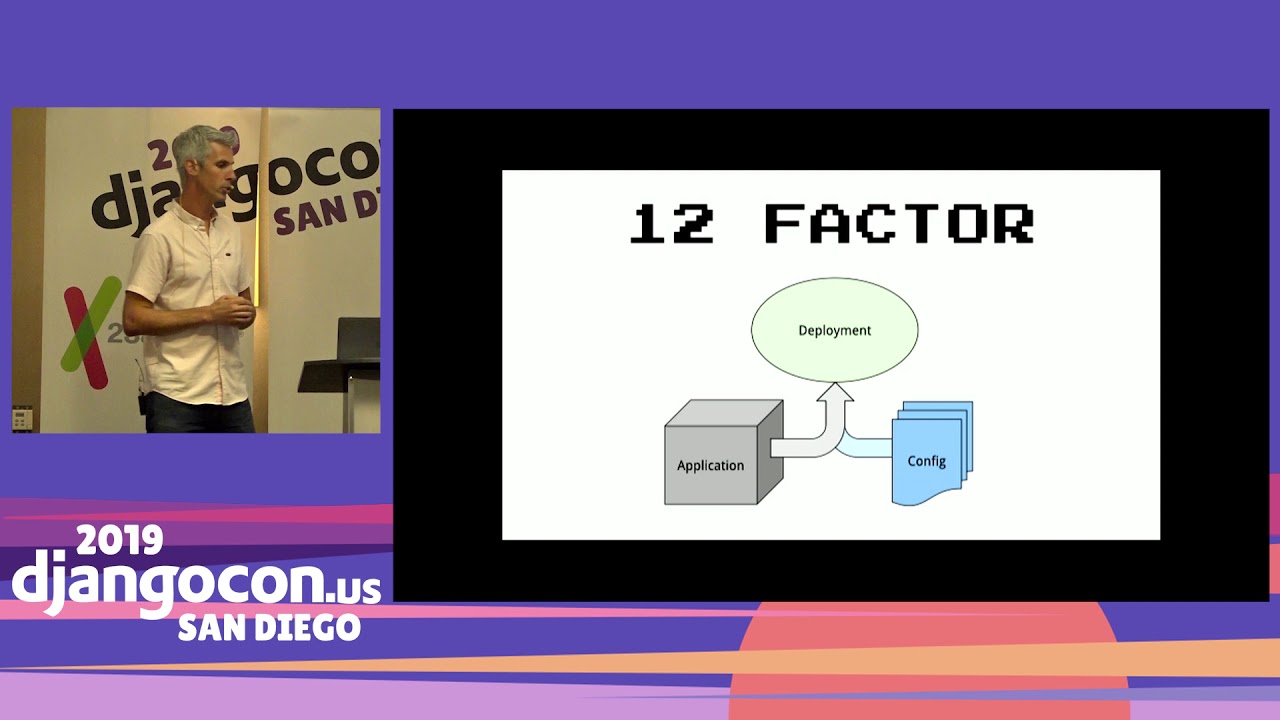
Speaker 1: In that goes any sort of user-generated content, stuff that isn't version, so you know user uploads and stuff like that. It's got a deployenv. json file. I'm not really going to go into this, but that's uh kind of a a 12-factor type application uh thing where we store uh secrets like API keys or uh your you know database uh IP and password and all that. Um so that comes in from the configuration system and then the app reads it. There's a package cache, which is sort of the secret to making being able to create new virtual ends every time really fast. So the the change that happened a few months ago is that uh Pip, now when you install dependencies, will
Speaker 1: build Python wheels. Wheels are um like binary kind of uh blobs of uh Python modules. So if you have uh C extensions like uh common ones, uh Psycho PG2, the Postgres driver, or PILO, you're uh image manipulator. Those t usually take really long time to build, like on the you know, minutes. So that made it really hard to build fresh every time because your deployment got really, really slow. Uh the nice thing is that Pip by default now creates these wheels and sticks them into a cache and will check there first uh for um if you if you have an updated versions, it's uh almost an instant uh install. So Using that that package cache and and keeping it kind of outside of our um
Speaker 1: versioned repo, we can reinstall everything really quickly. There's a checkout of our repo. Um uWISGY cache, you can ignore. It's uh we're actually using UWISGI's caching mechanism. Uh there's our UWISG configuration file which tells UWISG how to run, and then there's uh virtual M 's directory. So this is what the virtual Ms directory looks like. Those are commit hashes of our code and uh the the date, you know, the each one's a directory. Uh it's actually a virtual env. And uh you can see the date on there that shows the time when that one was deployed. And the trick to kind of making this all work is you don't run out of a
Speaker 1: commit hash, you run out of this current directory. The current directory is just a sim link to whatever is currently running. UWISGI points to that. Any sort of like static file serving points to that. And so Uh updating to a new one or rolling back to a previous one, all it is is you change the sim link, you reload your services, and you're on a new version. So Uh uh this is really nice for a bunch of reasons. Um one is uh if you have Here's an example I ran into. So we had a site and it had dependencies, and those dependencies have dependencies. And one of the sub dependencies got uh updated and
Speaker 1: broke one of our dependencies. And uh that dependency wasn't pinned in the uh uh uh down the chain and so We had a working version of the code. Uh we deployed a new version and things broke. And we weren't sure why. Uh and once we finally pinned it down, you know, you uh you you try to like release a new version or roll back to the previous version and it's still broken. You know, you're using the same code, but something else down the stack is broken. So Using this uh it w in the uh in in the event when those things happen, uh you can flip back to uh a previous working version of the code, even if your d dependency tree has broken, even if you know, PyPI went down or GitHub went down or whatever, you always know that you have some good working version that you can quickly flip back to.
Speaker 1: And that can be priceless. Other scenarios we've run into, like, hey, you deploy code and somebody put something in it that broke. and that person's not available right now and you don't have time to dig in and troubleshoot it, hey, let's just punt and roll back and you know we'll know we know we'll be safe and we don't have to muck around with our git history or anything like that. So the other interesting thing that that this kind of gives you is the ability to uh build once and deploy everywhere. And that's kind of One of the big things that people like about Docker, the you know, the promise of Docker, that you build and you know exactly what's in there and you can ship that image to multiple servers. So what you can do is have a build server, maybe it's Jenkins or something like that, a new
Speaker 1: a new uh commit comes in and it starts building all your dependencies and into these wheels. You can build it all into uh or throw it all into a tarball and ship that uh archive off to all your servers, which simply unpack it and run it. You don't need to install all your development headers on your production servers. They just live in one spot and everybody else gets pre-compiled wheels. There's a project by Armin Honeher from who did Flask and Ginja. He's over here with Sentry today, called Platter. And it's a really small Python script, I don't know, it's probably four or five hundred lines, that uh does all this for you. So you can um You can also stuff all your uh
Speaker 1: static files in there. And uh it's a really nice way to kind of isolate Python builds and be able to ship uh you know a single file out to your servers which you can easily unpack and run. Next up is database migrations. So some of you may uh have noticed like if we're gonna easily roll back to previous versions, how do database migrations play into that? uh you know uh what about backwards migrations and all that. Quite frankly, I've never seen people um really use backwards migrations effectively. Uh the idea that you can, you know Move forward and then move backwards. What I would recommend instead is just maintaining backwards compatibility for a little bit until you know that your current code is good code.
Speaker 1: So if you need if you think you're going to delete a column, uh don't release the code that doesn't depend on that column and delete the column in the same deploy. Release the code first and once you're sure everything's working, then release a migration which is going to uh delete that column. So you always maintain kind of a buffer that you can roll back. If you have a really large database and get a sufficient enough uh a sufficient sufficient amount of traffic uh you can run into the risk of locking your database uh with a migration. Uh so you know maybe you're uh adding a new column and it needs to um You have a default value or something like that and and you know your
Speaker 1: your database starts uh ripping through all the columns, it puts a lock on the table and nobody else can write to the table until that uh migration completes. So if you have a scenario like that, there's a post that describes it all in detail much better than I could. It's there, it's by Also in my notes, Ludwig Hahn, I think is his name, and it basically gives you techniques on how to Identify migrations that are going to be problematic, how to split those migrations up into multiple migrations that will allow you to do the same thing without locking your database. uh and it's a really great resource.
Speaker 1: And uh I think this is the last one. Uh tracking releases. So um You want to, when you release new code, uh know that new code was released and know uh when it was released and and what was released. Uh this is like hugely important for regression testing. Uh it's really common on big high traffic sites that You know, you're moving fast and you're releasing new code and a week later somebody checks your you know at metrics and holy cow, we're 30% slower than we were a week ago. What the heck happened? um you know and you've put in tons of new stuff in in the interim. Being able to go back and see, you know, hey, on this date we released this
Speaker 1: this commit and per and performance degraded immediately after that is huge. And it's it's it's frequent that it's not immediate. It's like, hey, I need to know from a week ago or two weeks ago or something like that. So getting this data really close to uh where you're tracking performance is helpful. Um if you pay New Relic a bunch of money, you can get them to uh you can you can do this. OpBead includes it and you can even just like push it to a Slack channel. It might not get it close to your performance, but at least you have that data somewhere that you can reference it later. And usually these are just uh like a curl API call and uh really easy to add into your configuration management system kind of at the last step, like hey.
Speaker 1: New code's deployed, make a curl call to this REST API, and uh it'll handle all the release tracking for you. So to wrap up, uh the thing I've noticed with uh building our own configuration management system and and building it for clients uh over the years. is probably the the biggest difference uh the biggest you know thing that that helped us was that we were always chipping away and making it better. If you're not using configuration management today, you don't need to sit down and stop everything and spend a week or two to build out the perfect configuration management system. Start small. Like add, you know, next time you need to add a new user to a server,
Speaker 1: do it with a configuration management system. Next time you need to change a configuration file. you know, put that into your configuration management system and and slowly chip away over time. You know, uh think of the humans that need to use this system. You know, that that anecdote I gave earlier about Hey, you know, oh yeah, we we have a we have a configuration management system, but it doesn't restart Celery uh when when you deploy. That's gonna come back to bite somebody, like you know, soon. So when you run into those issues, fix them. Figure out how you can, you know, anytime you do have a failure, figure out what went wrong and how you can fix it. and make that fix. It's not something that you need to invest tons and tons of time into, but you need to kind of chip away at it and and make things better and eventually you'll get to a system that's
Speaker 1: really really nice and really reliable and has all those features I talked about earlier. If it's slow, look into why it's slow. Can you make it faster? Can you, you know, do some caching or something of uh some files like we talked about with the wheels? Uh you know, that's that's one thing we ran into with with our deployments. Uh we were doing um some node stuff. for front-end files, you know, building stuff with gulp and it it took I don't know twenty or thirty seconds and I I spent an hour looking into it and figured out how to you know cut that time in half. Although time adds up and if you nobody ever looks at it, you're gonna end up with a system that's slow and people don't want to use And then finally make it easier. When people ask you questions, when people are confused, figure out why and figure out how you can improve and make it better
Speaker 1: so you know people don't have questions in the future that they can empower themselves to do this to build their own software and to put it onto your systems and that will make uh make people happier both on the sysadmin side that they're not you know constantly answering the same questions and on the development side that they're you know they don't need to have a gatekeeper to to get this code out. So that's it Thanks. I have I have a few minutes left, so um I I'd be happy to field a few questions and I also uh am at the booth for Lincoln Loop over here. Um and yeah, feel free to come talk to me. Thanks
Speaker 1: Thanks
Speaker 2: very great talk. Um I come from a sysadmin background and in the sysadmin world we're starting to learn all the kind of stu similar stuff that that you've just been describing but we're we're coming from a perspective of, you know, things systems that don't change for a couple of years and oh hang on, you want to deploy twice a week or twice a day or twice an hour, whatever. Um The big movers and changers in the sysan world are people like uh Gene Kim , who has written a couple of uh things, uh the Phoenix Project. I'm just wondering if you're familiar with that. Um I'll come and talk to you later. Um and and Tom Limoncelli, who uh along with a couple of co-authors, have has written a book um which is cloud administration and they don't use the word cloud anywhere except on the front cover, which is great. But basically
Speaker 2: again, coming from a sysadmin perspective, uh these similar kind of things. So uh I was w in in h trying to ask a question rather than just deliver a a comment, but uh you know if you if you heard of those things or not. But uh
Speaker 1: Uh no, I'm not familiar with them. And I uh I do have a uh I was originally a sysadmin, um probably not a very strong one, uh, and then became a developer. So I I do have some empathy from the sysadmin uh side of things, but um you know I I wasn't like a down in the trenches for 15 years type guy. So uh I'll have to check those out. Thanks.
Speaker 2: Thanks Uh
Speaker 3: can you talk about the uh the simlinks used for the virtual ends that you talked about, uh using the current uh simlink seems like a really good way to solve a lot of problems. Is there something similar you use for the actual uh Uh for the code also, so that you mentioned not leaving craft like the PC files. Does that a is that how you do that with the code also?
Speaker 1: So uh yeah, there's um This repo directory here, uh, and that's a uh directory above the virtual Ms. That is our git checkout So we we literally do a git pull on that and then we copy uh uh like a flat copy of that code directly into the virtual m. And uh we are um all our projects we put a setup. py file in. It's like super simple, but then we pip install that That copy of the code into that virtual imp. So it's all sort of baked in there and it's independent of the repo. Even if you do like a forced push and blow out the commit, like that that is sort of you know, baked in there and you can't mess with it.
Speaker 1: So yeah.
Speaker 3: Thank you.
Speaker 4: Hi. Um again with the separate virtual ends. Um does that mean that your Python processes need to be restarted or can you reload those when you're switching virtual and
Speaker 1: so uh what I what we're trying to do is um uh Yeah, that's an issue. If your if your you know your UWISG process or your Celery process or something like that is running from within that virtual m, yeah, you can't reload it uh you know because it's uh it's still that copy. So what we've done is sort of taken a different philosophy a little bit and uh looked at UWSG and Celery more like we're looking at Nginx or Postgres. Those are like system level services So UWISGY and Solary are going to get uh installed kind of on the system uh at a higher level, and then they just point into those directories and those virtual Ms. uh which lets you uh
Speaker 1: kind of do all that stuff. So uh we don't have long-running processes that are run getting kicked off from manage. py. Uh they're getting kicked off you know by external kind of Python
Speaker 4: Okay, thanks.
Speaker 5: So this morning I did the Azure Microsoft challenge and I pushed to GitHub and boom it went live. And I was able to do that And this feels like a really big, you know, learning curve. So at what point will I not want to just Do the Microsoft Azure or Heroku or whatever method?
Speaker 1: As a beginner or as just like a kind of if when you're doing small scale, smaller scale development. Platform as a service is amazing. I strongly recommend it. Like you you as if you don't want to do uh this stuff. They probably do this stuff in the background for you. But at some point, if you know you're you're learning more and you're using new services or you're starting to you know get lots of traffic and you're starting, you know, th those services can get expensive quickly. uh when you're um you know uh running large scale stuff and at some point you start to kind of uh feel pain. Uh like you're you know, I'm too constricted using this. I want to do something that's not possible on here or holy cow, I'm paying a ton of money and I think I could do this, you know, cheaper on my own.
Speaker 1: Um at that point, you know, you that that that's when you start looking at, you know, how how do I kind of manage all this stuff myself? But um I'm I'm very uh It's kind of sad to me how much stuff there is that developers need to know to get a website online these days. And anything that uh kind of makes that smaller and and prevents people from like just getting so overwhelmed that they give up uh is a good thing. So I I'm I'm a big fan of of pass and and and all that stuff. Uh and it works great at at a certain point and there's points where it doesn't.
Speaker 6: Um if You have multiple projects that sort of depend on each other and depend on versioning. So what you were talking about like being able to easily roll back, but then Um what what would be your suggestion for if you have that where you're deploying multiple projects completely separate, but maybe one of them messes up? Um You know, I don't know. How would you handle that? What would be the best way to do that?
Speaker 1: Right. So uh if they're not dependent on each other, uh you just create like two of these directories and and serve them separately. Uh the the challenging part is when they start to depend on each other and um there's a lot of talk on how to how to kind of gracefully you know you start talking about then like you're in a service-oriented architecture and there's multiple services and how do I ensure that this service you know is talking the same same you know messages that this service understands. That's really hard. Um and uh m my take on it is like the whole microservices stuff is um Uh you don't do it until you like really, really feel the pain of the big monolithic
Speaker 1: project and um stick with, you know, the there's There's uh you know b really big organizations that have uh I think like Twitter and uh maybe Google too have like monolithic repos that are huge that encompass like multiple services and everything, but then they still have like, you know, hey, there's one commit that represents a certain state of the world. Uh and you know it's gets really hard. You know, I've I've done this sort of system sorry Stop. I've done this sort of system, you know, with like multiple projects and yeah, you can do like two commit hashes as your unique identifier, uh, but that breaks down pretty quickly. So um I don't know, hopefully that answers your question.
A good deployment is reliable, boring, user-friendly, fast, non-disruptive, idempotent, and deterministic. It should work every time without taking the site down or requiring a particular person to fix hidden manual steps.
Discussed at 5:39Use a configuration-management tool such as Ansible or Salt for setting up, updating, and deploying servers. Fabric is useful for remote execution and deployment commands, but it should not be used as the configuration-management system itself.
Discussed at 10:17Pin dependencies to exact versions rather than broad version ranges, and avoid relying on arbitrary third-party Git repositories. For proprietary or unavailable packages, use a private package index or vendor the code into your project.
Discussed at 11:05Gracefully reload services instead of restarting them. A reload lets existing workers finish while new workers start serving requests, avoiding dropped requests and short periods of downtime.
Discussed at 14:08Hide the details of Ansible, Salt, or other infrastructure tools behind simple commands such as a deployment function. Provide commands for common tasks too, including deploying branches, viewing logs and status, opening a Django shell, listing releases, and rolling back.
Discussed at 15:42Build every release in its own virtual environment with its own code, dependencies, and static files, then switch a `current` symlink to the finished build. Switching the symlink and reloading services makes deployment and rollback quick, while preventing broken or stale files from affecting the running release.
Discussed at 18:02Do not depend on backwards migrations; keep the old code compatible for a while instead. For example, deploy code that no longer depends on a column first, verify it works, and remove the column in a later deployment so the previous release can still run.
Discussed at 26:45Platform as a service is an excellent choice for beginners and smaller applications. Consider managing the infrastructure yourself when the platform becomes too restrictive, your traffic makes it expensive, or you need services and configurations it cannot provide.
Discussed at 37:12Note: We understand that names change, people change, and bodies change. We respect each individual's journey and privacy. If you have any concerns about a video or need us to remove content, please don't hesitate to contact us. We will handle your request with care and promptly address any issues.

Published July 15, 2026

Published July 15, 2026

Published July 15, 2026

Published July 15, 2026

Published July 15, 2026

Published July 14, 2026