0:21:35
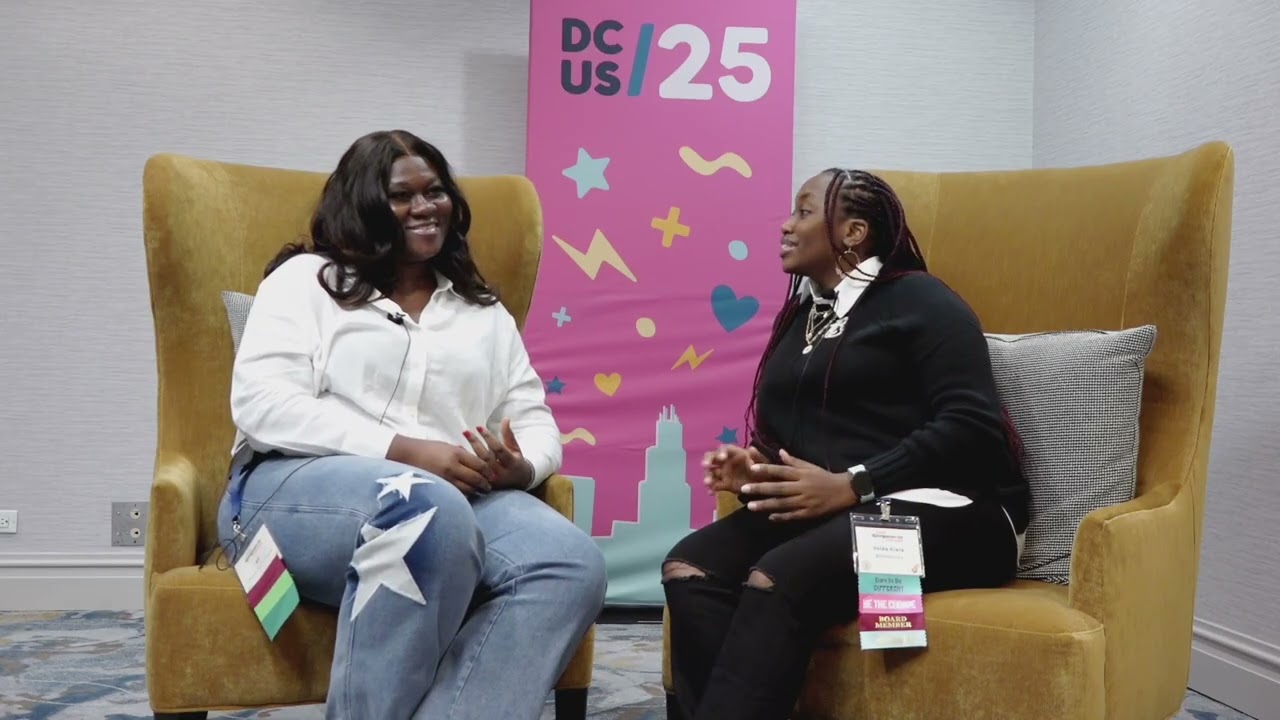
Amplifying Excellence: Inside Black Python Devs with Abigail Afi Gbadago
Published July 14, 2026
This video features Abigail Afi Gbadago at DjangoCon US 2023 in Durham, North Carolina, USA.

Django is a popular web framework that comes with a powerful database migration system. However, managing database schema changes can be a challenging task, especially in complex projects with multiple developers and frequent releases. Conflicts can arise when multiple developers modify the same models or when migration files are applied in the wrong order. Rollbacks are also necessary when migrations fail or need to be reverted.
We will explore different strategies for handling conflicts and rollbacks in Django database migrations, discuss how to prevent conflicts by using tools such as database locking, how to resolve conflicts manually and how to use migration squashing to reduce the number of migration files. Additionally, we will explain how to handle rollbacks by using version control systems and backups.
By attending this talk, attendees will gain a deeper understanding of the challenges involved in managing database migrations in Django and learn practical strategies for handling conflicts and rollbacks. They will be able to apply these strategies in their own projects to improve their development workflow and ensure data integrity.
This talk was presented at: https://2023.djangocon.us/talks/strategies-for-handling-conflicts-and-rollbacks-in-django-database-migrations/
LINKS:
Follow Abigail Afi Gbadago 👇
On Twitter: https://twitter.com/afi_maame
Follow DjangCon US 👇
https://fosstodon.org/@djangocon
https://twitter.com/djangocon
Follow DEFNA 👇
https://www.defna.org/
Video production by the presenter and DjangoCon US 2023 volunteers.
Django migrations provide version-controlled, reproducible changes to relational database schemas without manually writing SQL, while supporting collaboration, dependency tracking, rollbacks, and schema evolution. Abigail Afi Gbadago explains that Django compares the current models with a project state rather than recording every intermediate edit, so unsynchronized or divergent changes can produce dependency conflicts, data-loss risks, and failed automatic merges. She recommends testing both forward and backward migrations, reviewing dependencies and version-control history, using `showmigrations`, `check`, `merge`, and rollback commands carefully, involving teammates in reviews, avoiding unnecessary `--fake` operations or migration-file deletion, and maintaining database backups for recovery.
Summarised automatically from the transcript.
Automatically transcribed, so expect mistakes in names and technical terms.
Hi everyone, my name is Abigail Afi Pedago. I'm mostly known as Afi. I'm the second Afi at this conference. So I'm part of Django Girls Ghana, PyDis Ghana. I'm also part of the Python Accra or Ghana community. And today we'll be having a look at strategies when you are handling conflicts and rollbacks with Django based Django database migrations. So this is a quick glance at what we'll be looking at today. I promise it's going to be quick. I'm not going to bore you out because I know most people do Django database migrations a lot. We'll look at a quick scenario and then the importance of migrations and how Django uses migrations to manage the database.
schema, potential conflicts that may arise because I'm sure with your development experience you would have had certain issues when you are handling rollbacks or migrations. If you haven't, you are lucky Um things to consider when rolling back or reverting the migrations. And then finally, you just discuss best practices when you are doing those things. So now the scenario. So I know most people here, right, would have like top-notch um code experience or developer experience when they are contributing to code or like pushing code and all that and deployment. But imagine a scenario where um you have fields that are figured, right? And you've already made migrations and you've already pushed to
prod. And in that situation, you've already filtered, you've already altered the fields locally and you've pushed again. So now you're having conflict in your Django database and automatic is not working. This seems a little bit far-fetched for some people, but this could be reality for like new hires or anyone who didn't or doesn't have that much experience in migration. And I was in that spot some time ago. You may be feeling like this, because I mean at that point the whole world is about to calm down, especially when it comes to prod, like prod code So now we're going to talk about, you just have to hold our thoughts. You're going to talk about database migrations in Django and then their importance. Then we'll come back to the answer for that scenario.
So we know Django is designed right to work with relational databases stored in an RDMS type like PostgreSQL, MySQL, SQLite, and all that. So the database schema, as we all know, is the it comprises of the tables and then their columns and then their respective data types. So the migrations in Django are very crucial because they help us make changes, right? Without us having to write SQL statements and run the code. It just handles that for us in Django. So it's important is to help with version control collaboration because we get to push and share code, share migration files. data integrity because once you push it keeps a record of what you've pushed, the fields that have been altered and all that.
It helps you reproduce your your database right because when certain migrations are applied in a certain seek sequence you can get the database that you've already created based on the migration files Also, you could also do rollbacks if you've created or applied a migration that's it's not really going on well. And you could also have a schema, automatic schema evolution. Now looking at how Django uses migrations to change to make changes to the database schema, we know that for Django, initially I thought it's makes or takes track of every um change that you make. But I recently I found out that that's not how it works. It actually built a project stage of what your models should look like.
And then that's a comparison in the end. So with every field you are altering, it doesn't really take notice to you apply the migrations. So you have a situation where you make a lot of changes without doing migrations and then the sequence in which you made the changes do not really follow in order. So that's a limitation of like the migration in Django. Database. Now we'll look of sorry, we'll look at the two main commands that almost everybody here uses when we are making migrations, which is a make migrations and a migrate command. So when you apply a migration, right, we know that each operation is responsible for generating SQL statements like under the hood So in a migration file, like in your IDE, you see that you have the dependencies
if there are dependencies and then the operations So the operations are like desk your statements that work like under the hood. So if you need to create a table, if you need to alter or delete, those things work for you So with this role of make migrations and migrates, they help you define models. And also when you have initial database, I mean Django app, you have the initial migrations. You could also make subsequent migrations with these commands. You could apply migrations, see migration history, do roadbox and reverse migrations, see dependencies and then Sorry, um I'm a bit nervous. Um, so some options that you could use when you're making migrations are
These flags, the MT check and merge. Funny enough, I've not used the empty before, but I tried it out and it works. The check also helps you to see if you have any problems to existing migrations, and that's super super helpful And then a merge if you want to sort of merge a current migration with an existing one So for the migrate, you also have the fake and fake initial. These are these I found very, very tricky because this this what kind of landed me in a scenario I mentioned before where auto merge was not working So now we look at potential conflicts that may arise during migrations. So you could have issues with dependencies also saying when you have migration files you see that there are two main parts where you have dependencies and then the operations that are performed during every migration
So you could have issues with data loss, like concurrent changes that are not being seen. You could have bugs. You could have issues with your data being validated. There are many ways that people choose in order to resolve database conflicts again Django, right, or migrations or robots. So an example is like merging, as I said before, and reverting or resolving them manually Sometimes you have to even go into the DB to make certain changes, but that's more like a last resort sort of thing. So now I'm going to talk about things to consider when you're rolling back or reverting like Django migrations
So to rollback, we all know is the command like migrate and then the previous name of the the migration file that you want to apply. So for instance, say you've applied um a new migration and you realize you've made a mistake, you could easily like roll back and then do that. You also have the show migrations to see like a list of migrations that you've applied and then you could easily select which one to reverse to or fall back on. Also, the one thing that I also like to keep in mind is unapplying a migration does not really take out the file, because if you do migrations again, it's going to reapply it So
now we're going to talk about when rolling back in reverting migrate migrations. I did mention there was a part where you could manually modify So this is more like a rat last result of the Nasai said for me because it's quite tricky There are cases where you have to revert back to the last table of migration and reapply it, right? And sometimes when you do that, you have to ascertain if the details or the data you have in the database is right Because you could apply a migration or a VET and try and see and try and push code, but you have to test it before So now I'm going to talk about best practices when dealing with conflict and rollbacks and like giving migrations.
So for me, I would say you should implement forward and backward database migrations and you should try and test as you go before if you need to revert. As soon as you read, you have to like test it to make sure it's working. And also if you want to go back to an existing one, which um would be like a lower migration file, when you make the migration, you also have to test it too You should try and maintain a clear record of your migration dependencies because sometimes you could have divergent migration files and it becomes really tricky to figure out which fields you should choose or which fields are present in this or what operation was done in what. So you have to really critically look at your migration file. I'm stressing on this because I don't want it to be
my position or that I was in, sorry. Also, version control systems really help track changes. So always keep a look at your git status, what you have pushed or what you currently have. Also, rollback should be approached cautiously, right? You should make sure that you've planned enough for it when you're doing a rollback. You should make sure it's in sync with your current code. Everything is working well before you push to prod. And also encourage code reviews. Don't be an island. Always reach out for help. Make sure that everybody in the team is in sync. Everybody knows, oh, you're pushing this new field, or you've done this rollback, or you've done this particular migration. So in conclusion,
don't forget to make and create migrations and don't tash or make too many changes before applying or making migrations. Only use rollbacks when it's necessary. Be careful when you're faking fields and only do so when you absolutely need to. Ensure that divergent migrations are merged. Because there are if there are times when you'll be working with someone right on your team and you guys will have to collaborate together. So if you made a migration and let's say the ending is 0071 and And the starting is 0070 and yours is 7. 1 and the person is 7. 2 and you both push at the same time, there's obviously going to be conflict. So make sure you always sync with your team on that Uh look at the dependencies carefully and don't delete a migration file unless you have to, else you
learn it the hard way. But if you feel you are strong enough to handle what comes after that, sure you could go ahead and delete your migration file, but I wouldn't. And plan for disaster recovery. Always make sure you have backups of your database because anything can happen. Um uh resource and credits. I sort of read up on these, and so that's it for me. Thank you so much for listening to me.
Django compares the current models with a project state, then generates migration operations that translate into SQL for creating, altering, or deleting database structures. Migrations also provide versioning, reproducibility, and a record of schema changes.
Discussed at 3:30Use `migrate` with the name of the migration you want to return to, and use `showmigrations` to review applied migrations and choose the target. Reversing a migration does not delete its migration file, so it may be reapplied later.
Discussed at 7:29Manual changes should be a last resort. If you revert to an earlier migration and reapply it, verify that the database data and schema are correct, test the result, and ensure the code is synchronized before deploying.
Discussed at 8:14Test both forward and backward migrations, keep dependencies clear, use version control and code reviews, coordinate migrations with the team, and approach rollbacks cautiously. Keep database backups and plan for disaster recovery.
Discussed at 8:59Inspect the migration dependencies and operations carefully, synchronize with the team, and merge divergent migrations when necessary. Avoid deleting migration files unless you fully understand the consequences, and be especially cautious with fake migrations.
Discussed at 10:31Note: We understand that names change, people change, and bodies change. We respect each individual's journey and privacy. If you have any concerns about a video or need us to remove content, please don't hesitate to contact us. We will handle your request with care and promptly address any issues.

Published July 15, 2026

Published July 15, 2026

Published July 15, 2026

Published July 15, 2026

Published July 15, 2026

Published July 14, 2026
